StockEven Inventory Sync With Square For WooCommerce Wordpress Plugin - Rating, Reviews, Demo & Download
Plugin Description
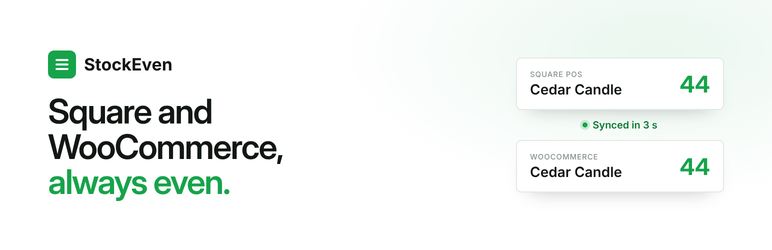
StockEven keeps stock levels equal in Square and WooCommerce. A sale at the Square POS lowers stock online; an online order lowers stock in Square. Refunds, restocks and manual corrections move across too.
How it works
- Products are matched by SKU. Products with the same stock on both sides start syncing right away.
- Products with different stock wait for a single decision: keep the Square number or the WooCommerce number.
- Every change is sent once. Changes made by StockEven are never sent back again, so there is no echo between the systems.
- If Square or the store is unreachable for a while, changes wait in a queue and are delivered when the connection returns. Nothing is lost.
- An hourly check compares both sides and corrects any difference according to the chosen source.
What the panel shows
- A clear status in the WordPress top bar: all in sync, needs attention, or sync paused.
- Products that need a decision and products that cannot sync, with the reason and how to fix it.
- A log of recent stock changes and where they came from.
- Email alerts when sync is paused or products need attention (one summary a day at most).
Plans
The plugin is free. Syncing up to 50 products is free. Larger catalogs need a paid StockEven plan (from $19 a month), bought in the plugin under Plan & billing. All features are available on every plan.
Pricing: https://stockeven.com/#pricing
Square is a trademark of Block, Inc. WooCommerce is a trademark of Automattic Inc. StockEven is an independent product and is not affiliated with or endorsed by Block, Inc. or Automattic Inc.
External services
This plugin connects to services outside WordPress. Syncing does not work without them.
StockEven service (app.stockeven.com)
Runs the sync between Square and WooCommerce.
* When connecting: the store address and a one-time connection code.
* For email alerts: the alert email address (by default the site admin email; can be changed or turned off).
* While syncing: product IDs, SKUs, product names and stock quantities of products with managed stock, and stock change events (quantity change, reason such as sale or refund, order number). Customer data is not sent.
* Requests are signed with a secret unique to the store.
Terms: https://stockeven.com/terms — Privacy policy: https://stockeven.com/privacy
Square (squareup.com)
The Square account is connected through Square’s authorization page. StockEven reads Square items and inventory and writes inventory changes on behalf of the connected account. No Square credentials are stored in WordPress.
Terms: https://squareup.com/legal/general/ua — Privacy: https://squareup.com/legal/general/privacy
Stripe (stripe.com) and Link (link.com)
Paid plans are bought on a Stripe Checkout page opened from Plan & billing. Link, a Stripe company, is the merchant of record. The plugin itself sends no payment data; the StockEven service creates the checkout session with the store’s StockEven ID and plan. Card and billing details are entered on Stripe’s page only.
Stripe terms: https://stripe.com/legal/ssa — Stripe privacy: https://stripe.com/privacy — Link terms: https://link.com/terms
Screenshots

Guided setup: connect Square, pick a location, match products.

Home: sync status and today’s changes.

Products that need a decision.

A product that cannot sync, with the fix.

Activity log.

Plan & billing: current plan, products in use, upgrade or cancel.