Ston Currency For WooCommerce Wordpress Plugin - Rating, Reviews, Demo & Download
Plugin Description
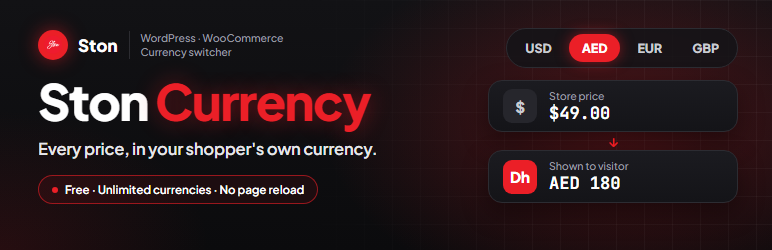
Ston Currency lets shoppers see and pay in their own currency, while you keep managing every price in your store currency.
Currencies
- Add, remove, enable, disable and reorder as many currencies as you need.
- Exchange rate per currency, typed by hand or updated automatically twice a day.
- Optional extra fee (%) per currency, to cover conversion costs.
- Rounding rules: none, nearest whole number, round up, charm prices (x.99), nearest 5 or 10.
- Full format control per currency: symbol, symbol position, decimals, thousands and decimal separators.
- Fixed prices per currency on any product or variation, when a rate is not good enough.
- Default currency per country (with Cloudflare or the WooCommerce MaxMind database).
Switcher
- Four types: pills, dropdown, native select box and inline links.
- Show the code, symbol, name, or a combination, with optional flags.
- Place it with a shortcode, the Elementor widget, a classic widget, a theme menu, or as a floating button.
- Show it on every page or on store pages only.
- Switches without a page reload: prices, cart totals and the mini cart update in place.
- Accessible: keyboard navigation, focus states, reduced motion support.
Store
- Checkout in the customer’s currency, or always in your store currency if your payment gateway needs it.
- Converts fixed coupon amounts, minimum and maximum spend, shipping costs and the free-shipping minimum.
- Works with the block cart and checkout, HPOS and the Store API.
[ston_price amount="49"]shows any store-currency amount in the visitor’s currency, for pricing tables on landing pages.
Fast
- No jQuery on the front end; one small script and stylesheet, loaded only on pages with a switcher.
- No database queries per price: settings are read once per request.
- Cache friendly: WP Rocket and LiteSpeed Cache keep a separate cached copy per currency.
External services
This plugin can get exchange rates from ExchangeRate-API (https://open.er-api.com). It connects only when you turn on Settings Automatic rates (twice a day) or click Update rates now. Each request sends your store currency code (for example “USD”); no customer or personal data and no site address is sent.
The optional “Visitor country” setting does not call any outside service: it reads the country header from your CDN (for example Cloudflare) or the WooCommerce MaxMind database on your own server.
The service’s terms ask for a credit link on pages that use its rates. The plugin never adds a link to your site on its own: in Settings Rate credit link (off by default) you can choose to show a small “Rates By Exchange Rate API” link at the bottom of pages with converted prices, either while automatic rates are on or always.
Terms of use: https://www.exchangerate-api.com/terms
Privacy policy: https://www.exchangerate-api.com/privacy
Screenshots

Currencies: rates, fees, rounding and format per currency.

Switcher types with live preview.

Settings.