
StorePlus Safe Media Cleaner Wordpress Plugin - Rating, Reviews, Demo & Download
Plugin Description
StorePlus Safe Media Cleaner helps administrators review media connected to a post, page, or WooCommerce product before taking cleanup action.
The plugin follows a conservative review-first workflow:
- Analyze one post, page, product, or supported public post type at a time with timeout-safe background batches.
- Detect featured images, attached media, content URLs, galleries, supported builder patterns, post metadata, and WooCommerce media.
- Check whether each attachment appears elsewhere on the site.
- Show a Media Usage Map for individual attachments.
- Apply exclusions for protected IDs, post types, filenames, upload paths, ALT text, and site options.
- Re-check every candidate immediately before cleanup.
- Move items to WordPress Trash only.
- Restore source posts and attachments from the Trash Safety screen.
- Keep a local audit history of cleanup and restore actions.
Important safety note
No automated scanner can guarantee that every custom, dynamically generated, or hard-coded media reference will be detected. Results marked as candidates must be reviewed by an administrator. Keep a current backup and test on staging before cleaning a production site.
Privacy
The plugin does not collect analytics, contact an external service, load remote executable code, or send site data to StorePlus. Settings and audit logs stay in the site’s WordPress database.
Screenshots
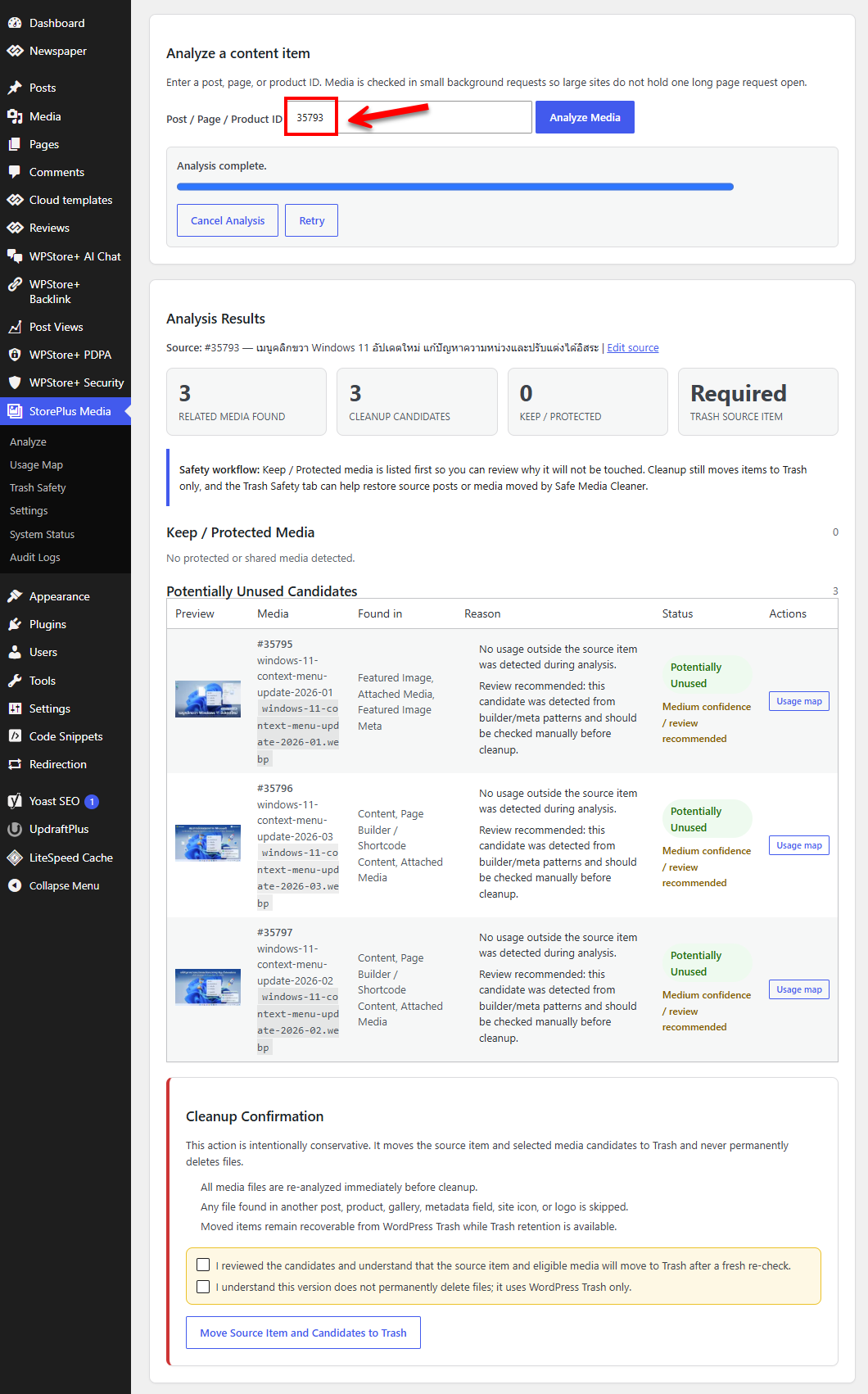
Analyze related media for a selected content item.
Review protected media and potentially unused candidates.
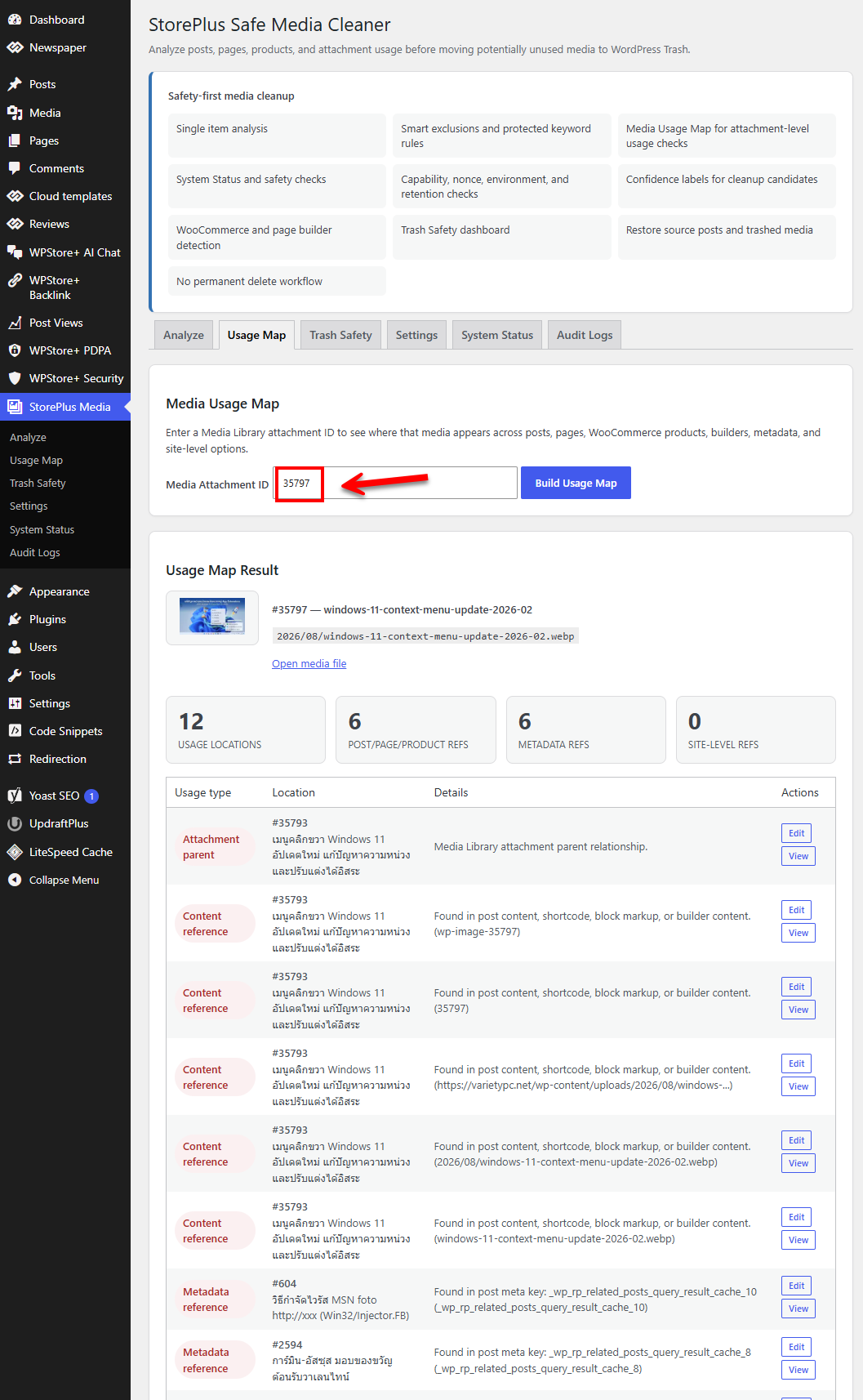
Inspect an attachment with the Media Usage Map.
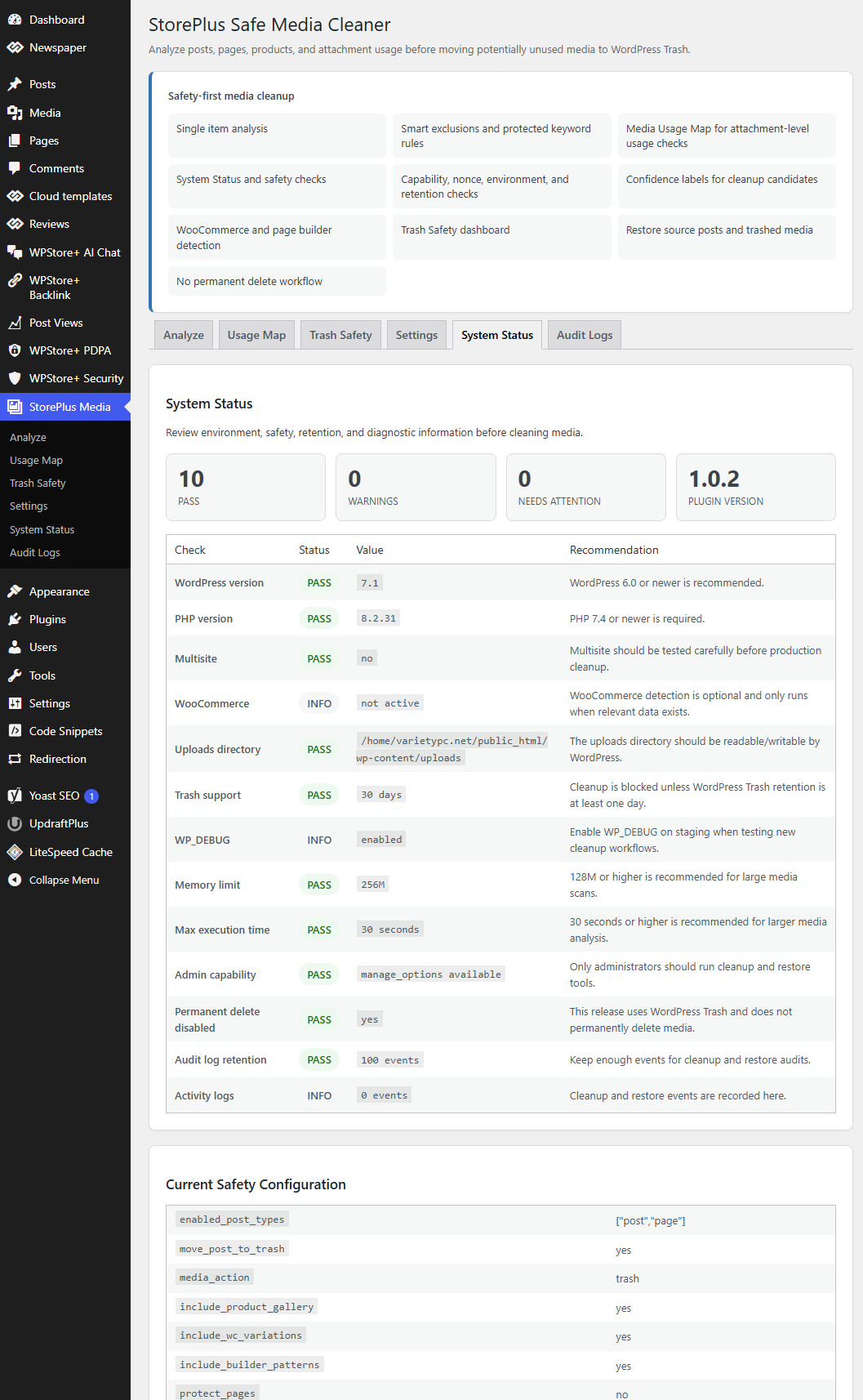
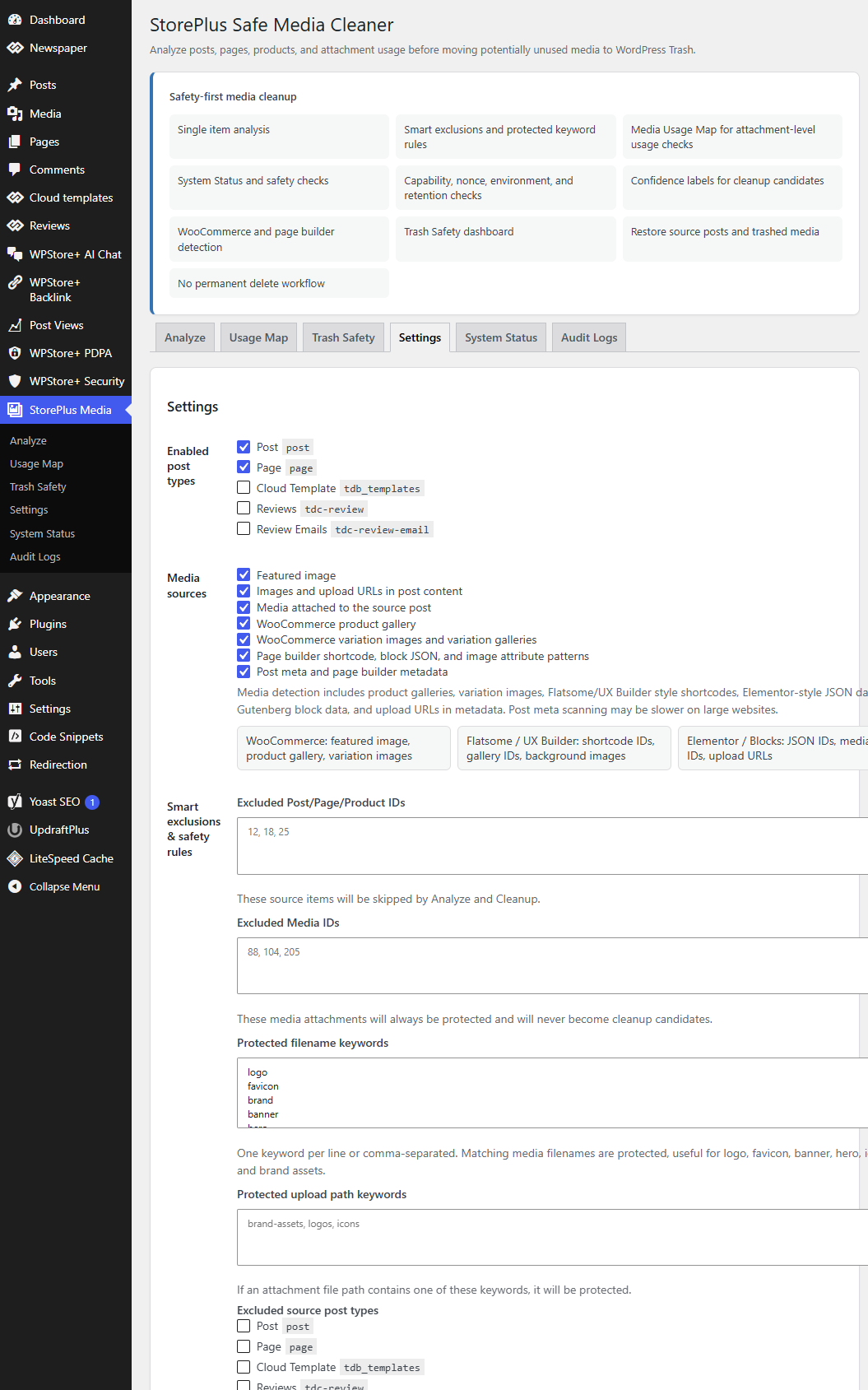
Configure Smart Exclusions and Safety Locks.


