
SWD Tap To Call Tracker Wordpress Plugin - Rating, Reviews, Demo & Download

Plugin Description
For most local businesses the phone is the main way customers get in touch, and a tap on a phone number is a useful contact-intent signal. It does not prove a completed call or a qualified lead. Check your existing analytics before enabling another tracker, so the same interaction is not counted twice.
SWD Tap to Call Tracker adds one small script that watches for taps on phone (tel:), email (mailto:) and text-message (sms:) links anywhere on the page, including links added later by page builders, menus and pop-ups, and sends each tap as an event:
phone_click,email_clickorsms_click(you can rename them)link_type: tel, mailto or smslink_area: header, footer, navigation or content, so you can see which phone number gets tappedlink_label: your own label, if you adddata-ttct-label="..."to a link
It works with the Google tag (gtag.js, as added by Site Kit and most Analytics plugins) and with Google Tag Manager. In the default Automatic mode it uses the Google tag when the page has one and the Tag Manager data layer when it does not, so each tap is counted once.
Explicit site-owner opt-in. Activation alone does not load the listener or forward events. Open Settings > SWD Tap to Call Tracker, enable tracking after configuring analytics and any required visitor consent, then save. Existing installations must also make this choice after updating to 1.0.1.
Private by default. The phone number or email address in the link is never sent unless you switch that on, because Google Analytics does not allow personal phone numbers or email addresses. The plugin sets no cookies, stores nothing about visitors and makes no requests of its own.
Your own taps are not counted. Logged-in users who can edit posts are skipped, so testing your own site does not inflate the numbers. You can turn this off.
If phone taps are an important outcome for your site, you can mark phone_click as a key event in GA4 after the event arrives. Keep completed-call and qualified-lead reporting separate.
External services and privacy
This plugin forwards selected link-click events to Google Analytics 4 or Google Tag Manager only through the Google tag or data layer already configured on your website. It does not install Google services, send requests to Shaun Wilson Designs, or add a tracking identifier or cookie of its own.
Tracking is off until a site administrator explicitly enables it in the plugin settings. Keep any required visitor consent controls in place; this plugin is not a consent-management tool and does not override your Google consent settings. Do not put personal information in custom link labels. Sending the full link is optional and disabled by default; only public business contact links are suitable for that option.
Google service information:
* Analytics terms: https://marketingplatform.google.com/about/analytics/terms/us/
* Tag Manager use policy: https://marketingplatform.google.com/about/analytics/tag-manager/use-policy/
* Google privacy policy: https://policies.google.com/privacy
Screenshots
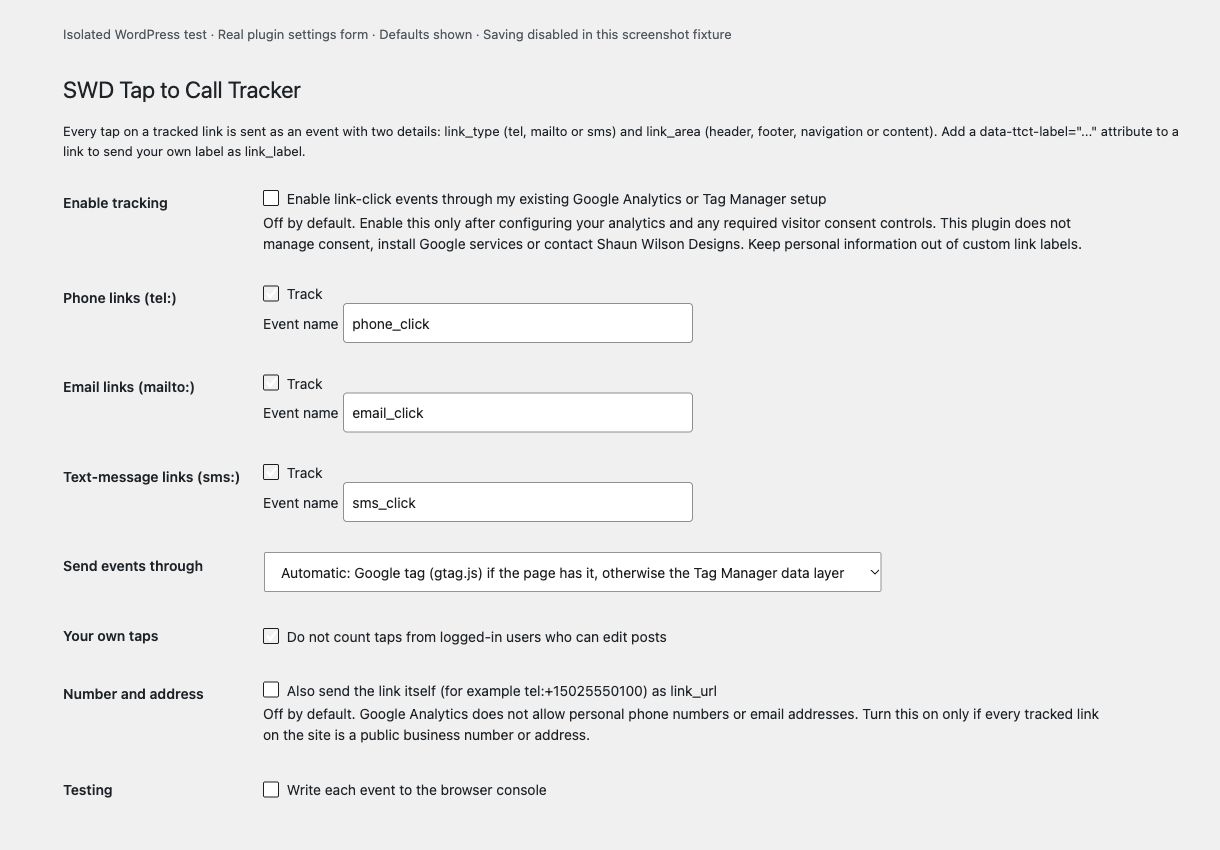
The real settings form rendered in an isolated local WordPress test. Tracking and contact-link values are off by default.
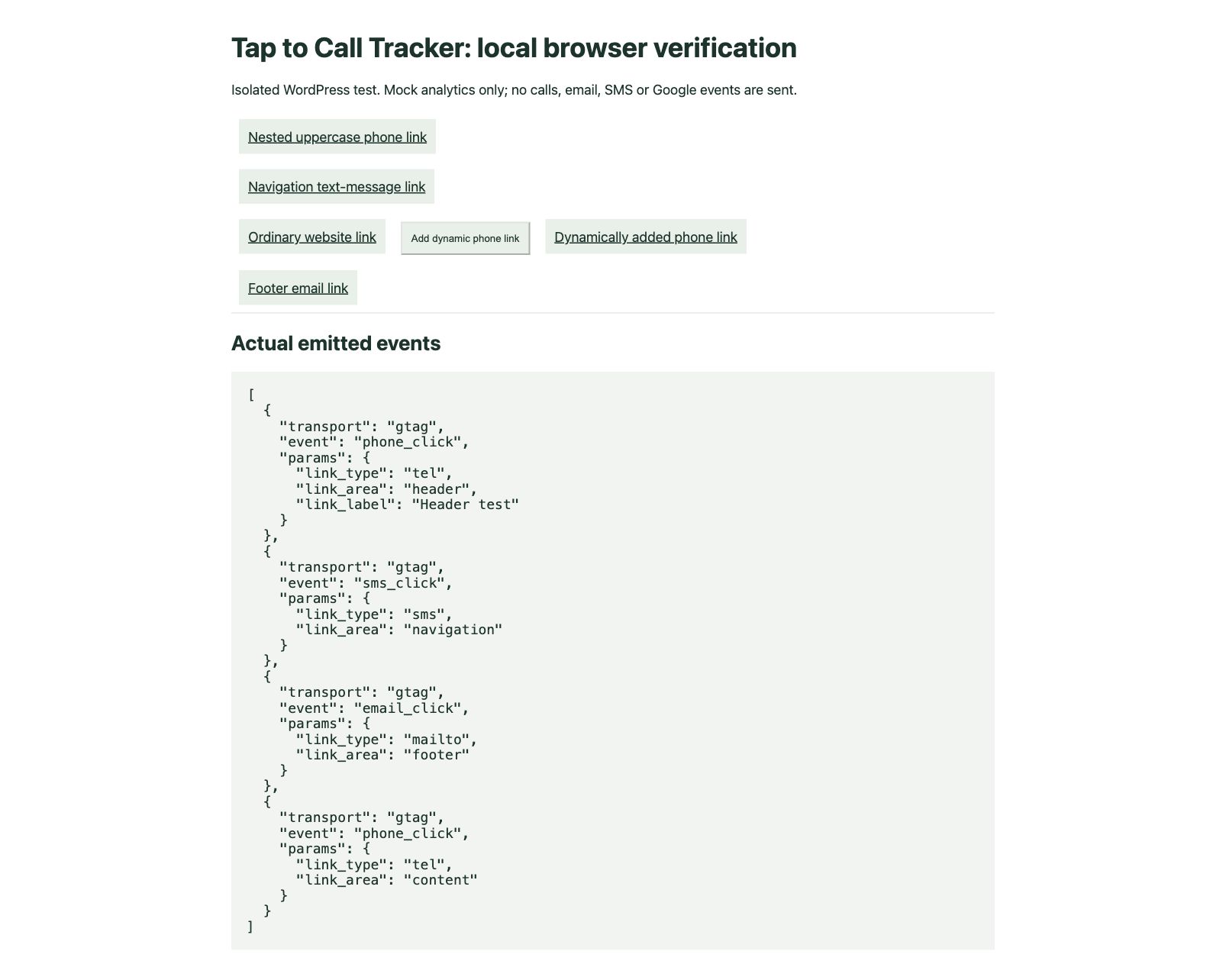
Actual local browser test with mocked Google analytics: phone, email, SMS and dynamically inserted links emit contact-intent events without contact values. This is a test fixture, not a live GA4 report.


