
SwiftBlock Elements Wordpress Plugin - Rating, Reviews, Demo & Download
Plugin Description
SwiftBlock Elements adds polished, production-ready blocks to the WordPress block editor. Each block is server-rendered with sanitized attributes and escaped output, following WordPress Coding Standards and Block API version 3.
Perfect for agency sites, landing pages, and business websites that need testimonial showcases, pricing tables, and FAQ sections without bloated page builders.
Included Blocks
- Testimonial Block — Single quote card with author image, name, role, and customizable colors.
- Testimonials Section — Badge, heading, and auto-scrolling testimonial slider inside a contained card.
- Testimonials Bento — Bento-grid layout with metrics, client logos, and mixed card sizes.
- Testimonials Slider — Split layout with manual slider controls and pagination.
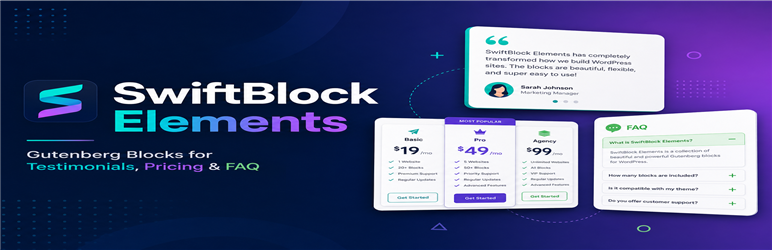
- Pricing Section — Three-column pricing cards with a featured plan highlight.
- FAQ Section — Two-column glass-style accordion with gradient background.
- FAQ Studio — Luxury FAQ layout with image sidebar, navigation links, and plus/minus accordion.
Key Features
- Dynamic blocks with server-side render.php templates (no saved HTML in the database).
- Shared design tokens for consistent colors, spacing, and typography across blocks.
- Per-block responsive controls for Desktop, Tablet, and Phone in the editor sidebar.
- Full-width section backgrounds with contained content areas.
- Block anchor IDs and top/bottom margin spacing via native block supports.
- Translation-ready with the swiftblock-elements text domain.
- Front-end JavaScript loads only when needed (sliders and FAQ accordions).
Development
Human-readable source files are included in the src/ directory. Compiled assets in build/ are generated with @wordpress/scripts.
- Source repository: GitHub
- Build: Run
npm installthennpm run build(requires Node.js 18+).
External Services
This plugin connects to Google Fonts (provided by Google LLC) for optional typography in blocks.
What it is used for
- In the block editor, the font family control loads a list of Google Font family names so authors can choose a font for a block.
- On the front end, when a block uses a Google Font (not a system font), the plugin loads the font stylesheet so visitors see the selected typography.
What data is sent and when
- Editor: When an author opens a block sidebar font control, the editor requests
https://fonts.google.com/metadata/fontsto load the public Google Fonts catalog. No personal user data is sent. - Front end: When a page containing a block with a Google Font is viewed, the visitor’s browser requests
https://fonts.googleapis.com/css2for the selected font family. Google may receive the visitor’s IP address and browser information as with any third-party stylesheet request. This only happens when a block is configured to use a Google Font.
Terms and privacy
- Google Fonts terms of service: https://developers.google.com/fonts/terms
- Google privacy policy: https://policies.google.com/privacy
Screenshots

Testimonial block with author image, quote, and customizable colors in the block editor.

Testimonials Section with badge, heading, and auto-scrolling slider layout.

Pricing Section with three-column cards and featured plan highlight.

FAQ Section with two-column glass-style accordion layout.

Per-block responsive controls for Desktop, Tablet, and Phone in the editor sidebar.


