
Tacet Share Wordpress Plugin - Rating, Reviews, Demo & Download

Plugin Description
Most social sharing plugins load JavaScript from Facebook, X or Pinterest to draw their buttons. That JavaScript sets cookies and reports your readers’ browsing back to those companies whether or not anyone clicks anything — and it costs you a chunk of your page speed for the privilege.
None of it is necessary. A share button is a link with query parameters. That is all Tacet Share builds.
Tacet is the instruction in a musical score telling an instrument to stay silent for an entire movement. It seemed like the right name.
What it deliberately does not do
- No third-party scripts. Nothing from facebook.net, platform.twitter.com or assets.pinterest.com ever runs on your site.
- No cookies. Not first-party, not third-party, none.
- No share counts. Counts require a live API call to each network on every page view. They are slow, most of the endpoints have been withdrawn, and a low number is worse than no number at all.
- No CDN. Icons are inline SVG in the markup. No icon font, no sprite file, no external request.
- No stylesheet request. The CSS is about 1 KB and rides along as an inline style.
- No tracking, no accounts, no analytics, no phoning home. The plugin makes zero external HTTP requests of any kind.
Performance
On a page with buttons, Tacet Share adds inline SVG, roughly 1 KB of inline CSS, and no network requests at all.
On every other page it adds nothing. Both assets are enqueued from the function that actually produces the buttons, so a page with no buttons carries literally zero bytes from this plugin. Your homepage, your archives and your contact form are untouched.
The only JavaScript is the optional copy-link button: about ten inline lines, emitted only when that button is on the page. Turn it off and the plugin ships no scripts whatsoever.
Privacy
Tacet Share sets no cookies, records nothing about your visitors, and loads no resources from anyone else’s servers. The buttons are ordinary links: nothing is sent anywhere until a reader deliberately clicks one and chooses to leave your site.
What that means for your cookie banner or your privacy policy is a question about your site as a whole, and only you can answer it. What this plugin can tell you is what it does, and it is all above — it adds nothing to your pages that a plain hyperlink would not.
Networks
Pinterest, Facebook, WhatsApp, X, Bluesky, Threads, Reddit, LinkedIn, Telegram, Email, and a copy-link button.
Two choices worth explaining:
- WhatsApp is on by default. For recipe, parenting, travel and craft content it routinely out-shares the desktop networks, and most plugins bury it three settings deep.
- Pinterest only appears on posts with a featured image, because a pin without an image is broken. No point offering a button that produces a bad result.
Appearance
Filled, outline or minimal styles. Rounded, pill or square. Left, centre or right. Labels on or off. An optional heading above the row.
Place buttons before your content, after it, both, or manually with the [tacet_share] shortcode or the tacet_share_buttons() template tag.
Who this is for
Bloggers and publishers who want share buttons that do not slow their pages down or hand their readers to third parties. If you have been putting off adding share buttons because every option felt heavy, this is the light one.
Trademarks and warranty
Facebook, X, Pinterest, LinkedIn, WhatsApp, Reddit, Telegram, Threads and Bluesky are trademarks of their respective owners. Their names and icons appear here only to identify where each link goes. This plugin is not affiliated with, endorsed by, or sponsored by any of them.
Tacet Share is free software released under the GPL. As sections 11 and 12 of that licence set out, it is provided without warranty of any kind and the author accepts no liability for any damages arising from its use. The full licence text ships with the plugin.
Screenshots
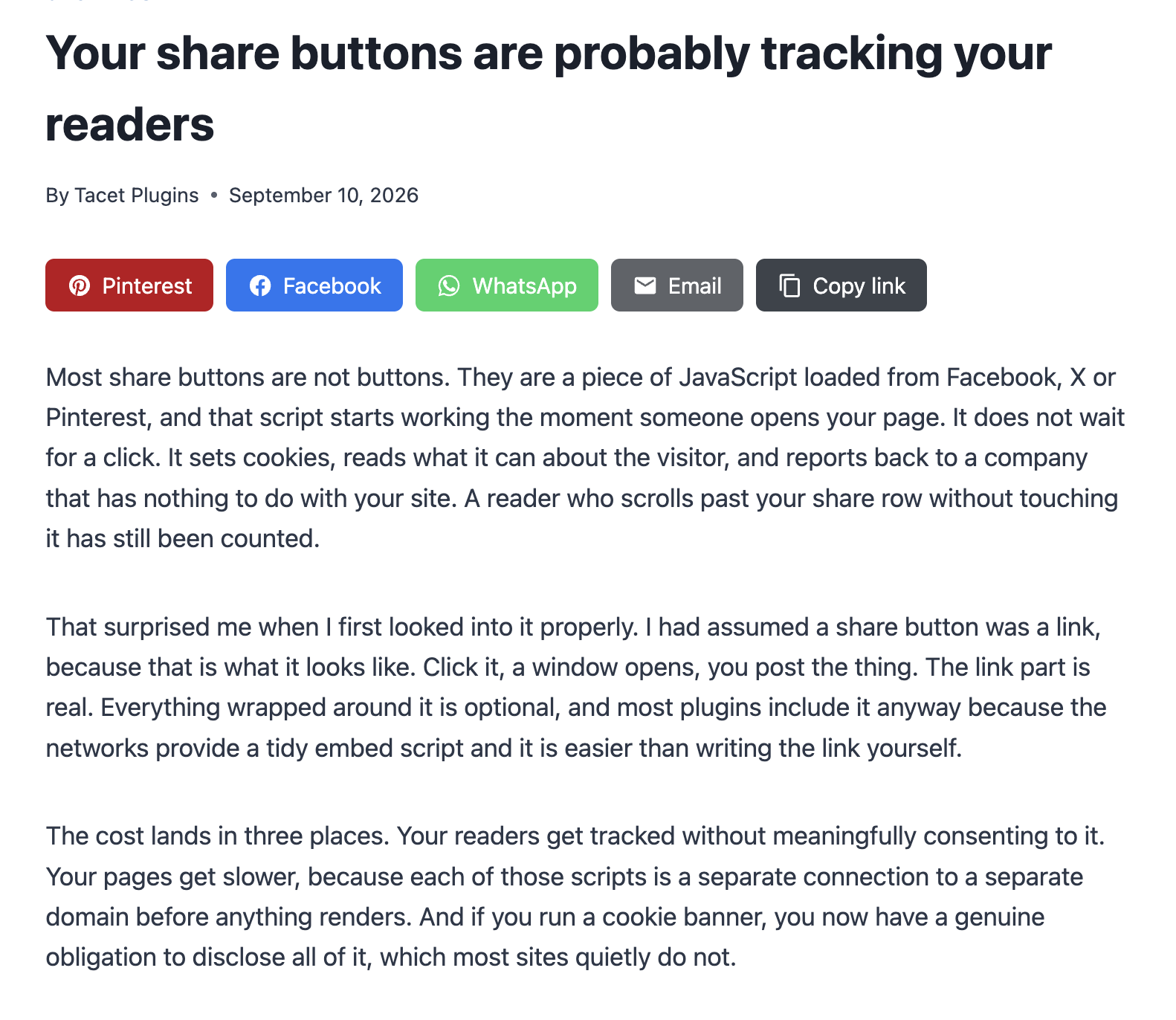
Share buttons on a post, in the default filled style.
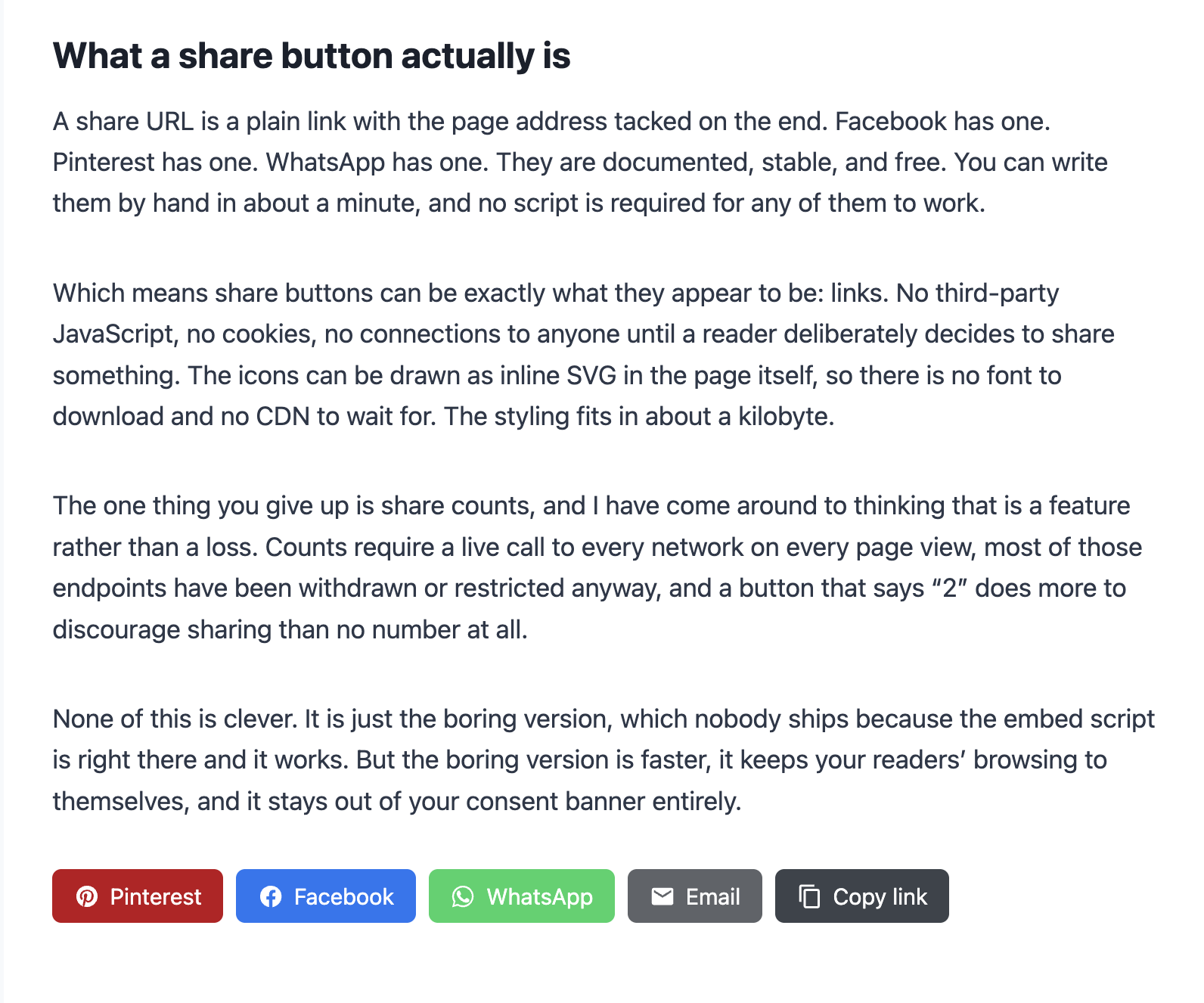
The same post with buttons after the content as well. Position can be before, after, both, or manual.
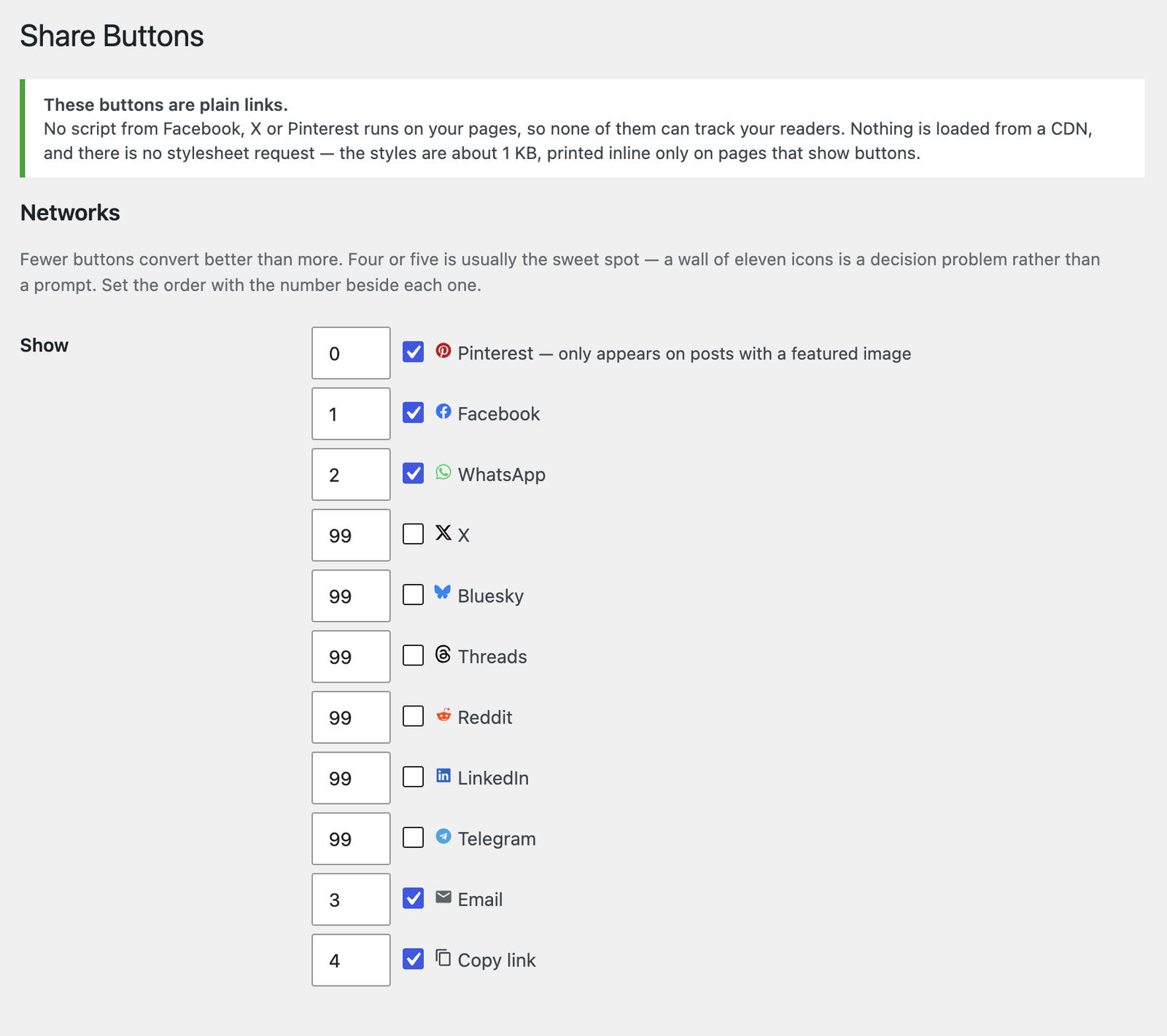
Choosing which networks appear, and the order they appear in.
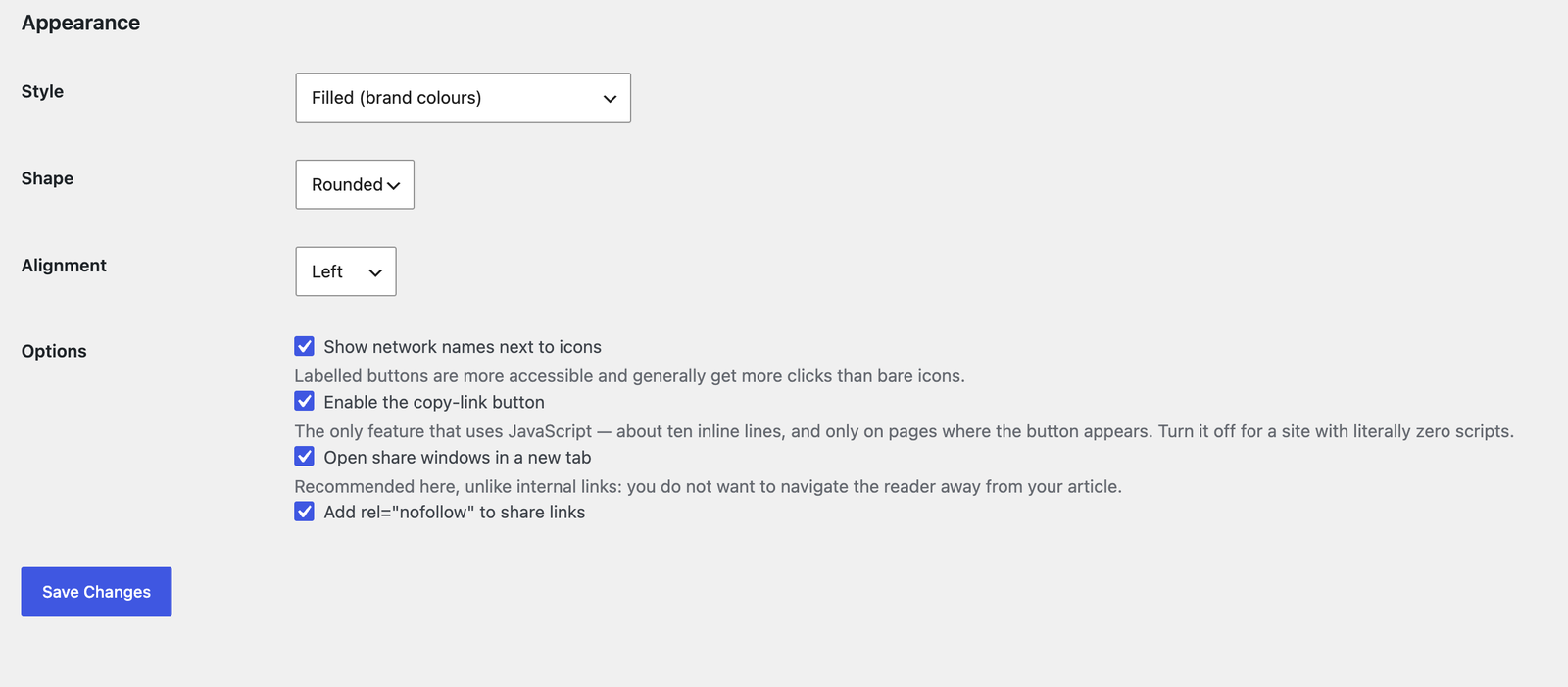
Appearance: filled, outline or minimal, with shape, alignment and label options.
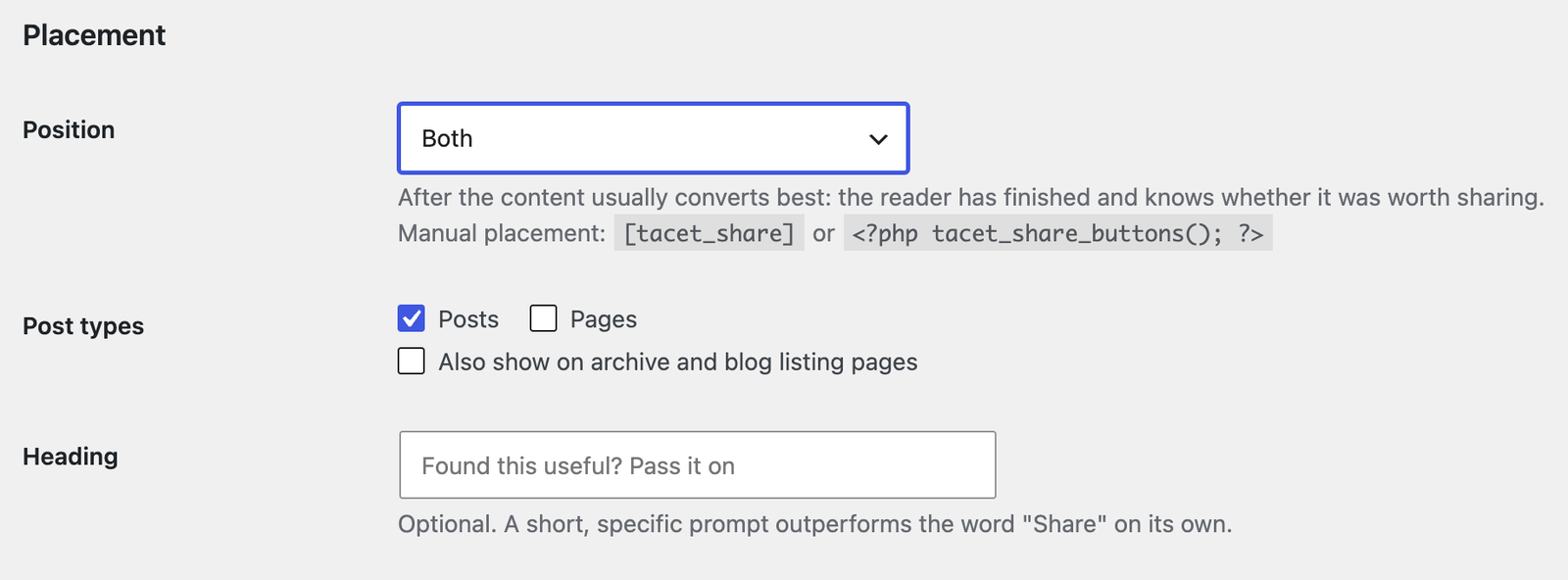
Placement, including manual placement with a shortcode or template tag.


