Tag Loom – Taxonomy Manager Wordpress Plugin - Rating, Reviews, Demo & Download
Plugin Description
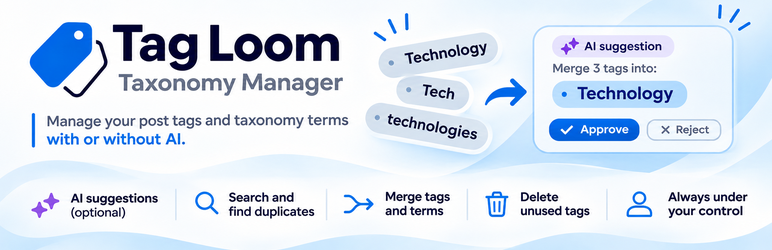
Tag Loom sends your post tags in batches to whichever AI provider the site owner has configured in WordPress core’s AI Client, and asks it to spot near-duplicates, semantic overlaps, and low-usage tags that could be merged into a broader existing tag. Nothing is changed automatically: every suggestion is queued for review and only applied when you approve it. Alongside the AI analysis, a “Manage Tags” tab covers manual, non-AI tag housekeeping: usage statistics, search, merge, and delete.
Tag Loom does not ship its own AI integration or store an API key. It relies entirely on the AI Client bundled in WordPress 7.0, so it works with any provider you have set up (Anthropic, OpenAI, Google, and others) and the provider can be swapped at the site level without touching the plugin.
Features:
* Batch analysis of all tags through the core AI Client, with a live processing log, progress tracking, and a stop button
* Merge suggestions grouped by type: near-duplicates, semantic overlaps, low-usage tags
* Per-suggestion Approve/Reject/Restore, plus multi-select bulk actions (bulk approve, bulk reject, bulk restore) on each suggestions table
* Rejected suggestions are kept (not discarded) and can be restored to pending at any time
* A “Manage Tags” tab for non-AI tag housekeeping: a usage-distribution histogram, a searchable/sortable/paginated table of every tag in use (each linking to its filtered post list), individual or bulk tag deletion, and a manual merge tool to combine any 2+ tags regardless of naming
* Unused tag detection (0 posts) with a bulk delete and a “recount tag counts” tool to fix drifted counts
* Optional model preference, configurable batch size, and a response language for the suggestion “reason” text, independent of the plugin’s own UI language
* “Check AI provider” button to confirm a provider is configured before running an analysis
* English by default; translatable via WordPress.org’s translation platform (translate.wordpress.org)
* Git Updater compatible for seamless updates from GitHub
Third-party service
The “AI Analysis” tab uses WordPress core’s AI Client (introduced in WordPress 7.0). When you click “Start analysis”, the plugin hands batches of tag names and their post counts (no post content, no personal data) to the AI Client, which forwards them to whichever AI provider the site owner has configured, and stores the returned suggestions for your review. The plugin itself contacts no external service and holds no credentials: the provider, its endpoint, and its API key are all managed by WordPress core. Nothing is sent automatically, on activation, or in the background, and the entire “Manage Tags” tab (search, merge, delete, unused-tag cleanup) works without any AI provider at all. Review the privacy policy and terms of the specific AI provider you configure.
Screenshots

AI Analysis: suggestions grouped into near-duplicates, semantic overlaps, and low-usage tags, each with the AI’s reason and confidence. Nothing changes until you approve.

Manage Tags overview: tags in use, unused tags, and a clickable usage distribution chart.

All tags: sortable, searchable list with per-tag lock, bulk actions, and manual merge selection.

Settings: AI provider check (WordPress core’s AI Client), preferred models, batch size, AI response language, and cleanup on uninstall.