Talkvara AI Chatbot Wordpress Plugin - Rating, Reviews, Demo & Download
Plugin Description
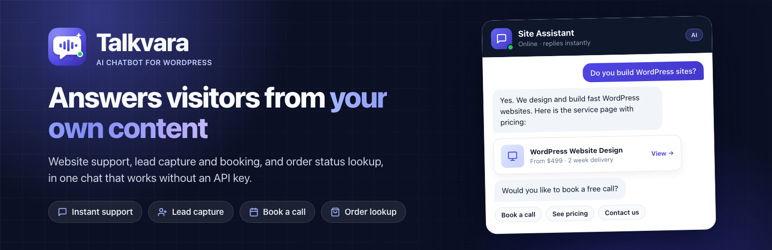
Talkvara is an AI chatbot for WordPress that answers your visitors from your own website. It reads your pages, posts, services and products, replies in seconds, turns conversations into leads and bookings, and lets WooCommerce customers check their order status, all from one chat window.
Use it as a website chatbot for instant customer support, a lead generation chatbot for an agency or service business, or a WooCommerce chatbot for your store. It works out of the box on any theme.
It works without an API key. On activation the plugin builds a searchable index of your published pages, posts, products and other public content, and answers from that index. If you want generated answers instead, you can add your own key for Google Gemini, OpenAI, OpenRouter or Groq. No account, subscription or external service is required to use the plugin.
Who it is for
- Agencies and service businesses that want more enquiries and booked calls from the same traffic.
- WooCommerce stores that want fewer “where is my order?” emails and faster answers about products.
- Blogs, SaaS and documentation sites that want visitors to find the right page without searching.
- Anyone who wants an AI customer support chatbot without a monthly subscription or an external dashboard.
What it does
- Answers from your own content. A built-in index of your published pages, posts and products is searched on every question, and matching items are shown as cards with a link.
- No API key required. The built-in engine runs entirely on your own server. An API key is optional and only used if you add one.
- Works with WordPress AI. On WordPress 7.0 and later the assistant can use the AI provider you set up in WordPress itself, through the WordPress AI Client. No key is stored by this plugin.
- Or bring your own key. On older WordPress versions you can enter a Google Gemini, OpenAI, OpenRouter or Groq key instead. If a provider fails or is rate limited, the built-in engine answers so the chat keeps working.
- Lead capture and booking. Visitors can request a call, send a project inquiry or subscribe, either step by step in the conversation or through an inline form. Submissions are stored in WordPress and emailed to the address you choose.
- WooCommerce order lookup. Customers can check an order by entering the order ID and the billing email used at checkout. The email must match the order before any detail is shown.
- Buttons that match your site. The quick actions in the chat window are generated from what the plugin finds while indexing. A WooCommerce store gets Products and its busiest product categories by name, plus order tracking. An agency site gets Services, Our work and Pricing. A site that publishes regularly gets Articles. You can override them with your own list at any time.
- Page-aware prompts. Starter prompts and the greeting adapt on contact, pricing, portfolio, service and shop pages.
- Conversation memory. A conversation continues across page views and reloads for a period you choose, from 6 hours to 7 days.
- Floating widget, shortcode or block. Show the launcher site-wide, or embed an inline card with
[talkvara]or the Talkvara block. - Admin tools. Review recent sessions by masked IP, manage captured leads, and export them to CSV.
- Privacy options. An optional consent notice can be shown before a visitor starts chatting, and visitor IP addresses are only ever displayed masked.
Shortcode
[talkvara title="Ask our assistant" subtitle="Online"]
Developers
The plugin exposes filters for the indexed post types (ssac_indexed_post_types), the index size (ssac_index_item_limit), question and answer extraction (ssac_post_faqs), whether the widget loads on a request (ssac_enable_widget), and IP resolution behind a proxy (ssac_client_ip). The ssac_lead_saved action fires after each submission.
External services
This plugin works entirely on your own server by default. Nothing is sent anywhere unless you add an API key, or a visitor clicks the WhatsApp button you configured.
WordPress AI. If you choose WordPress AI, the request is made by WordPress core to the AI provider you configured in WordPress. The plugin sends the visitor’s message and a short extract of matching site content to it, and stores no credentials. Which service receives the data, and under which terms, is decided by that WordPress setting.
If you enter an API key for one of the providers below, the visitor’s message, a short extract of the matching content from your site, and the business details you entered in the plugin settings are sent to that provider in order to generate a reply. Data is sent only while a visitor is chatting.
- Google Gemini – used only if you enter a Gemini API key. Requests are sent to
https://generativelanguage.googleapis.com/. See the Google privacy policy and Google APIs terms of service. - OpenAI – used only if you enter an OpenAI API key. Requests are sent to
https://api.openai.com/v1/chat/completions. See the OpenAI privacy policy and OpenAI terms of use. - OpenRouter – used only if you enter an OpenRouter API key. Requests are sent to
https://openrouter.ai/api/v1/chat/completions. See the OpenRouter privacy policy and OpenRouter terms. - Groq – used only if you enter a Groq API key. Requests are sent to
https://api.groq.com/openai/v1/chat/completions. See the Groq privacy policy and Groq terms of service. - WhatsApp – used only if you enable the handoff option and enter a number. Clicking the button opens
https://wa.me/in the visitor’s browser. No data is sent by the plugin itself. See the WhatsApp privacy policy.
Privacy
The plugin stores a chat transcript for each visitor as a temporary record that expires after the retention period you set. Transcripts are linked to a random token stored in the visitor’s browser, not to their IP address. IP addresses are used only for rate limiting and are shown masked in the admin screens. Leads, bookings and subscriptions you capture are stored as private records in your database and are removed when the plugin is deleted.
Screenshots
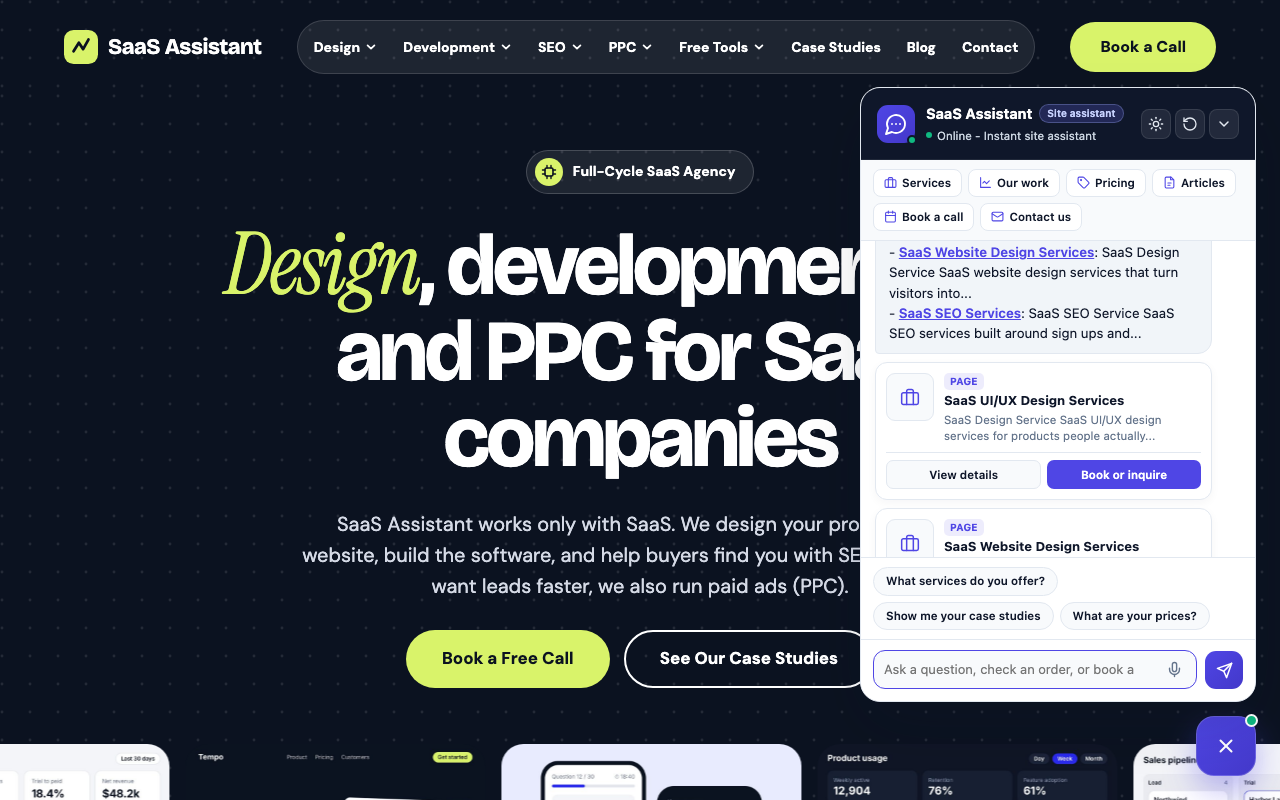
The assistant answers from your own pages and shows the matching pages as cards, with quick-action buttons generated from your site.
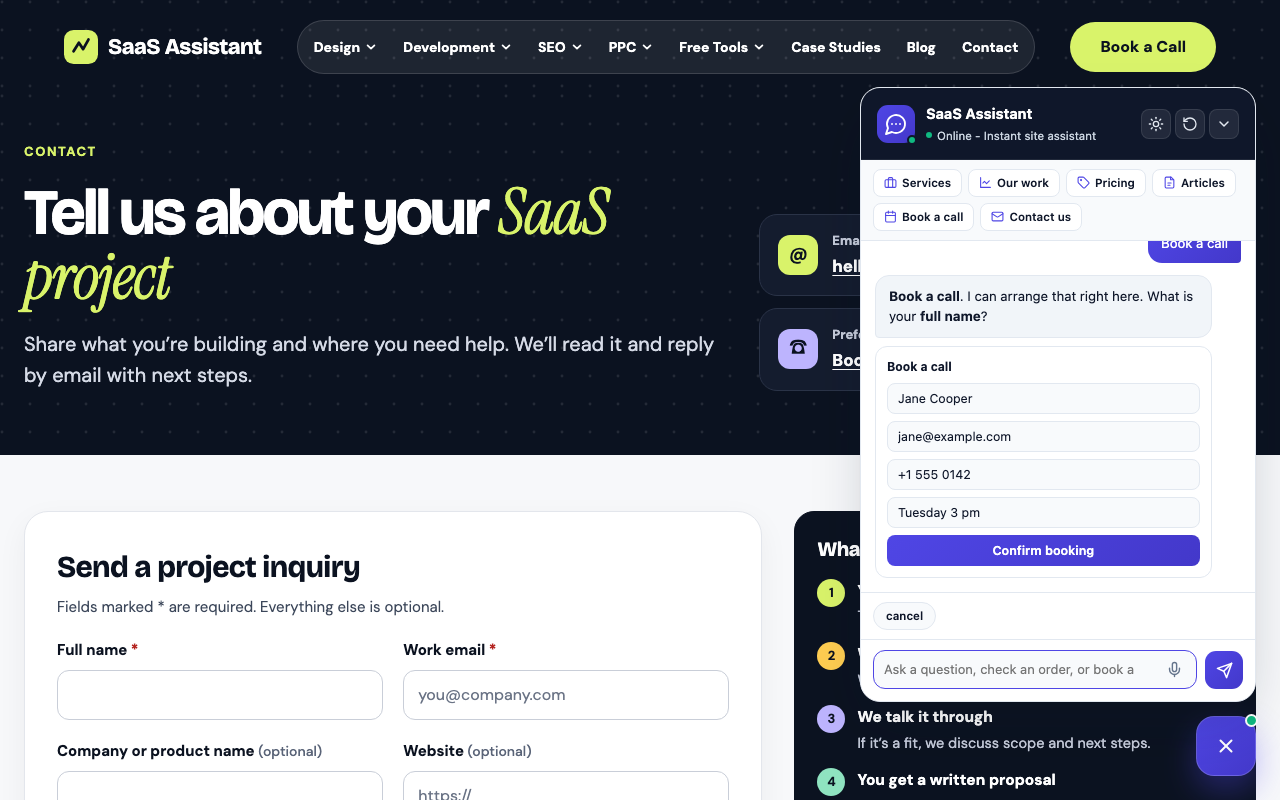
Booking a call without leaving the conversation, using the inline form. Every booking is saved as a lead.

On phones the chat opens full screen. Here a visitor starts a WooCommerce order status lookup.
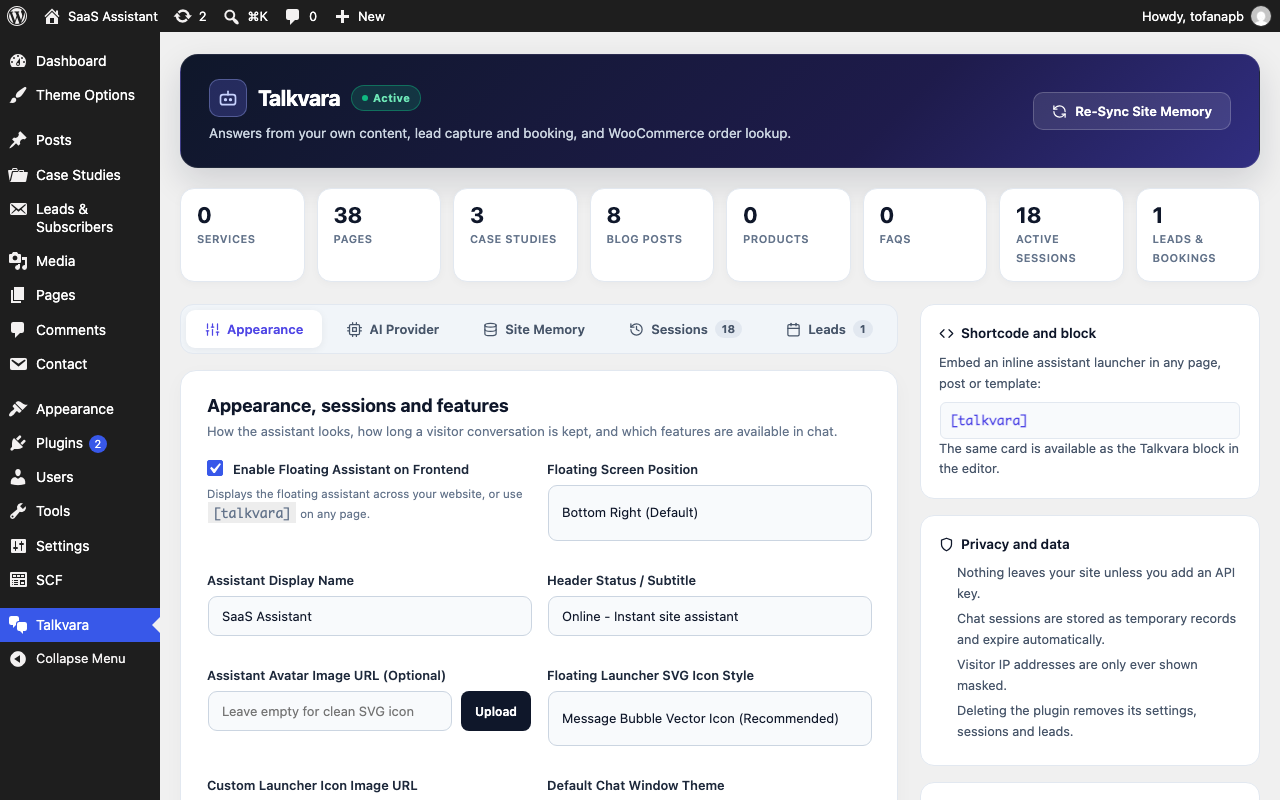
The settings dashboard: site content counts, appearance, session retention and feature toggles.
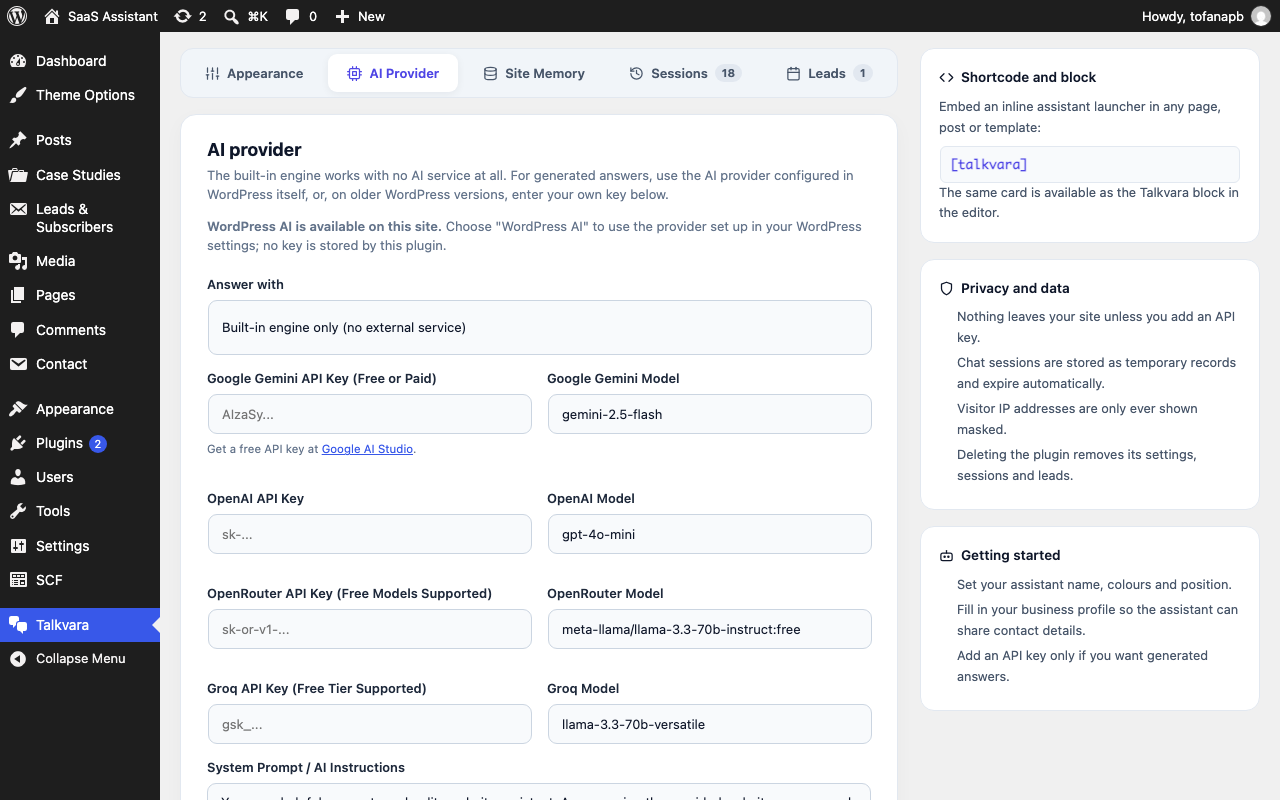
Choose how answers are generated: the built-in engine, WordPress AI (7.0 and later), or your own API key.
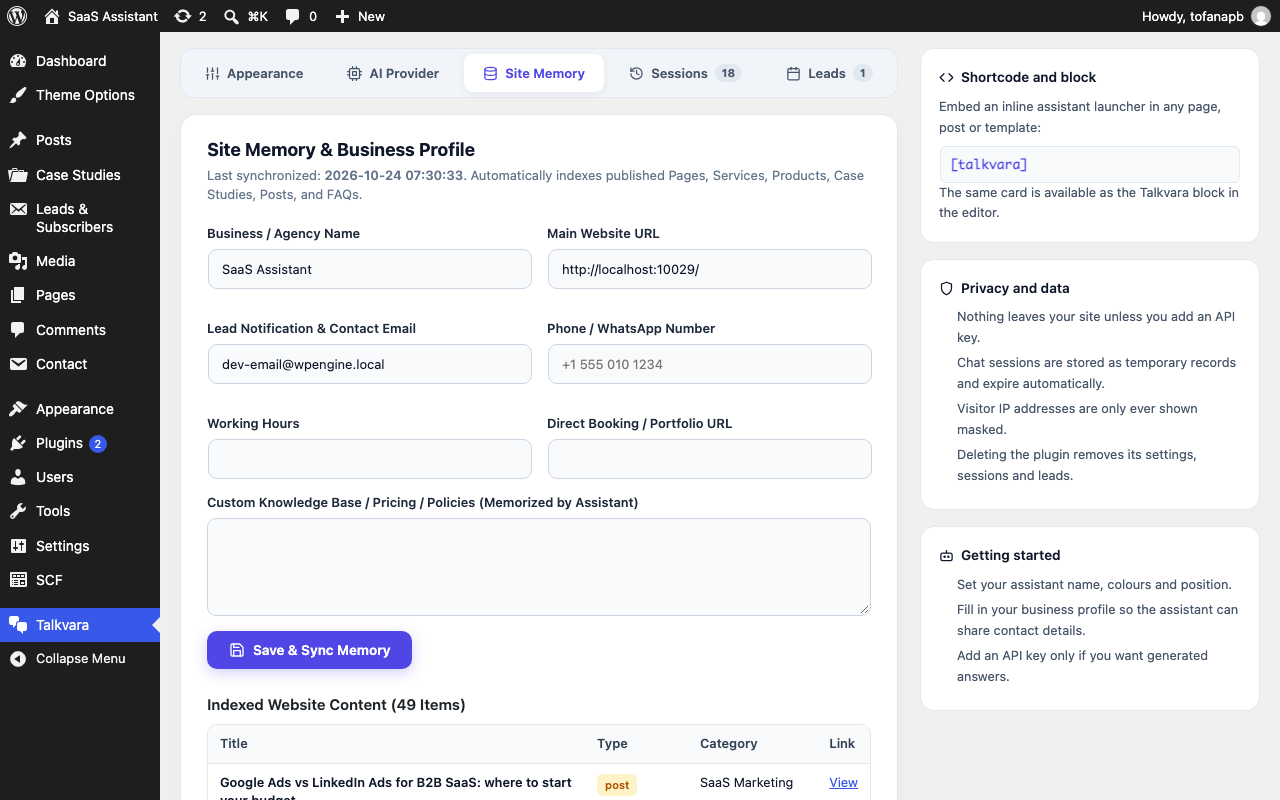
Site memory and business profile, used for contact details and lead notifications.
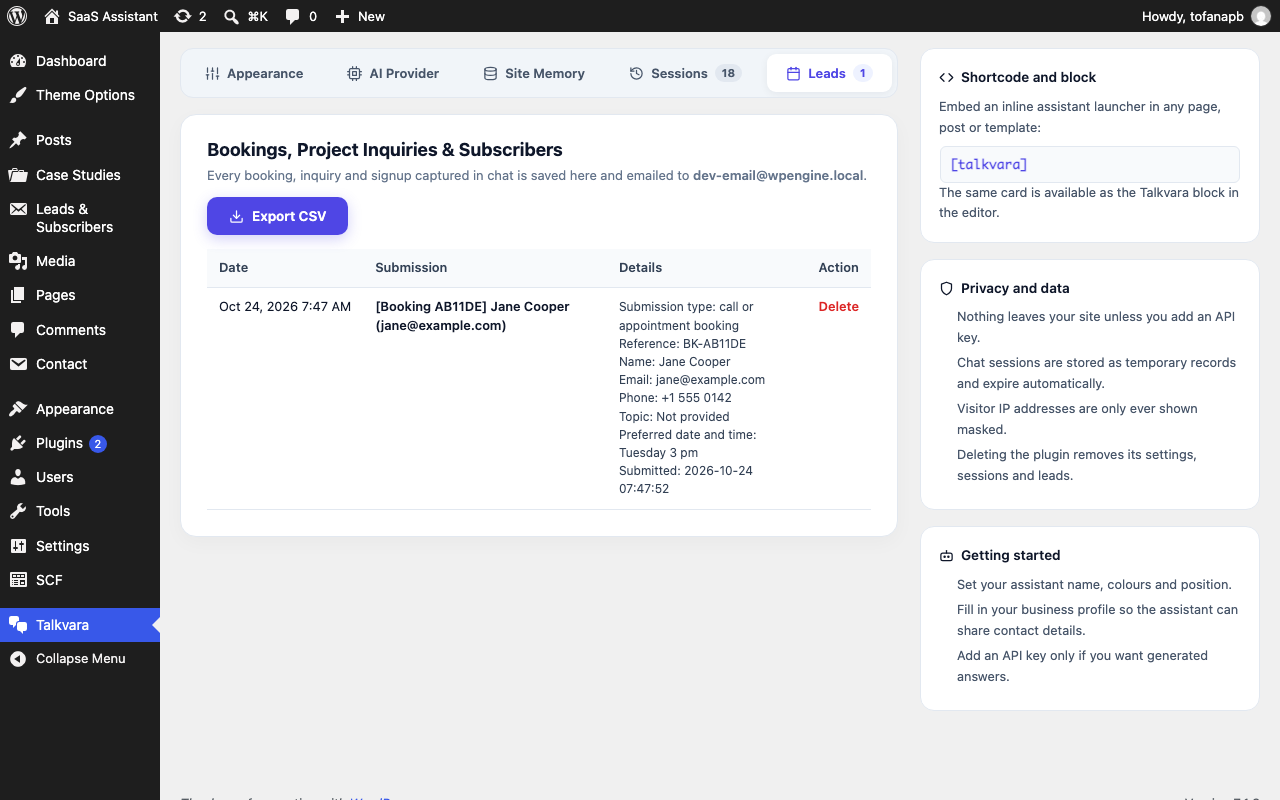
Captured leads and bookings, with one-click CSV export.