TallOrder Menu Wordpress Plugin - Rating, Reviews, Demo & Download
Plugin Description
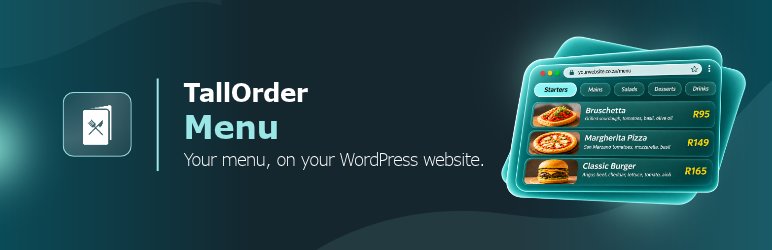
For restaurants, cafés, bars and shops that use TallOrder. Put your menu on your site: the same one guests see on your table QR codes, at the same moment. Change a price or switch an item off in TallOrder and your site follows.
- The real menu. Headings, items, prices, photos, sizes and options, per location. Give an area (say the patio) and it shows that area’s menu.
- Honest allergens. Allergens and diet tags as you set them in TallOrder. An item with no tags says so, and is never shown as “free from”.
- Languages. Shows your menu in the languages you offer, and guests can switch.
- Your colours. The menu uses your venue’s brand from TallOrder, or a colour you choose.
- Order online. When you take orders online, an Order online button opens your my.tallorder.app page (Shop online for shops). When you don’t, there’s no button.
- A block and a shortcode. The “TallOrder menu” block in the editor, or
[tallorder_menu]anywhere else: classic editor, page builders, widgets. - Light. The menu script loads only on pages that show the menu.
- Measurable. With Google Tag Manager on your site, the menu pushes
tallorder_menu_ready,tallorder_menu_item_viewedandtallorder_menu_order_clickedto the dataLayer, never with a guest’s details.
You need a TallOrder account with QR menus switched on for your location (or the online shop, for a shop). Your location ID is in the TallOrder portal under Brand & venue › Website & social.
Use TallOrder Reservations too? Both plugins share one script, and the menu uses the Reservations plugin’s location ID when you haven’t set one here.
Shortcode
[tallorder_menu] uses the location ID from Settings › TallOrder Menu. Options:
mode:popup(a link that opens the menu, the default) orinline(the menu in the page)label: the link text, e.g.label="See the menu"area: an area’s menu, e.g.area="8"lang: open in a language, e.g.lang="af"heading: open at a heading, e.g.heading="cocktails"color: accent colour, e.g.color="#2ba7b8"source: carried onto orders placed from the menu, e.g.source="facebook"(defaultwebsite)location: another location’s ID, for a group with several venues
Example: [tallorder_menu mode="inline" area="8"]
External services
This plugin shows TallOrder’s menu page on your site, and checks your location ID with TallOrder.
- The menu widget. On pages that show the menu, your visitors’ browsers load TallOrder’s widget script from
https://menu.tallorder.app/v1/embed.js, and the menu page frommenu.tallorder.appinside a frame. The menu page reads your menu from TallOrder’s API; a visitor’s browser sends only your location ID and the language shown. Nothing about your visitors is sent to or stored on your site. - Checking your location ID. On the plugin’s settings page and in the block editor, your site asks TallOrder’s API (
https://q2iwmy5kbc.eu-west-1.awsapprunner.com/tallorder-integration-service/v1/customer/location-settings) for your location’s public details: your venue’s name, and whether QR menus or the online shop are on. Only the location ID is sent. The answer is cached on your site for 12 hours.
TallOrder’s terms and conditions: https://www.tallorderpos.com/terms-and-conditions/
TallOrder’s privacy policy: https://www.tallorderpos.com/privacy-policy/
Screenshots
No screenshots provided