Tarkva – Expiry Tracking And Discount Engine Wordpress Plugin - Rating, Reviews, Demo & Download

Plugin Description
Perishable and dated stock — food, supplements, cosmetics, anything with a best-before or use-by date — needs a different kind of pricing than the rest of your catalogue. Left alone, it either sits at full price until it’s unsellable, or someone has to remember to mark it down manually, product by product, week after week.
Expiry Tracking and Discount Engine tracks expiry dates natively per product (or per variation), and automatically prices clearance discounts as each batch approaches its date — no spreadsheets, no manual sale-price editing, no forgotten stock.
What it does (free)
- Native batch tracking — record one or more expiry dates and quantities per product, right on the product edit screen. Works with simple and variable products.
- Best-before and use-by aware — the two date types behave differently (best-before stays sellable a little past its date; use-by is pulled before it), each with its own configurable grace window.
- Automatic clearance pricing — a configurable table of discount tiers (“7 days left 65% off”, “30 days left 20% off”, and so on) prices each product automatically as its date approaches.
- Always current — prices recalculate instantly whenever stock changes, plus a scheduled daily sweep so nothing is ever missed.
- Customers never buy expired stock — expired-but-retained stock stays visible to you for reference, but is automatically hidden from customers and excluded from product feeds (Google Shopping, Facebook, etc.) once it’s no longer sellable.
- A clear expiry notice on the product page — a configurable message shown to shoppers, with labels, colors, and placement you control so it fits your store’s voice and design.
- Your choice on manual sale prices — protect a price you’ve set by hand entirely, let the engine always manage it, or only override it when the engine’s own discount is deeper: you decide which.
- EU Omnibus-friendly pricing — your product’s regular price is never altered or reset when a discount tier applies, so the reference (“was”) price shown to customers is always your genuine original price, not an inflated or escalating one.
- Unlimited tracked products and unlimited discount tiers — no caps of any kind. Track your whole catalogue and build as many discount tiers per date type as your pricing strategy needs.
- Free Reporting dashboard — sales, waste, and sell-through metrics with a toggleable trend chart, a full Rankings table comparing every tracked product side by side, and a scheduled email summary, all included at no cost.
- Backup and restore — snapshot all your batch and expiry data at any time, and restore from any saved snapshot.
- WP-CLI support for previewing, applying, and inspecting discounts from the command line.
Why this is different
Most “sale” or “dynamic pricing” plugins schedule a fixed discount for a fixed period. This plugin instead reasons about your actual expiry dates: how close a batch is to its sellable deadline drives the price, automatically, continuously, without you touching it.
Want more?
The Pro add-on builds on the same engine for stores that want to go further:
- Stock & velocity intelligence — slow-selling or overstocked batches discount earlier and harder; batches projected to sell out comfortably discount later or not at all, protecting margin
- Cart price-split — only the at-risk quantity gets the discounted price; extra units in the same order are charged full price
- Advanced notices — cart reminders, discounted-quantity display, custom CSS placement
- Scheduled, automated backups
- Bulk CSV import for batch and expiry data
- Deeper reporting — revenue and profit-margin figures, plus one-click Excel exports
- Instant price recompute plus automatic page-cache clearing (including Cloudflare)
- Priority customer support and configuration assistance
Learn more at tarkva.com.
Privacy and external services
This plugin does not send any data anywhere by default. See “External services” below for the one case where it does, and only when you explicitly opt into it.
External services
This plugin connects to tarkva.com, the developer’s own licensing server, to validate a Pro add-on license key and check for available Pro updates. This only happens if and when you enter a license key on the plugin’s License tab — nothing is sent otherwise, and this free plugin works fully without ever triggering it. The data sent is the license key itself and this plugin’s fixed product identifier; no other site data is transmitted. This service is provided by Tarkva: Terms of Service, Privacy Policy.
The Engine tab’s cache-clearing settings (a Pro-only feature) include a link to Cloudflare’s own public documentation on creating an API token, for reference if you also install the separate Pro add-on. This free plugin never contacts Cloudflare itself, sends it no data, and does not require an account with it — the link is informational only, and the associated settings fields are read solely by that separate add-on’s own code, never by this plugin.
License
This plugin is free software, licensed under the GPLv2 (or later) — see LICENSE.txt in this
plugin’s own folder for the full license text, or https://www.gnu.org/licenses/old-licenses/gpl-2.0.html.
In plain terms: you’re free to use, study, modify, and redistribute this plugin, including copies
you’ve modified yourself, for any purpose, commercial or otherwise. There is no warranty of any
kind, including for any financial gain or loss resulting from the automatic pricing decisions this
plugin makes on your store. As with any plugin that automatically modifies your store’s data, keep
your own regular backups before and during use — standard practice for any such plugin, not a sign
that this one is unusually risky. This applies only to this free plugin — the separately-sold
“Expiry Tracking and Discount Engine PRO” add-on is not distributed under the GPL and is not
covered by this section; see its own LICENSE.txt for the terms that apply to it.
Screenshots
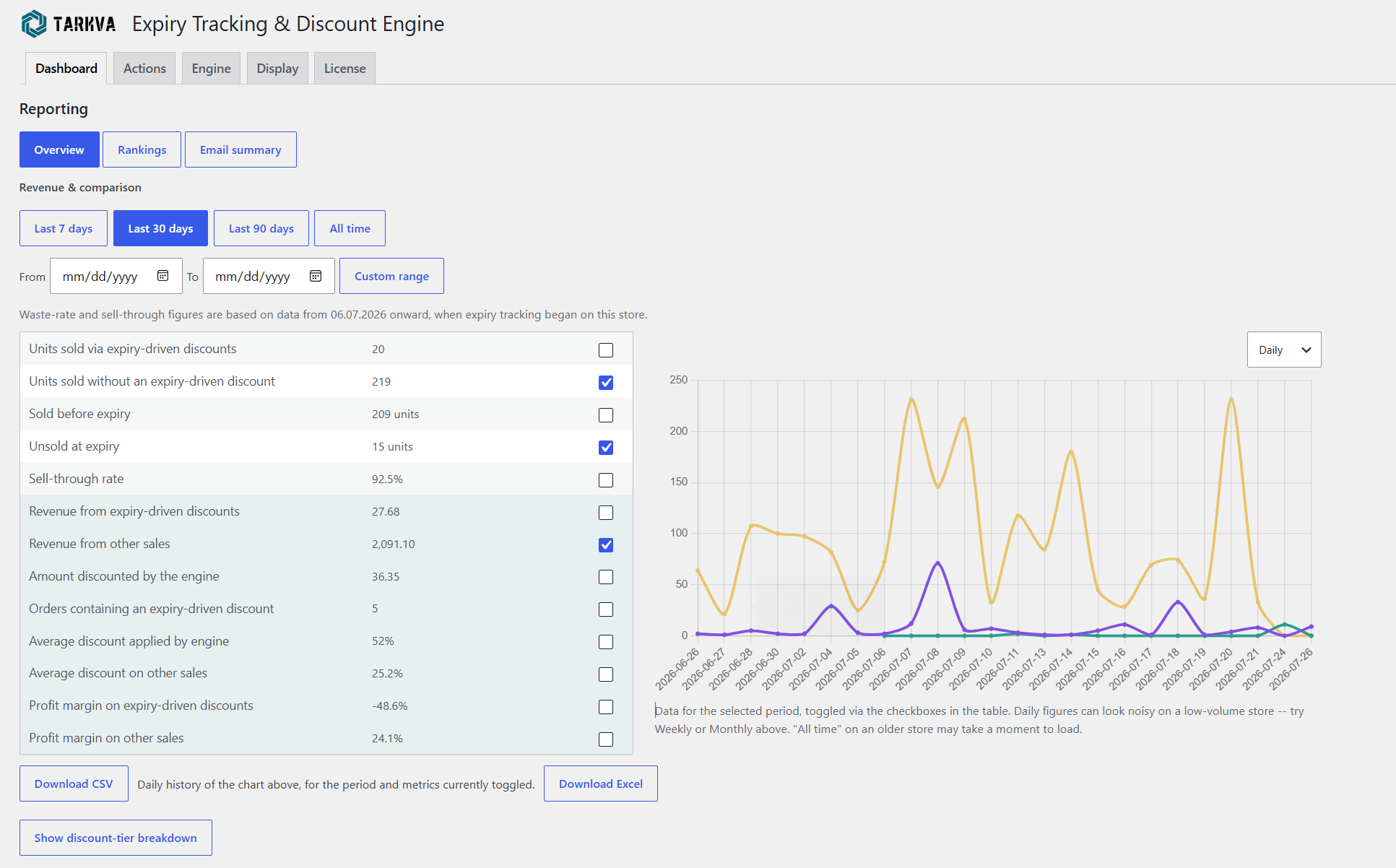
The Reporting → Overview dashboard: sales, waste, and sell-through metrics with a toggleable
trend chart. Revenue, profit-margin figures, and Excel export require the Pro add-on.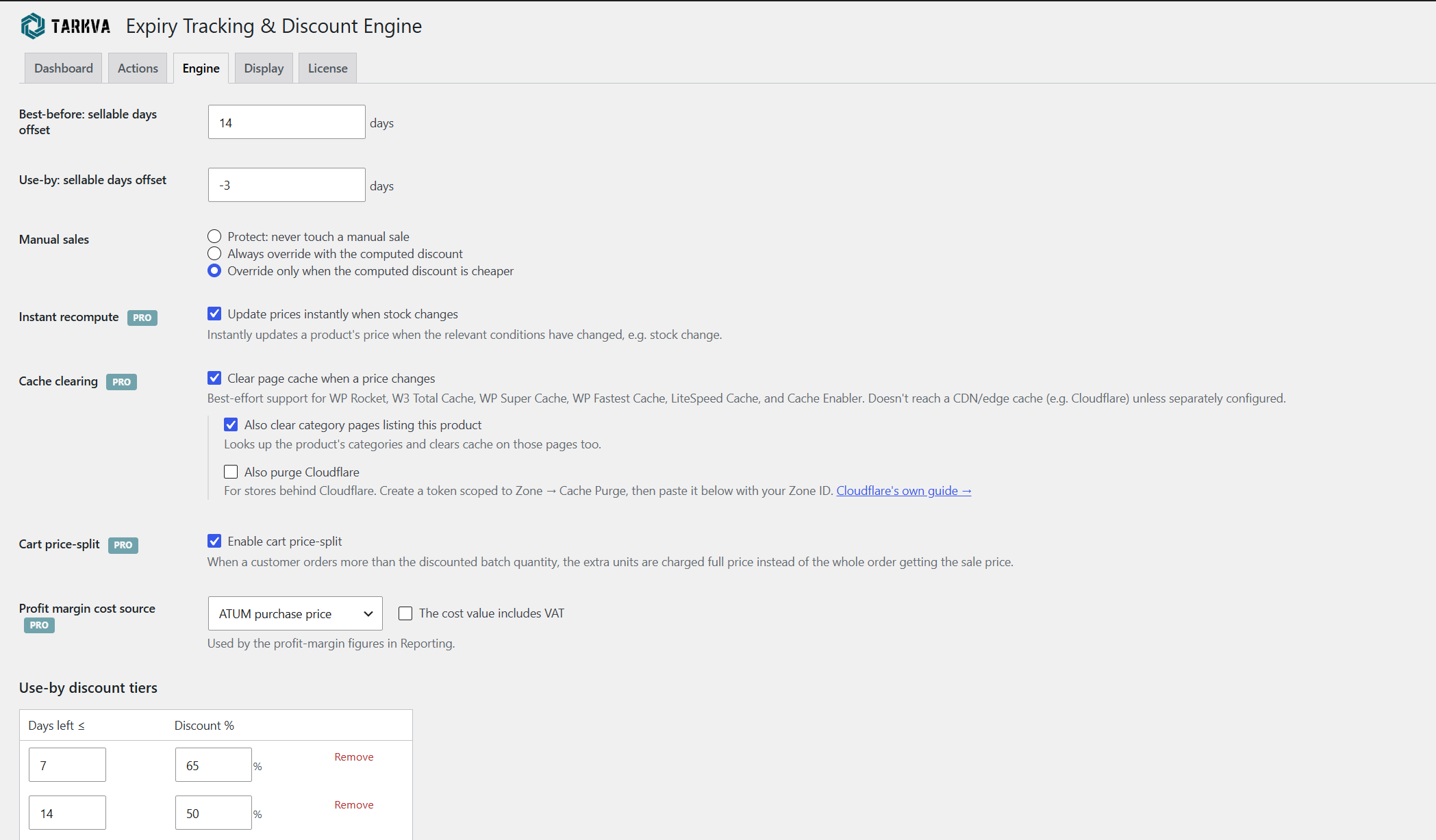
The Engine tab — sellable-day offsets, manual-sale handling, and discount tiers. Instant
recompute, cache clearing, cart price-split, and profit-margin cost source (badged PRO here)
are part of the paid add-on.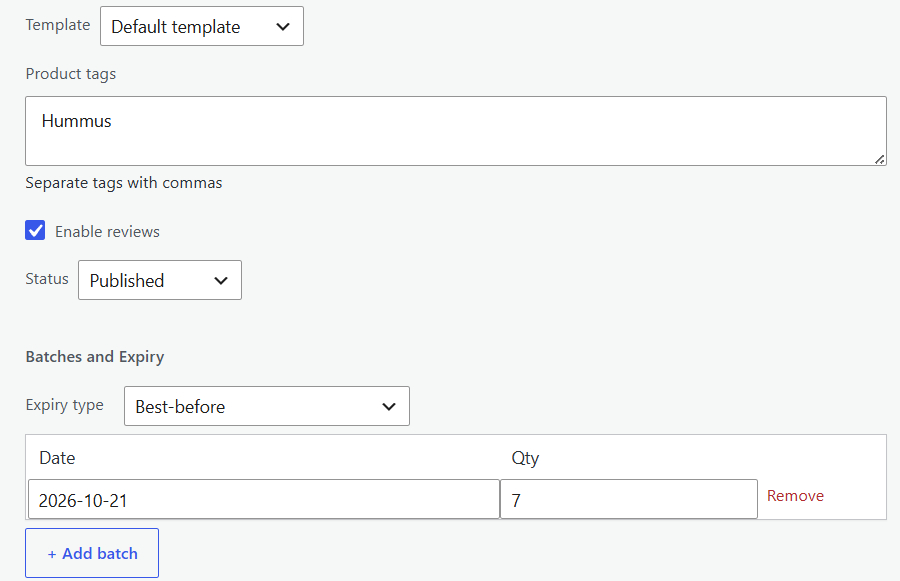
Product-level expiry batch entry on the Inventory tab.
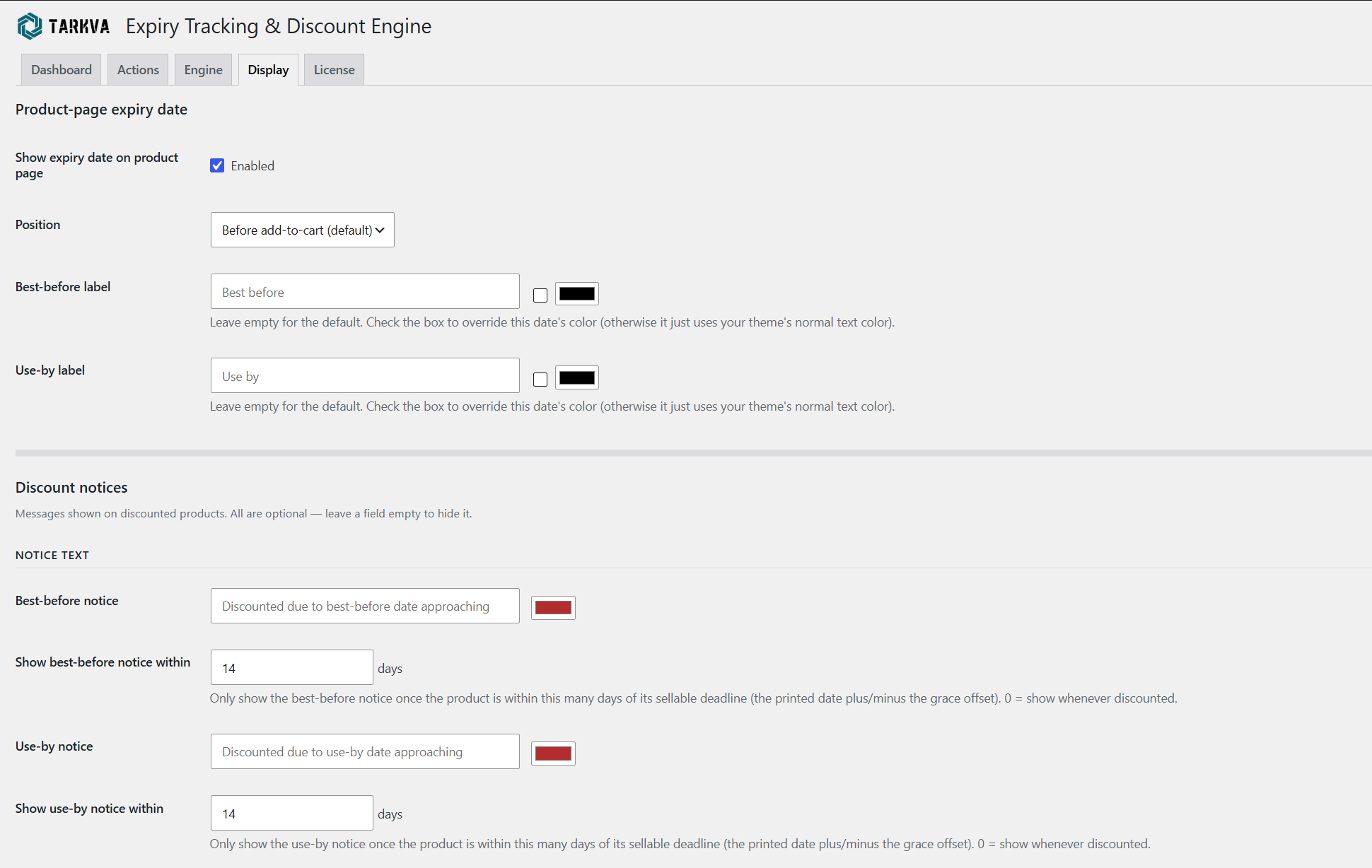
Configure how the expiry date and discount notices appear on the product page — labels,
colors, and timing are all customizable.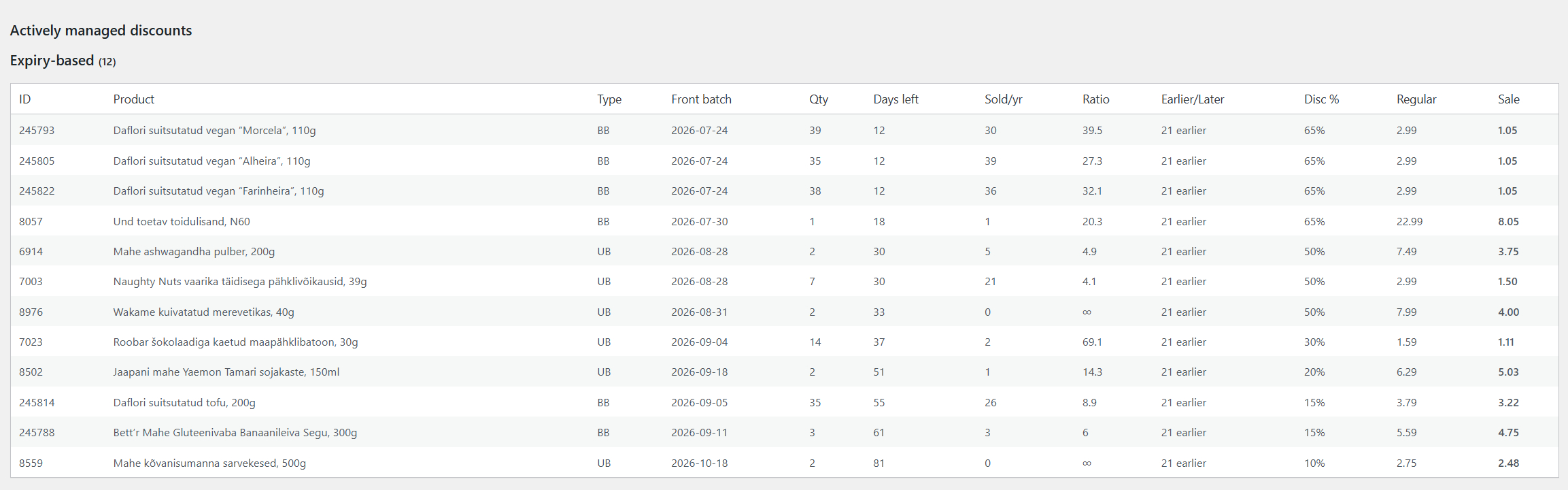
The Actions tab — every product the engine is actively discounting for its approaching expiry
date, at a glance: days remaining, sell-through ratio, and the live discounted price.