Tasty Recipes Lite Wordpress Plugin - Rating, Reviews, Demo & Download
Plugin Description
Tasty Recipes makes it possible for anyone to publish their favorite recipes to the world. Your recipes will automatically be optimized for search engines and match your theme’s design.
Optimized for humans and machines
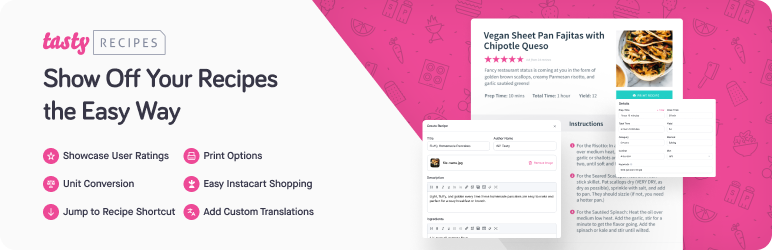
In the WordPress editor, embed a recipe into a post, page or custom post type by using the “Add Recipe” button. When the recipe is inserted into the content, you’ll see a preview of the rendered recipe so you know exactly what it’s going to look like when published.
On the frontend of your website, your published recipe uses standard markup to fit in naturally with the design of your theme. Readers can click the “Print” button to open a version of the recipe formatted specifically for print.
Schema.org microdata and JSON+LD
Tasty Recipes automatically includes Schema.org microdata and JSON+LD to make it easy for Google and other search engines to read your recipes. When entering in your recipe’s ingredients or instructions, make sure to create an ordered or unordered list. The list will signal to Tasty Recipes that these items should be marked up with Schema.org microdata and JSON+LD.
Earn revenue with ads
You’re most likely creating a recipe blog because you’d like some extra revenue. In Tasty Recipes Lite you can insert ads and videos into recipe cards from Mediavine or Raptive (previously AdThrive). Or display a “powered by” affiliate link if you love Tasty Recipes and would like to share it. Each of these options requires an account with each service in order to start earning revenue.
Get more ways of generating revenue in the premium version, including adding links to ingredients and an Instacart integration.
Pain-free switching from other WordPress recipe plugins
Tasty Recipes can fully convert from your existing recipe plugin into the Tasty Recipes format. First, perform a couple of test conversions on existing posts. If your posts support revisions, Tasty Recipes creates new revisions so you can safely roll back to the previous markup. Once you’ve verified your recipes convert as expected, use the batch conversion tool in “Settings” -> “Tasty Recipes” to migrate any remaining existing recipes.
The following recipe plugin conversions are supported:
* WP Recipe Maker
* Mediavine Create
* Cookbook
* EasyRecipe
* Meal Planner Pro
* Simple Recipe Pro
* WordPress.com
* WP Ultimate Recipe
* Yummly
* YumPrint Recipe Card
* ZipList / Zip Recipes
Screenshots
No screenshots provided