TechnologyWisdom Upload Guard Wordpress Plugin - Rating, Reviews, Demo & Download

Plugin Description
TechnologyWisdom Upload Guard gives administrators fine-grained control over media uploads in WordPress by enforcing restrictions based on user roles.
You can define:
– Maximum upload file size (in MB)
– Maximum image width and height (in pixels)
– Allowed MIME types (JPG, PNG, WEBP, GIF, AVIF, PDF, MP4, and more)
All rules are applied before the file is uploaded, preventing unwanted or oversized files from entering your media library.
Users with multiple roles receive the strictest combined limits. MIME types are validated with WordPress filetype checks (not only the browser-reported type). A dedicated Guest setting applies to visitors who are not logged in (for example file fields on public forms). For Contact Form 7, Upload Guard rules override the form’s filetypes list.
Key Features
- Role-based upload restrictions with per-role enable/disable toggle
- Guest (not logged in) upload limits for public / form uploads
- Contact Form 7 file fields enforced with Upload Guard rules (overrides CF7 filetypes)
- Strictest-rule merge for multi-role users
- File size limits per role
- Image dimension validation (width and/or height)
- MIME type allowlist with WordPress filetype detection
- Top-level admin menu with Settings, Tutorial, Support, and Announcements
- In-plugin support form and Technology Wisdom support portal integration
- Translation-ready
- Settings removed on uninstall
Note:
Allowing SVG is optional and risky unless you also use a trusted SVG sanitizer.
If you upload a plugin ZIP via Plugins Add New, that ZIP is blocked unless ZIP is allowed for your admin role in Upload Guard settings.
Privacy / External Service
This plugin can optionally connect to an external support service operated by Technology Wisdom.
Service: https://pluginsupport.technologywisdom.com
Terms of Use: https://pluginsupport.technologywisdom.com/terms-of-use/
Privacy Policy: https://pluginsupport.technologywisdom.com/privacy-policy/
The service is used to provide in-plugin support messaging, feedback forwarding, and announcements.
Opt-in consent (required before any connection):
When you activate the plugin, an admin notice asks whether you want to allow the support connection. You can choose Allow Support Connection or No Thanks.
- If you allow the connection, the plugin may send: site URL, site name, admin email, plugin name/version, WordPress version, and PHP version. Support requests and review/feedback details are sent only when you submit those forms. The plugin may also check weekly for announcements from Technology Wisdom.
- If you decline (or never accept), that data is not sent to the support portal. The plugin’s core feature continues to work normally without the connection.
- You are never required to allow the connection to use the plugin.
- You can disconnect the support connection at any time from the plugin’s Support page by choosing Disable priority support.
Support and rating forms also include their own consent checkboxes before site information is included with a submission.
Please review the service Terms of Use and Privacy Policy before enabling the connection.
License
This plugin is licensed under the GPL-2.0+ License.
You may use, modify, and distribute it freely under the license terms.
Full license: https://opensource.org/licenses/GPL-2.0
Screenshots
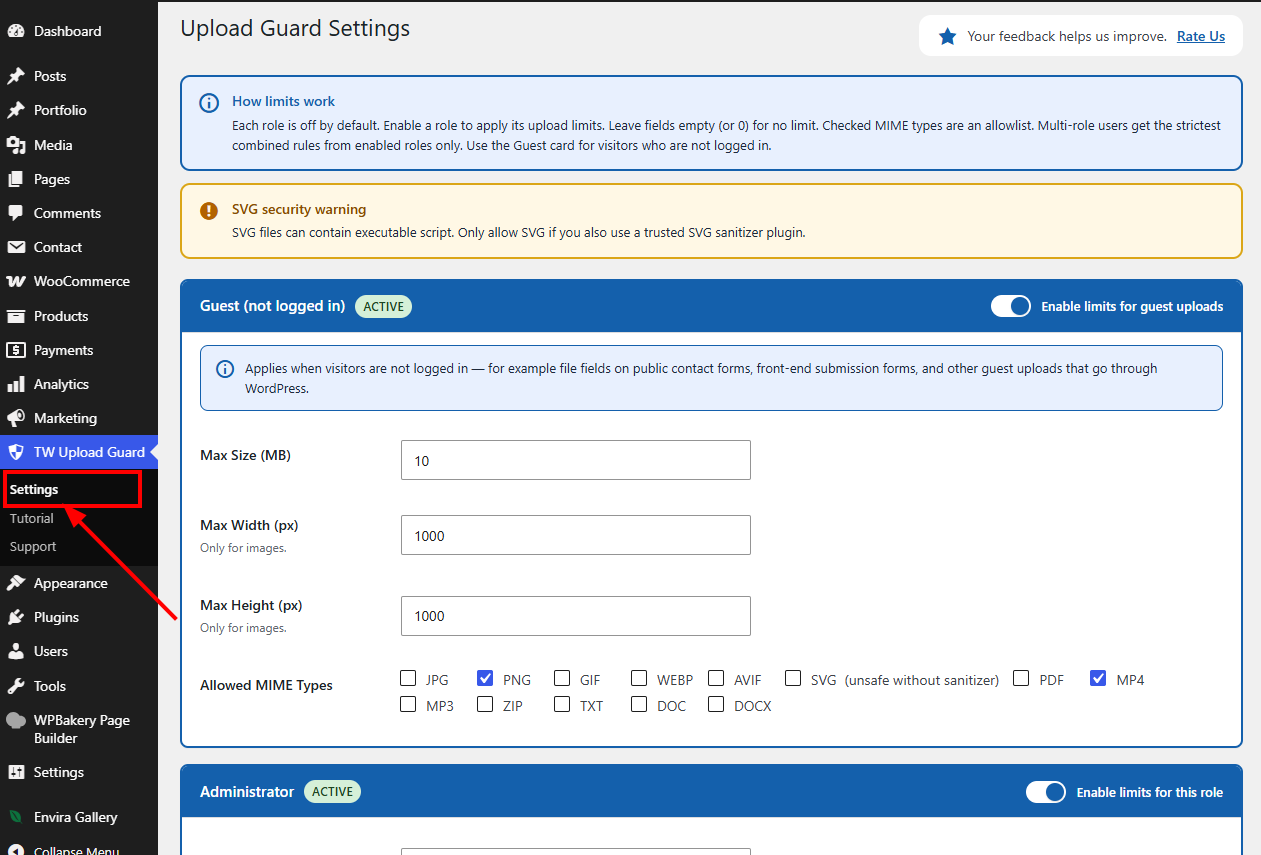
Screenshot 1: Upload Guard settings page
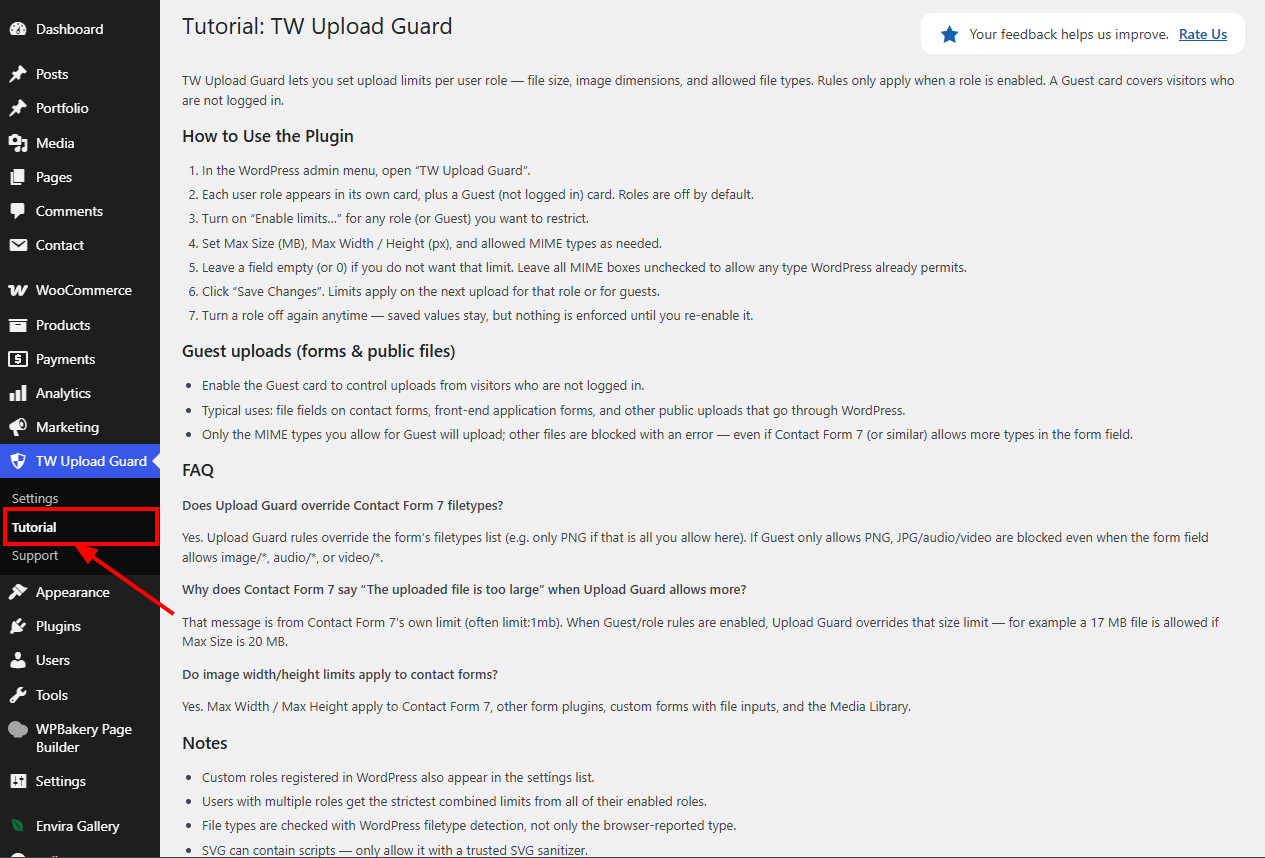
Screenshot 2: Provides helpful guidance and usage instructions for the plugin