Through EVO Product Spotlight For WooCommerce Wordpress Plugin - Rating, Reviews, Demo & Download
Plugin Description
Place a simple or variable product inside a page or post using its product ID.
WooCommerce supplies product details, availability, variation choices and cart behavior.
Multiple buy boxes, including repeated products, keep their own selection and media state.
- Native selects and purchase forms work without JavaScript.
- AJAX purchasing adds in place; ajax_cart=”no” uses native POST and a cart redirect.
- Optional Media Library video replaces the image inside the box, preserving the featured image.
- Media, merchandising text and appearance settings use the classic WooCommerce product editor.
- No EVO account, license activation, telemetry or remote font service.
Initial launch integration is WordPress’s built-in Shortcode block, not a custom block.
Jupiter X/WPBakery compatibility and Elementor widgets are deferred updates.
Shortcode reference
Start with [through_evo_product_spotlight id=”123″] in a WordPress Shortcode block. Replace 123 with your product ID.
Combine options inside the closing bracket using straight quotes. Omit an option to use its default.
- id: required published, visible simple or variable product ID.
- ajax_cart=”yes|no”: defaults to yes. yes adds in place; no uses a native form and opens the cart. Neither skips to checkout.
- image=”yes|no”: defaults to yes. no hides all media, including video. Legacy false/0/off values also hide media.
- quantity=”yes|no”: defaults to yes. no hides quantity and submits the product minimum, normally 1. Native stock and sold-individually limits still apply.
- description=”short|full|none”: defaults to short; chooses the native product description or hides it.
- eyebrow=”Text”: sets Badge/Tagline for this placement. Omitted uses the product setting; an empty value hides it. The existing option name remains for compatibility.
- assurance=”One,Two”: overrides purchase assurances for this placement. Omitted uses product settings; an empty value hides them. Escape a literal comma as backslash-comma.
Examples:
[through_evo_product_spotlight id=”123″ ajax_cart=”no” image=”no”]
[through_evo_product_spotlight id=”123″ quantity=”no” description=”none” eyebrow=”Limited edition” assurance=”Free returns,Fast dispatch”]
Video, poster, captions, accent and media height are product-editor settings, not shortcode options.
Price, stock and variation choices come from WooCommerce. size_guide is retained for compatibility but does not render a link.
The product editor includes the same option reference beside Copy shortcode. Unknown options and direct-to-checkout actions are not available.
Support and security
Report potential vulnerabilities privately to hello@throughevo.com. Do not post exploit details publicly.
Existing EVO Buy Box installations
Deactivate the earlier EVO Buy Box plugin before activating Product Spotlight. Existing product settings and the through_evo_buy_box and healincomfort_product_buy_box shortcode aliases are retained.
The new canonical shortcode is through_evo_product_spotlight. Neither plugin automatically deletes or migrates your merchandising metadata.
Screenshots

Let shoppers choose product options and add to their cart directly from a page.

Show product video with optional captions alongside the purchase form.

Configure product media, Badge/Tagline, purchase assurances and appearance.
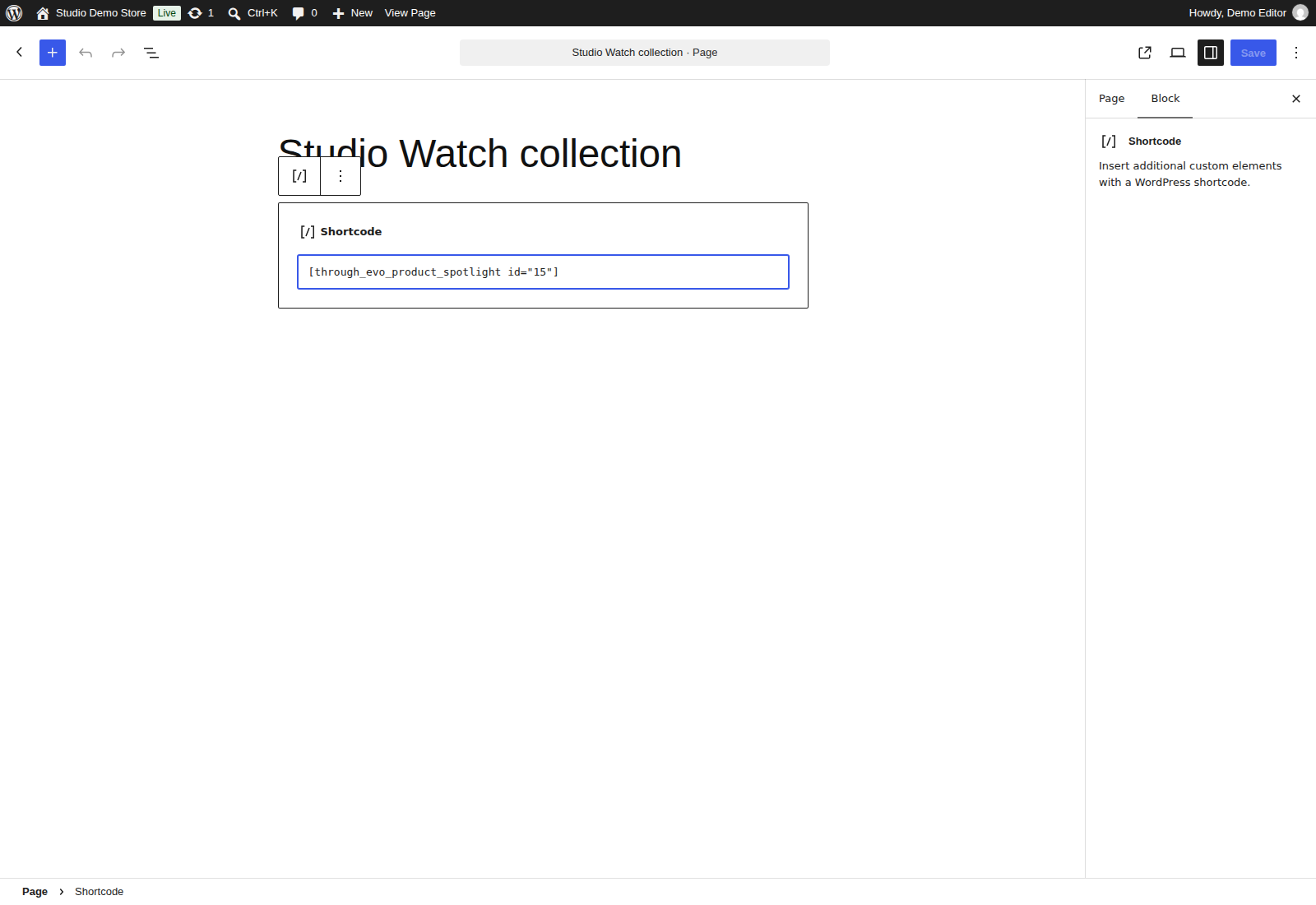
Place a product using WordPress’s native Shortcode block.