
TidyConsent Wordpress Plugin - Rating, Reviews, Demo & Download
Plugin Description
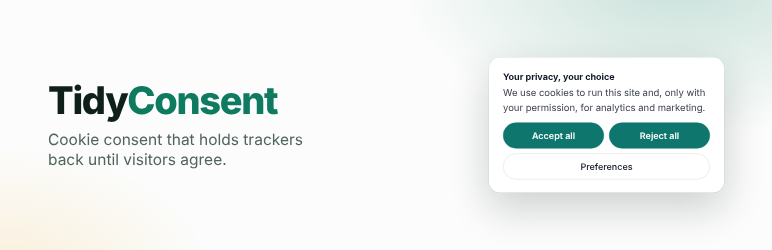
A cookie consent banner that does what it says. Plenty of banners only look the part: the analytics and ad tools run anyway. TidyConsent recognises 196 tools, from analytics and ad pixels to chat and review widgets, and keeps them switched off until each visitor allows them, and lets you make the banner look like part of your site without writing code.
The free plugin is complete. No locked features, no trial timer, no account, no pageview limit.
Why site owners pick it
- It actually blocks. Google Analytics, Google Tag Manager, Google Ads, Meta Pixel, Microsoft Clarity, Hotjar, LinkedIn Insight Tag, TikTok Pixel, Pinterest Tag, X (Twitter) Pixel and Microsoft Advertising wait for a yes, whether they were added as a script tag or pasted as the vendor’s snippet. The rest of the 196 tools TidyConsent knows (more analytics and heatmaps, ad networks, affiliate links, pop-ups, push notifications, chat and review widgets) wait too when they are added as a script tag. Videos, maps and audio players from YouTube, Vimeo, Google Maps, Spotify and similar services show a click-to-load placeholder until the visitor allows them. Payment forms, spam protection, fonts and booking embeds are never held back, so checkout keeps working.
- It works behind page caches and CDNs. Every visitor is sent the same page with those tools off; they are switched on in the visitor’s own browser only after that visitor agrees.
- Google Consent Mode v2. All four signals (
ad_storage,ad_user_data,ad_personalization,analytics_storage) start as denied and update when a visitor chooses. - Set up by pressing, not typing. Pick one of seven looks, choose where the banner sits from small pictures, pick your brand colour from swatches. A live preview follows every change. No drop-downs to decode.
- A fair choice, built in. Accept and Reject always look the same, and text stays readable whatever colours you pick.
- A record you can show. Every choice is logged on your own site, with CSV export. A cookie policy page is written from the tools your site really uses.
Make it yours
- Position: bottom bar, left or right corner card, or a centred box.
- Colours: light, dark, automatic (follows each visitor’s device), your theme’s own colours, or your own.
- Corners, font, your logo from the Media Library.
- Every word editable, with four ready-made tones to start from: plain, friendly, formal, short.
- Behaviour: slide or fade in, wait a moment first, open with the categories showing, an optional close button, or have the page wait for an answer.
- After a “no”: a short note on how to change it later, and a small “Cookie preferences” button on every page.
- Seven ready-made style tweaks you switch on with a tick: bigger text, soft glow, outline, glass, capital title, roomier, chunky buttons.
For visitors
- Accept all, Reject all, or choose by category. Only the categories your site uses are offered, and each names the tools behind it.
- Changing their mind later switches those tools off again and removes their known cookies.
- A choice is asked for again after about six months, or the period you set.
- Browsers that send the Global Privacy Control signal are treated as opting out of the sale or sharing of their data: marketing tools stay off for them, and the banner says the signal was honoured (on for new installs; see the FAQ).
Also in the free plugin
- A “Getting started” list on the settings screen that shows what is done and what is left, with a button on each step.
- A list of the tools TidyConsent found on your site and is holding back.
- A read-only consent log viewer. The log stores the time, a consent ID, the category choices, and a salted hash of the IP address rather than the raw address.
- Run scan: one press asks the TidyConsent service to look at your public home page and propose settings in plain English. Running a scan changes nothing; applying a proposal is a separate press. Nothing is sent to the service until you press it.
- WP-CLI commands:
wp tidyconsent status,scan,apply-scan,settings get|set|list,log exportandbanner enable|disable. - Ready for translation: every screen, the banner’s built-in wording and the cookie policy use the
tidy-consenttext domain. - For developers:
TidyConsent.hasConsent('analytics')and atidyconsent:changeevent. - Optional, off by default: an opt-out notice instead of the opt-in banner for visitors outside the EEA, the UK and Switzerland, using the country header your CDN or host already adds. No geolocation service is contacted.
- Suggested privacy policy text under Settings Privacy, and per-site setup on WordPress multisite.
Important limits
TidyConsent helps you implement consent choices. It is not a law firm, does not provide legal advice, and does not certify that a site complies with GDPR, CCPA, or any other law. The site owner is responsible for checking that the final setup and policy match the site and its legal obligations.
The script blocker recognises the tools listed above. It does not block tools it does not know, and it can miss a known tool that is loaded in an unusual way — for example assembled by another script while the page runs, or merged into a combined file by a performance plugin. Exclude tracker scripts from such combining. The banner is the same for every visitor unless you turn on the optional opt-out notice for visitors outside the EEA, the UK and Switzerland, which relies on a country header from your CDN or host.
The salted IP hash in the consent log is pseudonymous, not anonymous: treat the log as personal data. The log is kept when the plugin is uninstalled unless you tick “Delete the consent log when this plugin is uninstalled” in the settings.
External services
The free plugin works without any outside service. Installing, activating and configuring it, and every page view on the site, make no request to any outside server. It loads no fonts, scripts, styles or images from other servers. It contacts one service, the TidyConsent service run by the plugin’s author at https://api.tidyconsent.com, and only in the two cases below, each started by an administrator.
1. Site scan (Run scan)
- What it is for: suggesting which consent categories the site needs. The service fetches the site’s public home page, looks for known tracker code and embedded video, map and audio players, and returns tracker names, the evidence found, categories, the names (never the values) of the cookies the page set in its response, a proposed configuration and a plain-English report. Applying the proposal is a separate press; running a scan changes nothing.
- When: only when an administrator presses Run scan under Settings TidyConsent, or runs
wp tidyconsent scan. Never on a schedule, never on activation. - What is sent: the site’s home page address (
home_url()), tohttps://api.tidyconsent.com/scan. No visitor data and no consent records are sent. A different service address can be set under Settings TidyConsent Advanced. - What the service keeps: a scan started from the plugin is answered and not stored. To improve detection, the service counts the hosts of third-party scripts it did not recognise (for example
cdn.example.com), never the address of the site that was scanned.
2. Consent checklist by email (optional card)
- What it is for: emailing the administrator a short consent checklist and occasional product updates.
- When: only if an administrator types an address into the card on the settings screen and presses Send it to me. No thanks hides the card for good and sends nothing.
- What is sent: the email address entered and the site’s home page address, to
https://api.tidyconsent.com/leads/plugin. The address is added to the TidyConsent email list; every email has a one-press unsubscribe.
As with every request WordPress makes, WordPress adds its version and the site’s address in the request’s User-Agent header.
The service’s terms of use and privacy policy:
- Terms of use: https://tidyconsent.com/terms.html
- Privacy policy: https://tidyconsent.com/privacy.html
TidyConsent Pro is a separate, optional add-on sold at tidyconsent.com. It is not part of this plugin, and nothing in this plugin needs it or installs it. What Pro sends, if a site owner installs it, is set out in the privacy policy above.
Screenshots

The banner on a site: Accept and Reject side by side, looking the same.

Preferences: only the categories the site uses, each naming its tools.

The settings screen: pick a look, a position and a colour, with a live preview.

Getting started: the few things to do, and what TidyConsent is holding back.

The same banner in a dark look, as a bottom bar.


