
TraceWise Status & Monitoring Wordpress Plugin - Rating, Reviews, Demo & Download

Plugin Description
TraceWise Status & Monitoring embeds public TraceWise status pages in WordPress. TraceWise is an external service operated by RazorSoft, Inc. A workspace can publish more than one public status page, subject to the TraceWise plan. Public widgets do not use an API key.
Administrators can connect a TraceWise API key under TraceWise Connection. The key is encrypted in WordPress and is used only for server-side requests to the TraceWise REST API. It is not added to pages, blocks, JavaScript, or REST responses. The connection is optional. Existing status widgets keep working without it.
TraceWise subscription limits still apply. Those limits include how many monitors a workspace can create, the shortest check interval, and the API rate limit. This plugin does not change TraceWise prices or plan limits.
Visitors load https://www.tracewise.dev/embed/status.js once on a page that contains a widget. That script fetches the published status page for that widget from TraceWise. WordPress stores the default slug and display defaults only. It does not store a separate setting for every status page.
Open TraceWise Public Status Widgets and save the default status-page slug. Widgets that do not specify another slug use that page. Each block and shortcode can use a different public status-page slug. If you do not have a public status page yet, create a TraceWise account and enable one under Dashboard Settings Status page.
The TraceWise menu contains:
- Overview
- Monitors
- Public Status Widgets
- Connection
In the block editor, insert any of these blocks:
- TraceWise Status Badge
- TraceWise Status Indicator
- TraceWise Status Card
- TraceWise Uptime History
- TraceWise Incident List
Each block can set its own public status-page slug, theme, and refresh interval. Leave the slug blank to use the default status page. The indicator can hide its label. The badge, indicator, card, and history bar can show uptime. History accepts 7, 30, or 90 days. The incident list accepts 5, 10, or 20 incidents and can hide resolved incidents. Refresh is a number of seconds. Leave it empty to use the setting, use 0 to load once, and use at least 60 to poll.
The shortcodes are [tracewise_status], [tracewise_indicator], [tracewise_card], [tracewise_history], and [tracewise_incidents].
Attributes use the same names: slug, theme, show_uptime, show_label, period, limit, show_resolved, and refresh. Leave slug off to use the default status page. Set slug to show a different public status page. Blocks and shortcodes share one renderer.
The script is enqueued only when a widget is rendered, including several widgets on one page. The block editor also loads it so the preview can run. The plugin does not accept a custom API URL.
auto follows the visitor's color scheme. `light` and `dark` set the status colors. Add CSS variables such as `--tw-status-operational` and `--tw-status-surface` on a parent to match a theme. See the [component documentation](https://www.tracewise.dev/docs/components).
A read-only key can view monitors. Create, edit, and delete stay hidden until TraceWise confirms monitors:write. Manual checks stay hidden until TraceWise confirms checks:run. TraceWise does not provide a scope list, so the plugin learns those two scopes from responses that do not create a monitor or run a check.
External service and privacy
TraceWise Status & Monitoring contacts https://www.tracewise.dev, an external service:
- Public widgets send the status-page slug to the hosted embed in the visitor’s browser. The embed then requests the published status page. No API key is included. Visitors of a page that contains a widget also receive the embed script from TraceWise.
- Authenticated monitoring sends the API key from the WordPress server to
https://www.tracewise.dev/api/v1. The browser does not receive the key. Responses used on the admin screens are cached briefly in WordPress. - The plugin stores the public widget settings and the encrypted API key in WordPress options. It does not send WordPress user accounts, comments, or post content to TraceWise.
- Uninstall deletes the plugin settings, the encrypted key, and cached monitor views. It does not delete WordPress content and it does not delete the TraceWise account.
- Terms of Service: https://www.tracewise.dev/terms
- Privacy Policy: https://www.tracewise.dev/privacy
Translations
The text domain is tracewise-status-monitoring. That is the slug WordPress.org generates from the display name. PHP, block metadata, and the block editor scripts use that domain. WordPress 6.7 loads translations just in time. The plugin directory, option names, block names, and shortcodes stay tracewise-status so existing sites keep working. The plugin does not ship translation files.
Screenshots
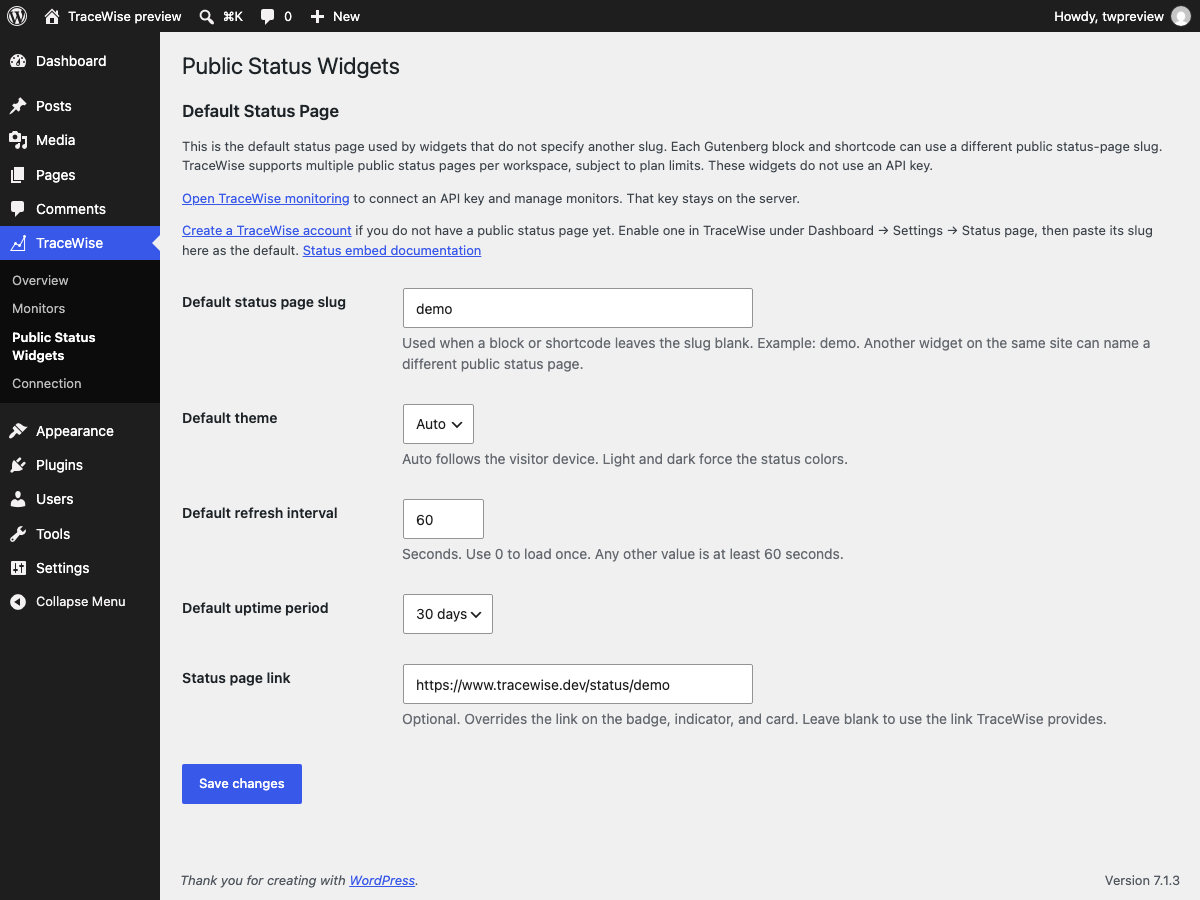
TraceWise → Public Status Widgets, with the default status page slug, theme, refresh interval, uptime period, and optional link.

The five TraceWise blocks in the inserter.
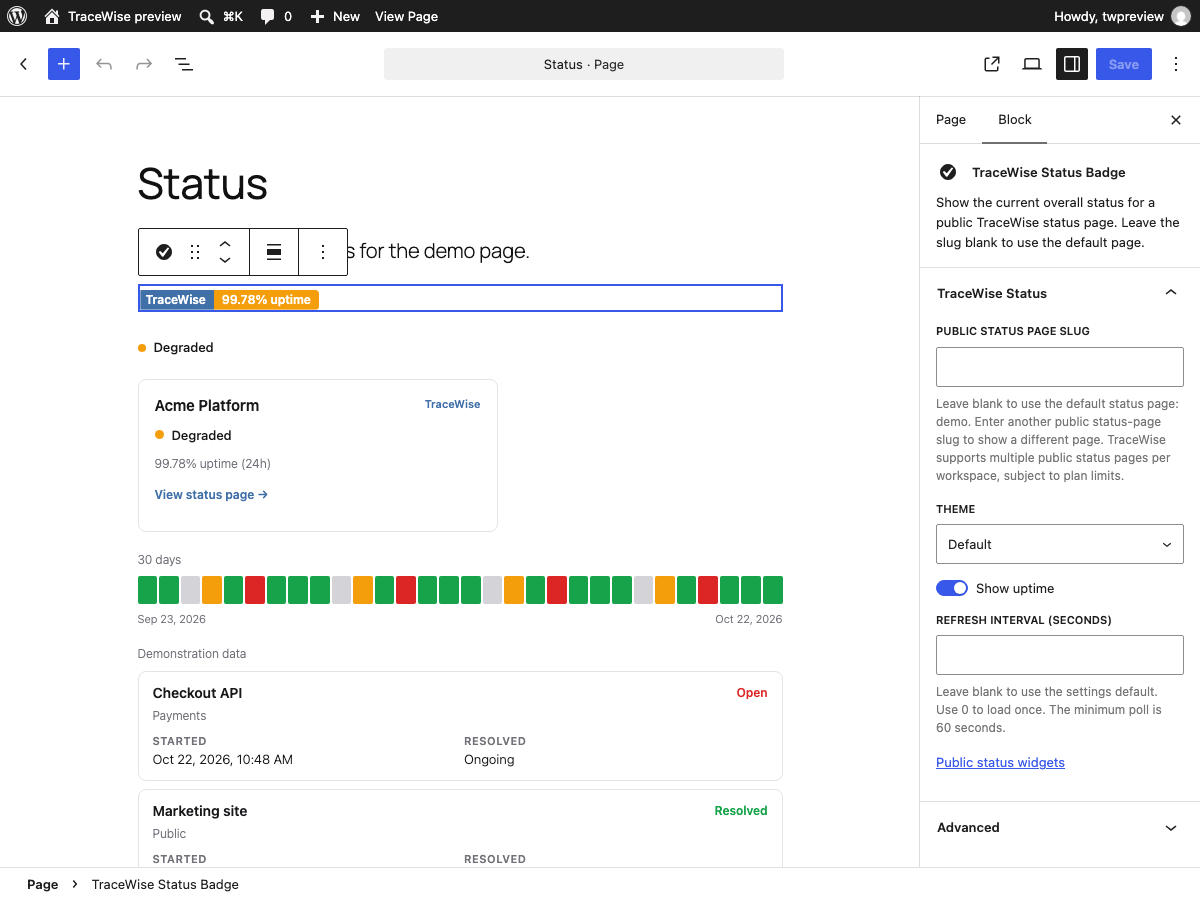
Status Badge settings and editor preview.
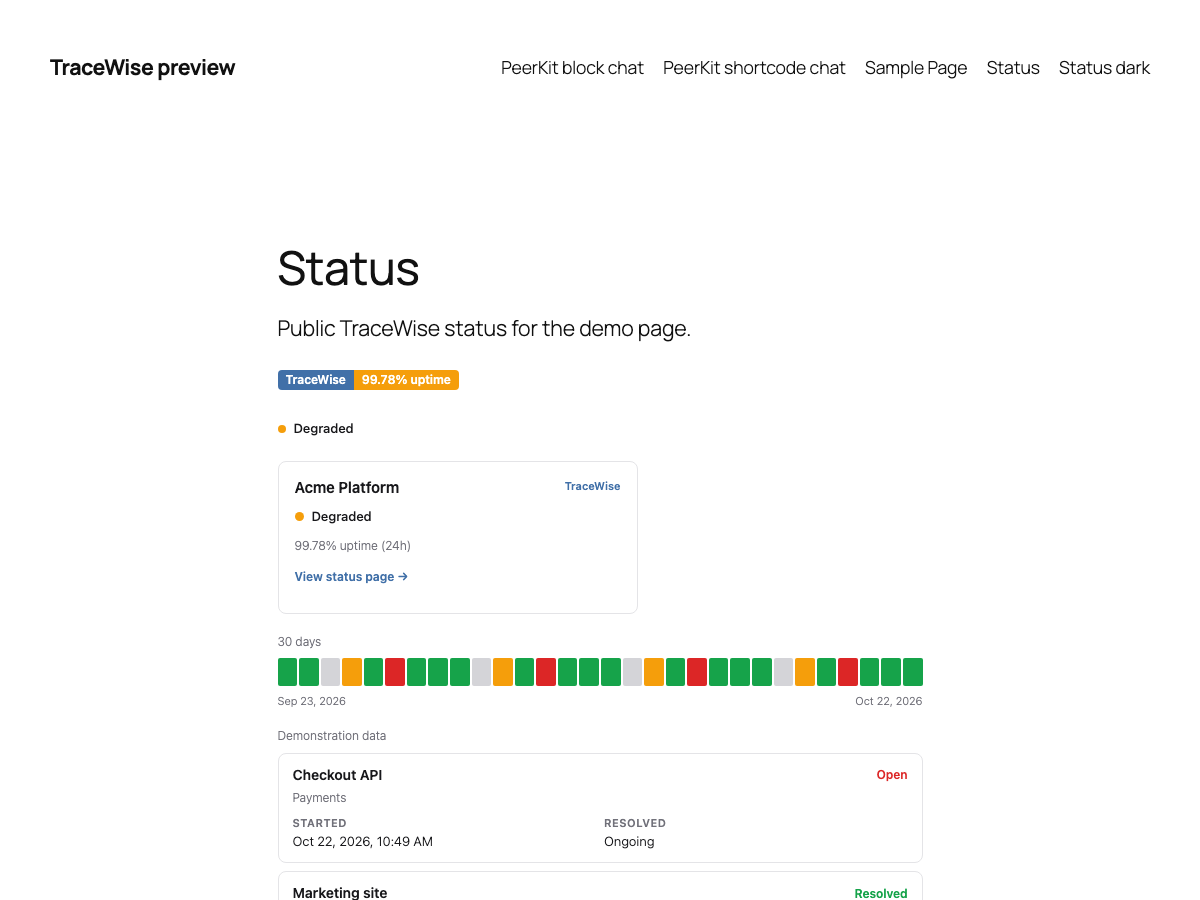
A page showing the badge, indicator, card, uptime history, and incident list.

The same page in the dark theme.


