
TurtleReport Wordpress Plugin - Rating, Reviews, Demo & Download
Plugin Description
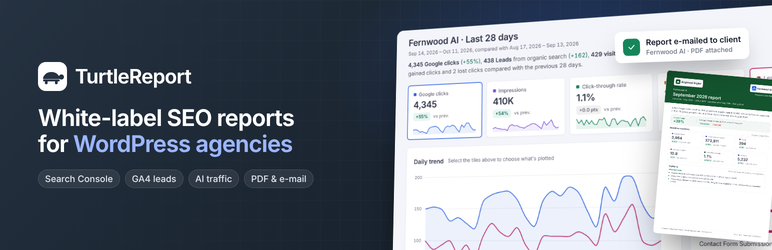
TurtleReport turns Google’s data into one clear report inside WordPress, lets you decide exactly who sees which website’s report, and can e-mail it on a schedule. It suits agencies reporting to clients, SaaS and product teams, and businesses tracking their own site.
What a report can show (you choose per site)
- Search performance – clicks, impressions, CTR and average position from Google Search Console, with winning and losing pages, keyword rankings, biggest movers, opportunities (positions 4–20), countries and devices. Web, image, video or News search.
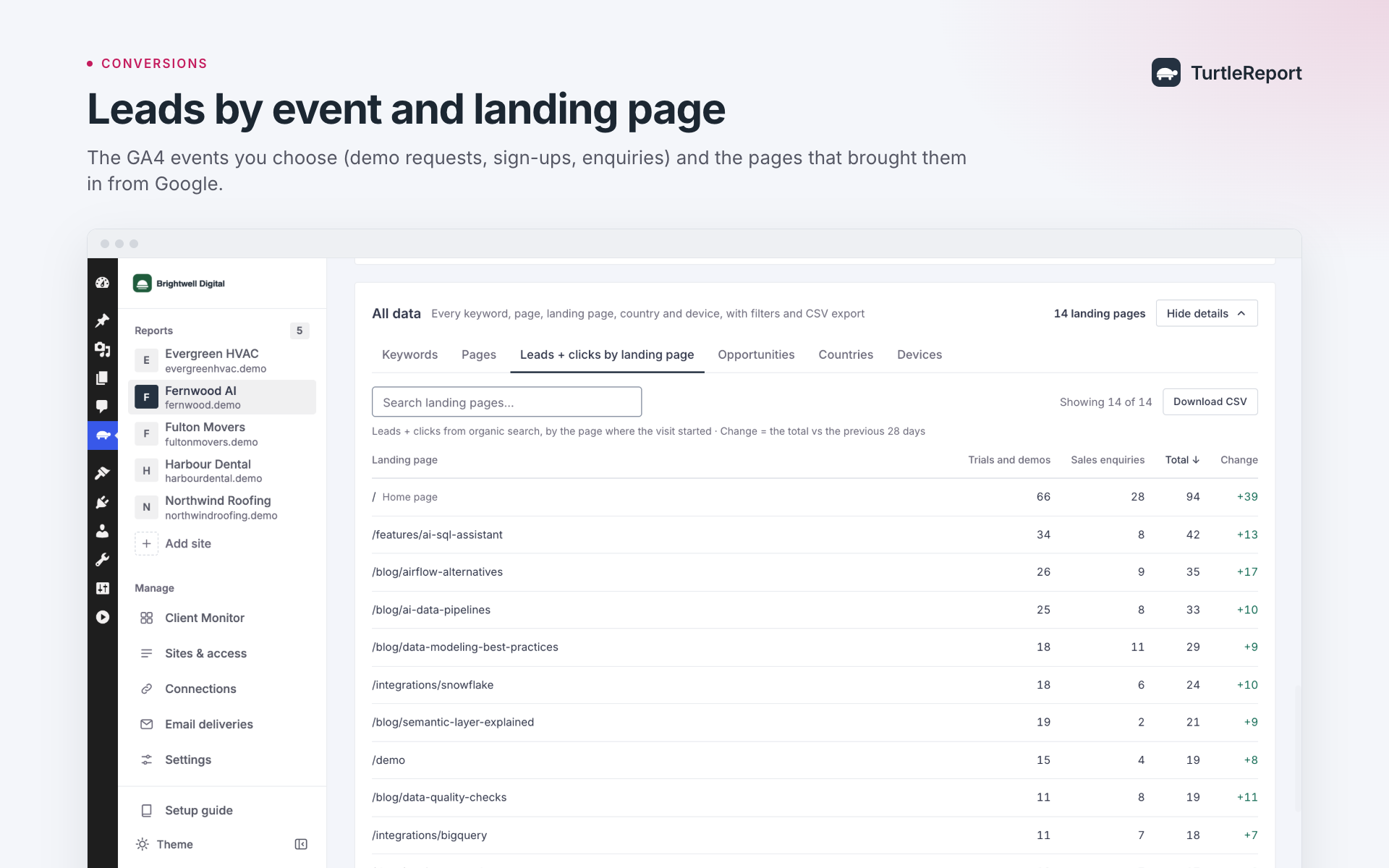
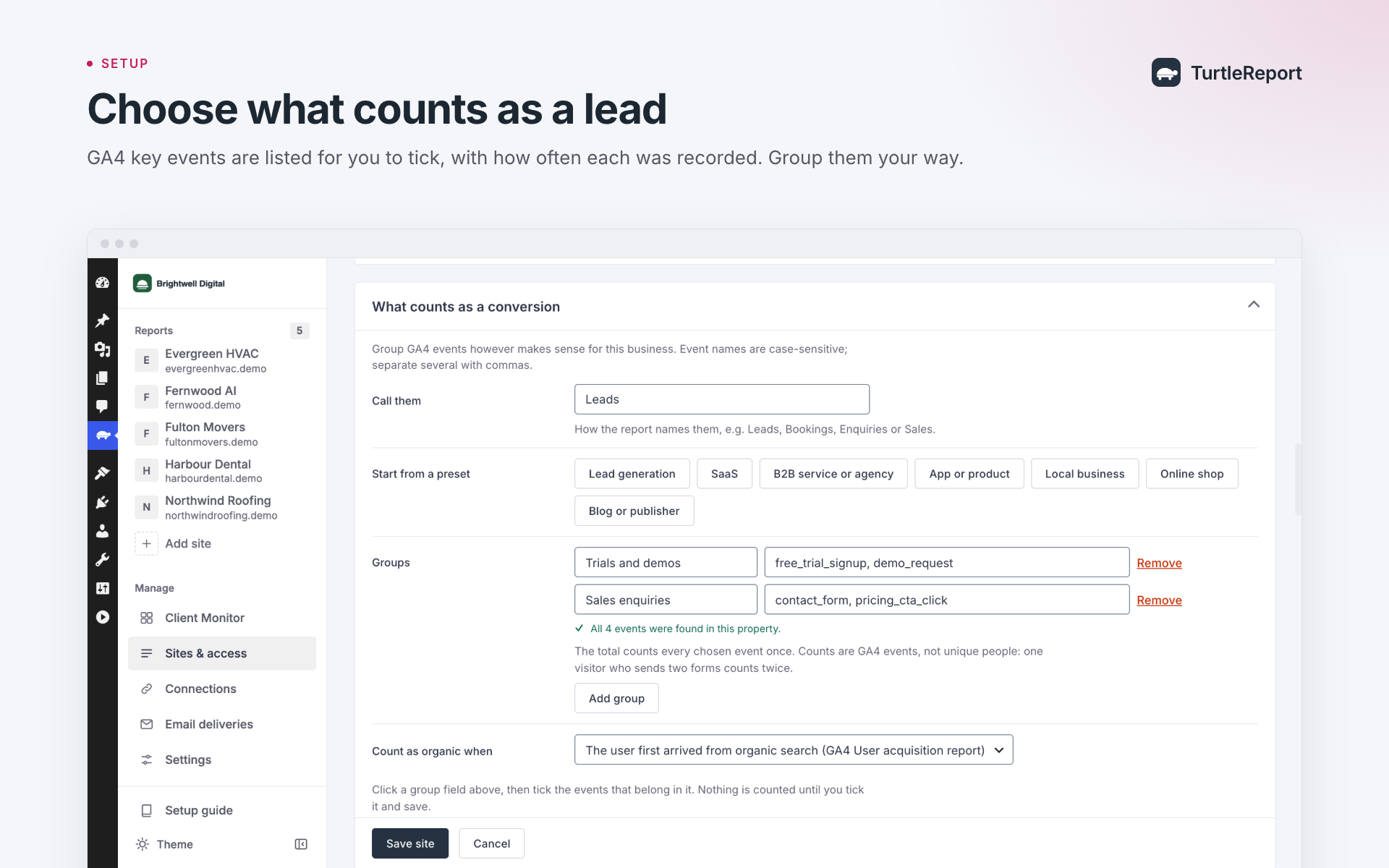
- Conversions from organic search – the GA4 events you choose, in groups you name (Leads, Bookings, Sign-ups, Sales…), with the landing pages that produced them. Presets for SaaS, B2B services and agencies, apps, lead generation, local businesses, online shops and publishers.
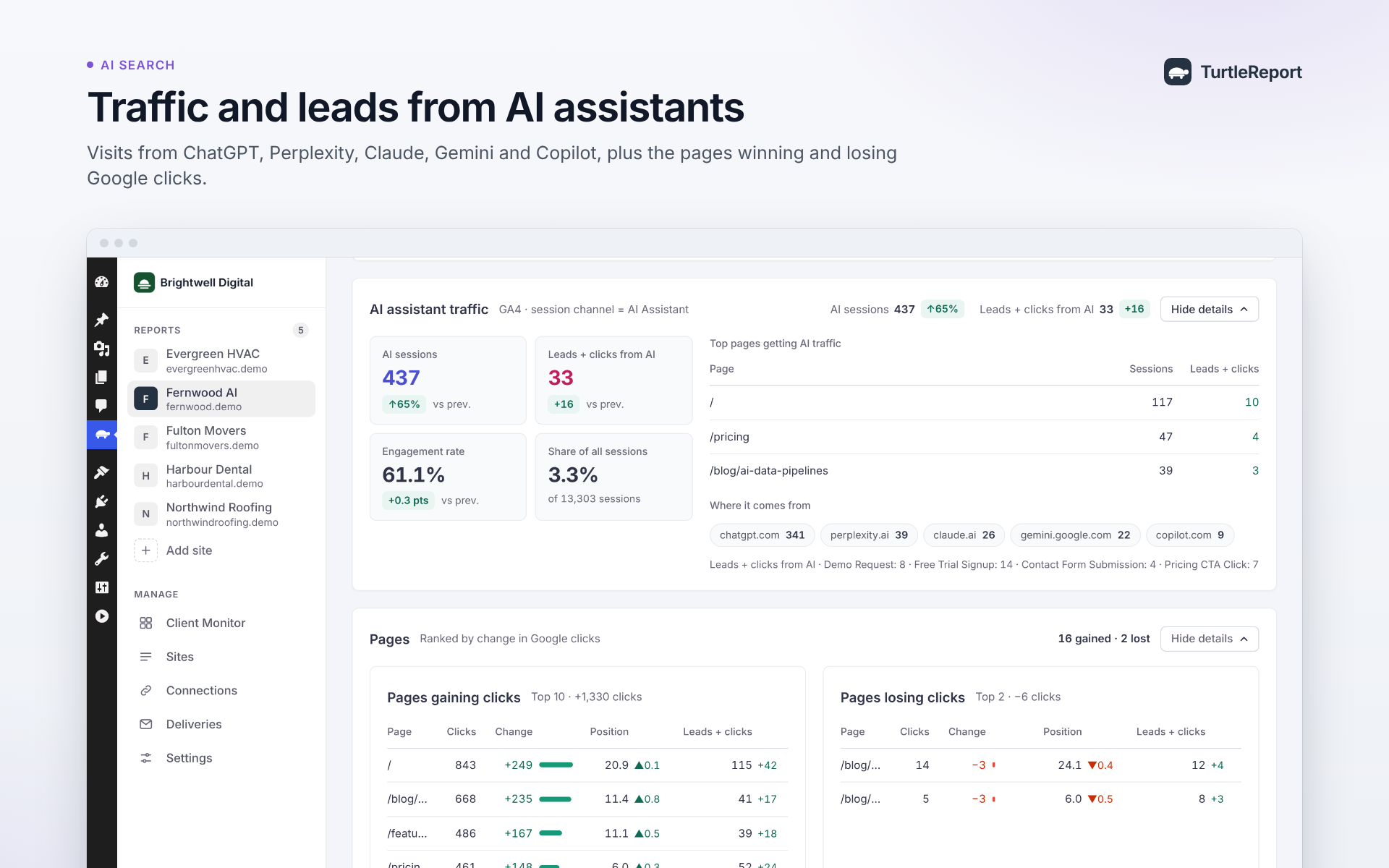
- AI assistant traffic – visits and conversions from ChatGPT, Gemini, Perplexity, Copilot and Claude, using GA4’s AI Assistant channel.
- Website traffic – any of 11 GA4 metrics (sessions, users, engagement rate, key events, purchases, revenue…), for organic search or all channels.
- Google Business Profile – calls, website clicks, direction requests and profile views.
Parts you switch off are never fetched from Google, and the server refuses them even if someone calls the API directly.
Segments and comparisons
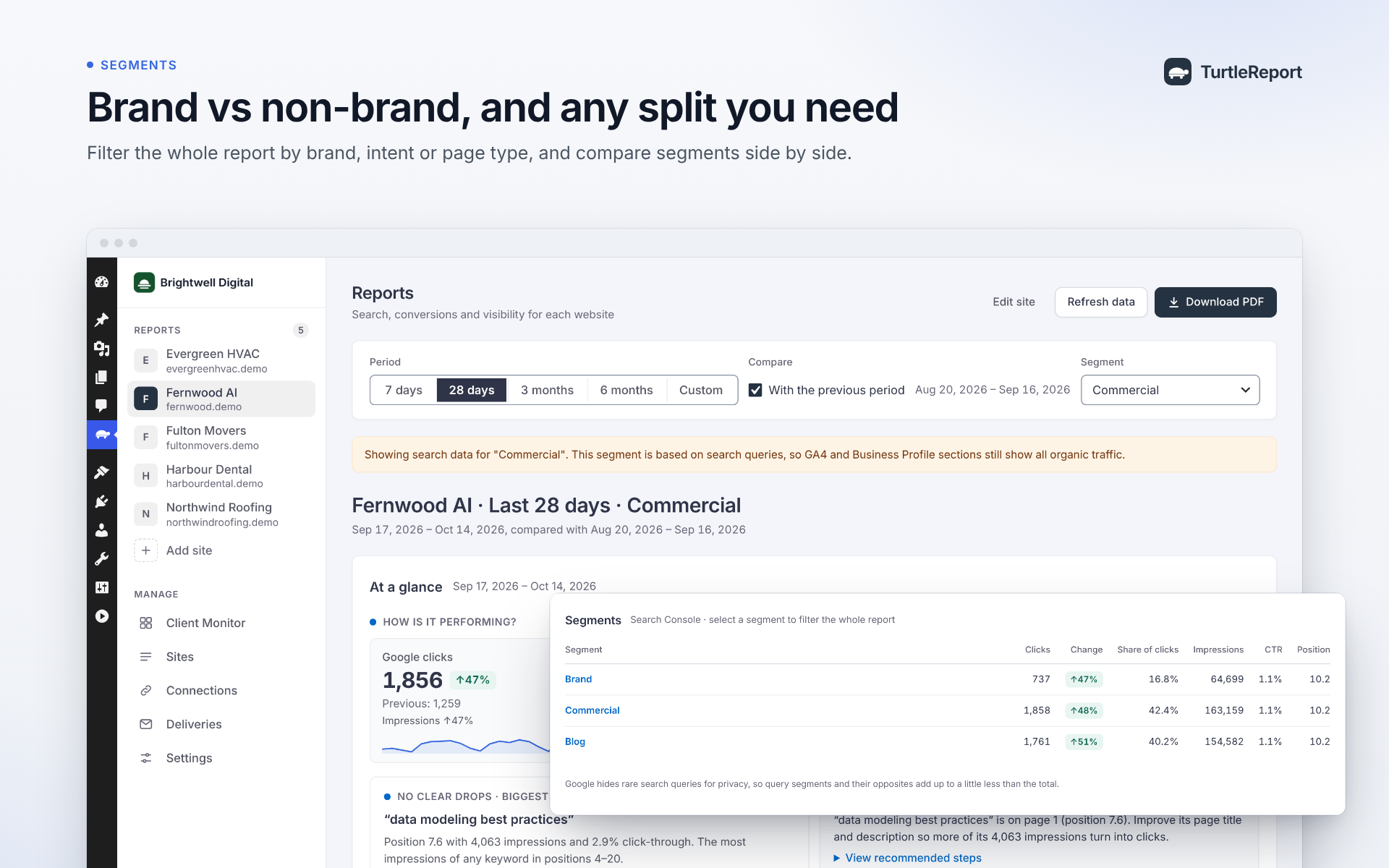
- Segments split any report into the views that matter: brand vs non-brand searches, commercial vs informational intent, blog vs product pages, or your own words and regular expressions. Pick a segment or its opposite, and a comparison card shows them side by side.
- Periods work like Search Console: the last 7 days, 28 days, 3 months or 6 months, each compared with the period just before it, or a custom date range.
Rule-based access
- Administrators manage connections, sites and access, and can see every site.
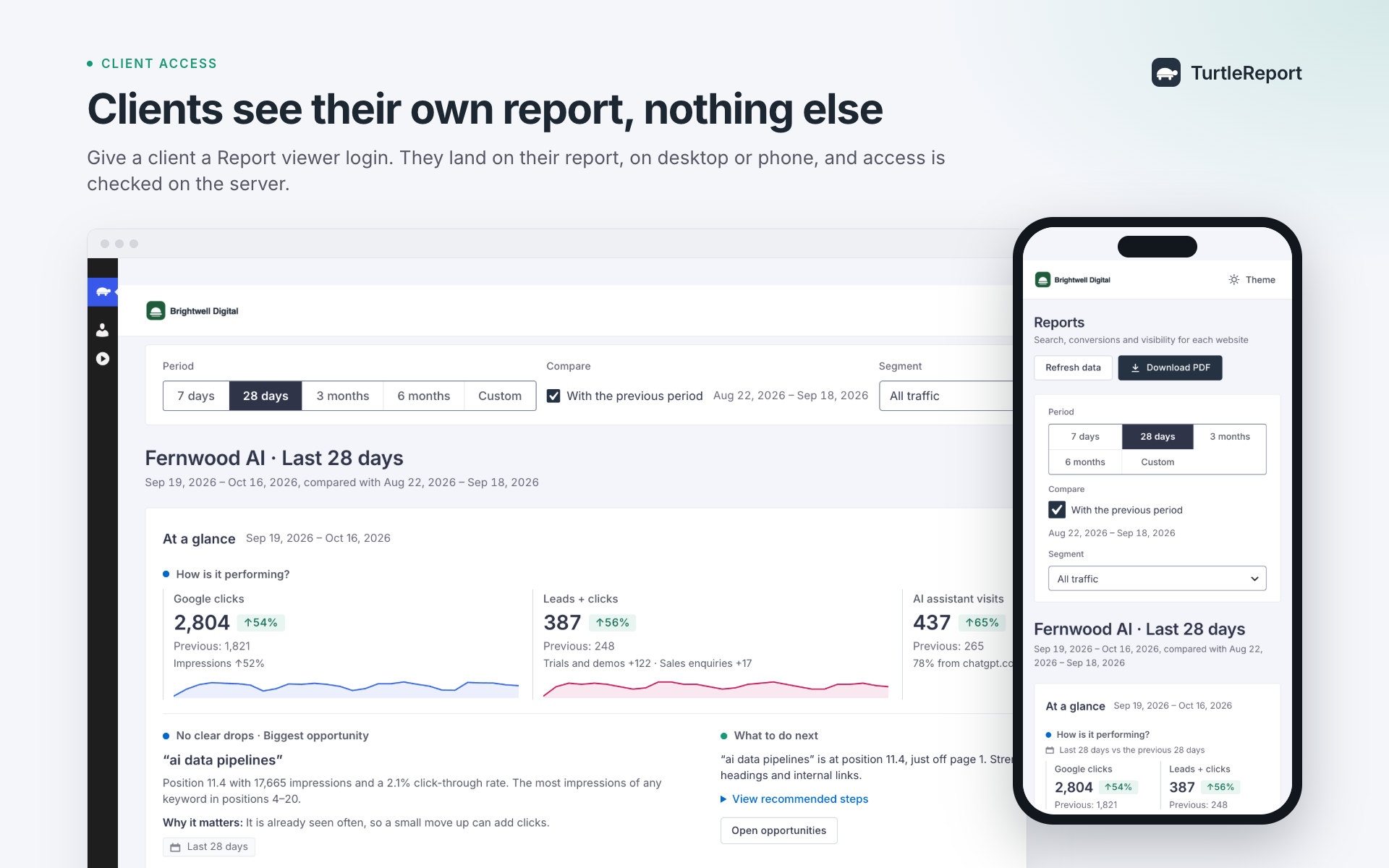
- Grant each site to roles, individual users, or both. People only ever see the sites granted to them.
- Access is checked on the server for every data request, not just hidden in the page.
- A Report viewer role for clients: they log in straight to their report and don’t see the rest of wp-admin.
- Works on Multisite: each subsite keeps its own sites and access lists.
Your own Google setup
- Connect with Google sign-in (OAuth) or a service-account key, using your own Google Cloud project. No third-party server sits between Google and your site.
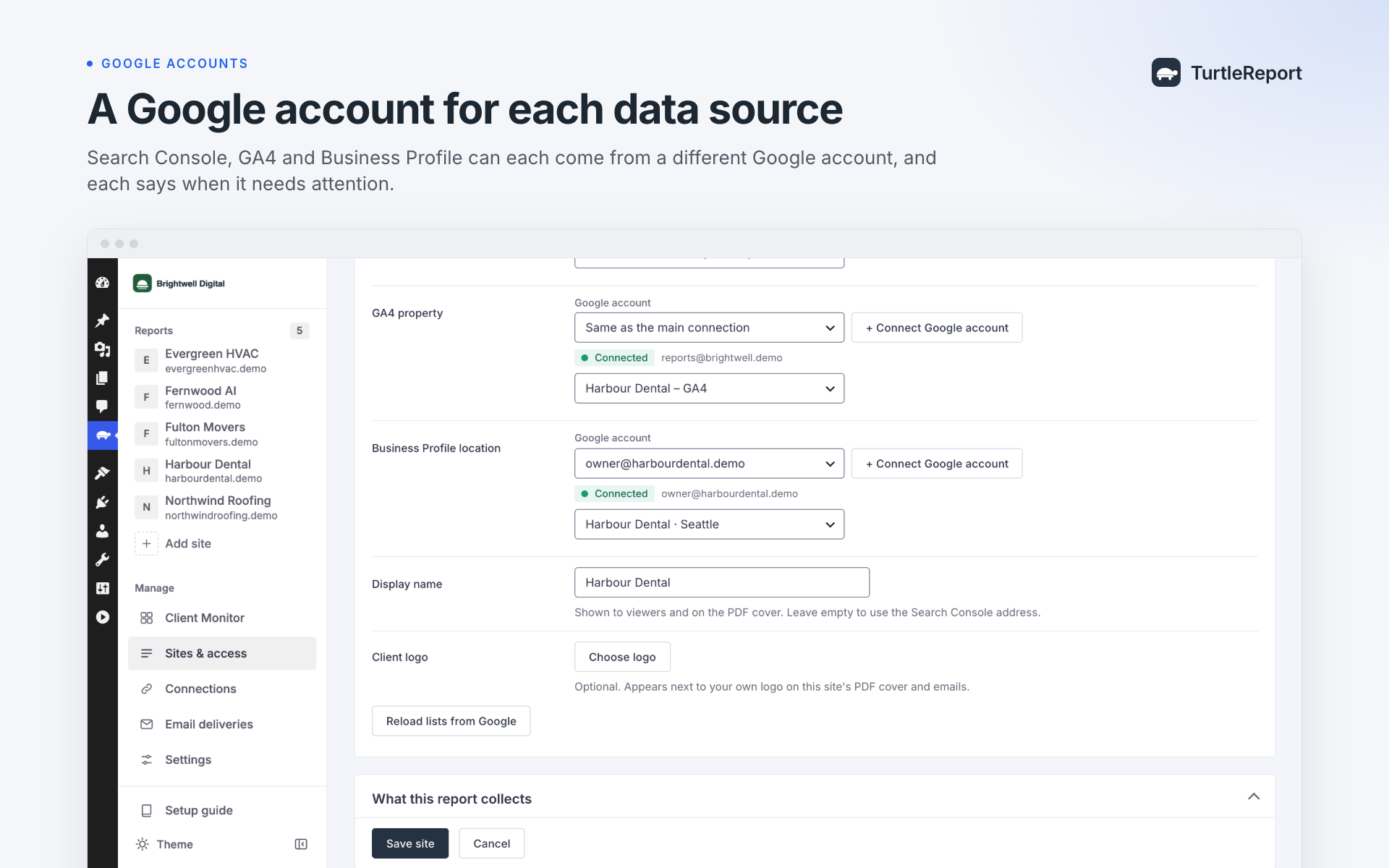
- Add as many connections as you need, for example one per Google account your clients use. Each site can read Search Console, GA4 and Business Profile through different connections (for example when the client’s Business Profile belongs to another Google account).
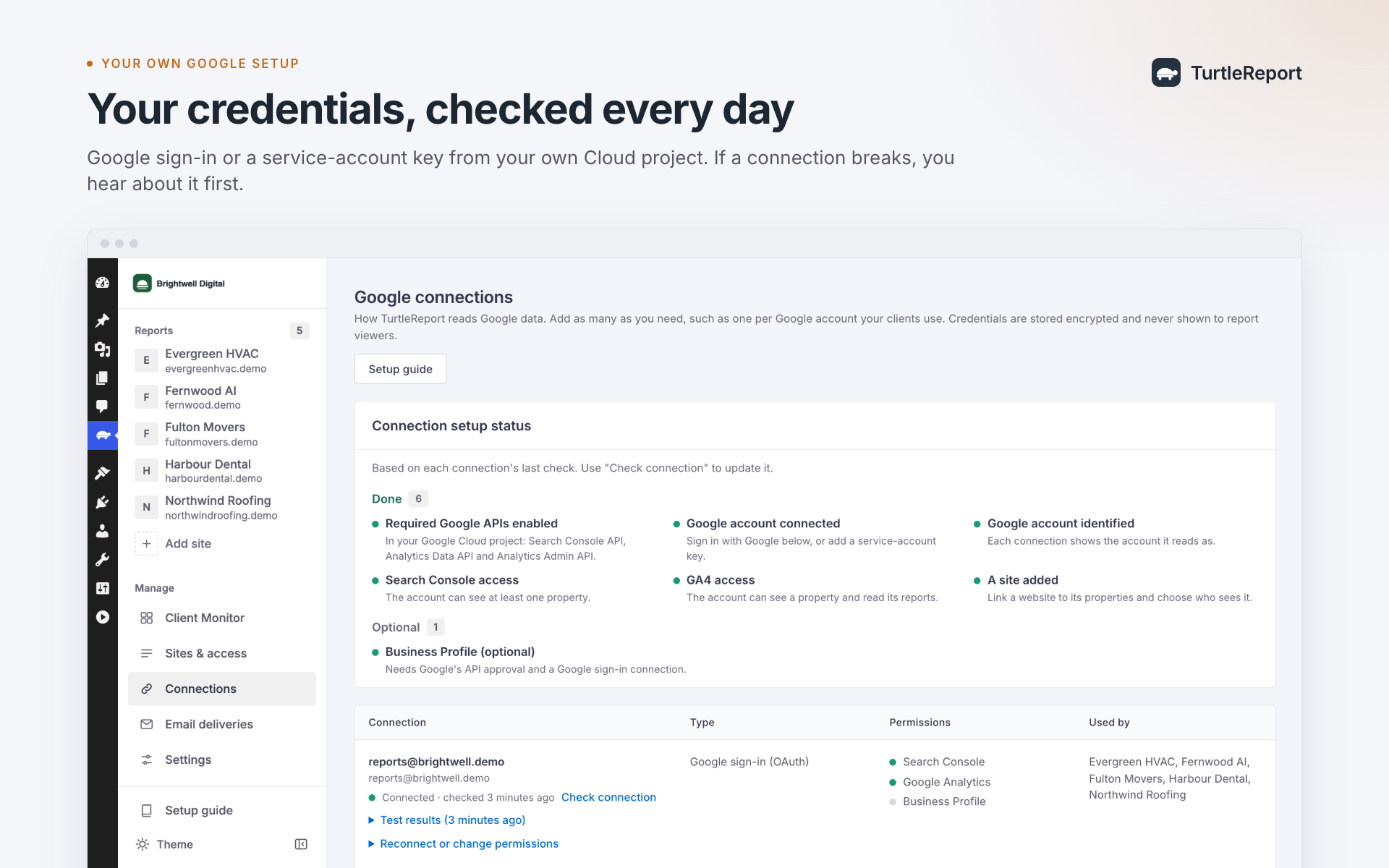
- A setup checklist and a Test connection button show which Google account a connection uses, which APIs and properties it can reach, and what to do when something is missing.
- Credentials are encrypted at rest and never sent to the browser.
- A step-by-step setup guide is built in (TurtleReport Setup guide).
Sharing and white label
- One-click PDF report with a cover page, charts and tables.
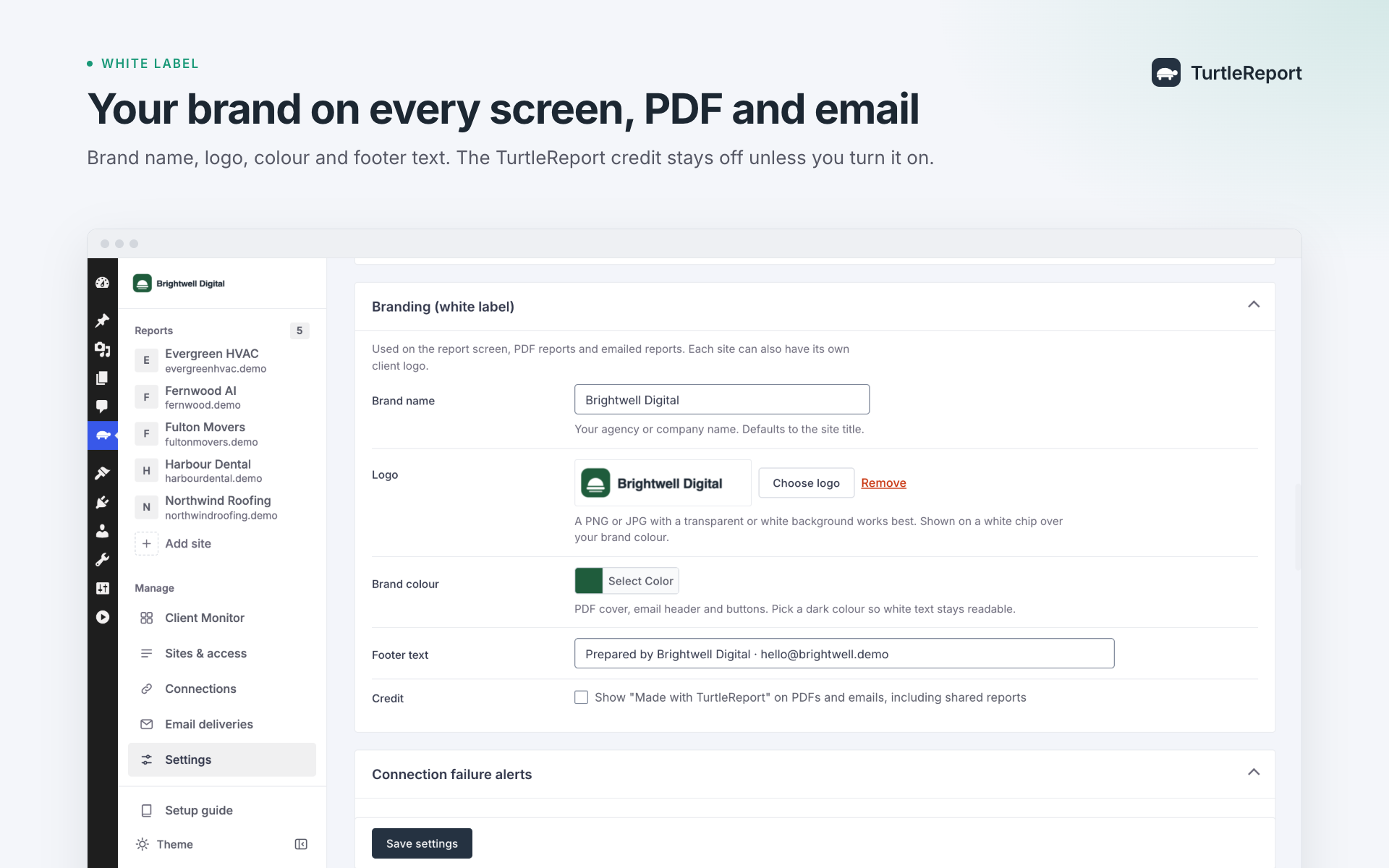
- White label: your brand name, logo, colour and footer text on the report screen, PDFs and e-mails, plus an optional client logo per site. The TurtleReport credit is off by default and can be shown with explicit opt-in.
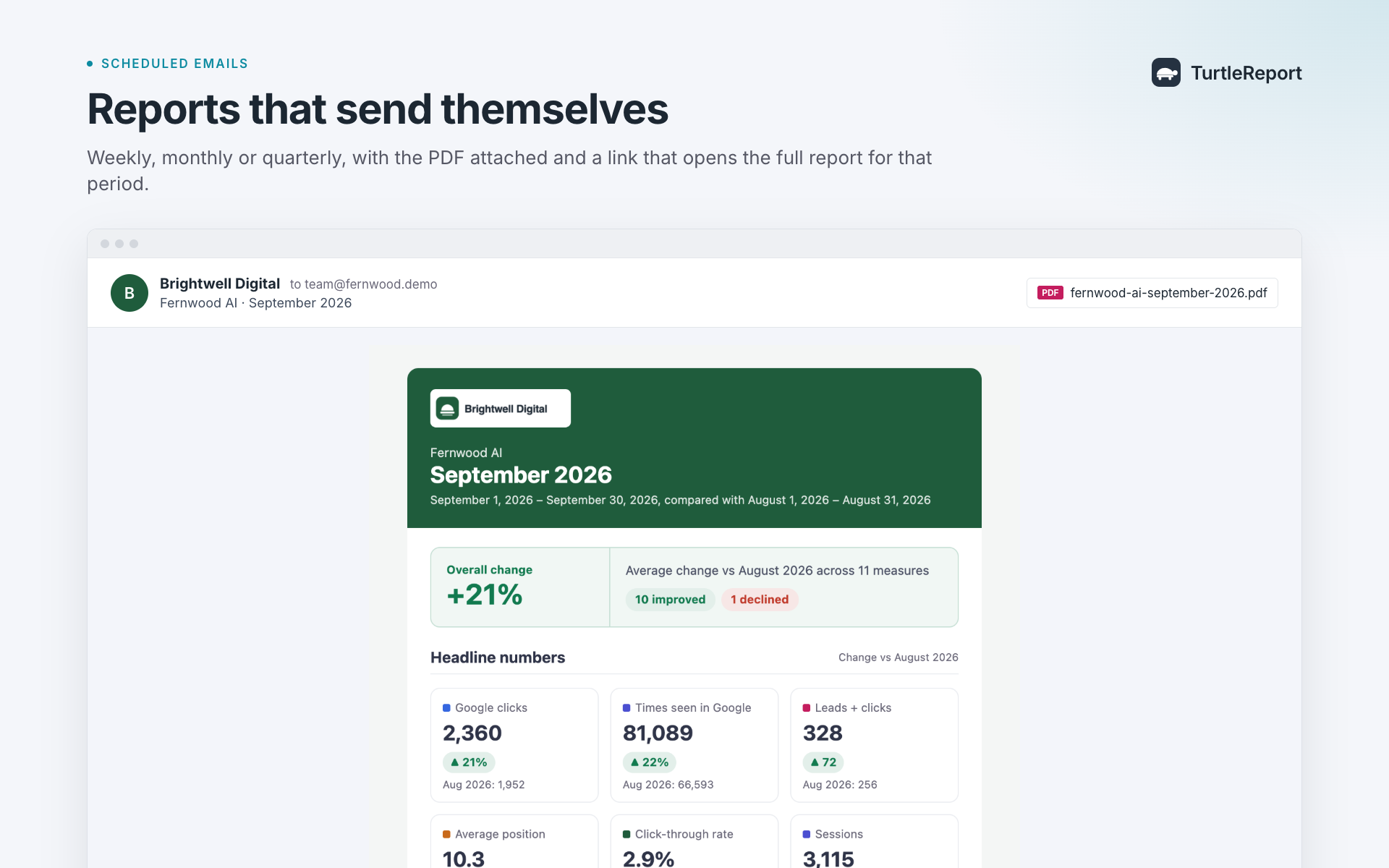
- Scheduled e-mail reports: every week, every 2 weeks, every month or every 3 months, per site, sent by WordPress cron, with a branded summary, a 2-page PDF attached (made on your server) and a link that opens exactly that period in the full report. An optional secure, expiring PDF link works for people without a login. Choose who gets them: everyone who can view that site (it follows your access rules automatically), specific WordPress users such as an account manager, and other e-mail addresses. Send a test to yourself, one person on the list, or everyone.
- CSV export of any table.
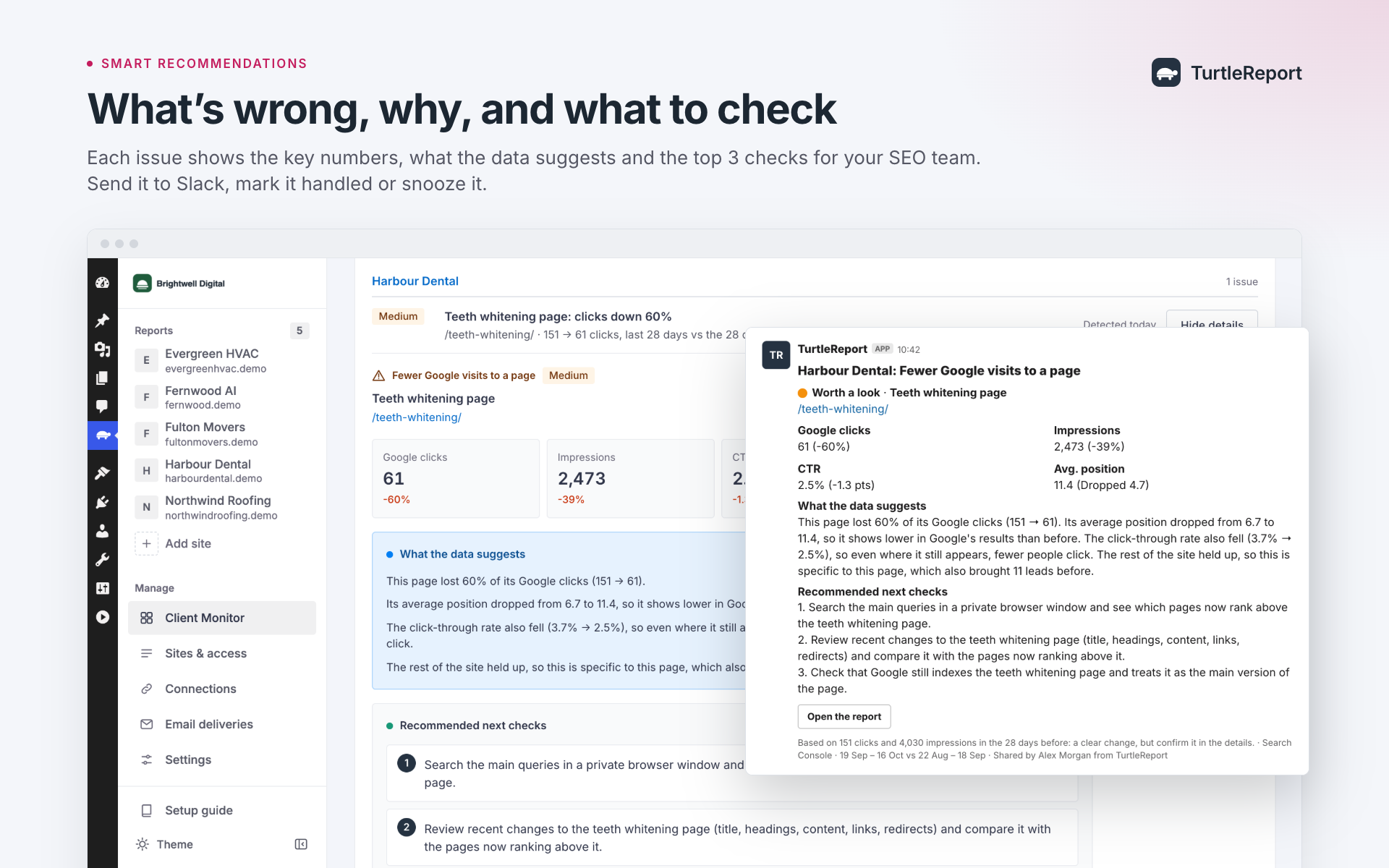
- Highlights: plain-language “what improved / what declined / what to do next” lines, written by simple rules from the numbers (no AI service, nothing leaves your server). Edit or add your own before sending.
Delivery you can check
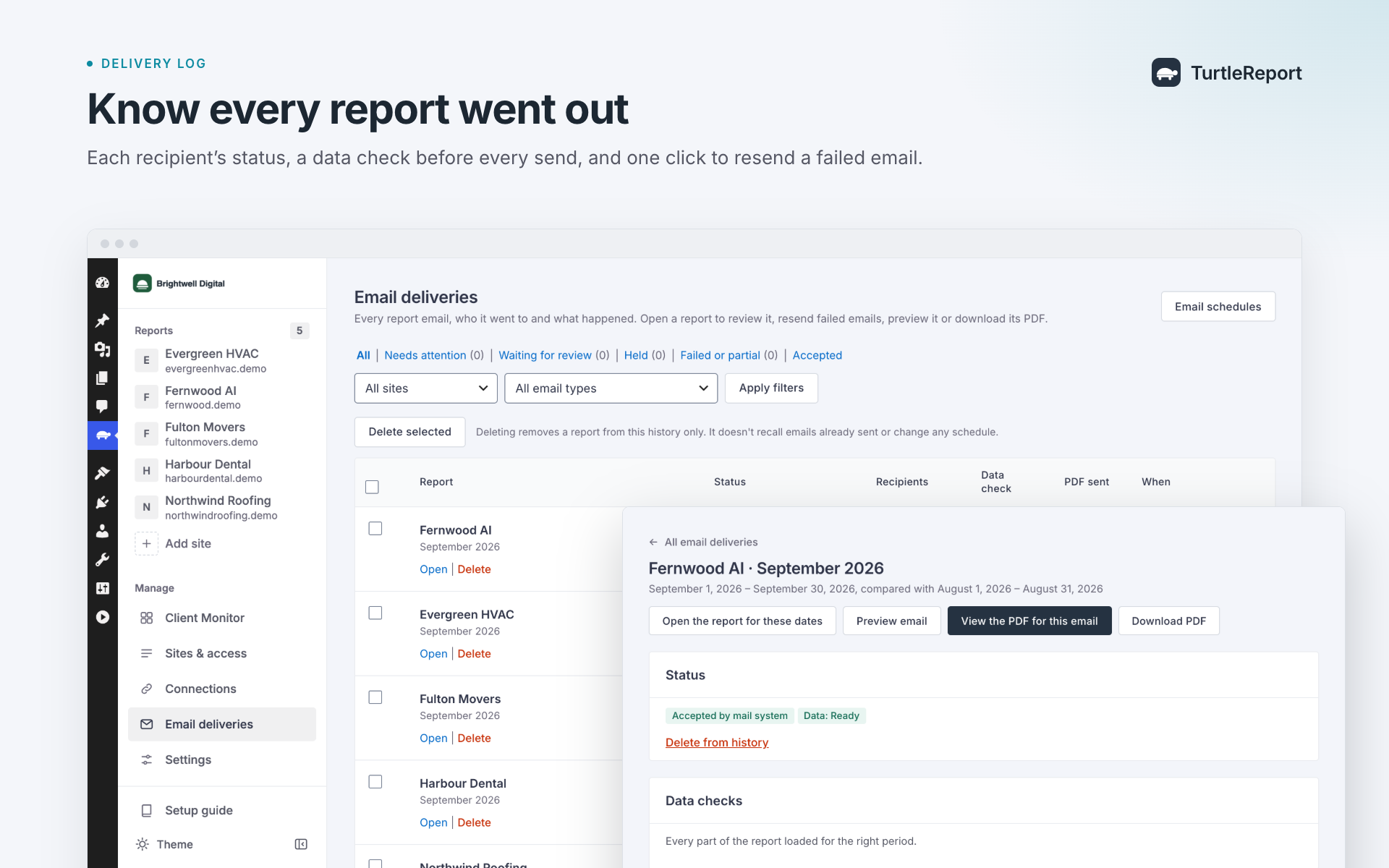
- Deliveries screen: every scheduled, test and manual send, with each recipient’s status (“Accepted by the mail system”, “Retrying”, “Failed” and the reason). Failed recipients are retried automatically (up to 3 attempts) and can be resent by hand; recipients already accepted by the mail system are skipped on retries. If a job stops before recording its result, that uncertain attempt requires manual review before resending.
- Data checks before sending: each report is marked Ready, Warning or Blocked, and the reason says whether a number is a real zero, Google had no data yet, a part isn’t set up, access was denied, a sign-in expired or Google was unavailable. Per site, hold an incomplete report for review (temporary Google problems are re-checked automatically) or send it with a warning.
- Review mode (“wait for me to review and approve it”): reports wait for an administrator to check the highlights and approve them, instead of sending automatically.
Reliability
- A conversion event that sits in more than one group is counted once in the total.
- Every Google connection is checked daily. If one breaks, the people you pick (for example your developer) get an e-mail, and administrators see a notice, before a client notices a blank report.
- Each site’s opening report is fetched overnight, so it opens instantly.
- Charts have an accessible table view.
- A clean app layout: a sidebar that lists every report you can open (one click to switch clients), collapses to icons, and becomes a drawer on phones. Light, dark or system colour themes per user.
External services
This plugin connects to Google’s APIs to read reporting data. It only contacts Google after an administrator adds a connection, and only to read data for the sites and sections they set up. Requests are made from your server; nothing is sent to the plugin author or any other party.
- Google OAuth 2.0 (accounts.google.com, oauth2.googleapis.com) – signs in to Google, refreshes and revokes access, and exchanges service-account keys for access tokens. Sent: your OAuth client ID and secret or a signed service-account assertion, and authorisation codes or tokens.
- Google Search Console API (www.googleapis.com/webmasters/v3) – lists your properties and reads search performance. Sent: the property and date range.
- Google Analytics Data API and Admin API (analyticsdata.googleapis.com, analyticsadmin.googleapis.com) – lists GA4 properties and reads event, traffic and channel reports. Sent: the property, date range, metrics and filters.
- Google Business Profile APIs (mybusinessaccountmanagement.googleapis.com, mybusinessbusinessinformation.googleapis.com, businessprofileperformance.googleapis.com) – lists locations and reads daily performance metrics. Sent: the location and date range. Only used if you turn Business Profile on.
Background jobs (daily connection checks, overnight report loading and scheduled e-mails) make the same kinds of requests from your server. Scheduled e-mails are sent through your site’s own mail setup (wp_mail) to the addresses an administrator enters.
Google’s Terms of Service, Privacy Policy and API Services User Data Policy apply.
Third-party libraries
Bundled in assets/vendor/ (all MIT licensed, licences in assets/vendor/licenses/):
- Chart.js 4.5.1 – source/build tools: https://github.com/chartjs/Chart.js/tree/v4.5.1 (package.json and rollup.config.js).
- jsPDF 4.2.1 – source/build tools: https://github.com/parallax/jsPDF/tree/v4.2.1 (package.json and rollup.config.js).
- html2canvas 1.4.1 – source/build tools: https://github.com/niklasvh/html2canvas/tree/v1.4.1 (package.json and rollup.config.js).
The JavaScript files correspond to these versions’ official npm distributions. Chart.js and jsPDF omit only the trailing source-map comment and trailing blank lines; their executable content is unchanged. html2canvas matches its distribution byte for byte. Build commands and dependency versions are provided in each pinned repository’s package.json; the plugin has no separate JavaScript build step.
The jsPDF and html2canvas files load only when someone downloads a PDF.
Font in assets/fonts/: Inter 4.001 (variable, Latin and Latin Extended), recorded source commit https://github.com/rsms/inter/tree/66647c0bbbe41a850d79d9c76fb13add3378940f – SIL Open Font License 1.1, licence in assets/fonts/OFL.txt. The pinned repository includes font source and build tools. It is served from your own site; no font is loaded from Google. assets/fonts/pdf/ holds the static Regular and SemiBold Inter files used to draw e-mailed PDFs on the server (same licence, assets/fonts/pdf/OFL.txt).
The server-side PDF is written by the plugin’s own code (src/Pdf/); no PDF library or external service is used.
Each report can be emailed to up to 50 unique addresses. Viewer recipients are considered first, then individually chosen users, then typed addresses; duplicate addresses count once. This mail-processing limit does not restrict report access or grant revocation. Credits on PDFs and emails are off unless you explicitly choose to show them in Settings.
Screenshots
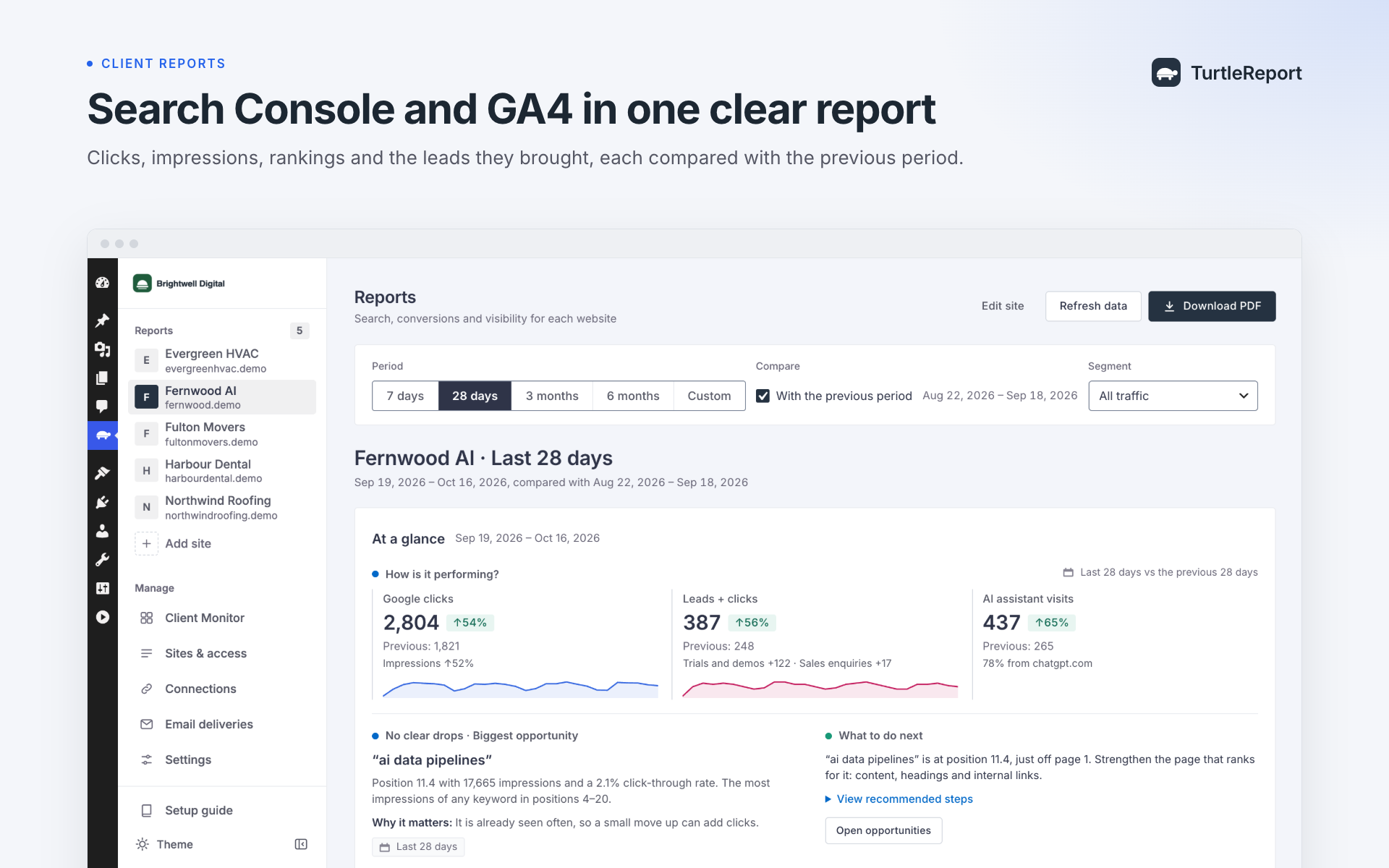
A client report with Search Console and GA4 headline numbers, trends and conversions.
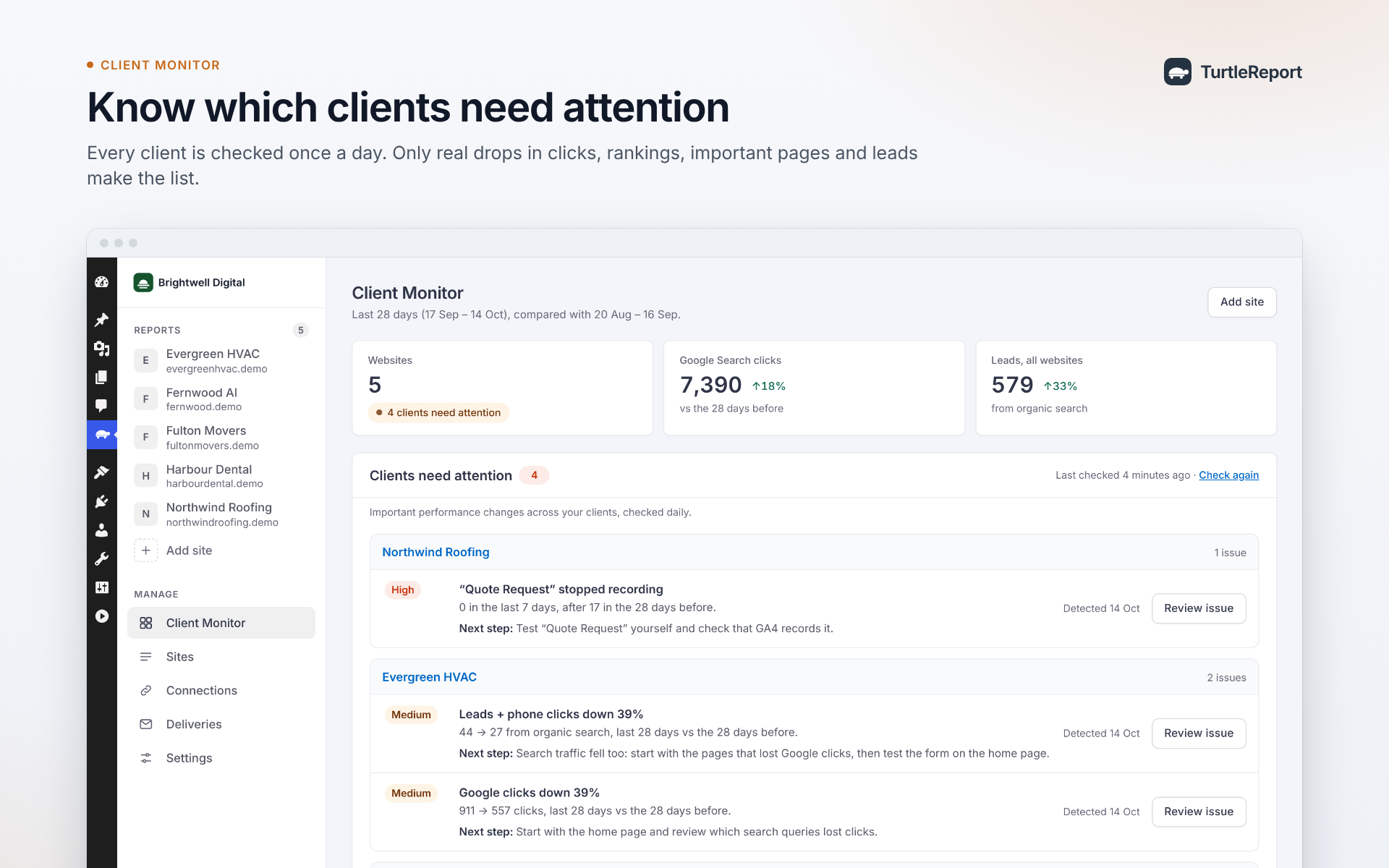
Agency overview of client reports.
A white-labelled PDF report.
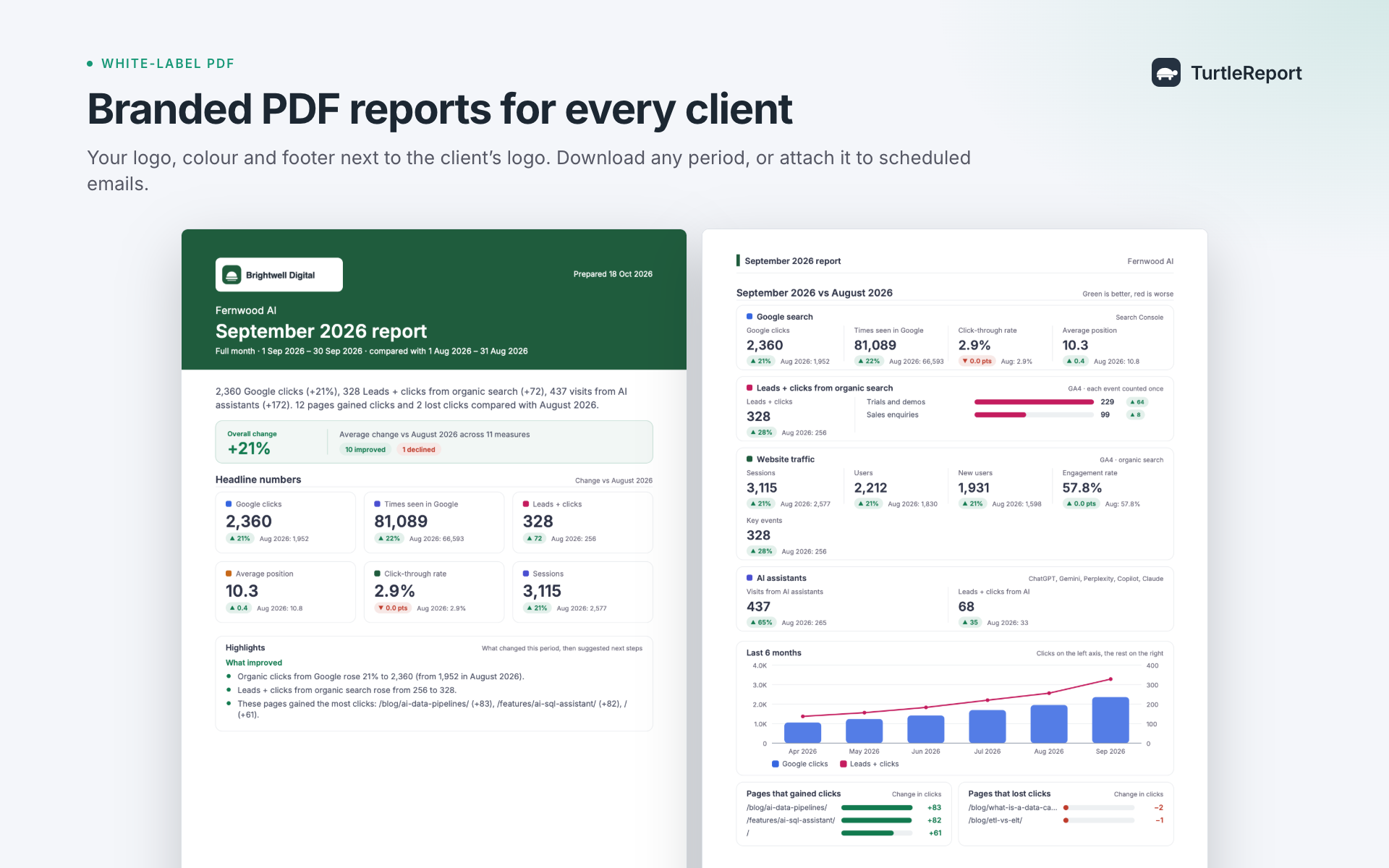
A scheduled e-mail report as received by a client.
Leads by landing page.
AI assistant traffic and winning and losing pages.
Brand and non-brand report segments.
Client report access on desktop and phone.
E-mail delivery history and recipient status.
Choosing conversion events and groups.
Separate Google connections for each data source.
Brand and white label settings.
Google connection health checks.
Dark theme.


