
TWWIM AI Wordpress Plugin - Rating, Reviews, Demo & Download
Plugin Description
TWWIM AI adds an intelligent voice and text assistant widget to your WordPress site. Visitors can ask questions, navigate pages, find products, and get help — all through natural conversation.
Features
- Voice and text input — visitors speak or type in natural language
- Automatic page understanding via DOM indexing — no manual content mapping required
- Configurable widget position (bottom-right, bottom-left, top-right, top-left)
- Per-page exclusion — disable the widget on specific pages or posts
- Full admin dashboard embedded in WordPress — manage your account, subscription, and settings without leaving WP admin
- One-click enable/disable toggle
- Custom CDN support for enterprise deployments
How It Works
- Install the plugin and enter your TWWIM AI integration key
- The plugin injects a lightweight script tag into your site’s
<head> - Visitors see a floating assistant widget that responds to voice and text queries
- The AI processes queries against your page content and provides contextual responses
Requirements
- A TWWIM AI account and integration key — sign up at twwim.ai
- PHP 8.0 or higher
- WordPress 6.0 or higher
External services
This plugin relies on the following third-party / external services. By installing and configuring the plugin you acknowledge that data will be transmitted to these services under the conditions described below.
1. TWWIM AI API — customer-api.twwim.ai (operated by TWWIM UG)
- Purpose: authenticates your site using your integration key, manages your TWWIM AI account, subscription, billing details, and plugin settings, and processes visitor queries submitted through the assistant widget.
- Data sent: integration key (on every authenticated request), plugin settings you save (widget toggle, dock position, CDN URL, excluded page IDs), visitor queries and page context submitted to the widget, WooCommerce product data if product sync is enabled (product title, description, price, stock status, SKU, categories, images, URL — no customer/order data).
- When: on plugin activation and whenever an admin saves settings, when a visitor interacts with the widget, and on product create/update/delete events when WooCommerce sync is enabled.
- Terms of Service: https://www.twwim.ai/en/terms-of-service
- Privacy Policy: https://www.twwim.ai/en/privacy-policy
- GDPR notice: https://www.twwim.ai/en/gdpr
2. TWWIM AI CDN — cdn.twwim.ai (operated by TWWIM UG)
- Purpose: serves the assistant widget JavaScript loaded on your site’s frontend. Loaded on every public page where the widget is enabled.
- Data sent: standard HTTP request headers (IP, user-agent, referrer). No payload.
- When: on every visitor page load where the widget is injected.
- Terms of Service: https://www.twwim.ai/en/terms-of-service
- Privacy Policy: https://www.twwim.ai/en/privacy-policy
3. Stripe — js.stripe.com (operated by Stripe, Inc.)
- Purpose: securely tokenises payment card details for TWWIM AI subscription management. Loaded only inside the WP admin dashboard, on subscription / billing screens.
- Data sent: payment card information entered by the administrator into the Stripe-hosted input fields. Card data goes directly from the browser to Stripe — it never passes through this plugin or the TWWIM AI API.
- When: only when an administrator opens the Billing / Subscription screen inside the TWWIM AI admin dashboard.
- Terms of Service: https://stripe.com/legal/ssa
- Privacy Policy: https://stripe.com/privacy
Source code
The compiled JavaScript in dist/assets/ is produced from the React/TypeScript
dashboard source bundled with this plugin under the source/ directory (Vite
7 + React 19 + TanStack Router + Tailwind CSS 4).
source/SOURCE.md documents the build toolchain and build-time environment
variables. All sources are licensed under GPLv2 or later. No obfuscation or
custom minification is used — the compiled assets are the default Vite
production output.
The dashboard imports three private workspace packages (shared API schemas,
domain entities, and UI components) that are maintained in the TWWIM internal
monorepo and reused across multiple products. Their sources are available on
request — contact support@twwim.com.
Screenshots
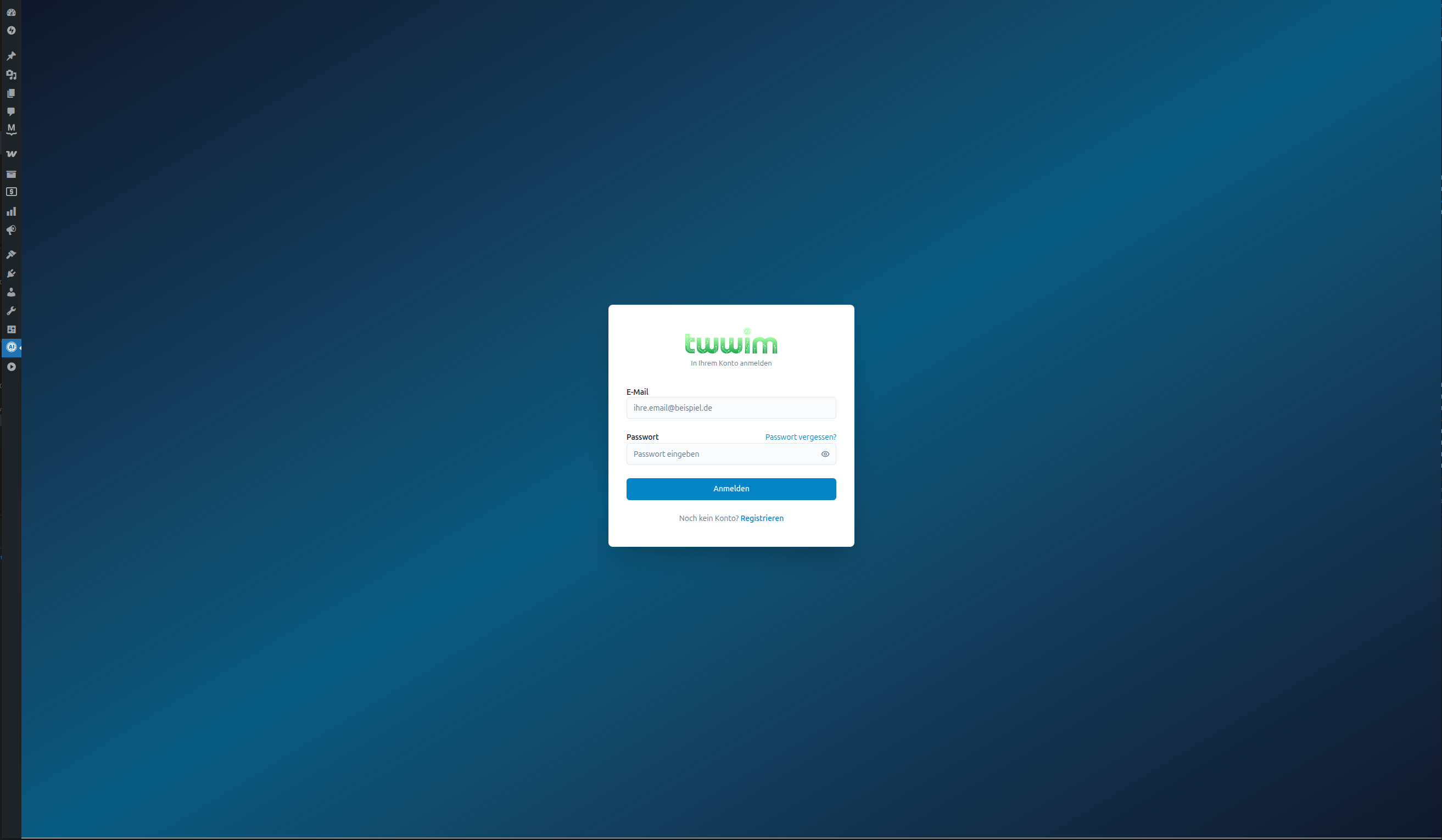
Login — sign in to your TWWIM AI account from inside the WordPress admin.
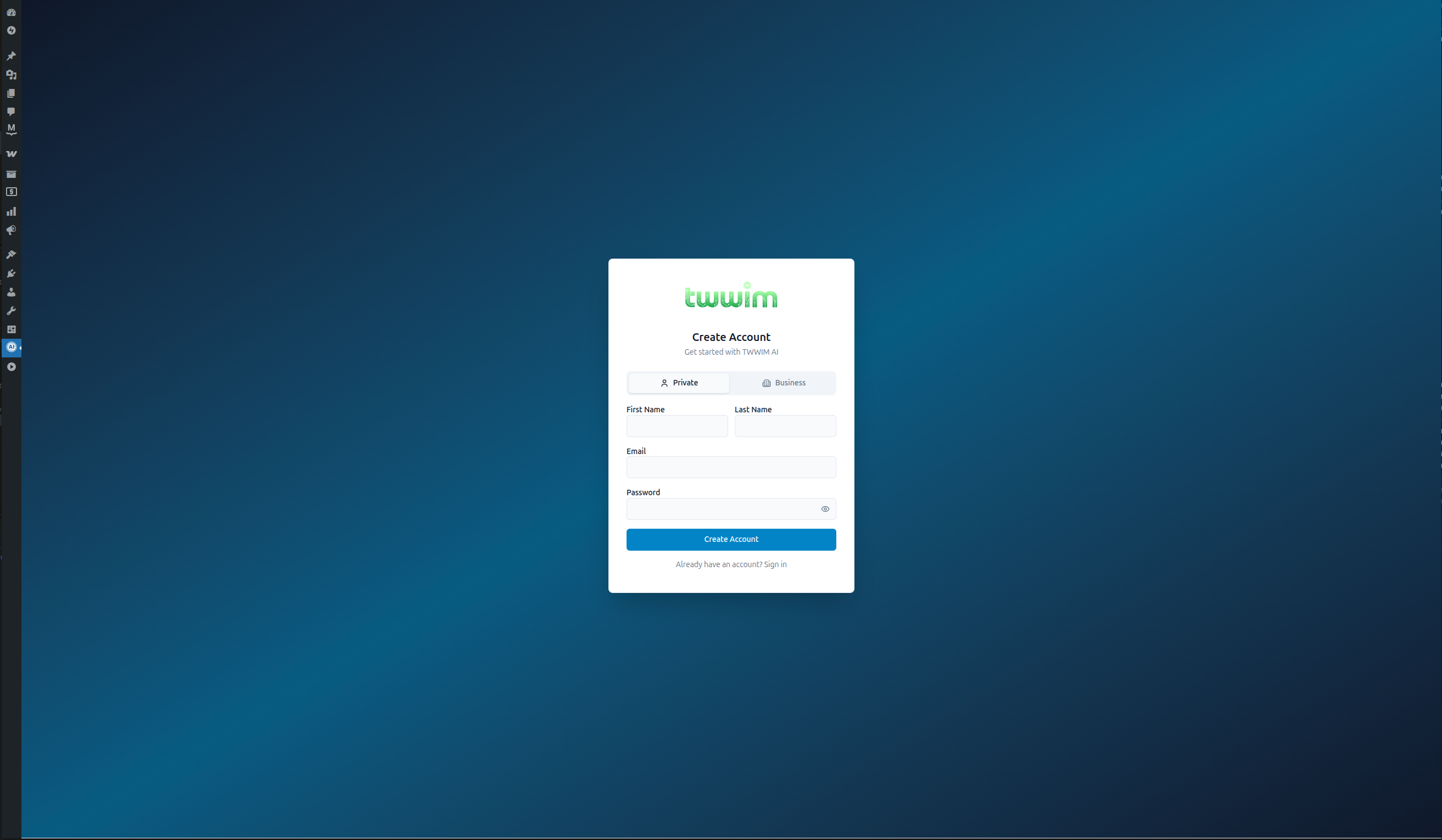
Registration — create a TWWIM AI account directly from WordPress admin, no separate signup.
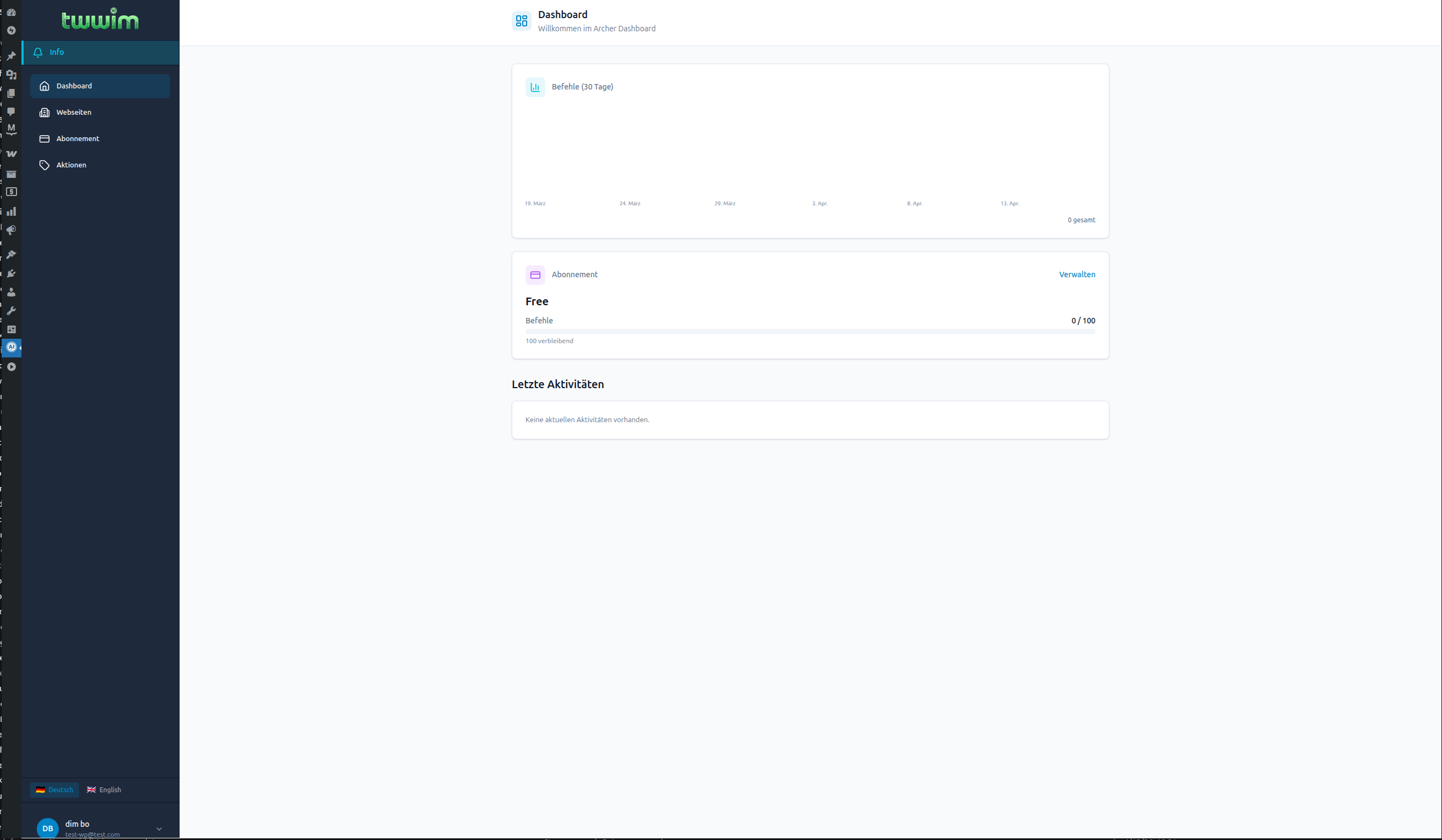
Dashboard — command usage stats and plan overview, embedded in WP admin (DE/EN).
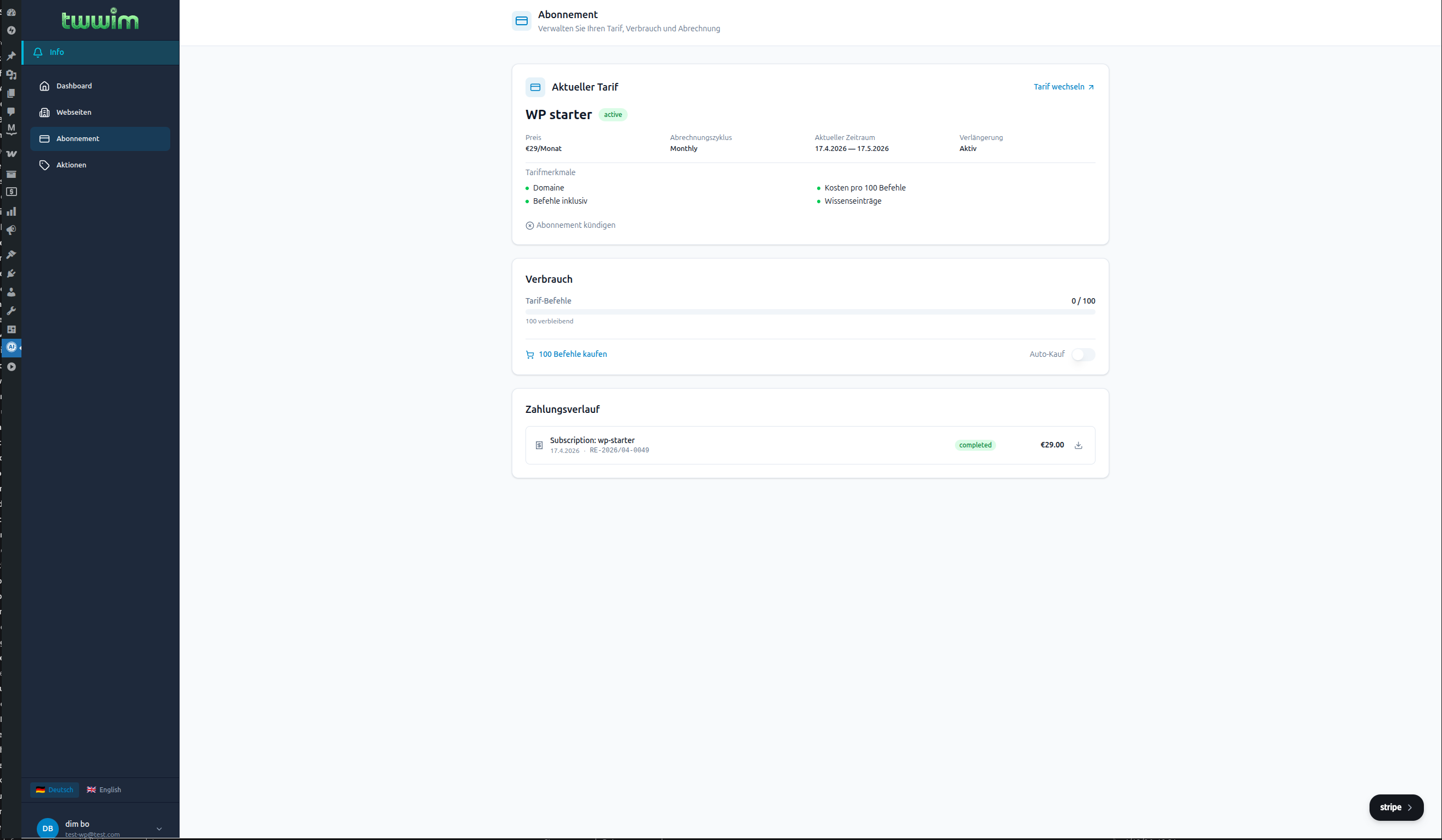
Subscription management — current plan, usage, Stripe-powered billing and payment history.
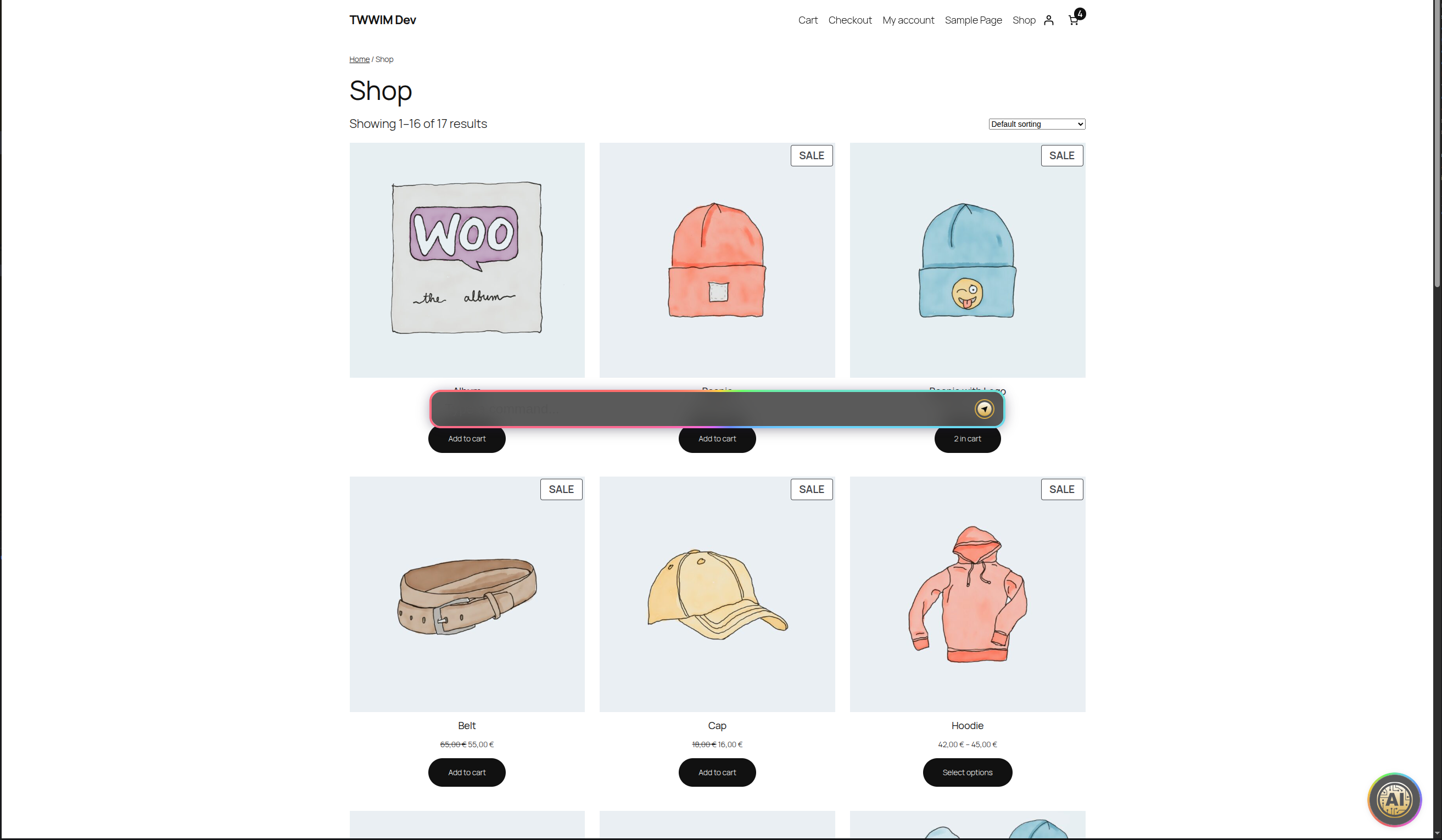
Frontend on a WooCommerce shop — assistant dock bar in text-command mode.
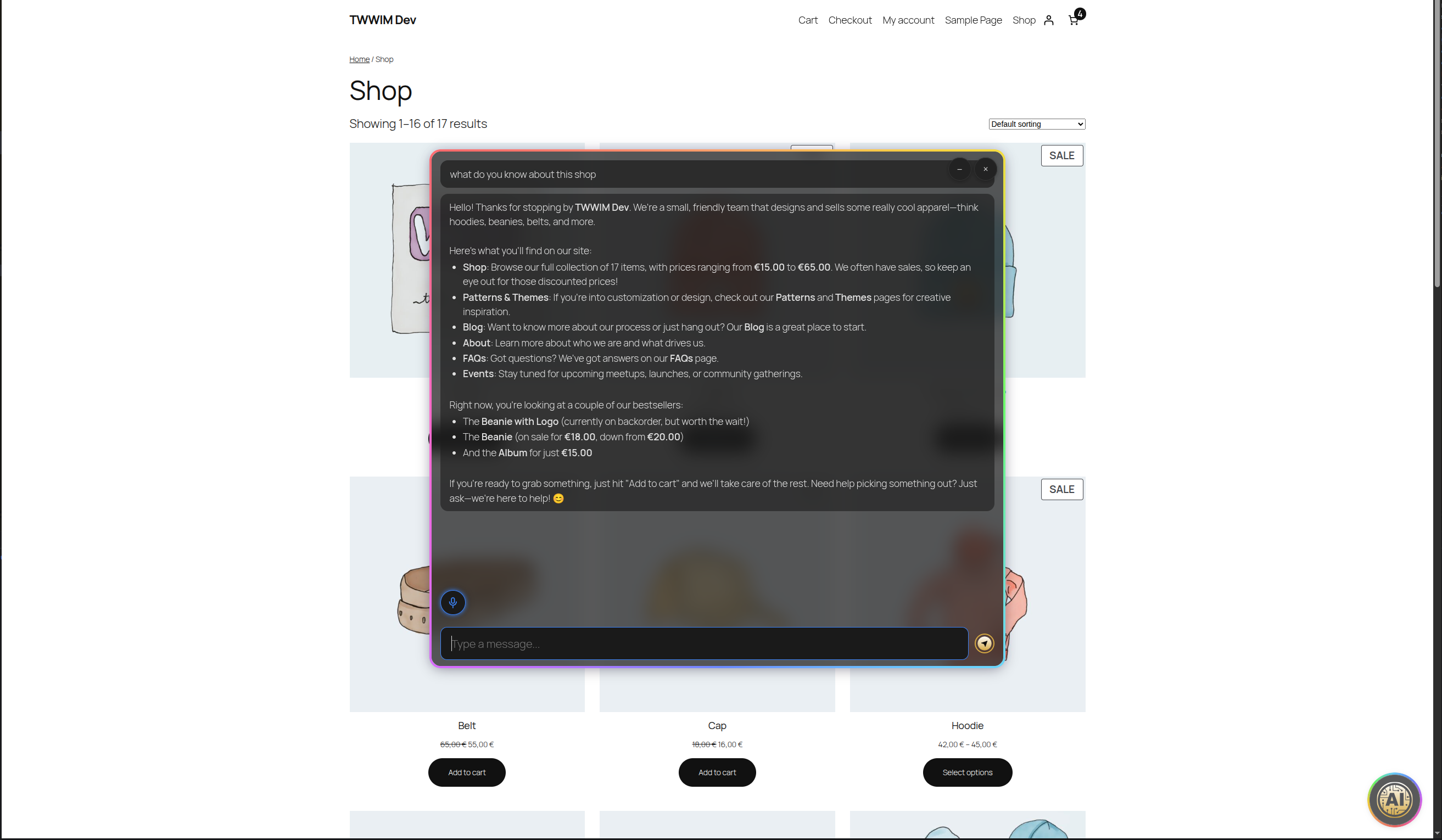
Frontend on a WooCommerce shop — full chat mode answering visitor questions in natural language.


