UniInbox For Contact Form 7 Wordpress Plugin - Rating, Reviews, Demo & Download
Plugin Description
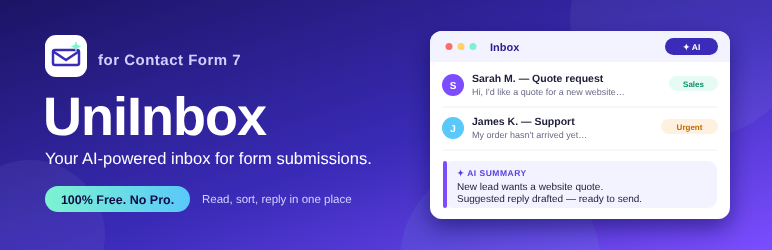
Contact Form 7 sends each submission as an email and stores nothing. UniInbox gives you a modern inbox inside WordPress: every message saved, sorted, searchable and answerable in one place.
Add a free AI key (optional) and UniInbox also sorts, prioritizes and drafts replies for you.
Always free, nothing locked. All features are included.
Inbox
- Every Contact Form 7 submission saved in your own database
- Dashboard cards: unread, high priority waiting, received and replied this week
- Views for All, Unread, Starred, Replied and Spam; search; filters by category and priority
- Star important messages; bulk actions; unread counter in the admin menu
- CSV export (protected against spreadsheet formula injection)
Replying
- Conversation thread: every reply you sent, with attachments, under the original message
- Rich-text editor: bold, italic, underline, lists, quotes, links, clear formatting
- Attach up to 5 files (10 MB total) from your Media Library
- CC and BCC, editable subject, “include original message”
- Reusable reply templates with placeholders such as {first_name} and {subject}
- Signature, From name and Reply-To address
- Internal notes for your team, never emailed
- HTML emails with a plain-text version for better delivery
AI (optional, bring your own key)
- For sites on older WordPress versions, or if you prefer, it also works directly with providers that have a free plan: Google Gemini, Groq, OpenRouter free models, Cerebras and Mistral. OpenAI and Anthropic Claude are supported too.
- On WordPress 7.0 or later UniInbox uses WordPress AI (the core AI Client) by default: the AI service you connected in Settings > Connectors, with no extra key stored in UniInbox. This is the recommended option.
- Your own categories: add, rename, recolor and describe them; the AI uses your descriptions to sort messages
- Priority (high, medium, low), a one-line summary and extracted details (name, company, budget, deadline, topic)
- A drafted reply in your tone and the sender’s language, using what you wrote about your business
- AI writing help in the editor: write a new draft, make it shorter, more formal, friendlier, or fix grammar
- Fully automatic: new messages are analyzed in the background within seconds; anything waiting is also processed live while the inbox is open, so it works even when WP-Cron is slow
- “Analyze unprocessed” for messages received before AI was turned on
- When a free plan’s limit is hit, messages wait and are analyzed later automatically
- Replies are never sent automatically; you read, edit and approve each one
- Alerts by email, Slack or Telegram for chosen categories (summary and link only), plus a weekly digest
You stay in control of cost and privacy
- UniInbox has no built-in AI key and no subscription. You pay your AI provider directly, and only if you switch AI on.
- A daily limit on AI calls stops a spam wave from running up your bill.
- Very short messages and link-heavy messages are saved but not sent to the AI.
- Email addresses and phone numbers can be removed from the text before it is sent to the AI (on by default).
- The AI is told to treat message text as data and its answers are validated before saving.
External services
This plugin can connect to third-party services. Nothing is sent unless you turn the feature on and enter your own credentials. Without AI and alerts enabled, the plugin makes no external requests.
AI providers (choose one)
On WordPress 7.0 or later the default and recommended choice is “WordPress AI”: UniInbox then uses the core WordPress AI Client and the service you connected in Settings > Connectors, and makes no direct request to any AI provider itself; that service’s own terms apply. The direct providers below are an optional alternative, mainly for sites on WordPress versions without the AI Client.
When AI analysis is enabled, the text of each new message (with email addresses and phone numbers removed if that option is on), the website name and the form name are sent to the provider you select, using the API key you enter. The provider returns a category, priority, summary, extracted details and a draft reply. A request is also made when you click “Test connection”, “Analyze with AI” or use AI writing help in the reply editor (which sends the message and your current draft).
Free plans of some providers may allow the provider to use your prompts to improve its products or train models (for example Google’s free Gemini plan in some regions, and Mistral’s free “Experiment” plan). Read the provider’s current terms before using a free plan with visitor messages.
- Google Gemini API (generativelanguage.googleapis.com). Terms: https://ai.google.dev/gemini-api/terms. Privacy: https://policies.google.com/privacy
- Groq (api.groq.com). Terms: https://groq.com/terms-of-use. Privacy: https://groq.com/privacy-policy
- OpenRouter (openrouter.ai). Terms: https://openrouter.ai/terms. Privacy: https://openrouter.ai/privacy
- Cerebras (api.cerebras.ai). Terms: https://www.cerebras.ai/terms-of-service. Privacy: https://www.cerebras.ai/privacy-policy
- Mistral AI (api.mistral.ai). Terms: https://mistral.ai/terms. Privacy: https://mistral.ai/terms#privacy-policy
- OpenAI (api.openai.com). Terms: https://openai.com/policies/terms-of-use. Privacy: https://openai.com/policies/privacy-policy
- Anthropic (api.anthropic.com). Terms: https://www.anthropic.com/legal/commercial-terms. Privacy: https://www.anthropic.com/legal/privacy
Slack (optional)
If you enter a Slack webhook URL, a short alert (priority, category, sender name, the AI summary, the form name and a link to the message in your admin) is sent to hooks.slack.com when a message matches your alert rules. Terms: https://slack.com/terms-of-service. Privacy: https://slack.com/trust/privacy/privacy-policy
Telegram (optional)
If you enter a Telegram bot token and chat ID, the same short alert is sent to api.telegram.org. Terms: https://telegram.org/tos/bot-developers. Privacy: https://telegram.org/privacy
Screenshots

Inbox: every Contact Form 7 message in one place, with stat cards, tabs, search, and AI category and priority badges.

Message view: AI summary, contact panel, AI insights, reply thread and a reply editor with Templates and AI assist.

Settings: choose an AI provider, including free plans, and use your own API key.

Settings: custom categories with colors, descriptions and per-category alerts.

Settings: sender details, signature and reusable reply templates.

Settings: alerts by email, Slack or Telegram, a minimum priority, and a weekly digest.

Settings: privacy controls for AI, forms to skip, and data retention.