UX Signal Wordpress Plugin - Rating, Reviews, Demo & Download
Plugin Description
UX Signal scores a page against 56 weighted UX heuristics at desktop, tablet and phone widths, and backs every scored finding with a screenshot or a measurement from the page.
This plugin brings that into WordPress:
- Audit the whole site. WordPress already knows your pages, so you choose which ones to include instead of leaving it to a crawler.
- Audit one page. “UX audit” appears under every published page and post, and in the admin bar while you view one.
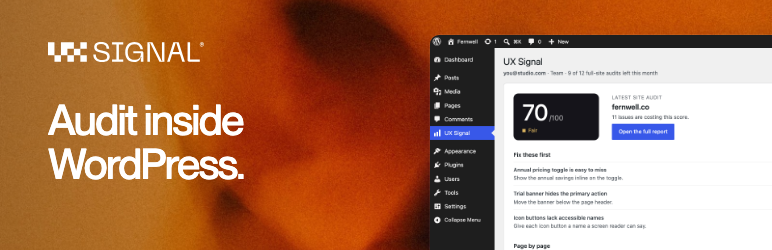
- See the result where you work. The score, the five issues costing it the most with their fixes, and a page-by-page table. The full report, with its evidence, is one click away.
- A dashboard widget with your latest score.
A UX Signal account on the Pro or Team plan is required. Audits started here count against that plan exactly as audits started on uxsignal.io do.
External services
This plugin connects to UX Signal (https://uxsignal.io), the service that performs the audits. It cannot work without it.
- What is sent: your API key, and the addresses of the pages you choose to audit. Nothing is sent until you connect a key, and after that only when you start an audit or open the plugin’s screen (to check on a running audit and read your plan’s allowance).
- What UX Signal does with it: it loads those public pages in a browser, the same way a visitor would, and scores them. It does not receive your WordPress users, content database or passwords.
- No tracking: the plugin sends no usage data and loads nothing from other servers.
Terms of use: https://uxsignal.io/legal/terms
Privacy policy: https://uxsignal.io/legal/privacy
Screenshots

A finished site audit: the score, the fixes worth the most, and a score for each page.

Choose the pages to include. WordPress already knows them.

A “UX audit” link under every published page and post.

The dashboard widget, with your latest score.