UXPack Basic Wordpress Plugin - Rating, Reviews, Demo & Download
Plugin Description
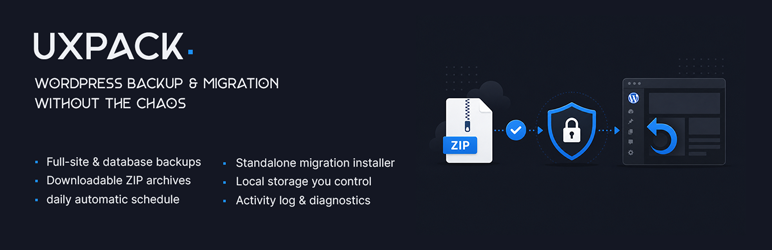
UXPack Basic is a free WordPress backup and migration plugin. Create full site backups (files + database) or database-only backups from the admin, download the archives, and move a site to staging or another host with the included standalone installer.
Built for reliability and a clear admin UI — without cloud lock-in, without a license key, and without contacting a commercial license or update server.
Backup & migrate WordPress without the hassle
- Create a backup from the WordPress admin
- Download the ZIP archive (and installer when needed)
- Upload to the destination and run the installer
- Finish URL migration and go live
No developer required for a typical single-site move. Start from an empty destination — UXPack’s installer can bring files and database over in one flow.
What’s included in Basic
- Manual backups — full site (files + database) or database only
- Backup list — download and delete archives; responsive layout on smaller screens
- Schedules — daily, weekly, or monthly; up to 10 named schedules
- Exclude paths — skip folders you do not need in full backups
- Email notifications — optional success/failure mail for backups
- Storage & health warnings — disk and stale-backup notices
- Standalone installer — migrate to another server, with health checks and URL migration
- Tools — server/schedule diagnostics and leftover installer cleanup
- Activity log — see what ran; clear or export CSV when needed
- Settings export / import — move configuration as JSON
- Hardened backup directory — sensible defaults under
wp-content/uploads/uxpack-backups(direct web access blocked)
Why site owners pick UXPack
- Clear workflow: backup download installer
- Local storage you control (path under uploads or legacy uxpack-backups; configurable in Settings Storage)
- WordPress.org edition does not validate license keys
- Features that ship in Basic stay fully usable (no paywall on built-in code)
- Upgrade path to Pro when you need production modules that are omitted from this ZIP
UXPack Pro
This plugin is the free Basic edition. UXPack Pro adds modules that are not included here: in-admin restore, encryption, verify/lock, retention (GFS), roles & permissions, backup before updates, pre-backup optimization, delta backups, remote storage (Google Drive / Dropbox / FTP / SFTP), and WP-CLI.
Typical use cases
- Moving a site to a new host or domain
- Cloning a site to staging
- Keeping downloadable backups before big changes
- Small sites and blogs that need a straightforward backup tool
Screenshots
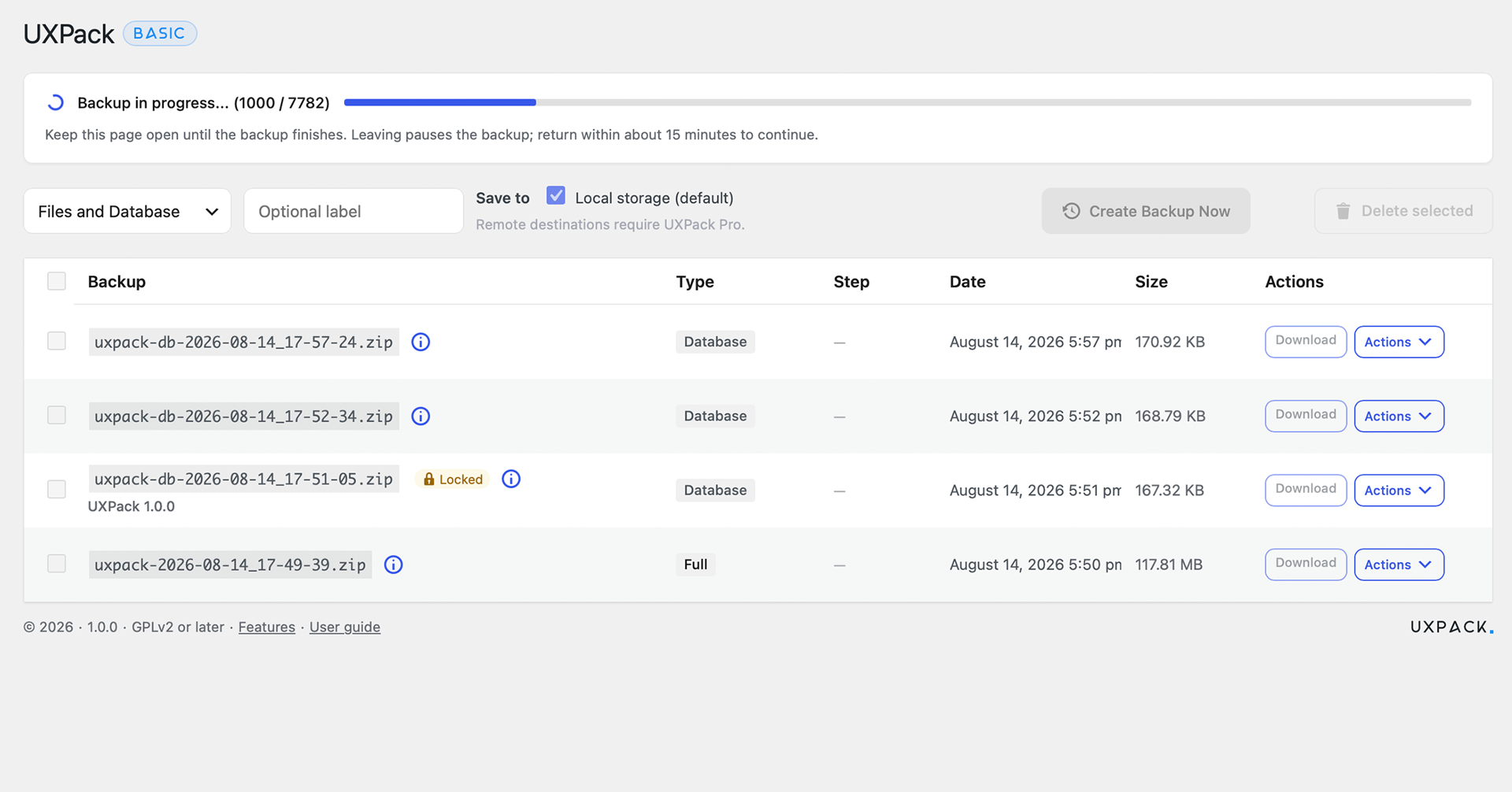
Backup list in the WordPress admin — create, download, and manage archives.
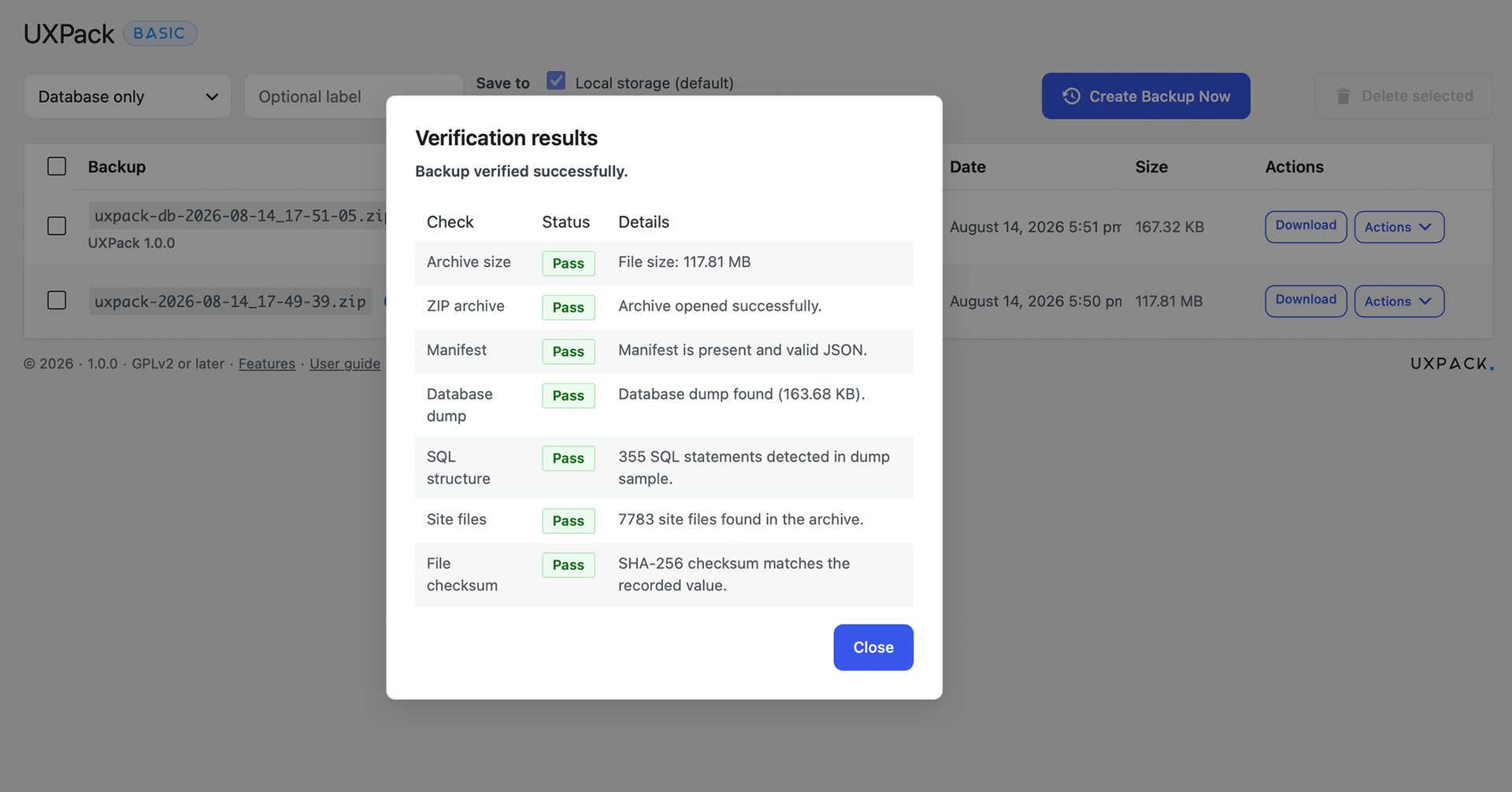
Creating a backup — full site or database-only.
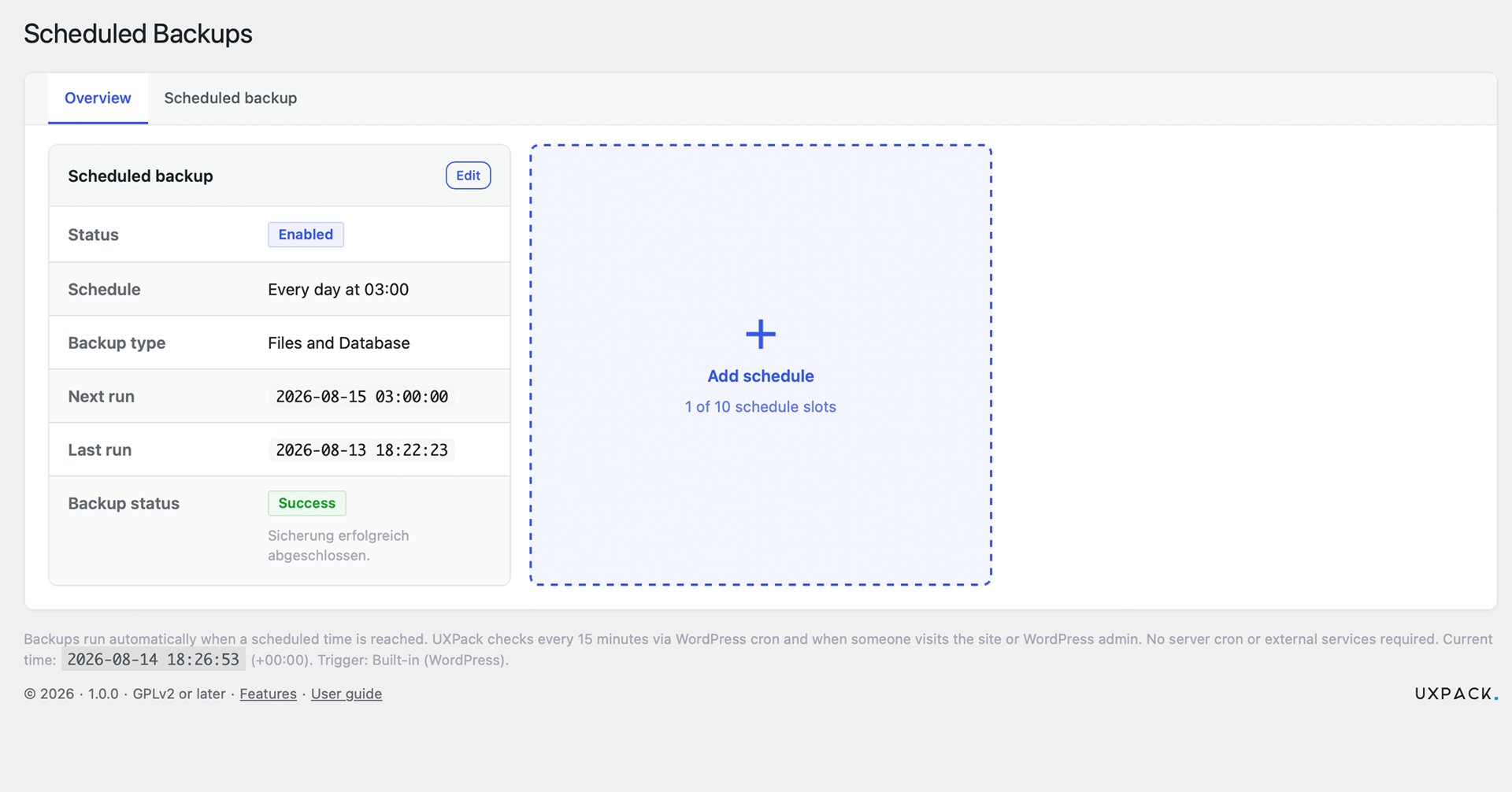
Schedule overview — daily, weekly, or monthly automatic backups.
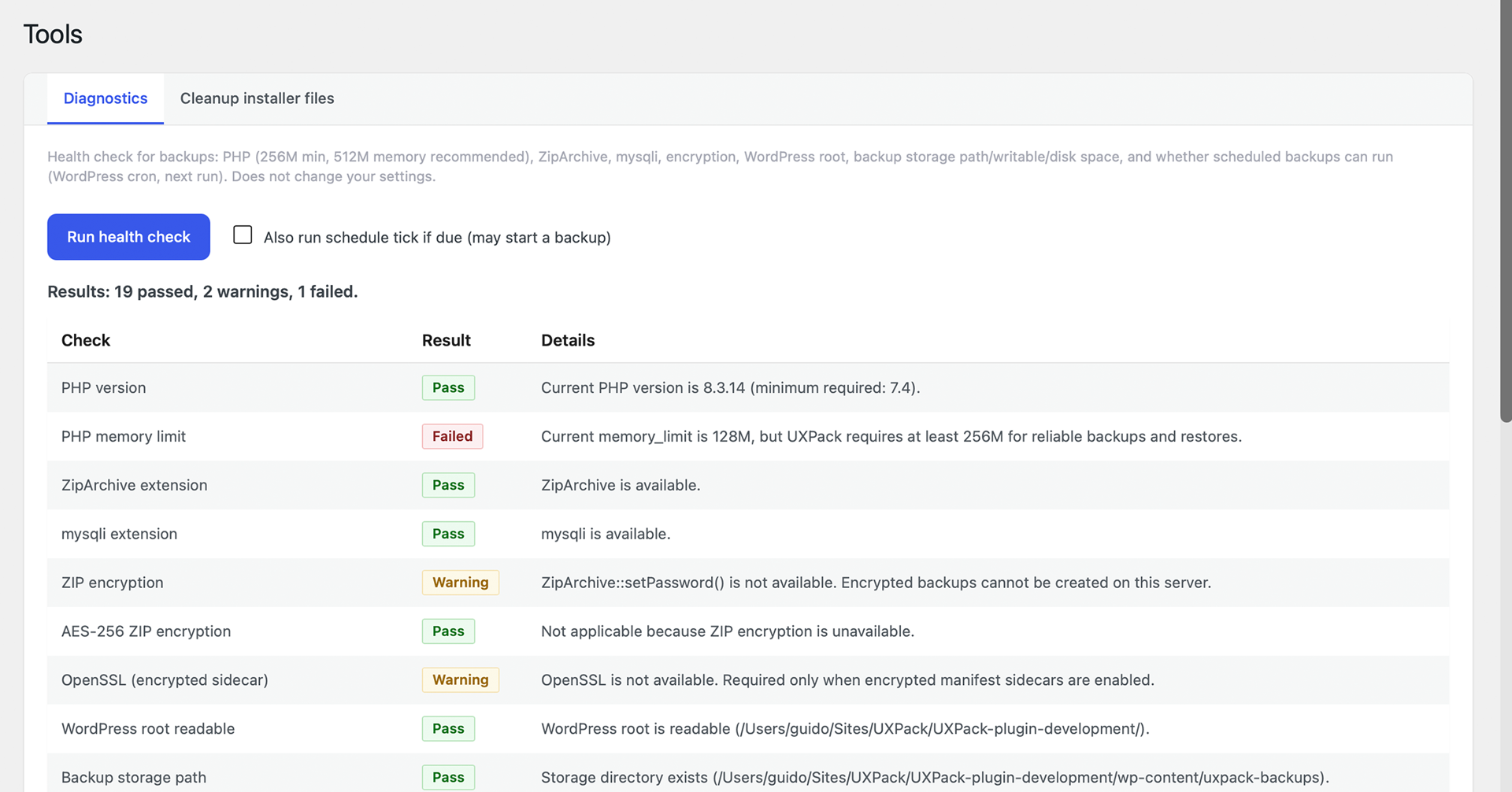
Tools diagnostics — server and schedule health checks.
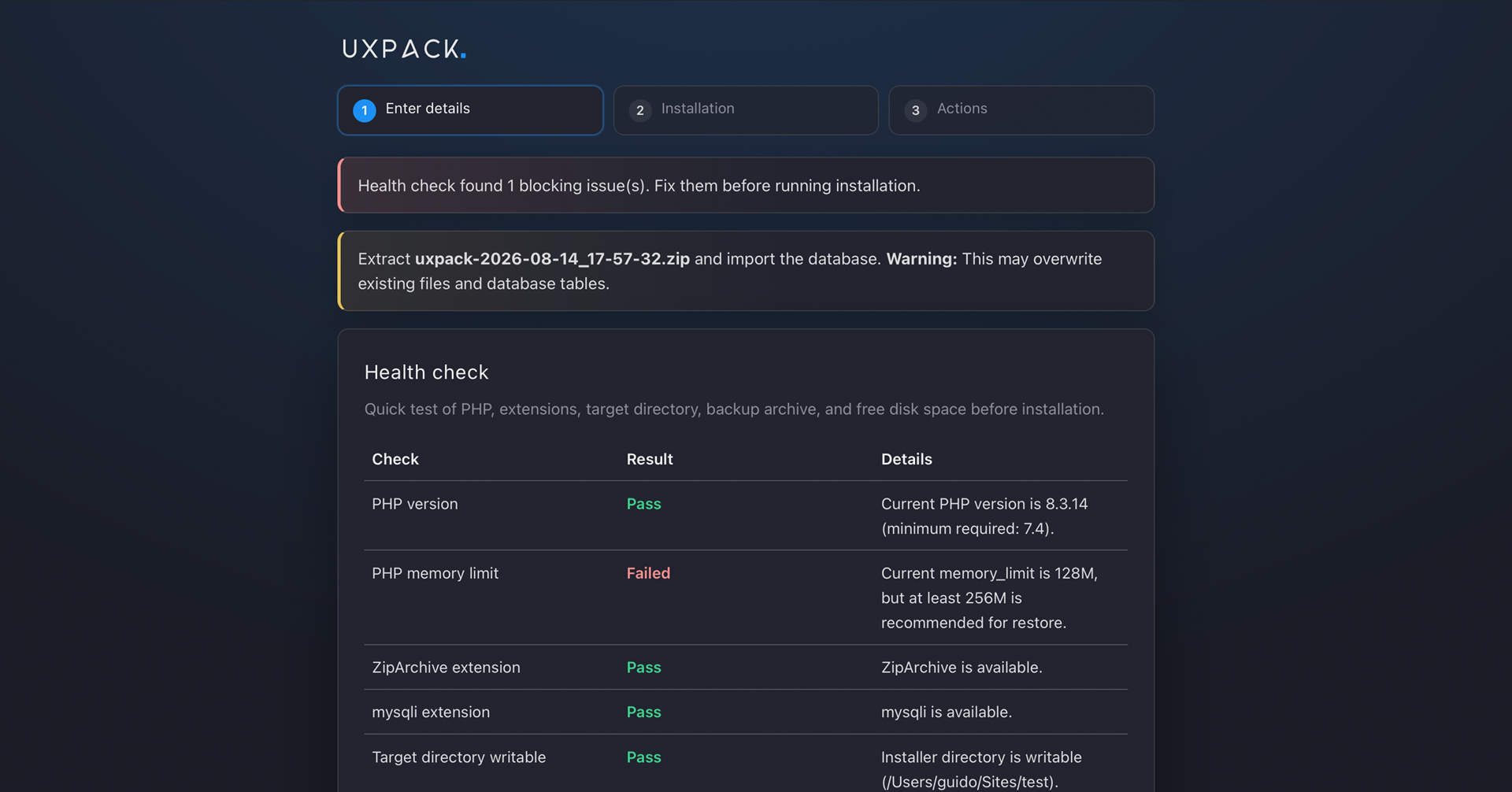
Standalone installer — migrate files and database on the destination.