Vanquish Multiple Addresses For WooCommerce Wordpress Plugin - Rating, Reviews, Demo & Download
Plugin Description
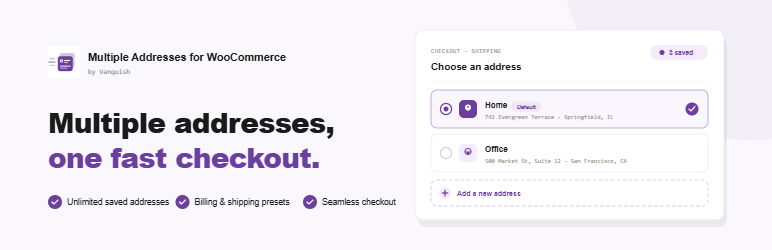
Vanquish Multiple Addresses for WooCommerce gives your customers a real address book. They can save as many billing and shipping addresses as they like, name them (Home, Office, …), set a default, and pick one at checkout instead of retyping it every time.
Free features
- Unlimited saved billing and shipping addresses per customer
- Add, edit and delete addresses from the My Account area
- Pick a saved address at checkout (billing and shipping)
- Works in both the classic checkout and the block checkout
- Name each address and set a default
- Enable or disable the selector on the billing / shipping form independently
- Optional billing and shipping address columns on the admin orders list
There is no cap on the number of addresses, no time limit, and nothing switched off waiting to be paid for. The premium edition adds separate features; it does not unlock these.
Premium features
Where the free edition is about keeping addresses, the premium edition is about using several of them in the same order — one basket going to more than one place — and about managing your customers’ address books yourself.
- Ship each product in the cart to a different saved address, in both checkouts
- Split the order into one package, and one shipping cost, per destination
- Handling fees per extra destination, flat or by number of destinations
- Delivery notes stored with an address and carried into the order notes
- A separate shipping email per address
- Per-role restrictions and a maximum number of saved addresses per customer
- Search, multi-select, bulk delete and duplicate in the customer’s address book
- CSV import and export of every customer’s addresses
- A customer’s address book on their user profile, and an address picker when editing an order
- Custom CSS for the My Account and checkout pages
Screenshots
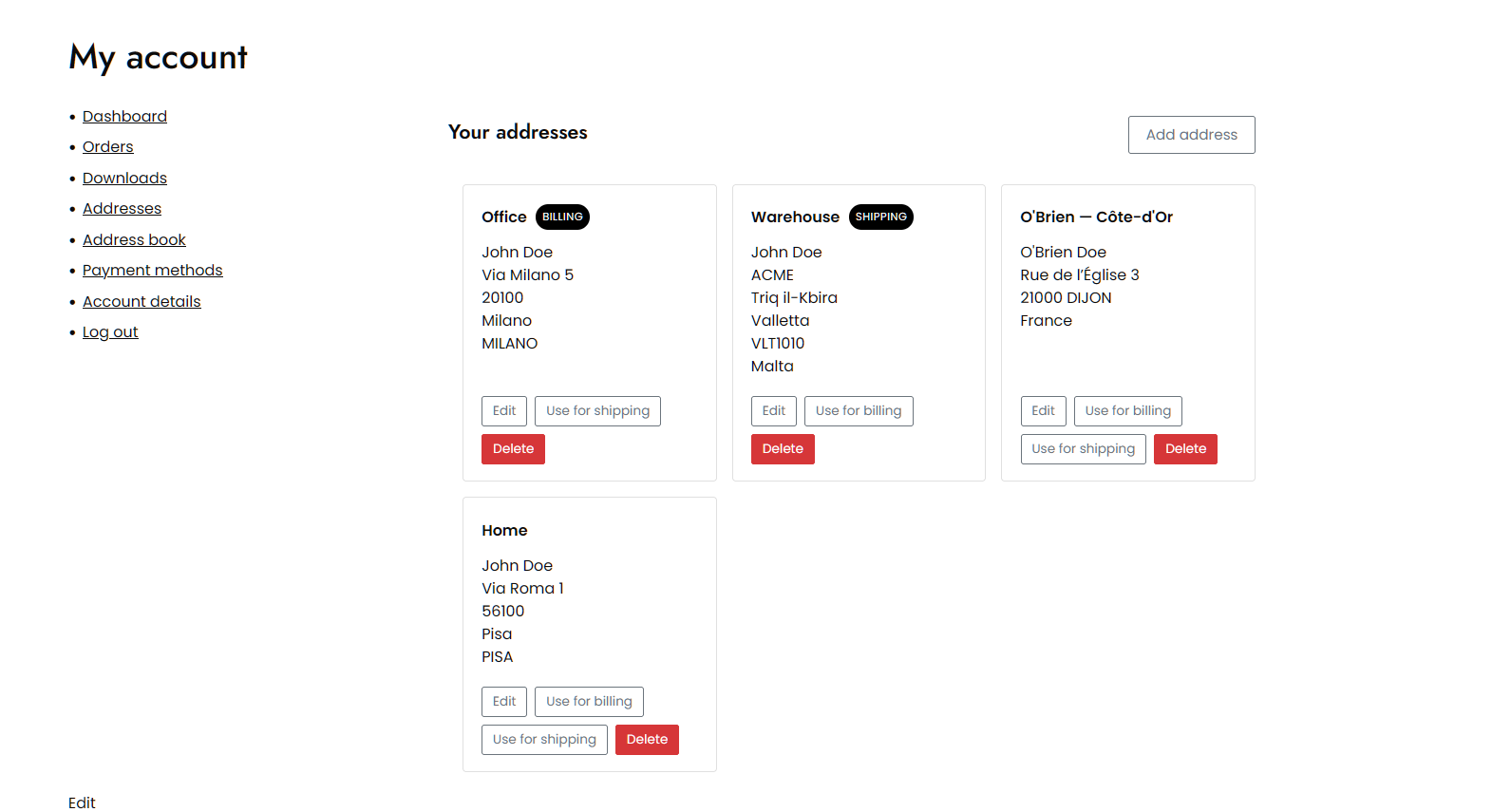
The address book in My Account: every saved address, named, with the default for billing and for shipping marked.
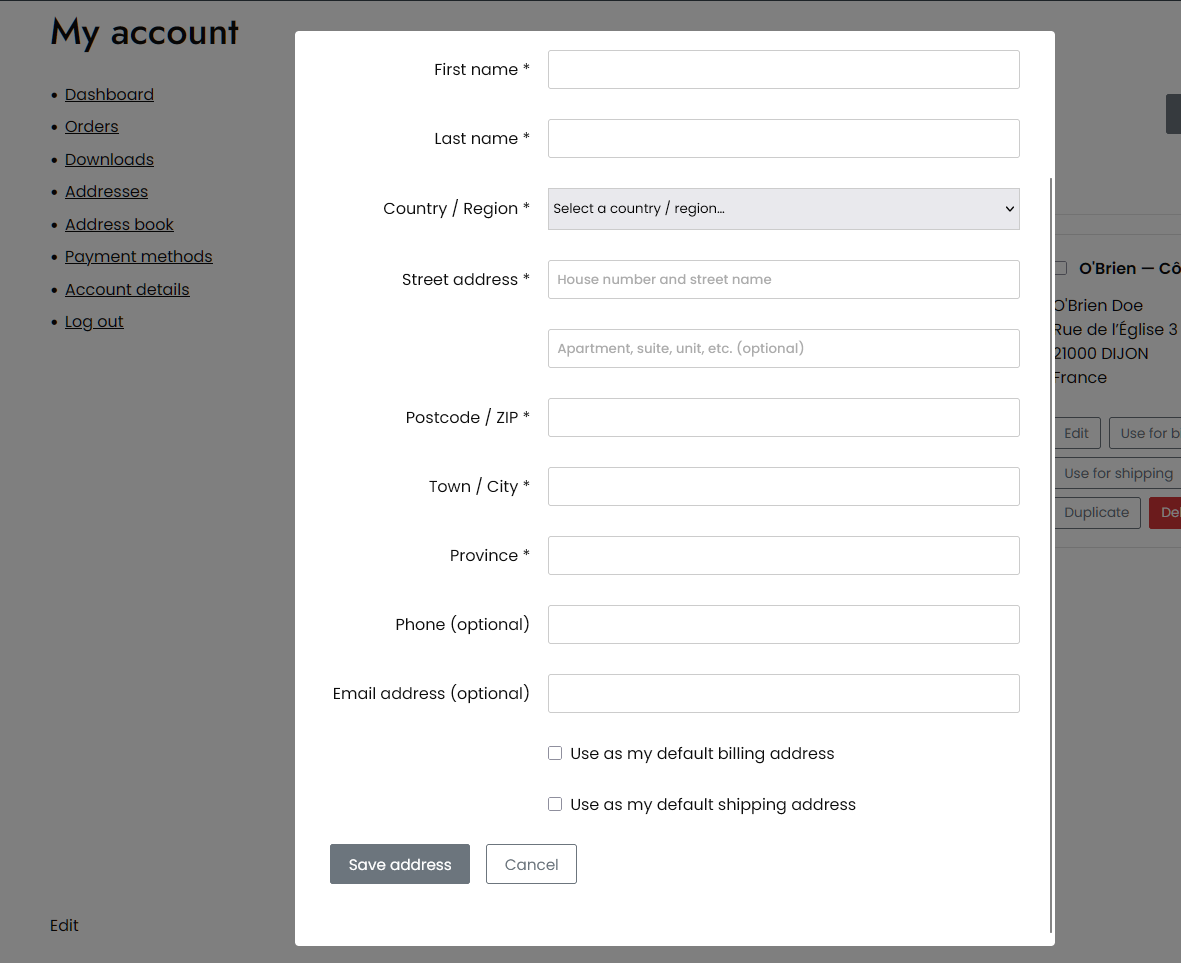
Adding or editing an address without leaving the page, using WooCommerce’s own address fields and country rules.
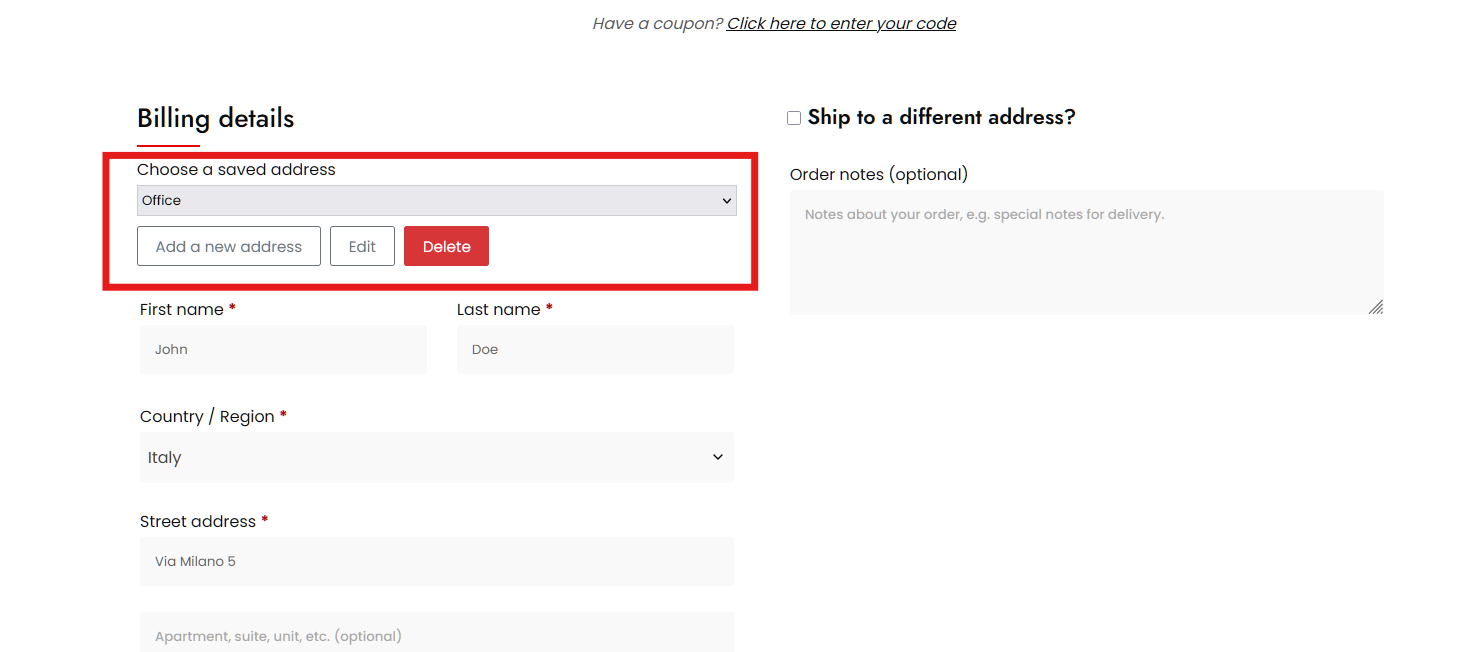
Choosing a saved address in the classic checkout, with add, edit and delete alongside the selector.
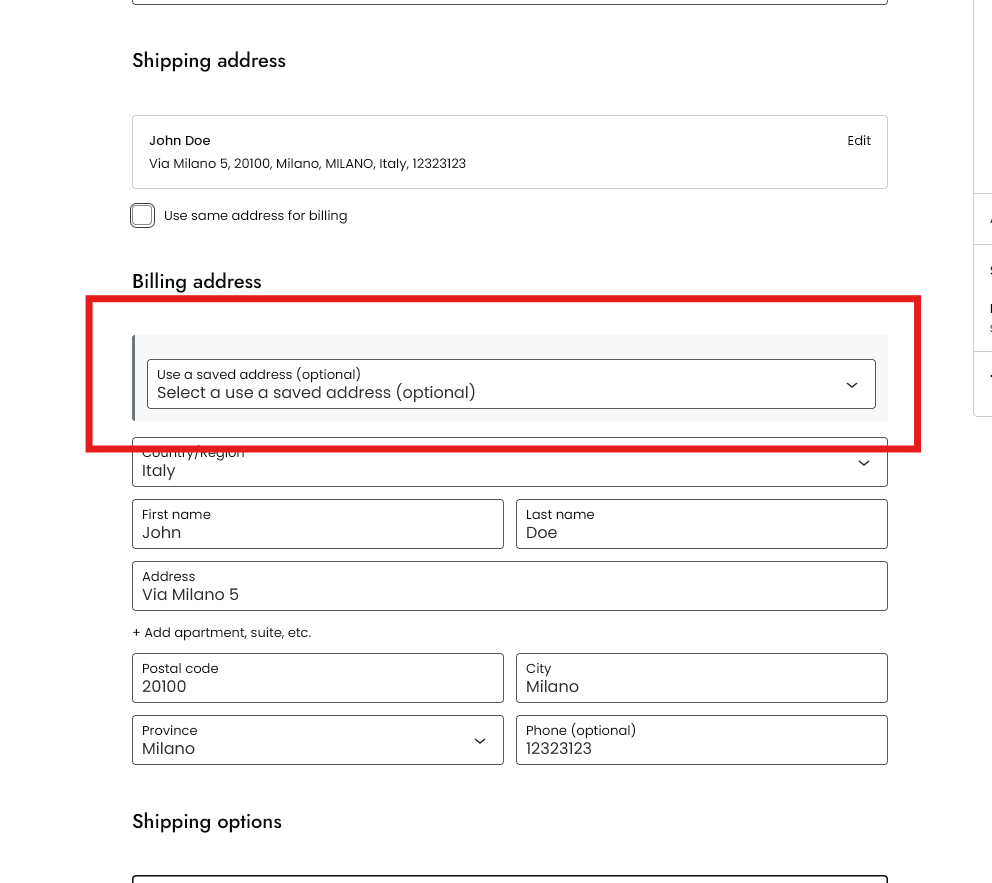
The same selector in the block checkout.
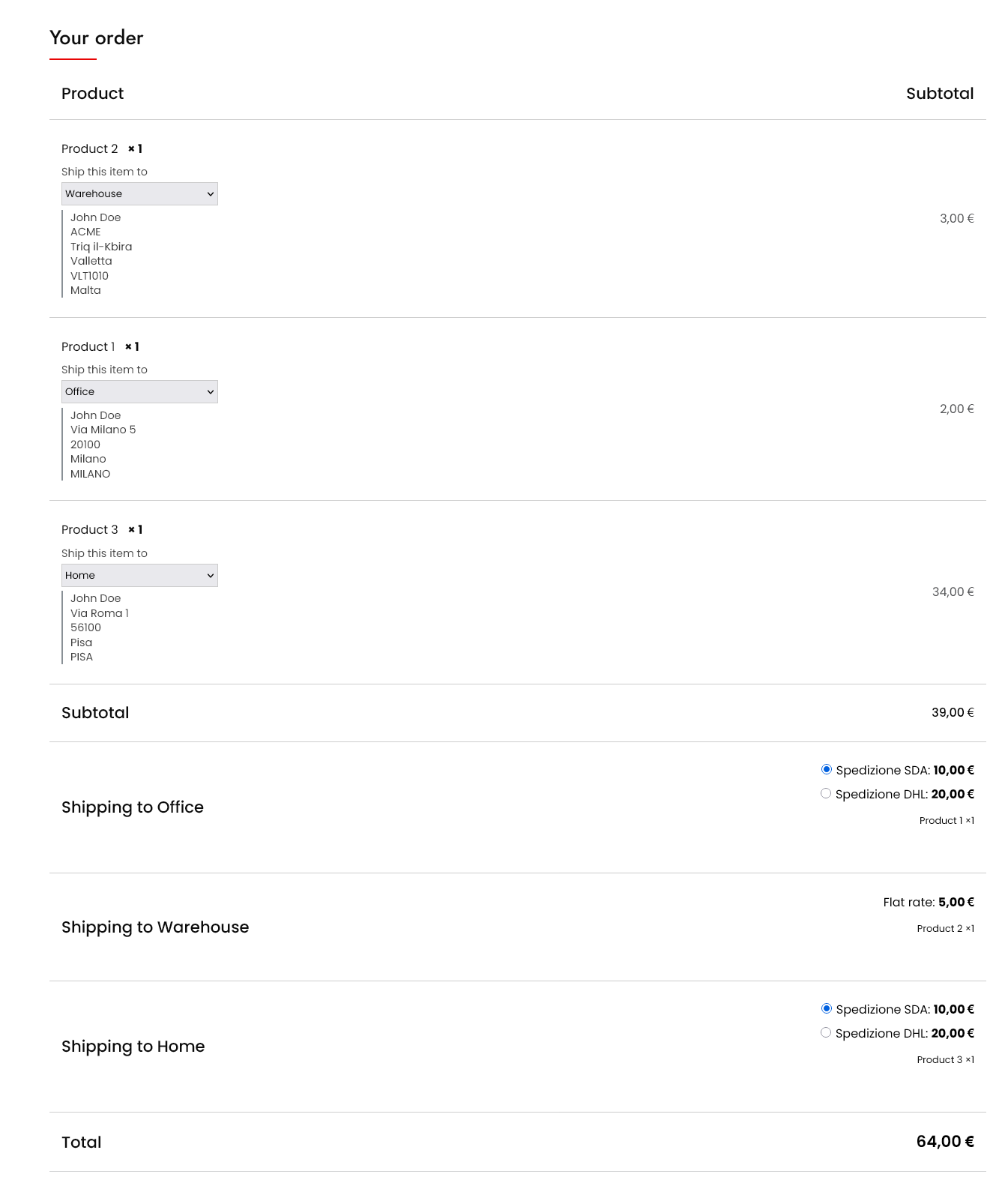
Premium: sending each product to a different saved address in the classic checkout, with shipping quoted separately for each destination.
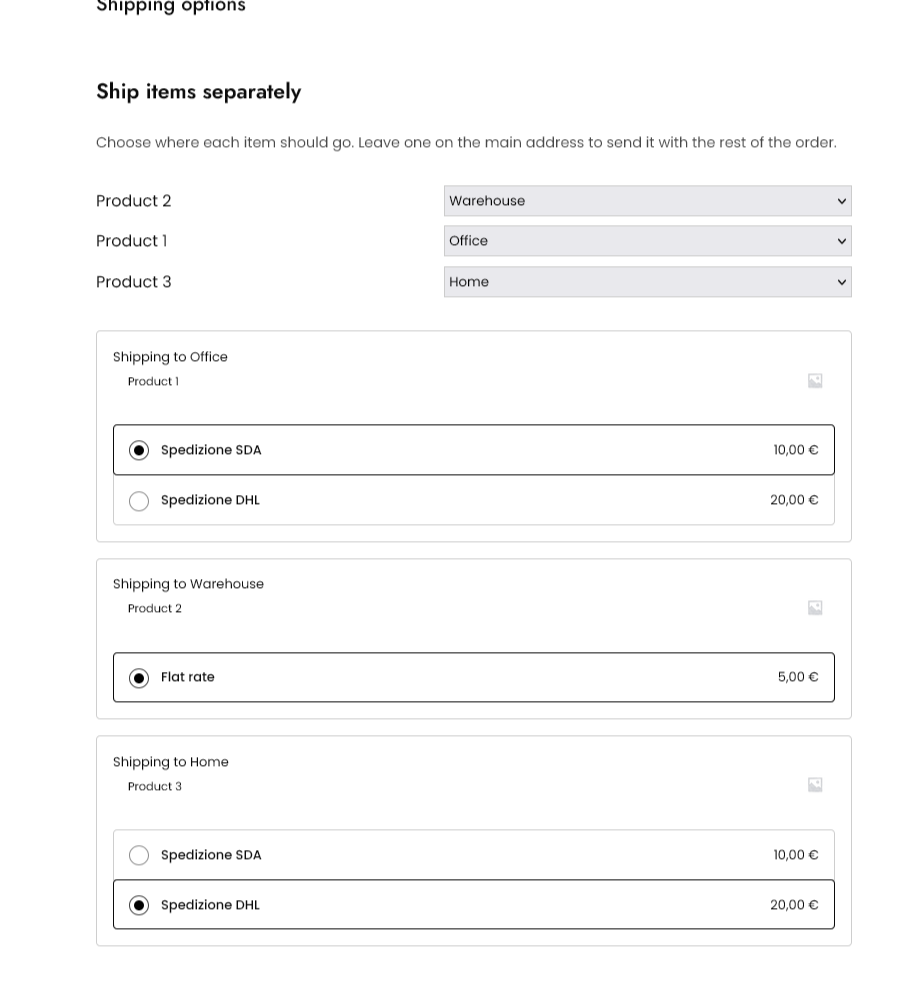
Premium: the same in the block checkout, where destinations are chosen above the shipping options they affect.
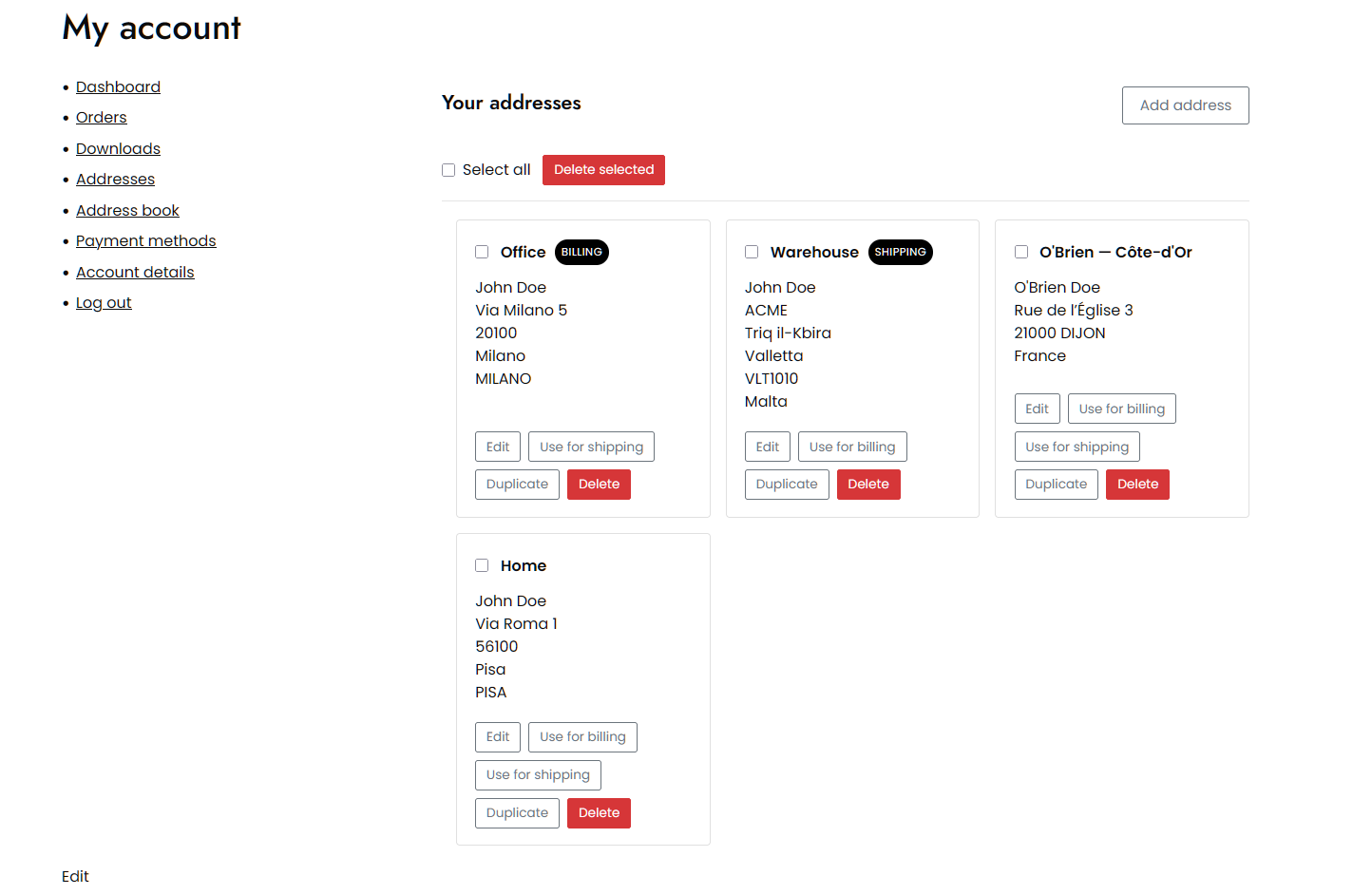
Premium: managing the address book in bulk — search, select several at once, delete them together, or duplicate one as a starting point.