
VARZ Builder Wordpress Plugin - Rating, Reviews, Demo & Download
Plugin Description
Write almost any amount of responsive HTML without adding, generating or compiling a single line of CSS.
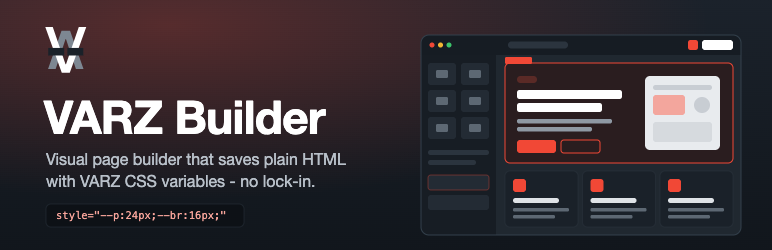
VARZ Builder is a visual page builder for the VARZ CSS framework (https://varz.dev/). Every style – for every
screen size and every state – is a CSS variable right in the element’s style attribute:
style=”–d:grid;–gtc:1fr 1fr;–gtc-m:1fr;–hov-bgc:#eee”. One small framework file (about 7 KB gzipped)
understands all of them, so a page with a thousand styled elements loads the same stylesheet as an empty one:
- no CSS generated per page, per post or per element – nothing to compile, cache, purge or regenerate
- no post meta, no custom tables: the markup itself is the single source of truth
- the same HTML works anywhere the framework is loaded – copy it to another site, a block, a template
Features:
- Visual builder (“Edit with VARZ” in the post list, the admin bar and the block editor): drag and drop
elements, a style editor for every CSS property with breakpoints (desktop, tablet, mobile) and states
(hover, focus, …), background images from the Media Library, overlays, shadows - Icon element: 118 icons and your own, searchable, with looks (plain, circle, square, outline) – size,
color and background from the style editor - Interactive elements powered by varz.js: tabs, accordions, popups, side panels, slider, gallery with
lightbox, click-to-play video - VARZ blocks for the block editor: section (background overlay with filters
and blend modes), container, grid, column, heading,
text, buttons, image, tabs, accordion, slider, gallery – a round trip between the builder and the blocks - Patterns, including a simple contact form
- Framework assets manager (themes without the framework): one bundled build loads – 5 or 3 breakpoints,
with or without the reset, plain (–p) or prefixed (–vz-p) names – on VARZ pages only or on every page
(with the VARZ theme the names follow its choice: Customizer > WordPress styles & scripts) - Other themes: a “VARZ full width” page template (the theme’s header and footer, the content at the full
width – classic and block themes), VARZ colors stay light on the theme’s light background
(filter varz_builder_color_scheme: ” follows the visitor’s system, ‘dark’) - VARZ > Settings > Clean up (each off by default, front end only): emoji, jQuery Migrate, generator tags, RSD,
shortlink, REST API and oEmbed links, feed links, Dashicons for visitors; with other themes also the block styles - VARZ > Variable names: converts saved content between plain and prefixed names (preview first,
a revision for every converted item) - Site-wide design tokens (colors, typography, fonts, buttons, form fields) kept in one option and
shared with the VARZ theme - Menu item icons (optional): an icon for each menu item, shown in every menu – 118 built-in icons
and your own icons (pasted SVG code, cleaned to plain shapes) - Translation ready
Works with any theme; with the VARZ theme the builder uses the theme’s colors and tokens.
External services
The plugin connects to these services only when a user acts on the matching feature:
- VARZ starter sites (cdn.varz.dev) – the list of starter sites and their packages for VARZ > Starter sites.
The list (https://cdn.varz.dev/demos/index.json) and its screenshots are requested when an administrator clicks
“Show starter sites” on VARZ > Starter sites (remembered in that browser afterwards);
a package (a zip file with pages, settings and images) is downloaded when the administrator imports that
starter site. No personal data is sent – only the request itself (WordPress adds the site address to
the User-Agent header of server requests). Packages can also be uploaded from a file, without the service.
Terms of use: https://varz.dev/terms/ – Privacy policy: https://varz.dev/privacy/ - WordPress.org plugin directory (api.wordpress.org, downloads.wordpress.org) – when an administrator imports
a starter site that uses plugins and keeps “Install the plugins” on, those plugins are looked up and
installed from WordPress.org, as on the Plugins > Add New screen.
Privacy policy: https://wordpress.org/about/privacy/ - Bunny Fonts (fonts.bunny.net) or Google Fonts (fonts.googleapis.com, fonts.gstatic.com) – only with a theme
other than VARZ, and only when web fonts are chosen in the design tokens: the font stylesheet is loaded on
the site’s pages, so visitors’ browsers request the fonts from the chosen service (their IP address and
browser details reach it). With the VARZ theme the fonts are self-hosted and no request is made.
Bunny Fonts: terms https://bunny.net/tos/ – privacy https://bunny.net/privacy/
Google Fonts: terms https://developers.google.com/terms – privacy https://policies.google.com/privacy
Source code
The plugin’s own scripts and styles are unminified (assets/js, assets/css). The bundled VARZ framework comes
minified (assets/vendor): the readable VARZ.js sources are in assets/vendor/src, and the readable (unminified)
CSS builds and scripts of the framework are at https://github.com/exstheme/varz.
Third-party resources
- VARZ CSS framework and varz.js – https://varz.dev/ – MIT License, https://github.com/exstheme/varz (compatible with GPLv3).
- Interface icons: Material Symbols by Google – https://fonts.google.com/icons –
Apache License 2.0, https://www.apache.org/licenses/LICENSE-2.0 (compatible with GPLv3).
Path data is embedded in assets/js/icons.js. - Menu item icons: Lucide – https://lucide.dev – ISC License, https://github.com/lucide-icons/lucide/blob/main/LICENSE
(compatible with GPLv3). Path data is embedded in includes/icons.php. - Fonts selected by users are loaded from Bunny Fonts – https://fonts.bunny.net/ – each font under its own license.
Screenshots

The editor: drag elements onto the page – every one is styled with VARZ variables in its own style attribute.

Style any CSS property per breakpoint and state, with per-side spacing and design variables by name.

Visual editors for gradients, shadows, transforms and transitions.

Global design settings: colors, fonts, buttons and form fields for the whole site.

Every page responsive: switch breakpoints to adjust tablets and phones.

VARZ blocks in the block editor with their own style panel – and the full builder one click away.


