VeloIMG – WebP & AVIF Image Optimizer Wordpress Plugin - Rating, Reviews, Demo & Download

Plugin Description
VeloIMG generates WebP and AVIF directly on your WordPress hosting while keeping original JPG and PNG files unchanged.
No external image CDN is required for image delivery. Your optimized images stay on your own hosting, without dependency on a third-party image optimization platform, account limits, API keys, service availability, or access restrictions.
All current VeloIMG features are available free.
Why VeloIMG?
- Local WebP and AVIF generation and delivery — no external image CDN required.
- No account, API key, subscription, or paid feature tiers.
- Original JPG and PNG files remain untouched.
- Safe delivery chains with AVIF, WebP, and original-image fallback.
- Bulk generation for the full Media Library, monthly uploads folders, and selected theme folders.
- Pause and continue long generation runs.
- Separate WebP and AVIF processing with clear statistics and failed-file reasons.
- Generated files are not used when they are invalid, outdated, lose transparency where that matters, or are larger than the original under the selected rule.
Main features:
- WebP generation for uploads and selected theme folders.
- AVIF generation for uploads and selected theme folders.
- Separate WebP and AVIF dashboards, queues, runtime states, and statistics.
- Bulk generation with stop and continue controls.
- Background continuation through WP-Cron and non-blocking self-dispatch where available.
- Automatic generation for newly uploaded media when enabled.
- Frontend delivery strategies: AVIF -> WebP -> original, WebP -> AVIF -> original, AVIF only -> original, and WebP only -> original.
- PHP Safe delivery that adds picture/source markup.
- Apache/LiteSpeed delivery that keeps HTML unchanged and serves generated files through uploads/.htaccess when the browser accepts them.
- Diagnostics for encoders, derivative storage, transparency handling, frontend output, and broken derivative URLs.
- Folder-level statistics, file lists, ZIP download for selected uploads folders, and safe deletion of generated derivatives.
VeloIMG is designed for sites with many images. It avoids modifying originals and does not serve generated files when the derivative is invalid, outdated, or larger than the original where that rule applies.
Requirements
- WordPress 6.2 or newer.
- PHP 7.4 or newer.
- Imagick or GD with WebP support for WebP generation.
- Imagick or GD with AVIF support for AVIF generation.
- Writable uploads directory.
- WP-Cron or a real server cron for reliable background continuation.
- Apache or LiteSpeed with writable uploads/.htaccess for Apache/LiteSpeed delivery mode.
If AVIF generation is not available on the server, WebP generation and WebP delivery can still be used.
Screenshots
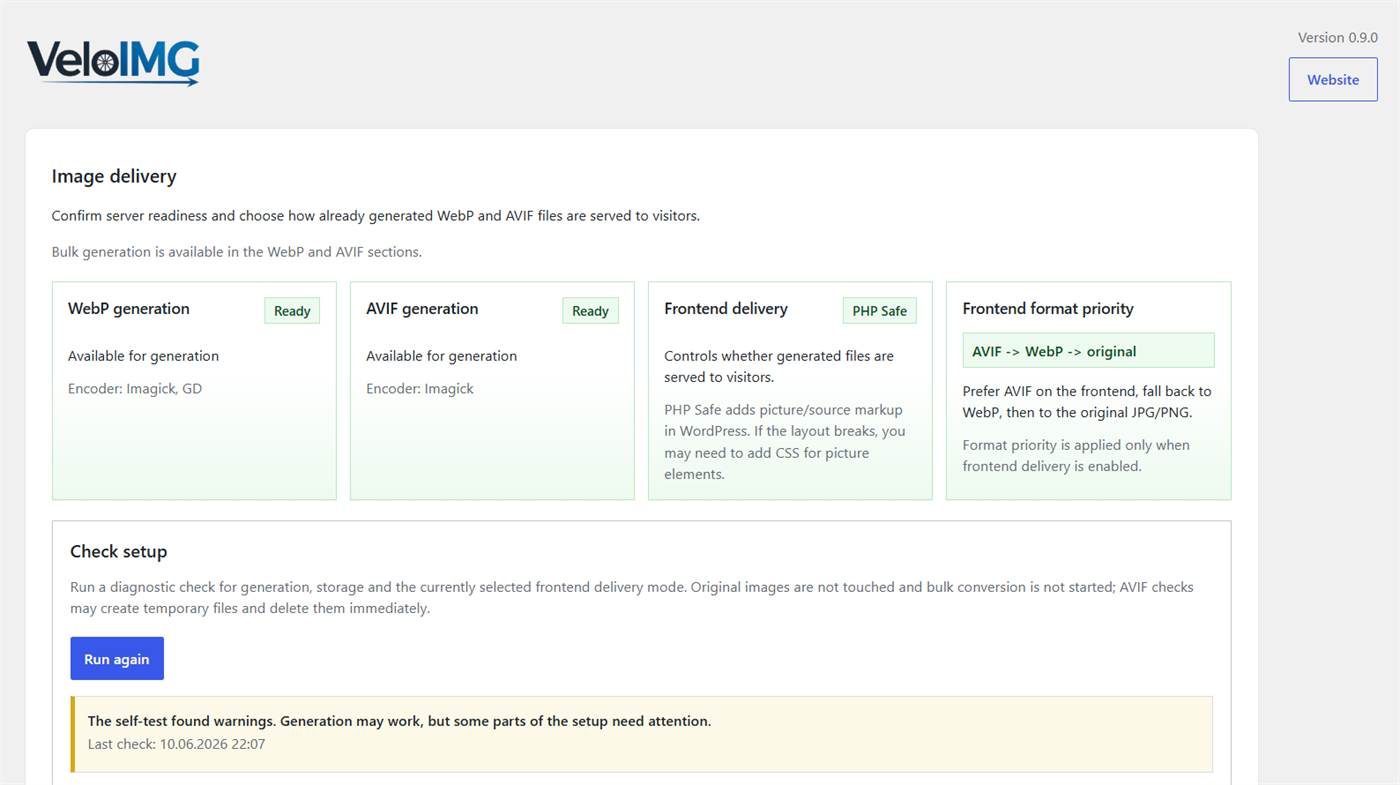
Main VeloIMG dashboard with server readiness, frontend delivery, format priority, and setup checks.
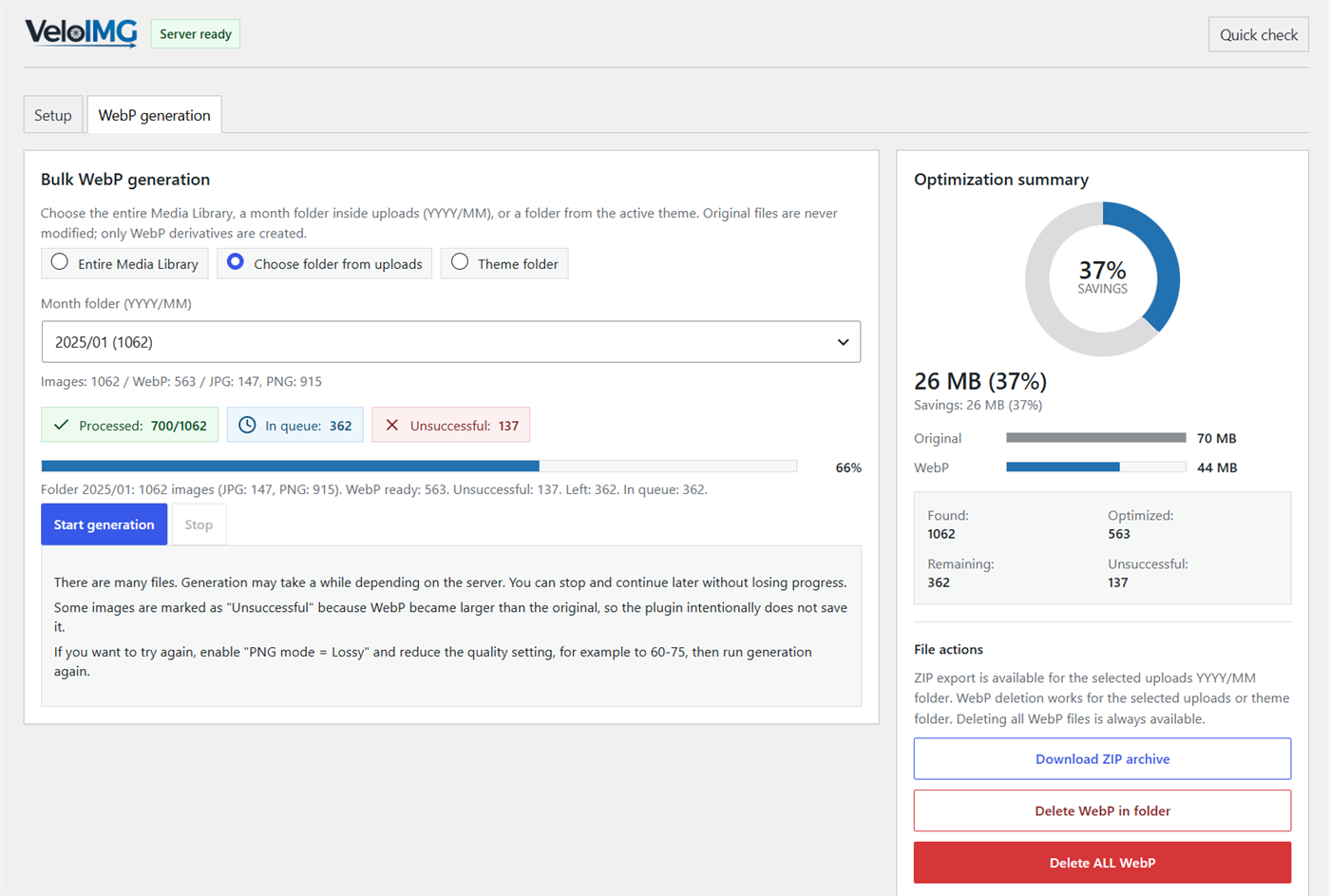
WebP section with generation settings, folder selection, progress, statistics, and file management.
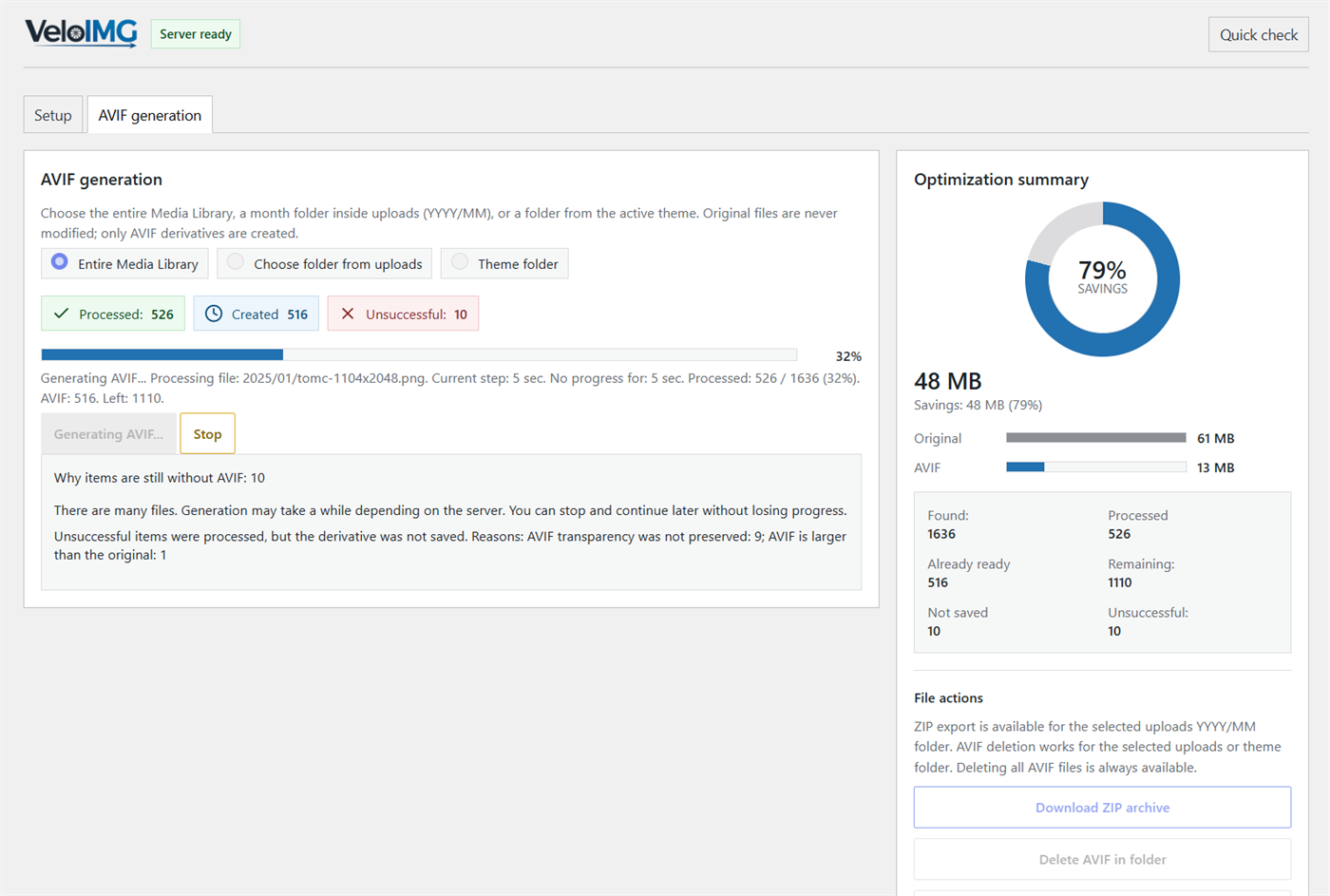
AVIF section with generation settings, folder selection, progress, statistics, and file management.
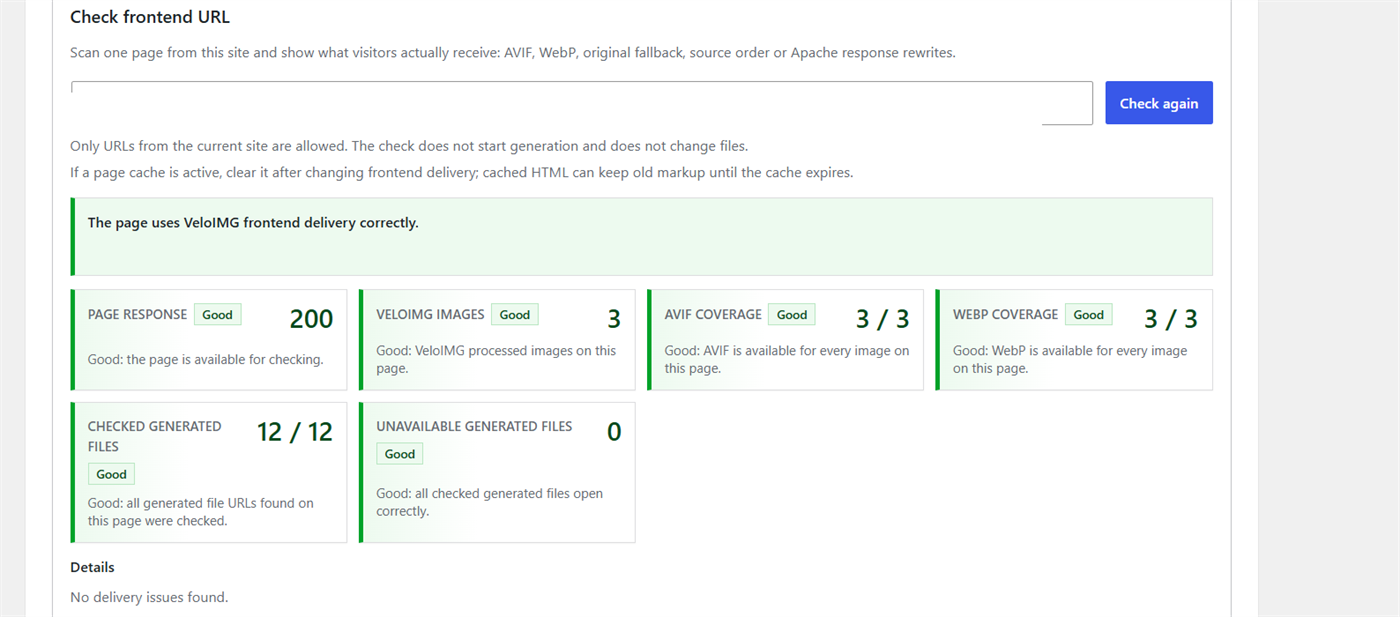
Frontend delivery check showing page response, format coverage, derivative URLs, and unavailable files.
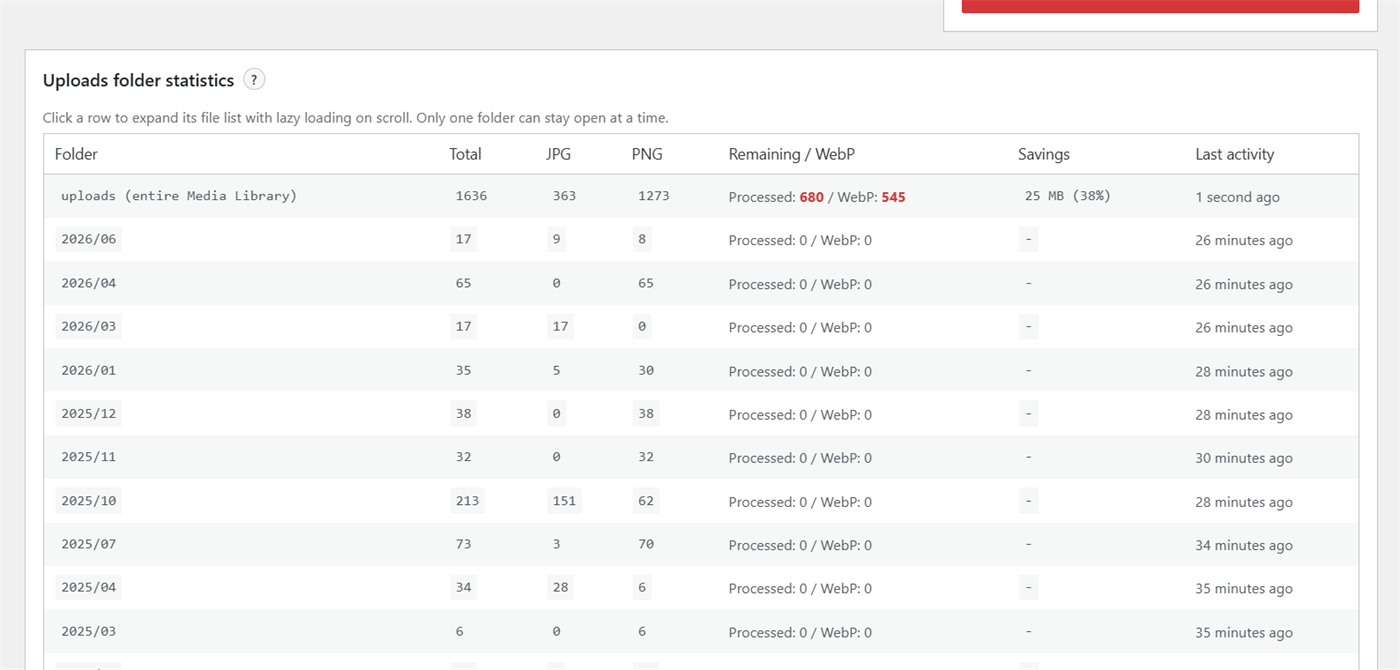
Folder statistics with processed, successful, skipped, and unsuccessful images.