VideoFlowEngine HLS Streaming Wordpress Plugin - Rating, Reviews, Demo & Download

Plugin Description
Upload, encode, and stream videos in WordPress — without managing servers.
VideoFlowEngine lets you host videos directly inside WordPress with adaptive HLS streaming, global CDN delivery, and built-in analytics.
🎯 Perfect for:
- Course creators
- SaaS products
- Membership sites
- Agencies handling client video content
🚀 What you get:
- Upload videos directly from WordPress
- Automatic multi-resolution encoding (360p–1080p)
- Fast global delivery via CDN
- Built-in analytics (views, watch time, drop-off)
- No external players or complex setup
🔥 Features
- Direct video upload from WordPress dashboard
- Automatic HLS encoding (adaptive streaming)
- Supports multiple resolutions (360p, 720p, 1080p)
- Drag & drop upload with real-time progress
- Shortcodes for embedding videos anywhere
- Built-in video analytics
- API key authentication
- Free tier available (no credit card required)
❓ Why not YouTube or Vimeo?
- No ads or external branding
- Full control over your content
- Private and secure video delivery
- Better analytics inside your own dashboard
- No platform restrictions or compression issues
🔐 Security & Privacy
- Secure API authentication
- WordPress capability checks for all actions
- Signed upload URLs (no public file access)
- No data sent without explicit admin consent
- Analytics is optional and can be disabled anytime
How it works:
- Install and activate the plugin
- Go to VideoFlowEngine Settings and click “Connect to VideoFlowEngine” to provision a free API key (you will be shown exactly what data is sent before connecting)
- Upload videos from the VideoFlowEngine menu
- Videos are uploaded directly to cloud storage, then encoded to HLS
- Use the shortcode to embed videos on any page or post
External Services
This plugin connects to an external service (VideoFlowEngine API at api.videoflowengine.com) to process, store, and stream videos. This service is required for the plugin to function. No data is sent to the external service until the site admin explicitly clicks “Connect to VideoFlowEngine” on the Settings page and is shown which fields will be transmitted.
API endpoint: https://api.videoflowengine.com
Data sent to the service may include:
- Video files (uploaded directly to cloud storage via pre-signed URLs)
- Site URL, site name, admin email (for API key provisioning)
- WordPress version, PHP version, plugin version
- API key (for authentication)
- Playback analytics when enabled (view counts, watch time, playback quality, viewer IP for deduplication — opt-in, disabled by default)
Service Provider: VideoFlowEngine
Website: https://videoflowengine.com
API: https://api.videoflowengine.com
Terms of Service: https://videoflowengine.com/terms
Privacy Policy: https://videoflowengine.com/privacy
Third Party Libraries
This plugin includes the following third-party library:
- hls.js — HLS video playback in browsers
Included file: assets/js/hls.min.js (minified production build)
Source code: https://github.com/video-dev/hls.js
License: Apache License 2.0 (GPL-compatible)
The minified file was obtained from the official hls.js GitHub releases. The full unminified source code is publicly available at the repository linked above.
Privacy
This plugin sends video-related data to an external server for processing. No personal user data is intentionally collected or stored beyond what is needed to operate the service. No data is sent until the site admin explicitly connects via the Settings page.
Admin data (sent on connect):
- Site URL, site name, admin email
- WordPress version, PHP version, plugin version
Video data (sent on upload):
- Video files (uploaded directly to cloud storage)
- API key (for authentication)
Visitor analytics (opt-in only):
Visitor playback analytics are disabled by default and must be explicitly enabled by the site admin via a checkbox during initial connection or in Settings. When enabled, the following data is collected when visitors watch videos:
- View events (play, pause, heartbeat, ended)
- Watch time, playback position, video quality
- Visitor IP address (used solely for view deduplication within a 1-hour window, not stored long-term)
No visitor tracking occurs when analytics are disabled. The admin can enable or disable analytics at any time from VideoFlowEngine Settings.
Analytics data is estimated based on player events and may not be 100% accurate.
For full details, see the Privacy Policy.
Screenshots
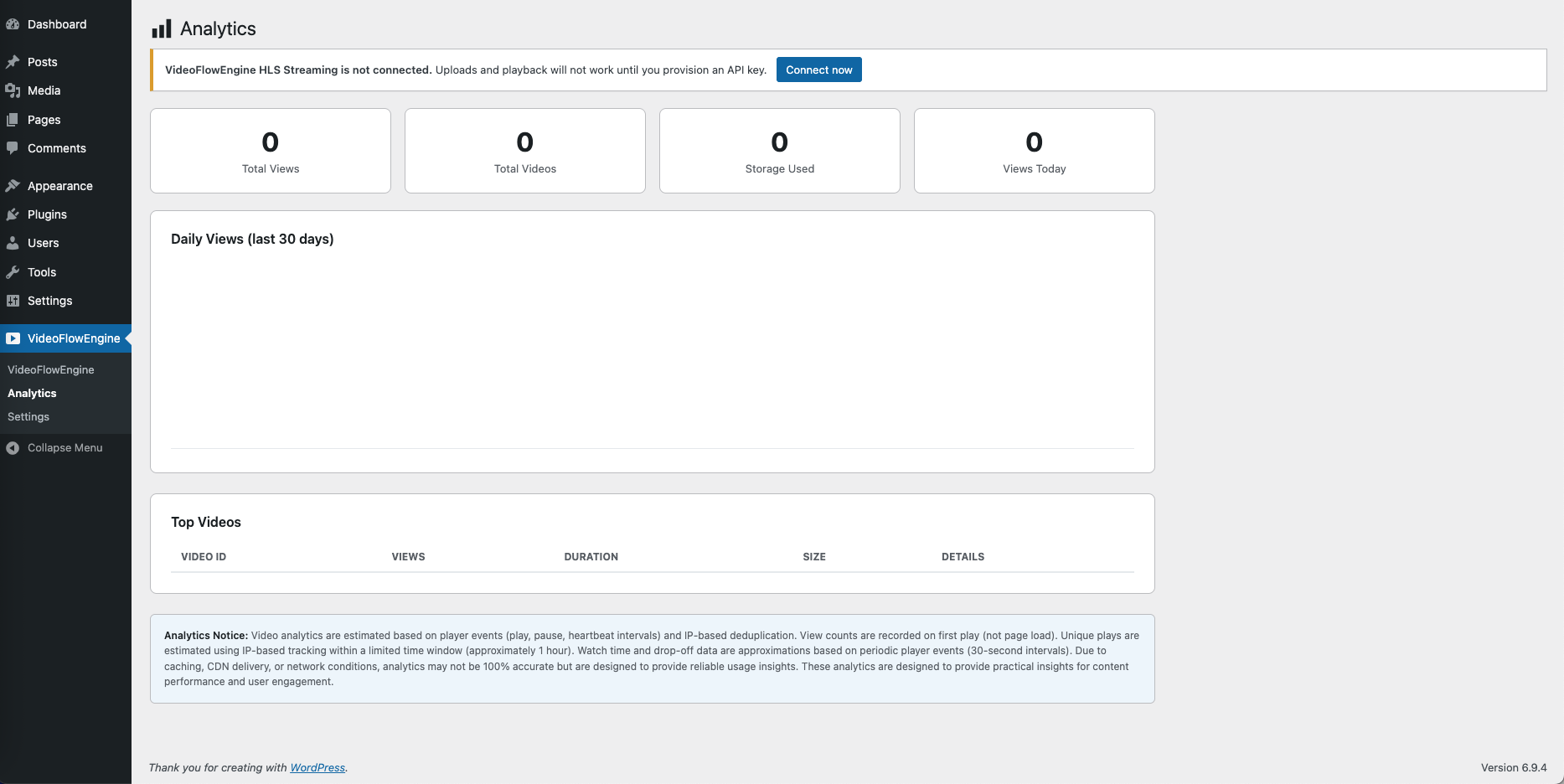
Built-in analytics dashboard — views, watch time, and drop-off, right inside WordPress
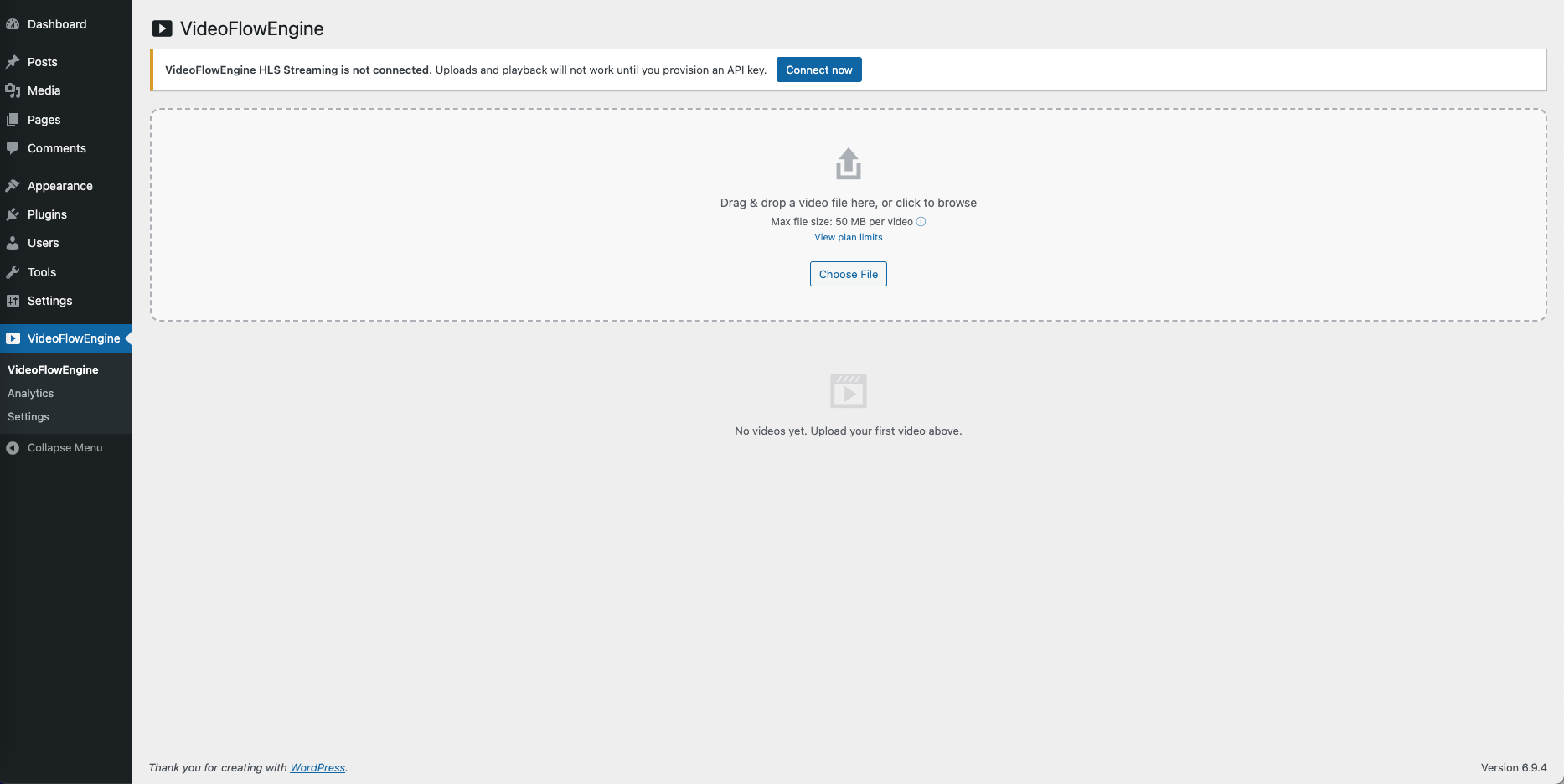
Drag & drop video upload from the WordPress dashboard
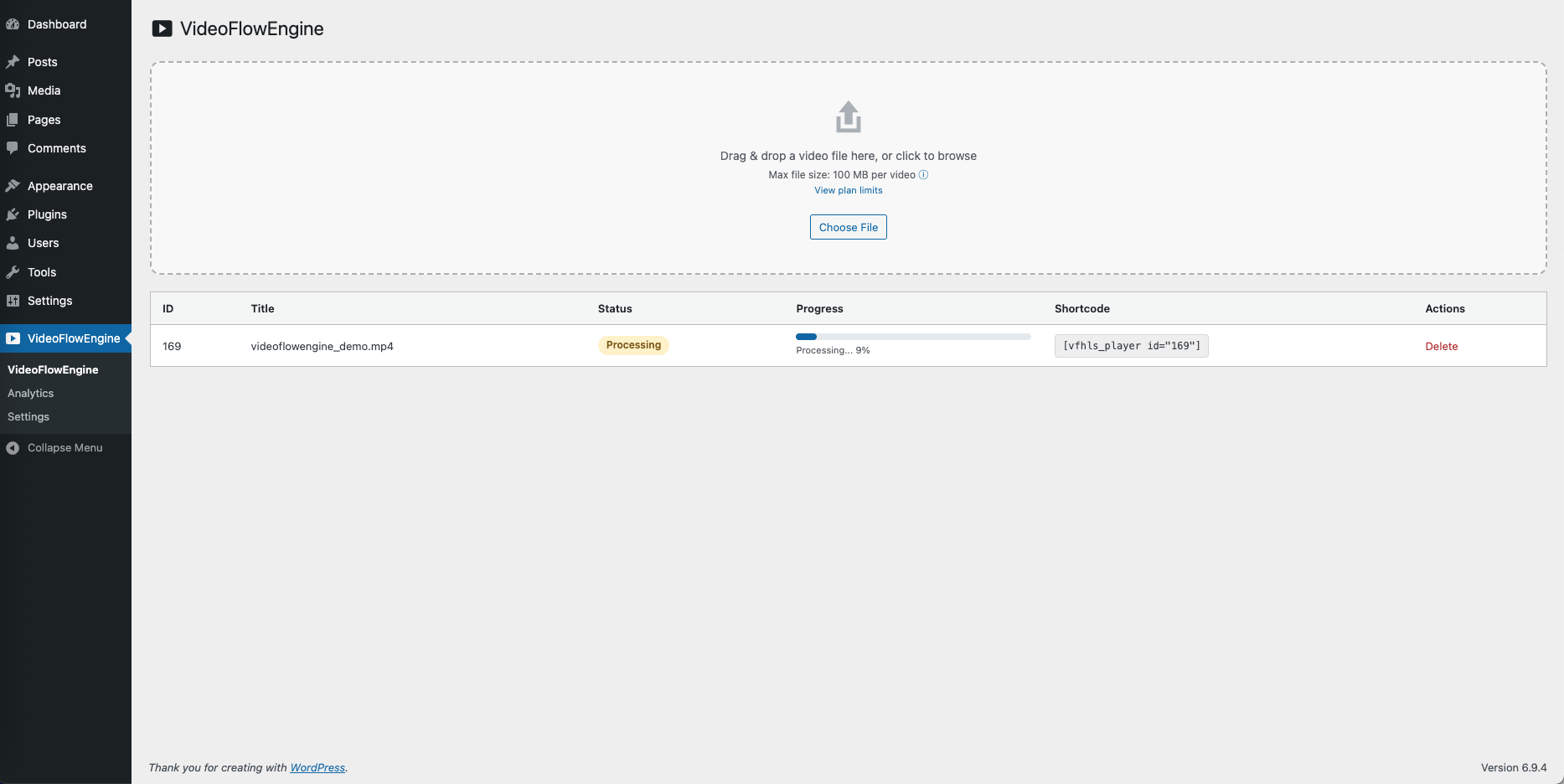
Real-time multi-resolution encoding progress
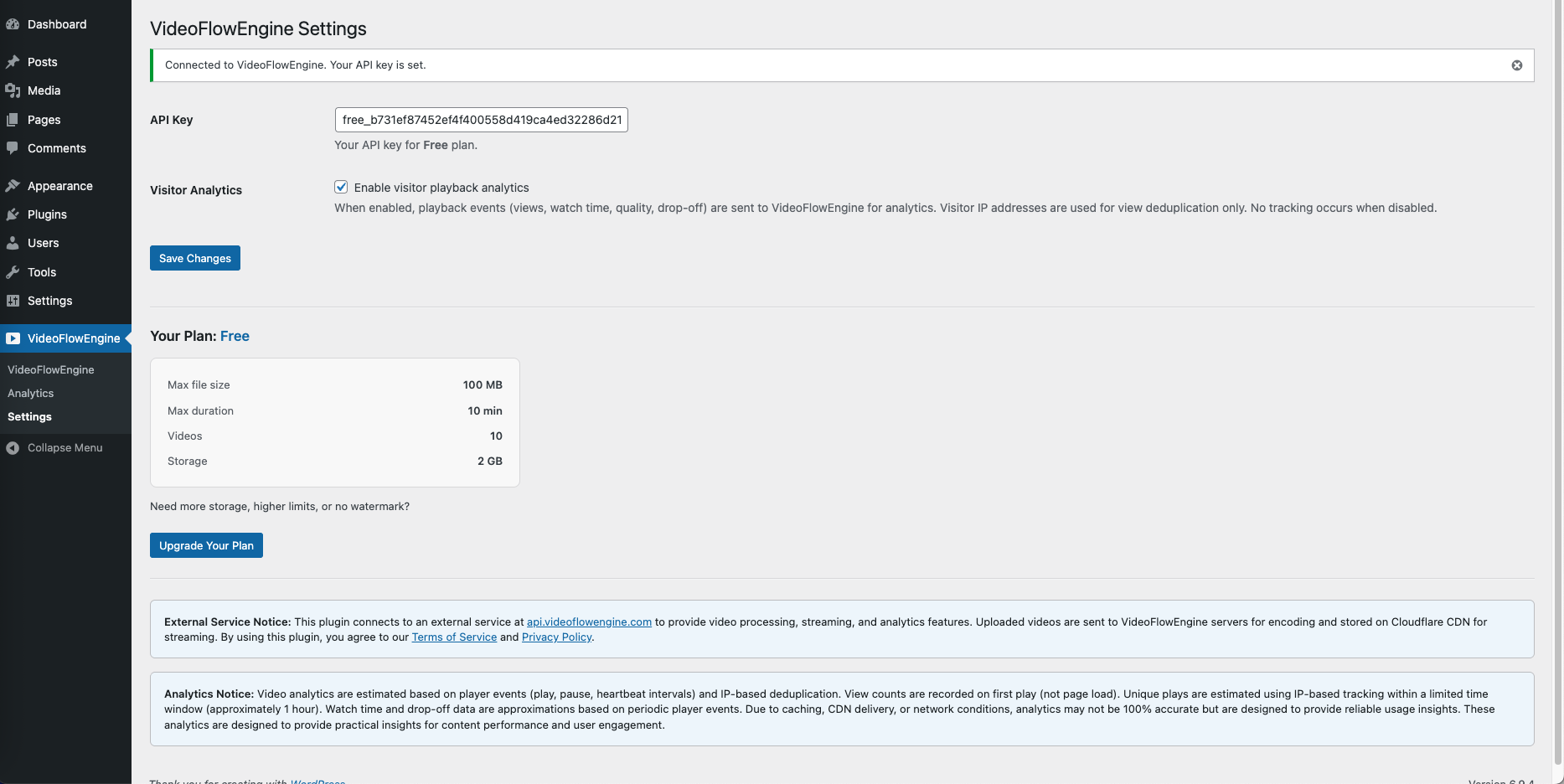
Plugin settings and configuration
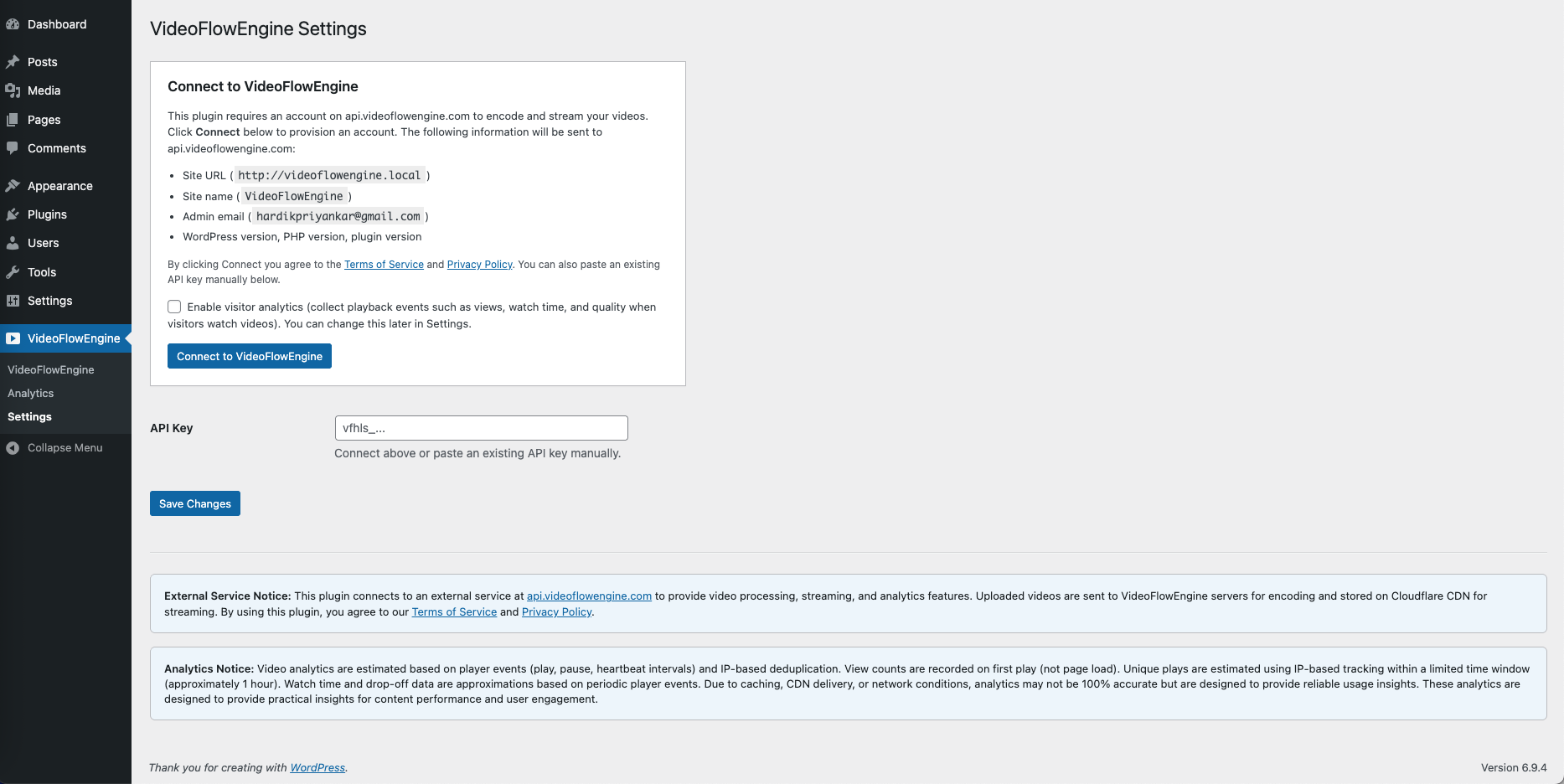
One-click connect to provision a free API key — no signup form, no credit card