VietnamVisaHelp Apply – Vietnam E-Visa Application Form For Travel Agencies Wordpress Plugin - Rating, Reviews, Demo & Download

Plugin Description
VietnamVisaHelp Apply is for travel agencies and tour operators that send travellers to Vietnam. It places the Vietnam e-visa application form of VietnamVisaHelp.com on any page of your own WordPress site, with a block or a shortcode. The traveller fills in the application, uploads the passport and portrait photos and pays, all without leaving your page.
VietnamVisaHelp.com is a private visa service. It checks each application before submitting it to the Vietnamese e-visa system, offers faster processing than applying alone, and has a person who answers the traveller’s questions. Your agency can offer that service on its own site instead of sending travellers elsewhere.
What the plugin does
- A block, “Vietnam Visa Application Form”, and a shortcode,
[vietnam_visa_apply]. - Form languages: English (the default), Hindi, Chinese (Simplified), Spanish, Portuguese, French and Russian, or automatic (the form guesses from the visitor’s location). Whichever language the form starts in, the visitor can switch it with the selector at the top of the form. Traditional Chinese is not available yet.
- The frame grows to fit the application form, so visitors do not get a second scrollbar. Two forms on one page size themselves independently.
- Optional, off by default: the form on the WooCommerce order-received page.
- Optional, off by default: a chat bubble. Either our Vietnam visa support, answered by the people who check the applications and carrying your partner code, or your own chat with your own key, about your own business. While it is off, nothing is loaded.
- Nothing is loaded on pages without the form, unless you switch the chat bubble on, which then loads on every page. The page markup is the same for every visitor, so page caches keep working.
For partners
Every order placed through your form carries your partner code, and you earn a share of the VietnamVisaHelp.com service fee on it. The commission is worked out on the VietnamVisaHelp.com server from the code stored with the order; the plugin’s only job is to carry the code. A partner code is free; you can request one from the plugin’s settings screen or at vietnamvisahelp.com/partners. Until a code is saved, visitors see nothing and administrators see a short reminder where the form will appear.
What VietnamVisaHelp.com is, and what it is not
VietnamVisaHelp.com is a private company. It is not the Vietnamese government and does not act on its behalf. The official portal is evisa.gov.vn, where a traveller can apply alone for the US$25 government fee; what VietnamVisaHelp.com charges for on top of that is speed, a check of the application before it is submitted, and a person who answers.
No one can guarantee that a visa will be approved. That decision belongs to the Vietnam Immigration Department alone.
The plugin adds nothing to your pages except the form you place: no link, no credit, no “powered by” line. It is a sales tool and gives your site no search-engine benefit of any kind.
External services
This plugin relies on one external service, VietnamVisaHelp.com at https://vietnamvisahelp.com, which provides the visa application form and runs the partner programme. The form, the processing of applications and the partner accounts all live on that service, so the plugin cannot work without it.
The optional chat bubble adds a second service, blissfulbookings.com at https://blissfulbookings.com, which is the chat software operated by the same company as VietnamVisaHelp.com. It is off until you switch it on, and nothing is loaded from it while it is off.
The plugin itself contains no tracking, telemetry or update checks, and your server makes no background calls. It causes the four kinds of connection below and no others.
- Showing the form, on published pages where you place it (not in the block editor, which shows a placeholder). The visitor’s browser, not your server, loads https://vietnamvisahelp.com/apply in a frame. The frame address contains
embed=1(which tells the form to hide the website’s own header and footer), your partner code, the form language if one is chosen, and the fixed tags utm_source=partner, utm_medium=plugin and utm_campaign=(your partner code). As with any embedded content, vietnamvisahelp.com receives the visitor’s IP address and browser details, and the origin of your site (for example https://example.com, without the page path, because the frame uses the strict-origin-when-cross-origin referrer policy). The hosting provider’s network, Vercel, derives the visitor’s approximate location (country, city) from that IP address, which the form uses to pick the form language, when it is set to automatic, and the nearest departure airport; Vercel passes nothing on. When a traveller pays, the VietnamVisaHelp.com server also sends Meta a purchase event; see Meta below. The frame is permitted to use three browser features: payment (for the card payment), the camera (the browser asks the visitor first) and writing to the clipboard. Everything the traveller enters into the form, including passport details, photographs, contact details and card payment, goes directly to vietnamvisahelp.com. - Check saved code, only when an administrator clicks “Check saved code” on the settings screen. Your server sends a GET request to https://vietnamvisahelp.com/api/partners/(your code), containing your saved partner code. The answer says whether the code is active and which agency it belongs to. Like any web request, it reveals your server’s IP address.
-
Request a code, only when an administrator submits the “Request a code” form on the settings screen. Your server sends a POST request to https://vietnamvisahelp.com/api/partners/apply with the fields of that form (agency name, contact person, email, WhatsApp or LINE, website, main market, rough monthly volume and message) and your WordPress admin language. VietnamVisaHelp.com stores them, together with your server’s IP address and the request’s user agent, to review the request and reply by email.
-
The chat bubble, only while it is switched on in the settings, and then on every page of your site. The visitor’s browser, not your server, loads https://blissfulbookings.com/embed.js and, if the visitor opens the bubble, the chat itself in a frame from the same address. blissfulbookings.com receives the visitor’s IP address, browser details, the address of the page and your site’s language (the two-letter WordPress locale, so the bubble greets in it), whether or not the bubble is opened, and the pages visited during the visit are sent into the conversation when one is started. With “Vietnam visa support”, the conversation goes to the VietnamVisaHelp.com support team and carries your partner code; with “your own chat”, it goes to your own inbox on that service and no partner code is sent. Messages, and any name or email a visitor gives, are stored by the service. blissfulbookings.com privacy policy.
Both server-side requests identify themselves as “VietnamVisaApply/(plugin version)” instead of WordPress’s default user agent, which would include your site address, and send nothing about your site’s users or visitors.
Services the form page loads inside the frame
The form page is part of the VietnamVisaHelp.com website and may set cookies on vietnamvisahelp.com. At the time of writing it also loads these third-party services inside the frame, in the visitor’s browser:
- Meta Pixel and Conversions API (Meta Platforms, Inc.), for advertising measurement. The pixel records a page view when the form loads, without first asking the visitor for consent. When a traveller pays, the VietnamVisaHelp.com server also sends Meta a purchase event carrying the traveller’s IP address and browser details, the Meta cookies, the order value, and the e-mail address, phone number, name and date of birth in hashed form. Meta privacy policy, Meta terms.
- Stripe (Stripe, Inc.), which handles card payments, and Alipay, WeChat Pay and UnionPay for Chinese-language forms. Stripe privacy policy, Stripe consumer terms.
- Vercel Web Analytics (Vercel Inc.), which counts page views per page and country without cookies. Vercel privacy policy.
- A live-chat widget served from blissfulbookings.com, the chat software VietnamVisaHelp.com uses to answer travellers’ questions. It is operated by the same company that runs VietnamVisaHelp.com, so it is covered by the VietnamVisaHelp.com privacy policy linked below. Messages a visitor types into it go to the VietnamVisaHelp.com support team.
The link “open in a new tab” on the settings screen opens the same form address in your own browser, only when you click it.
- VietnamVisaHelp.com terms of service: https://vietnamvisahelp.com/terms
- VietnamVisaHelp.com privacy policy: https://vietnamvisahelp.com/privacy
Privacy
The plugin stores one option in your database: your partner code, default form language, minimum height, the WooCommerce toggle and the chat choice with its key. It sets no cookies, keeps no logs and collects nothing about your visitors or users. It removes its option when you delete it from the Plugins screen.
The embedded form is a separate web page served by vietnamvisahelp.com; what happens inside it, including the third-party services it loads, is described under External services above and in the VietnamVisaHelp.com privacy policy. The plugin adds suggested text for your site’s privacy policy under Settings > Privacy. If your site asks visitors for consent before loading third-party content, treat the form like any other embedded content, such as a video player.
Screenshots
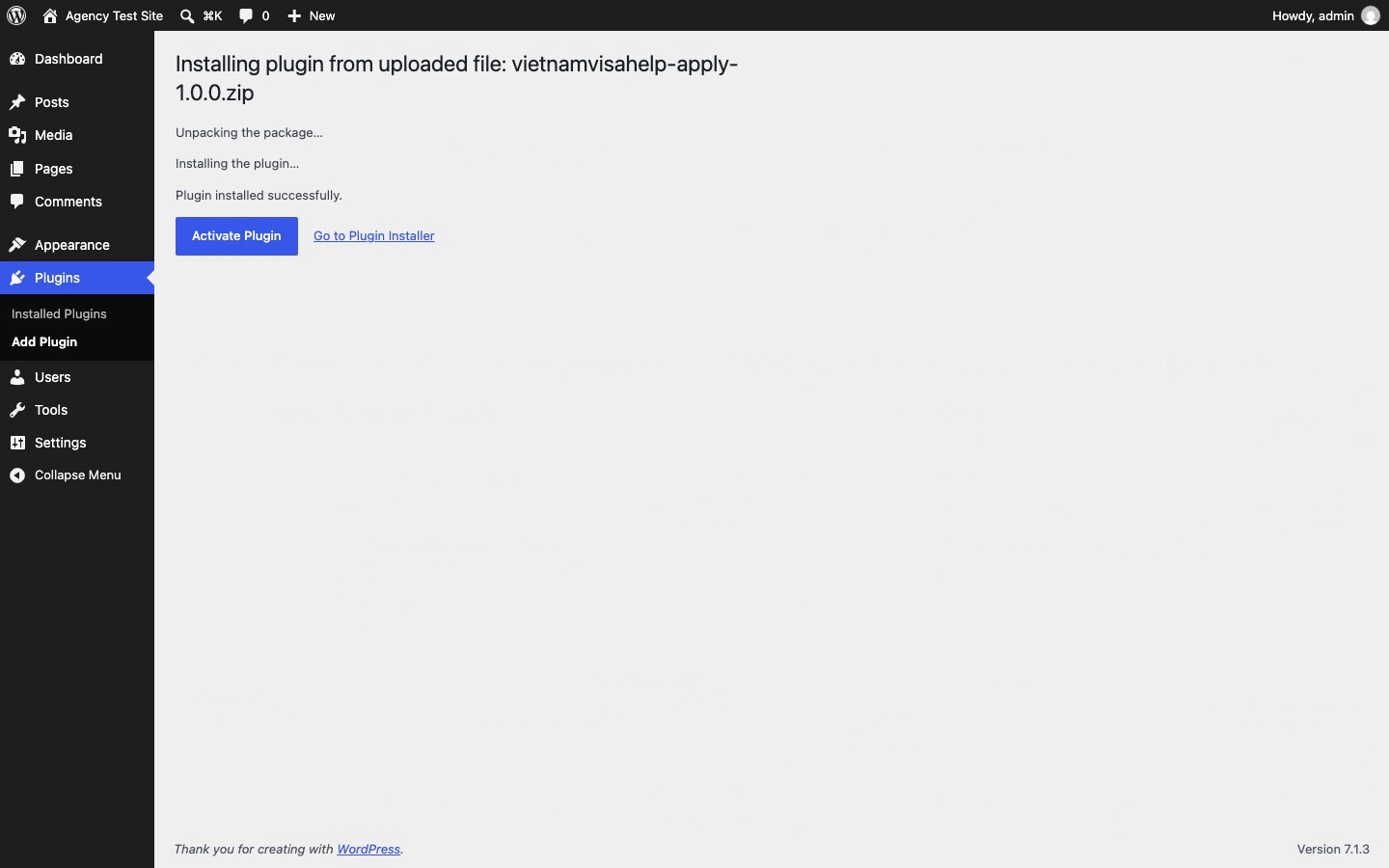
Install the zip under Plugins > Add Plugin > Upload Plugin, then activate it.
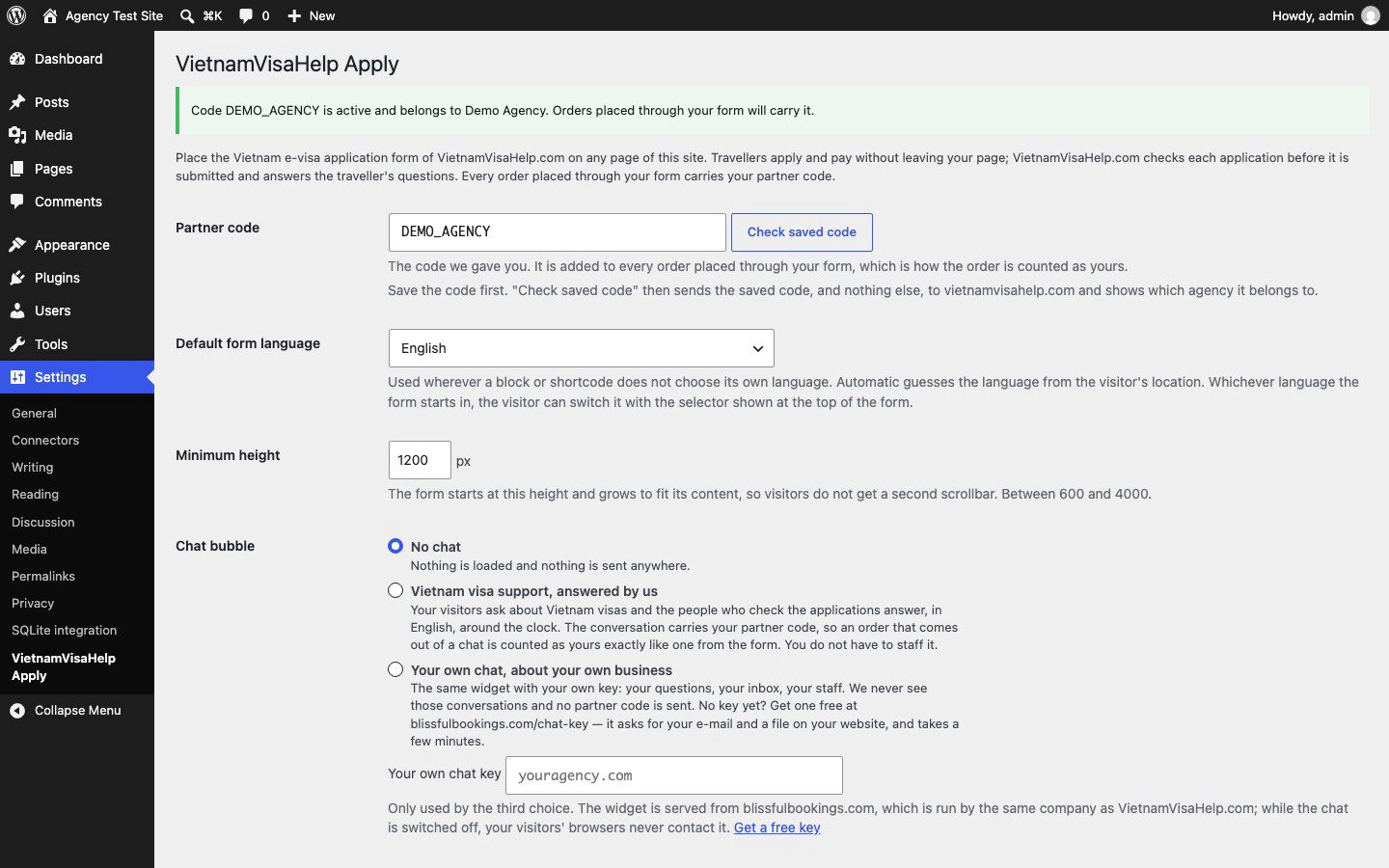
Settings > VietnamVisaHelp Apply: paste your partner code and save. “Check saved code” confirms it is active and names your agency.
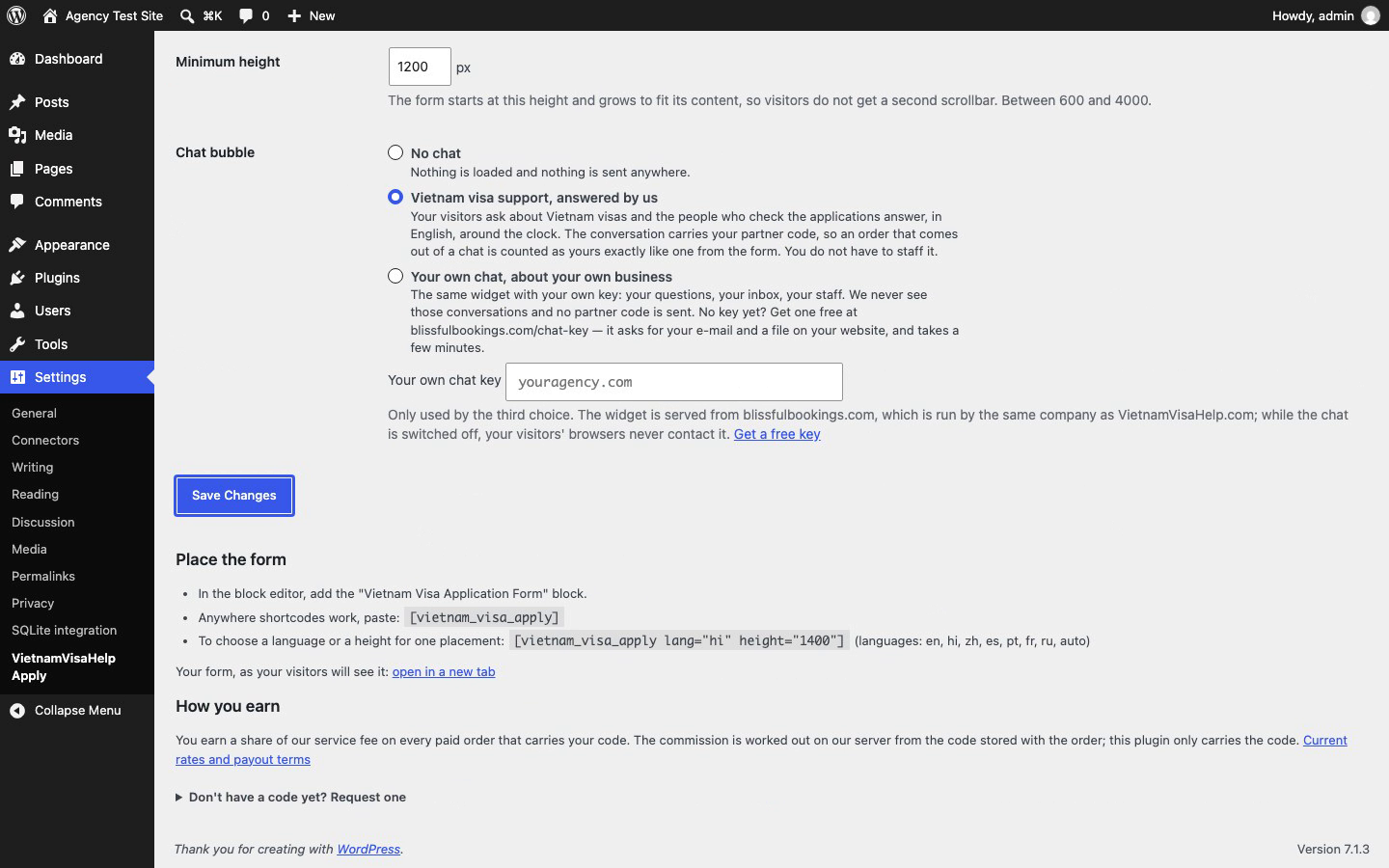
The optional chat bubble: off, our Vietnam visa support, or your own chat with your own key.
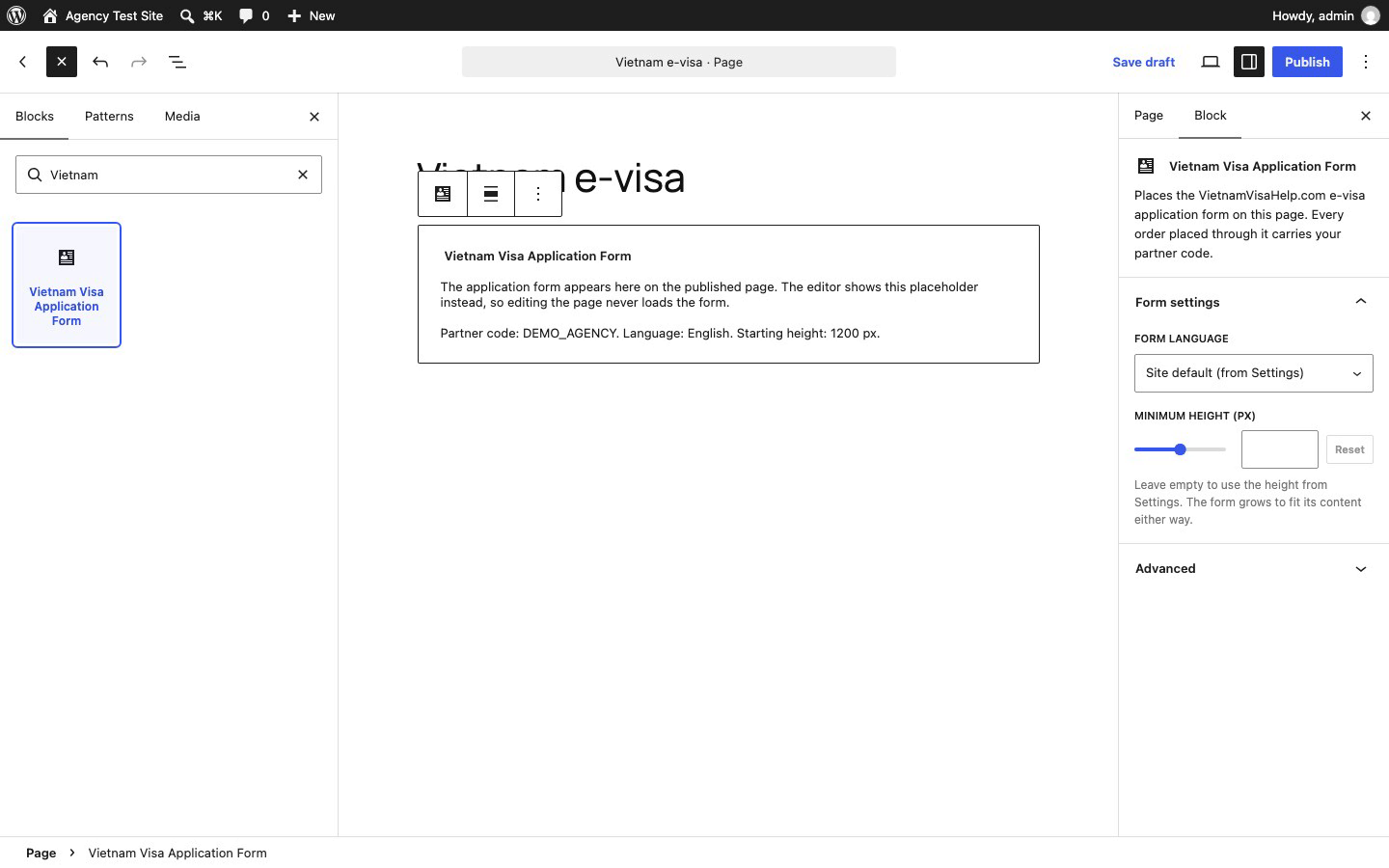
The “Vietnam Visa Application Form” block in the editor, with the form language and starting height in the sidebar. The editor shows a placeholder, never the live form.
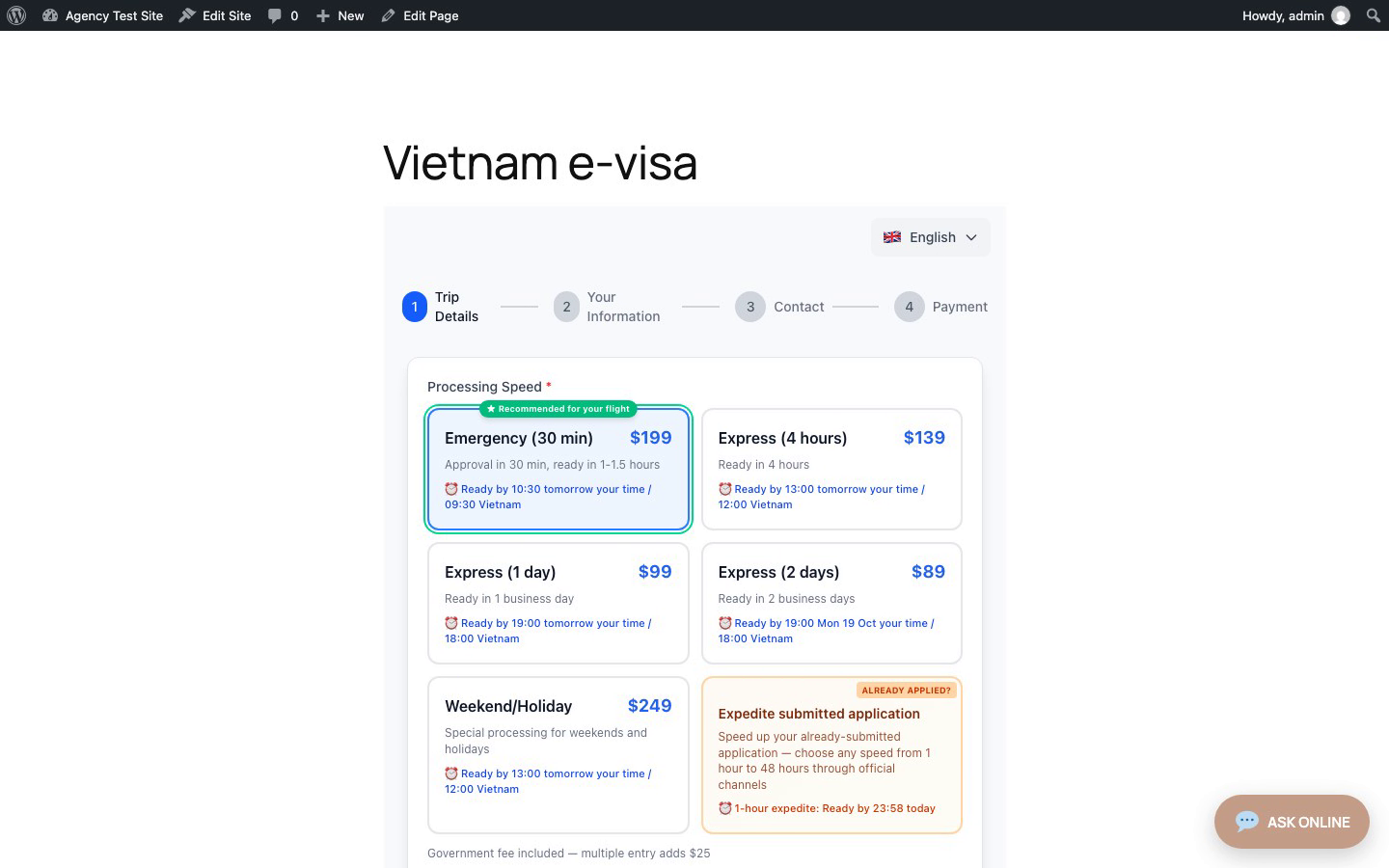
The published page: the application form runs inside your site and grows to fit its content.