Viraly — Blog To Social Media Auto Post, Scheduler & Analytics Wordpress Plugin - Rating, Reviews, Demo & Download

Plugin Description
Auto post your blog content to 10 social media platforms the moment you hit Publish. Viraly automatically shares your blog posts to Instagram, Facebook, TikTok, X (Twitter), LinkedIn, Pinterest, YouTube, Threads, Bluesky, and Mastodon — no copy-pasting, no switching between apps.
Viraly turns your blog into a social media engine. Every new post can automatically go to Facebook, Instagram, TikTok, and all your other profiles. But it’s more than a blog to social media auto poster — it’s also a full social media scheduler, visual content calendar, AI caption generator, and analytics dashboard built right into WordPress.
Why WordPress Users Choose Viraly
Most auto-post plugins stop at sharing a link. Viraly automatically posts your blog content the way each platform expects it — with images, proper post types, and customized captions:
- Blog to social media — auto post new blog posts to all your social profiles on publish
- Auto post to Instagram, Facebook, TikTok — and 7 more platforms, instantly or on a schedule
- Social media scheduler — create and schedule original posts with a visual content calendar
- Social media analytics — track performance across all 10 platforms with demographics and CSV export
- AI captions & hashtags — generate platform-optimized captions in one click
- Platform-specific post types — Reels, Stories, Shorts, Documents, Threads — not just text links
- Gutenberg integration — manage social sharing per post directly from the block editor
Unlike Hootsuite, Buffer, or other SaaS tools, Viraly works natively inside WordPress. No separate dashboards, no extra browser tabs.
Supported Platforms (10)
- Instagram — Posts, Reels, Stories (Business & Creator accounts)
- Facebook — Posts, Reels, Stories (Pages)
- TikTok — Videos with privacy controls (Business accounts)
- X (Twitter) — Posts with thread replies
- LinkedIn — Posts, Documents (Profiles & Company Pages)
- Pinterest — Pins with board selection (Business accounts)
- YouTube — Videos, Shorts with full metadata (Channels)
- Threads — Posts with thread replies
- Bluesky — Posts with thread replies
- Mastodon — Posts with spoiler text & sensitive content (Any instance)
Key Features
Auto Post Blog Content to Social Media
Publish a blog post and Viraly automatically shares it to Instagram, Facebook, TikTok, LinkedIn, and all your connected profiles. No manual sharing, no extra steps.
- Auto post on publish — share blog posts to social media the moment you hit Publish (learn more)
- Delayed or scheduled sharing — post after a delay (minutes/hours/days) or at a set daily time (scheduling guide)
- Smart content templates with merge tags: {TITLE}, {EXCERPT}, {POST_LINK}, {AUTHOR}, {TAGS}, {CATEGORIES}, {DATE}, {SITE_NAME} (writing captions)
- Category and post-type filters — only auto post content from categories you choose
- Featured image inclusion — automatically attach your blog post thumbnail (adding images)
- Duplicate prevention — never auto post the same article twice
- Per-post overrides — customize captions or disable auto posting for individual posts from the Gutenberg sidebar
Social Media Post Scheduler & Content Calendar
Go beyond blog auto posting. Create original social media posts for Instagram, Facebook, TikTok, LinkedIn, and more directly from WordPress using the built-in composer and content calendar.
- Multi-platform composer — write once, customize per platform (multi-channel posting)
- Visual monthly calendar — see all scheduled and published posts at a glance (calendar view)
- Click to manage — view post details, filter by channel or status (filtering posts)
- Schedule for any date and time — timezone-aware scheduling (timezones)
- Draft auto-save — never lose your work (24-hour localStorage persistence) (saving drafts)
- Evergreen content recycling — automatically re-share your best content at set intervals (content recycler)
Social Media Analytics Dashboard
Track your social media performance with detailed, platform-specific analytics — no need for separate analytics tools.
- 10 platform dashboards — Instagram, Facebook, YouTube, LinkedIn, Pinterest, TikTok, X, Threads, Bluesky, Mastodon
- Audience demographics — age, gender, location breakdowns
- Post performance tables — see metrics for every published post (post metrics)
- Metrics over time charts — track growth and engagement trends (analytics overview)
- CSV export — download analytics data with custom date ranges (exporting data)
- Flexible timeframes — from 7 days to 24 months of history
AI-Powered Social Media Captions & Hashtags
Let AI write your social media captions so you can focus on creating great content.
- AI caption generation — Generate new captions or rephrase existing ones (AI guide)
- Tone selection — Neutral, Casual, Formal, Humorous, Inspirational, Persuasive, Educational, Excited
- Context-aware — AI reads your blog post title and content for relevant captions
- Smart hashtag generation — auto-generates platform-appropriate hashtags
- Platform-specific limits — respects Instagram’s 5-hashtag best practice, Threads’ 1-hashtag limit, and more
Platform-Specific Post Types & Features
Viraly supports the same post types as each native platform — not just basic text posts.
- Instagram & Facebook — Post, Reel, or Story (Instagram posting, Facebook posting)
- YouTube — Video or Short, with custom title, category, and visibility settings (YouTube posting)
- TikTok — Video with privacy level selection (TikTok posting)
- LinkedIn — Post or Document with custom title (LinkedIn posting)
- Pinterest — Pin with board selection and link attachment (Pinterest posting)
- Mastodon — Sensitive content toggle with spoiler text (Mastodon posting)
- First comment — Auto-post a first comment on Facebook, Instagram, YouTube, and LinkedIn (first comments)
- Thread replies — Create threaded conversations on X, Threads, Bluesky, and Mastodon
- Per-platform character limits — real-time character counter adapts to each platform’s limit
Built-In Image Editor
Crop and resize images for each platform without leaving WordPress. (Image editor docs)
- Platform-specific aspect ratios — 1:1 (Instagram), 4:5 (Portrait), 9:16 (Stories/Reels), 16:9 (YouTube), and more
- Rotation controls
- Media requirements reference — built-in specs for every platform and post type
- Video thumbnail picker (video editing)
WordPress Editor Integration
Manage social sharing right from the Gutenberg block editor — no need to switch tabs.
- Sidebar panel — toggle auto posting, select channels, customize captions per post
- Share Now button — instantly share any published post
- Schedule from editor — pick a date and time without leaving the post editor
- Template preview — see exactly what will be posted before publishing
- AI caption generation — generate captions from your post content in one click
- Auto-post results — see which platforms received your post and their status
Cross-Post to 10 Social Networks
Select multiple profiles and platforms, write your message once, and Viraly handles the rest — including adapting post types, character limits, and media requirements for each platform.
- Multi-channel selector with profile pictures and platform indicators
- Per-platform customization — different post types, privacy settings, and metadata per platform
- URL preview — Open Graph metadata preview for linked content
- Emoji picker built in
- Hashtag validation per platform
How It Works
- Install & Connect — Install the plugin, create a free Viraly account, and connect with one click (getting started)
- Add Social Profiles — Connect your Instagram, Facebook, TikTok, LinkedIn, and other accounts via OAuth (connect a profile)
- Configure Blog to Social — Set your auto post template, choose which categories to share, and pick your timing
- Publish & Auto Post — Every new blog post automatically goes to all your connected social profiles
- Schedule & Compose — Use the built-in scheduler to create and schedule original social media posts (create your first post)
- Track Performance — Monitor analytics and insights for every connected profile (analytics overview)
Documentation & Support
External Services
This plugin relies on the Viraly platform (viraly.io) as a required external service. All social media functionality (scheduling, publishing, analytics) is processed through the Viraly API.
Viraly API (api.viraly.io) — provided by Viraly Inc.
- What it does: Manages social media connections, schedules and publishes posts to 10 social platforms, retrieves analytics data, generates AI captions, and stores your content calendar.
- When data is sent:
- On plugin activation: your site URL and admin email are sent to create or link your Viraly account.
- On auto post or manual share: your blog post title, excerpt, featured image URL, and the generated caption are sent to be published to your connected social profiles.
- On analytics view: requests are proxied to retrieve metrics from each connected social platform (Instagram, Facebook, TikTok, X, LinkedIn, Pinterest, YouTube, Threads, Bluesky, Mastodon).
- On AI caption generation: your post title and content are sent to generate captions via OpenAI (processed server-side by Viraly).
- On scheduling: your post content, selected channels, and scheduled date/time are stored on Viraly servers until the publish time.
- What data is stored: Your site URL, connected social profile metadata (profile names, IDs, tokens), post content, scheduled posts, and analytics data are stored on Viraly servers. No end-user or visitor data from your WordPress site is collected.
- Viraly Terms of Use
- Viraly Privacy Policy
Source Code
This plugin includes minified JavaScript files (build/viraly-admin.js, build/viraly-editor.js) generated from TypeScript/React source code. The full, uncompiled source code is included in the plugin under the src/ directory. Build tools used: Node.js, npm, @wordpress/scripts (webpack). To regenerate the build files, run npm install && npm run build from the plugin root directory.
Screenshots
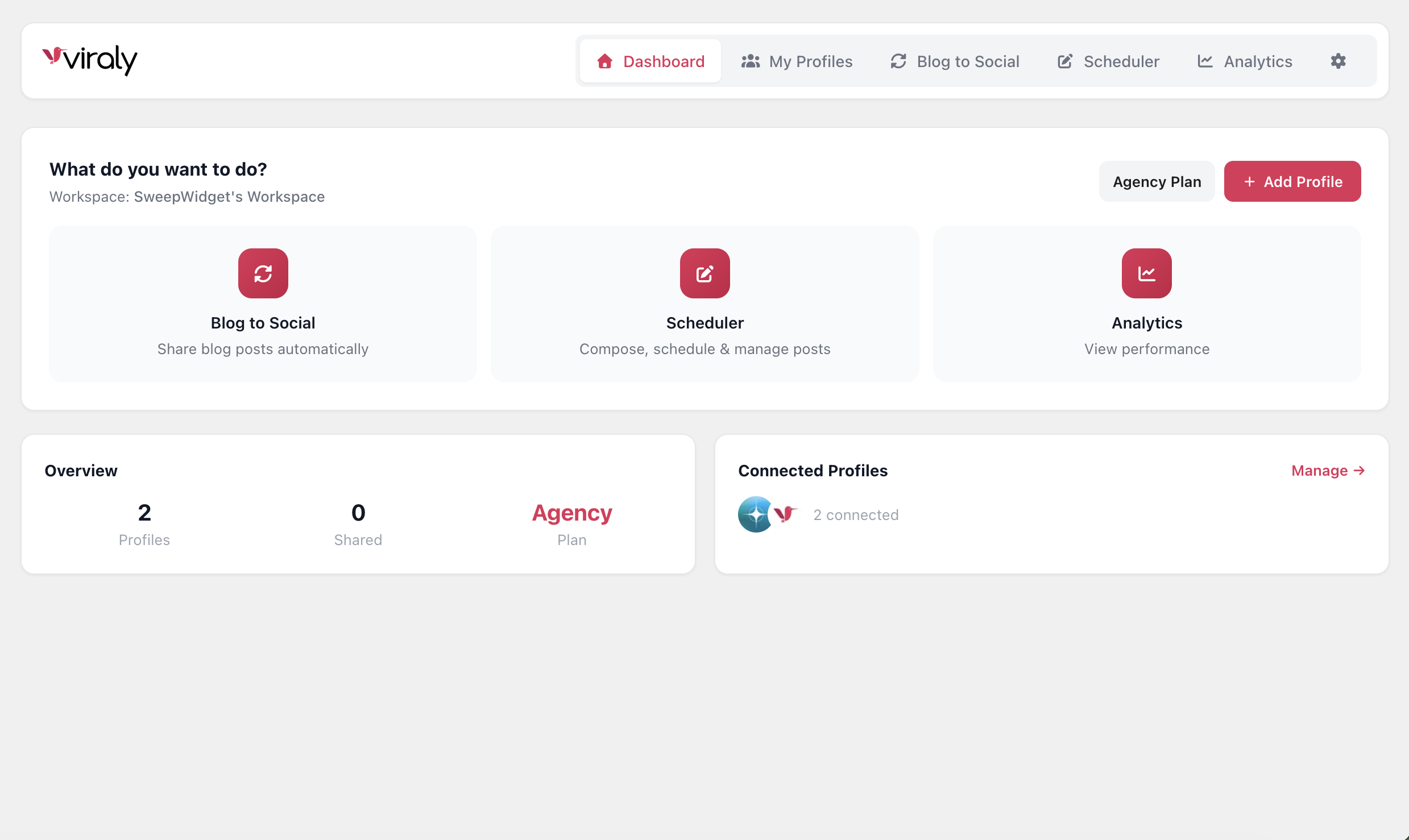
Dashboard — your Viraly home screen with connected profiles, quick actions, and plan overview
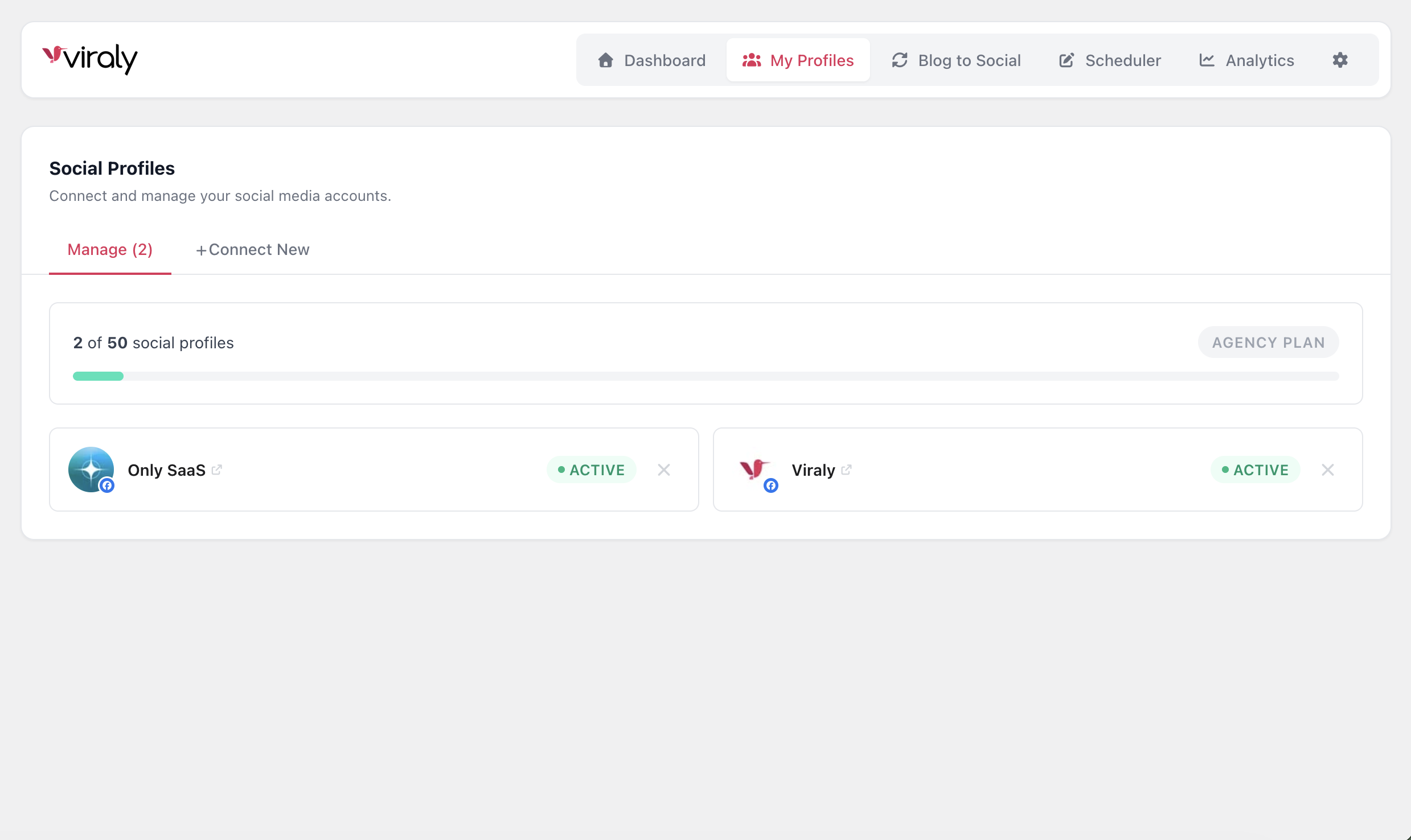
Manage Profiles — view and manage all your connected social media accounts in one place
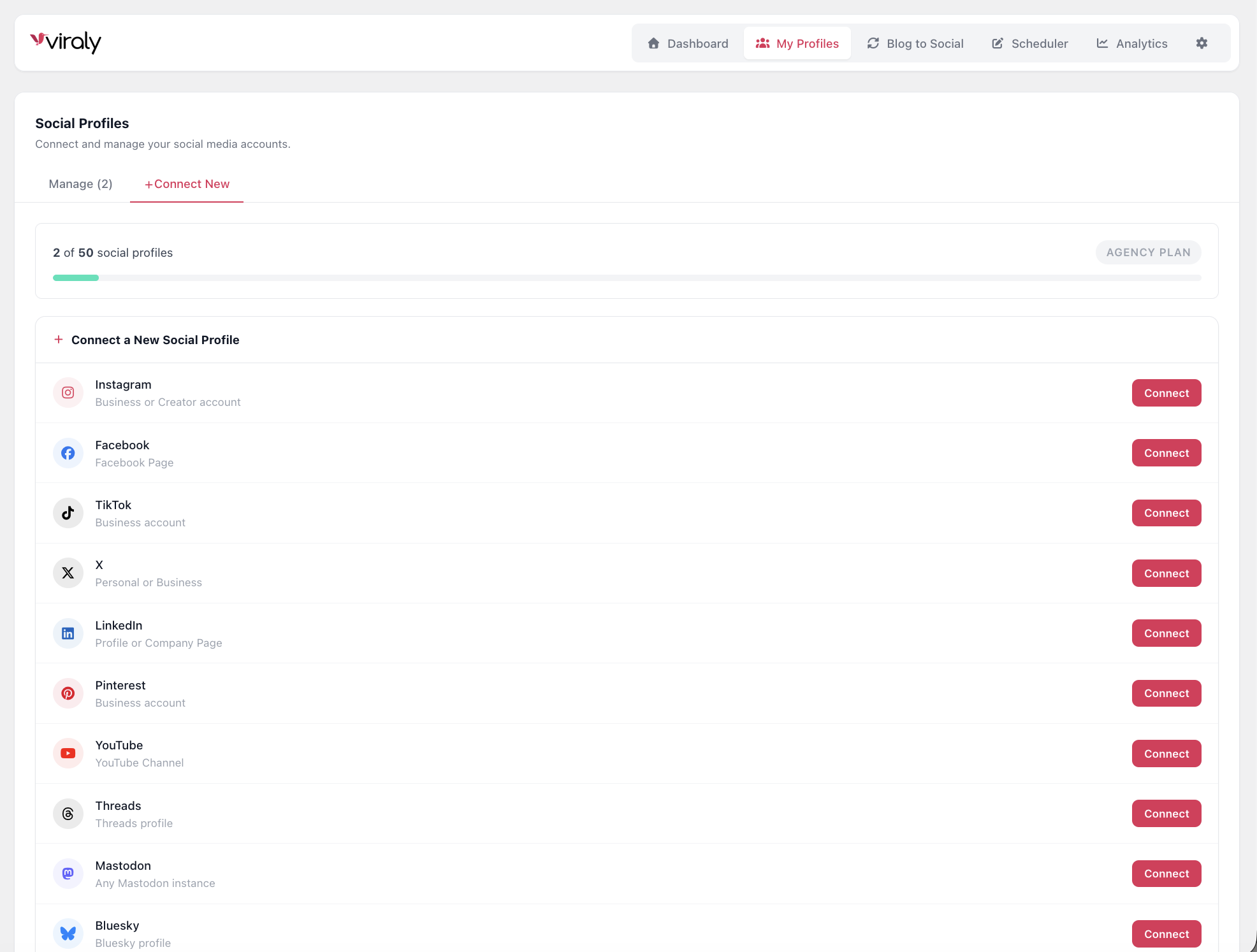
Connect New Profile — connect Instagram, Facebook, TikTok, YouTube, LinkedIn, and more via OAuth
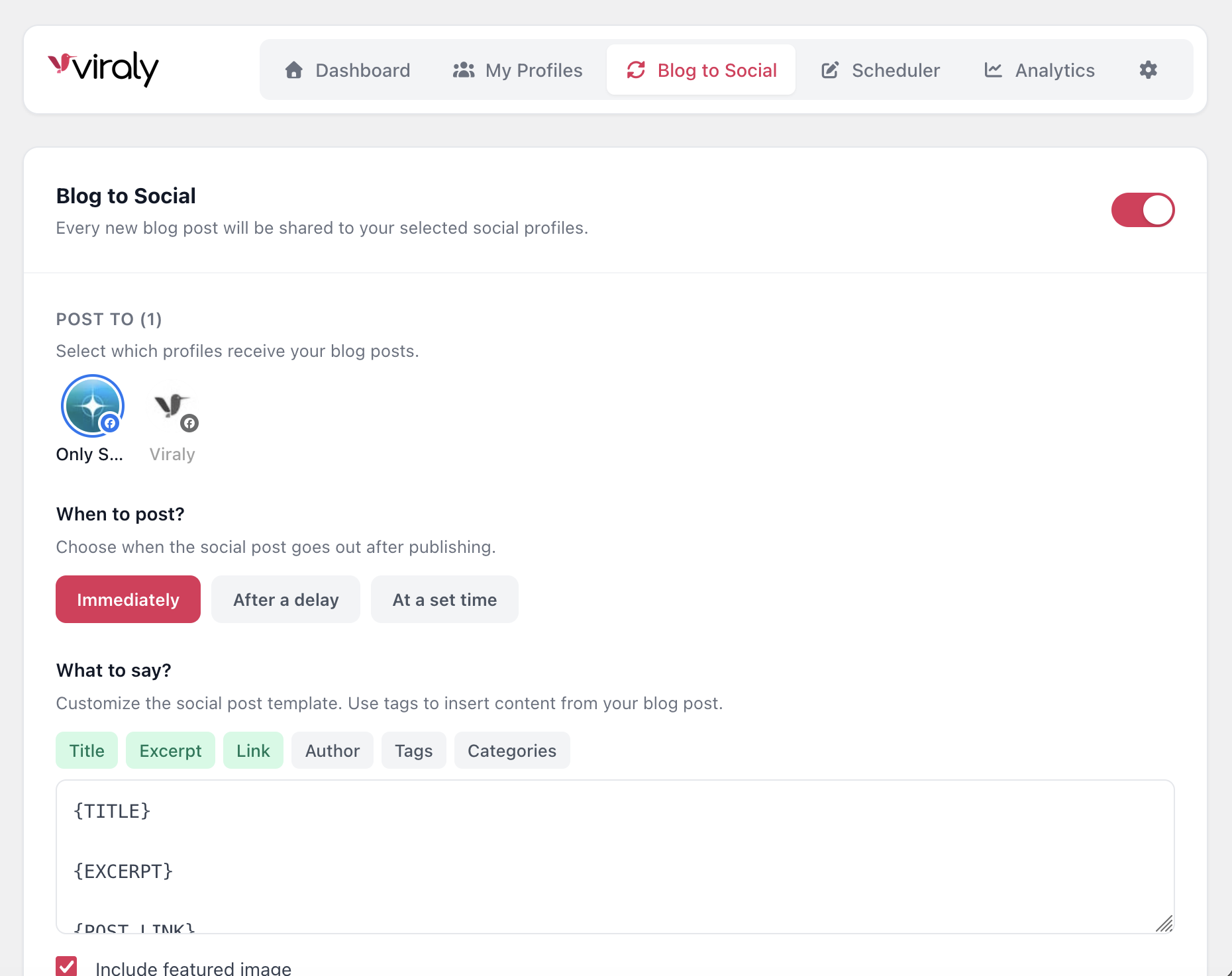
Blog to Social — configure auto posting with content templates, timing options, and channel selection
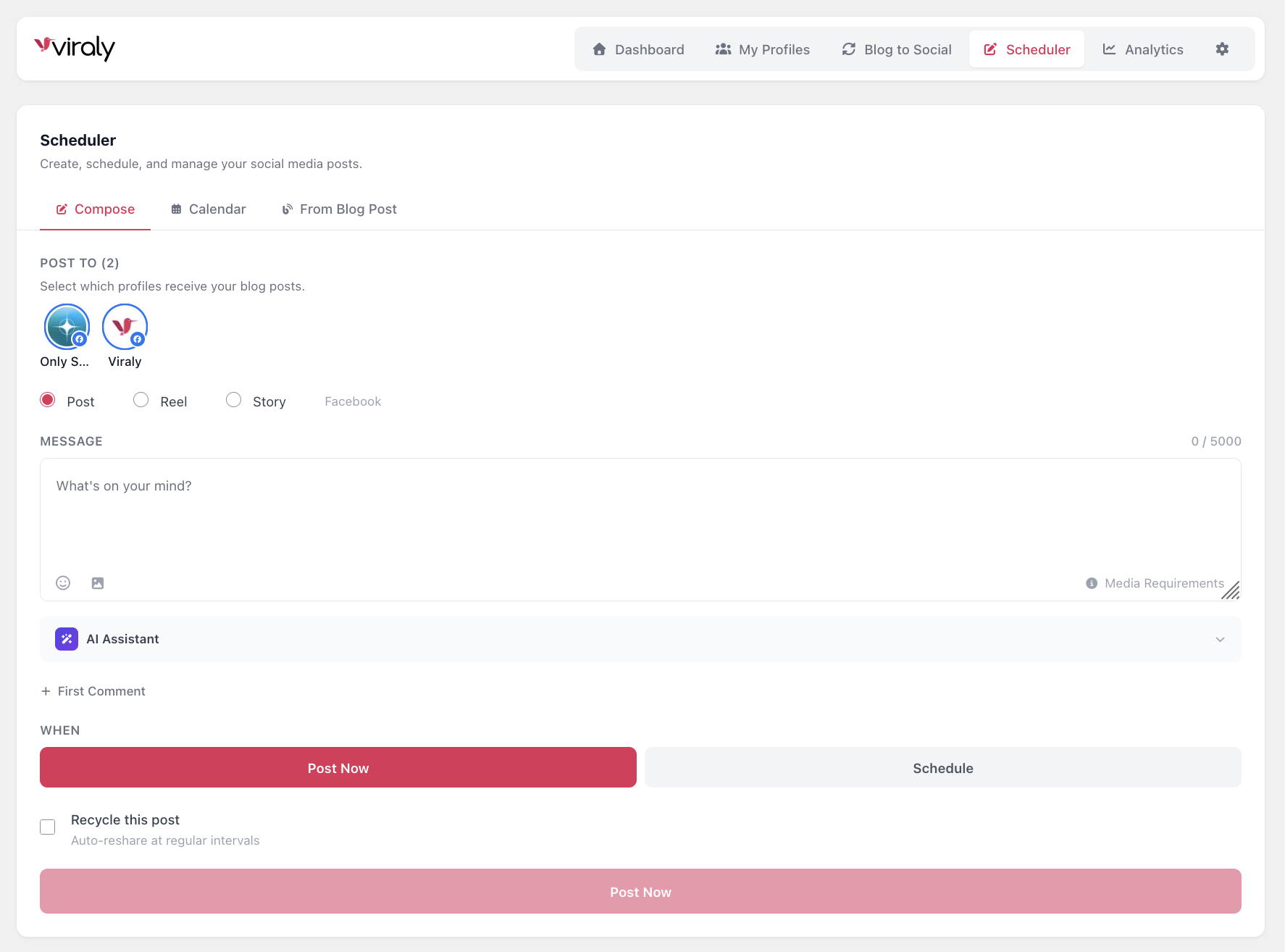
Post Composer — create and schedule social media posts with platform-specific options and AI captions
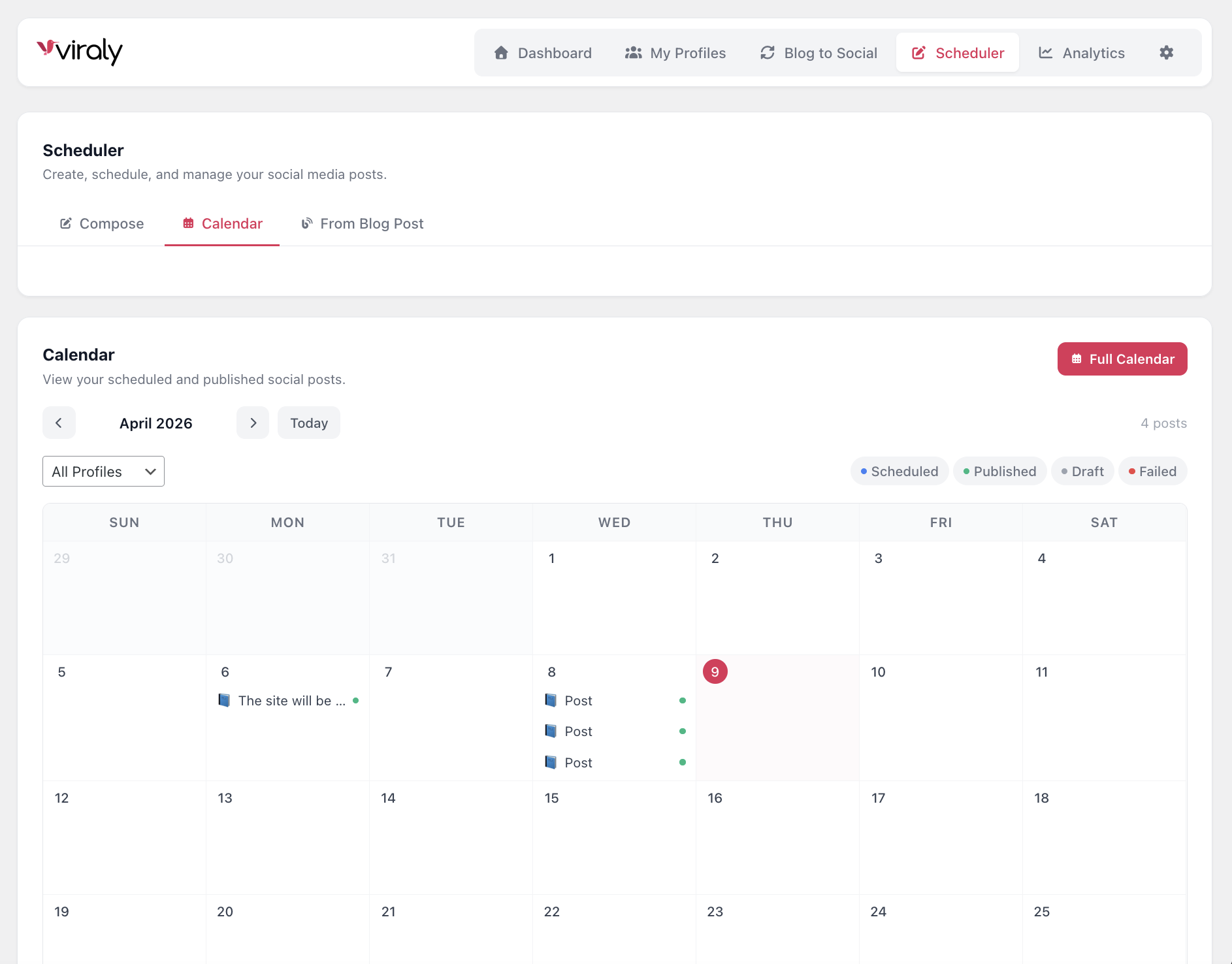
Content Calendar — visual monthly calendar showing all your scheduled and published posts
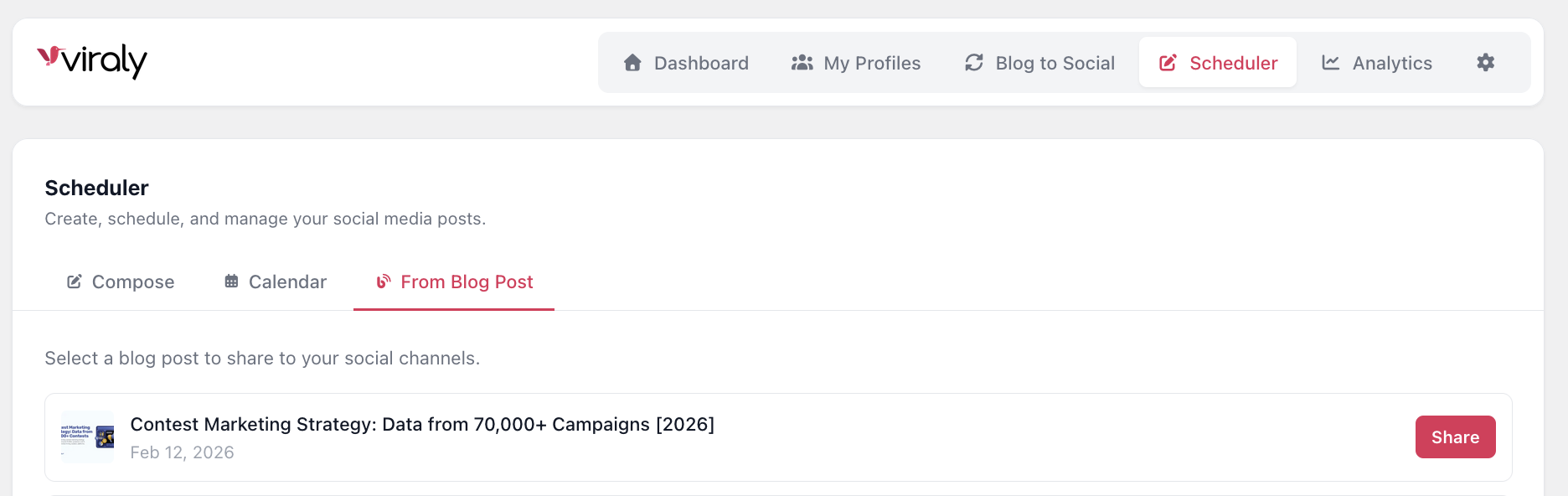
From Blog Post — share any existing WordPress blog post to your social profiles
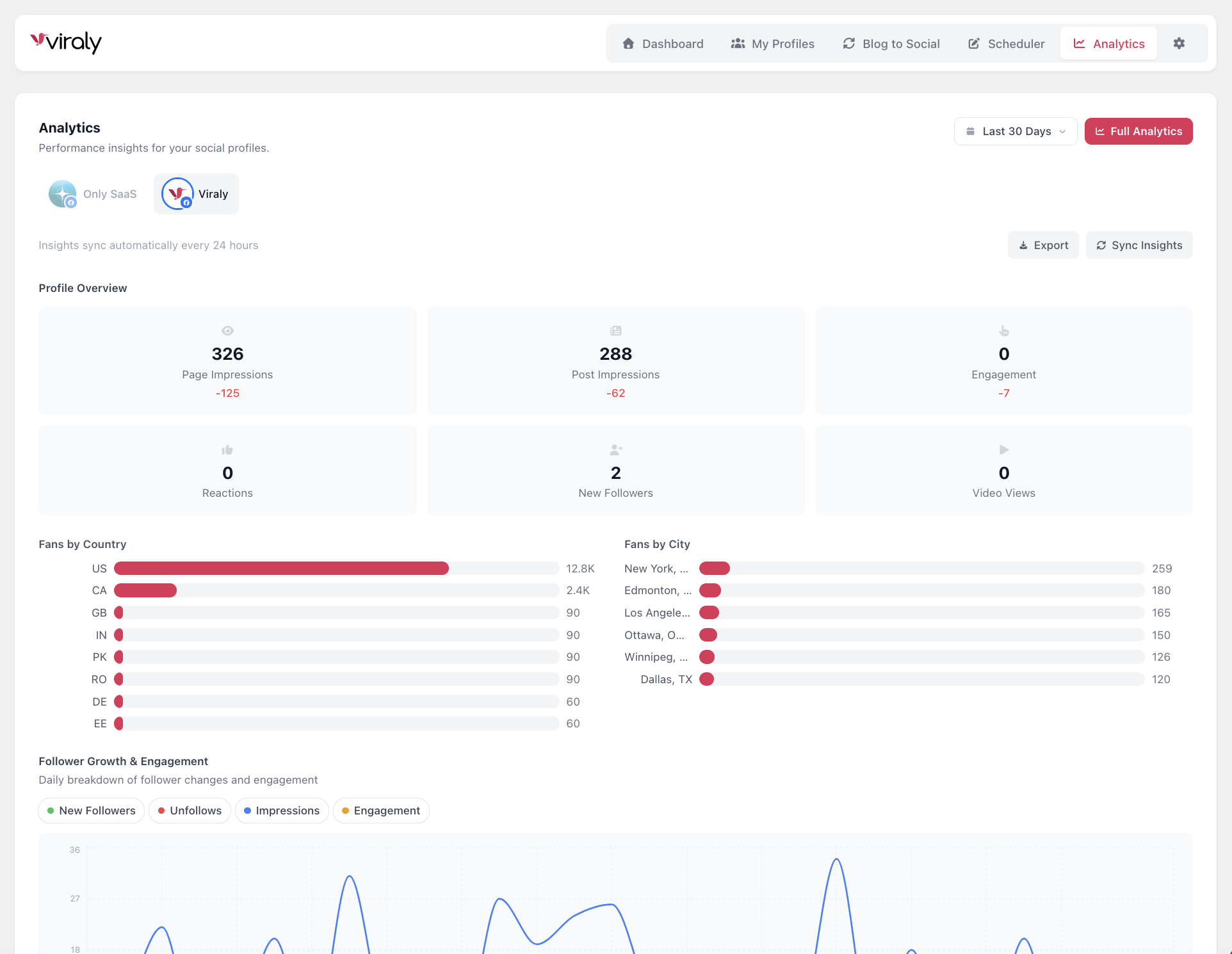
Analytics — detailed platform-specific metrics, audience demographics, and post performance
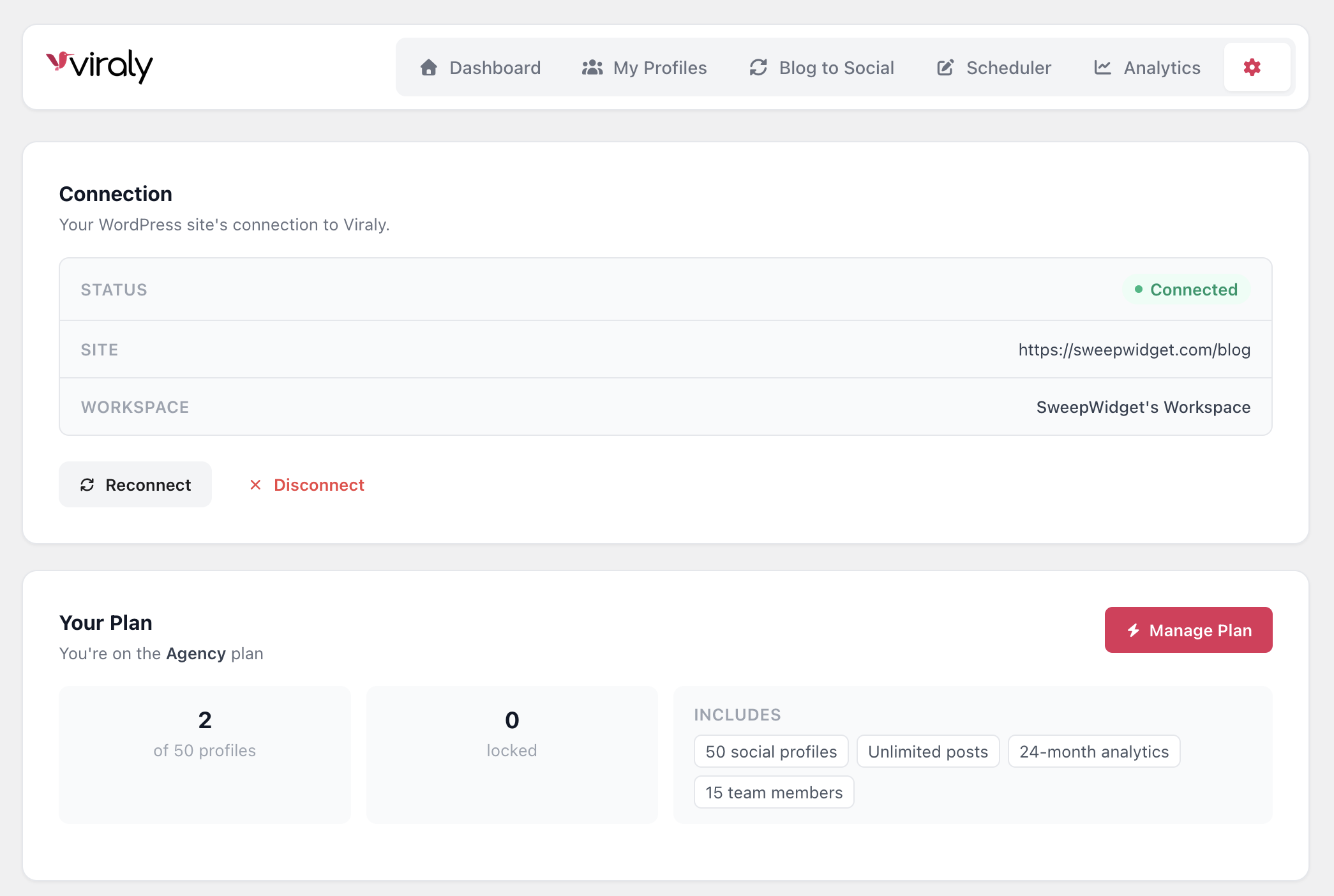
Settings — manage your connection, plan details, and auto post preferences