Visiblix Block Rules Wordpress Plugin - Rating, Reviews, Demo & Download

Plugin Description
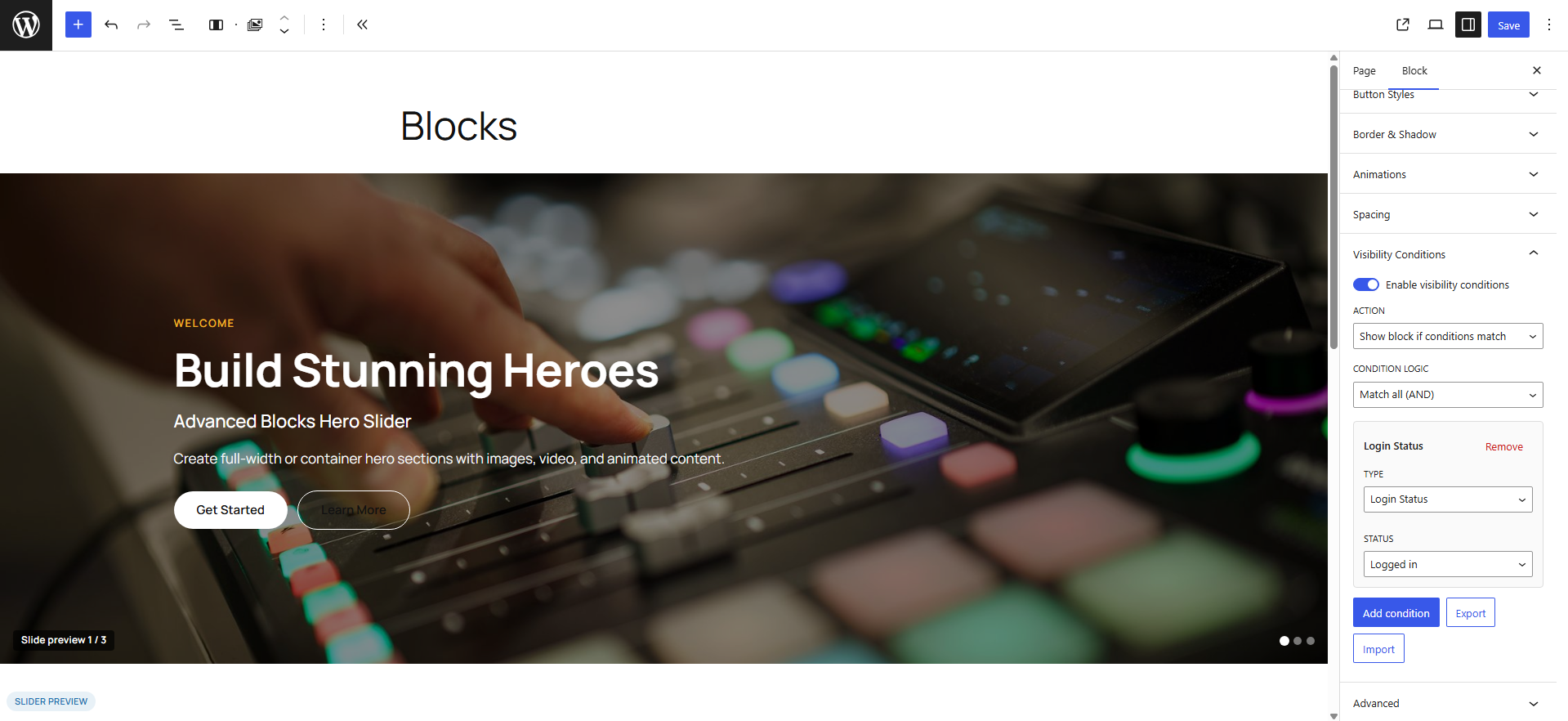
Visiblix Block Rules adds a Visibility Conditions panel to every Gutenberg block. Build AND/OR rules, then show or hide content automatically on the frontend – securely, without injecting tracking scripts.
Author: Mayur Paneliya
Features
- Works with any Gutenberg block
- Login status and user roles
- Device (desktop / tablet / mobile) and browser
- Date and time ranges plus recurring schedules
- Country detection via CDN headers (no remote geo API)
- URL parameters and custom fields
- WooCommerce purchase history
- Membership levels (MemberPress, Restrict Content Pro, WooCommerce Memberships)
- Allow-listed PHP callbacks for advanced logic
- Export / import condition sets as JSON
- REST API (
viblx/v1) - Request-aware caching with safe fingerprints
- Admin Dashboard, Settings, Help Center, and Developers docs
- Fully translatable (text domain:
visiblix-block-rules)
How to use
- Activate the plugin.
- Open Block Visibility in the WordPress admin menu.
- Edit any post or page in the block editor.
- Select a block and open Visibility Conditions in the sidebar.
- Enable conditions, choose Show or Hide, set AND/OR logic, and add rules.
- Update the post and preview on the frontend.
Privacy
Visiblix Block Rules does not phone home. Country rules read local CDN request headers only.
Frequently used hooks
viblx_register_conditions– register custom condition typesviblx_php_callbacks– allow-list PHP callback conditionsviblx_evaluation_context– extend evaluation contextviblx_should_render– override final visibility
See Block Visibility > Developers in wp-admin for full hook documentation with examples.
Developer notes
- Namespace:
VisiblixBlockRules - Global helper:
viblx() - REST namespace:
viblx/v1 - Conditions attribute:
viblxConditionson every block
Support
- In-plugin Help Center and Developers pages
- GitHub: https://github.com/mayurptl1994/smart-conditional-blocks
- Author site: https://mayurpaneliya.blog/
Credits
Built by Mayur Paneliya. Uses the WordPress Block API, Settings API, and REST API.
License
GPLv2 or later.
Screenshots
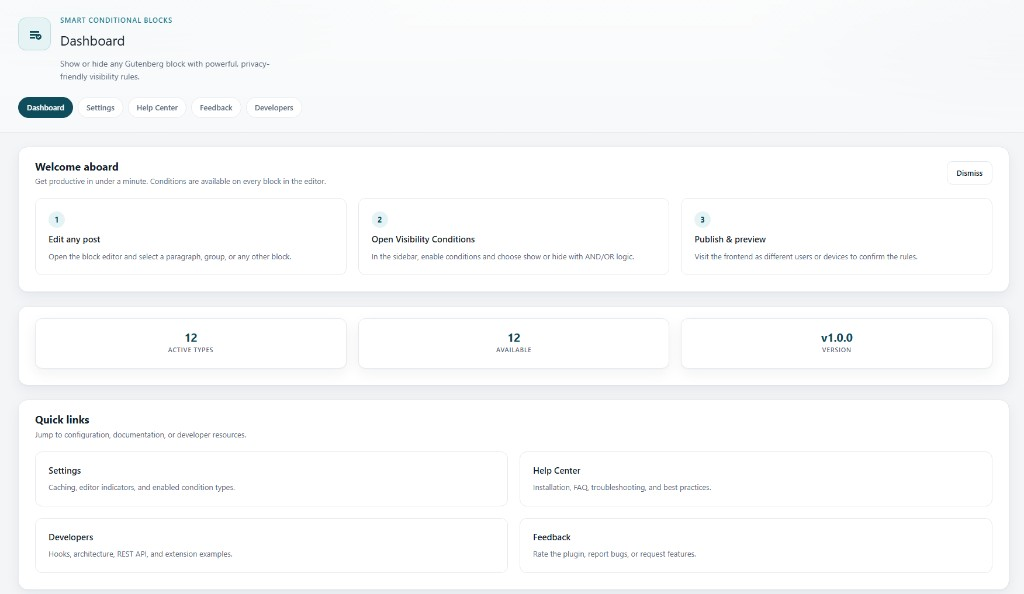
Dashboard overview with welcome steps and quick links
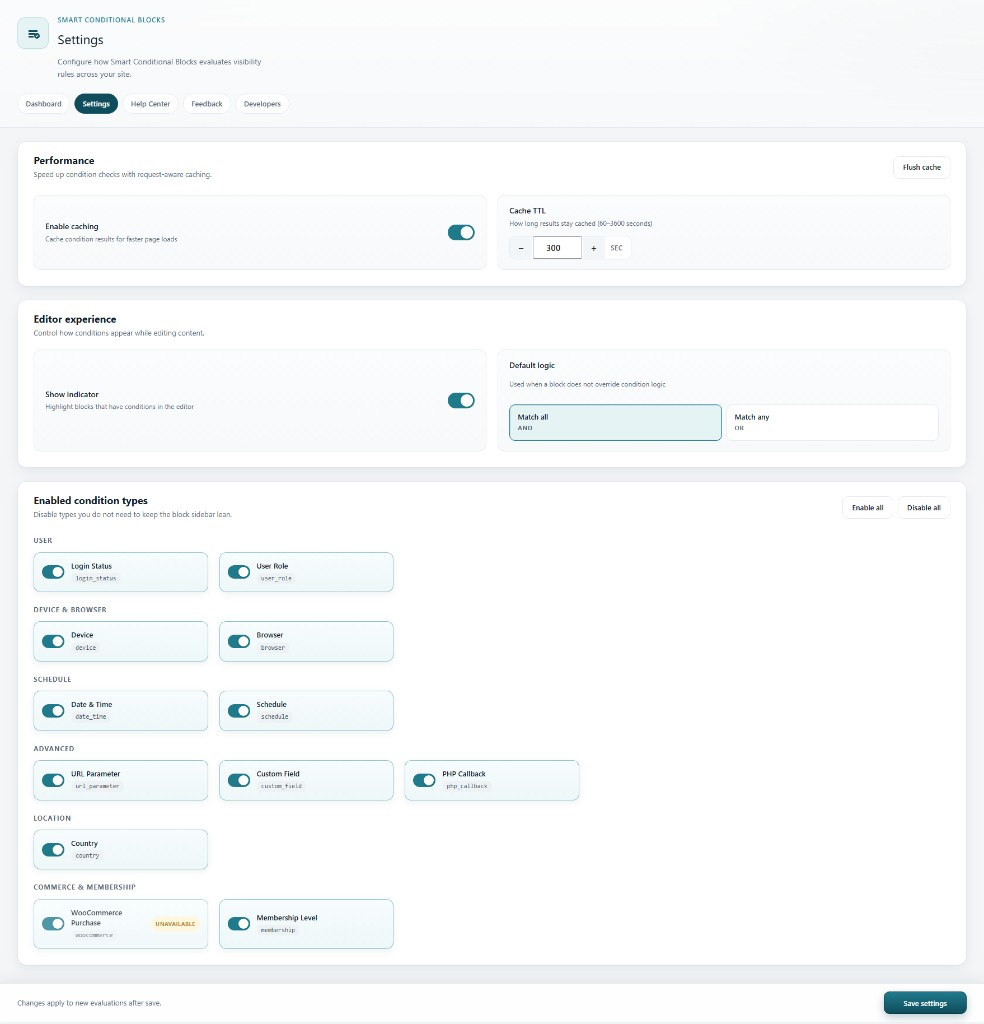
Settings – caching, editor indicators, and enabled condition types