Vital Addons For LearnDash Wordpress Plugin - Rating, Reviews, Demo & Download
Plugin Description
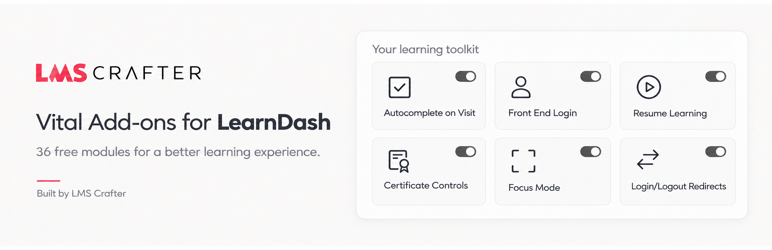
Vital Addons for LearnDash brings 36 free modules together on one searchable settings screen. Every module starts disabled. Choose the tools your site needs, configure their settings, and save.
Use Details for setup guidance and limitations, Settings for each module’s behavior, and the Design tab for the appearance of Vital Addons-owned learner components. Settings changes can be staged, reviewed and undone before saving. Bulk Course Access has its own explicit preview, confirmation and rollback workflow.
All 36 modules are included without a license key, trial period or usage quota. LearnDash is a separate commercial plugin required for course-related modules. The general WordPress utilities also work without LearnDash.
Learning automation
- Autocomplete on Visit — complete eligible lessons and topics, with per-step overrides.
- Autocomplete After Quiz Grading — complete eligible parent steps after manual grading.
- Autocomplete After Form Submission — connect opted-in forms to eligible course steps.
- Autocomplete After Quiz Pass — complete eligible parent steps following a passing result.
Course controls
- Completion Message — customize the message after a course is complete.
- Button Labels — configure Closed-course, Stripe and Course Grid labels.
- Course Points Precision — format points using zero to four decimal places.
- Classic Editor — choose LearnDash post types that use the Classic Editor.
- Disable Mobile Autoplay — stop automatic LearnDash video playback on mobile.
- Empty Course Message — customize empty course-list output.
- Prerequisite Message — customize prerequisite text and an optional destination link.
- Course Steps in Menus — expose supported lesson, topic and quiz types to menu management.
- Course Taxonomy Archives — control supported category and tag archives.
- Hide Course Price — hide the native course-price segment.
- Sample Lesson Controls — require login and customize sample labels.
- Not-Enrolled Redirect — choose a safe destination for a course’s unenrolled visitors.
Focus Mode and navigation
- Focus Mode — configure welcome text, lesson expansion and comments.
- Next-Step Controls — configure next-step navigation and optional runtime progression behavior.
- Breadcrumbs — display the learning hierarchy using a shortcode or block.
- Resume Learning — return learners to their last eligible course step.
Quiz, certificate and profile utilities
- Admin Quiz Testing — allow administrator testing without changing saved quiz limits.
- Continue After Failed Quiz — use LearnDash’s native Continue button after failure.
- Assignment & Essay Comments — control assignment comments and Dashboard Activity entries.
- Profile Controls — choose which supported LearnDash profile sections are shown.
- Certificate Controls — display earned certificates with a shortcode, block or widget.
Login and WordPress utilities
- Email Sandbox — temporarily suppress outgoing email, with warnings and optional expiry.
- Front End Login — provide login, password recovery, reset and optional modal forms.
- Hide Admin Bar — control visibility for selected non-administrator roles.
- Login/Logout Menu Links — provide dynamic authentication links.
- Login/Logout Redirects — configure safe same-site destinations.
- Menu Item Visibility — show items according to login state.
- Login-State Content — display audience-specific shortcode or block content.
Access administration and email
- Completed-Step Access — allow selected completed-step review after native course expiry witnessed by the module.
- Bulk Course Access — preview and convert selected Open courses to Closed in bounded batches, with conflict-aware rollback.
- Access Mode Restrictions — restrict the access modes non-administrator course editors can choose.
- ProPanel Email Sender — configure sender and Reply-To headers for the supported ProPanel email hook.
Shared design controls
Choose Use site theme, LMS Crafter or Custom. Adjust colors, typography, spacing, corners, shadows and messages with a responsive preview and contrast-safe fallbacks. The same settings appear in the Customizer when available. Controls that alter native LearnDash output inherit its existing appearance.
Vital Addons is developed by LmsCrafter.com. It is not affiliated with, endorsed by, or sponsored by LearnDash.
Screenshots

The Free module screen with search, categories and completion tools.

Module settings with Cancel and Apply controls; page-level Save persists staged settings.

Shared Design settings and the learner preview.