
Voidek Employee Portal Wordpress Plugin - Rating, Reviews, Demo & Download

Plugin Description
Voidek Employee Portal is a powerful and customizable plugin designed to give employees a full-featured interface in the frontend of your WordPress site. Ideal for internal portals or company intranets, this plugin supports task tracking, EOD (End of Day) reports, and leave applications — all from a user-friendly frontend interface.
Features include:
- Frontend Dashboard for employees
- Role-based access: Admins see backend, users see frontend
- Task assignment and tracking
- EOD reporting with filters and summaries
- Leave applications and approval tracking
- Fully AJAX-powered, responsive interface
- Secure role-based redirection and access
Roles and Permissions
Admin:
– Has full access to backend
– Can create Manager and Employee users
Manager:
– Accesses the frontend dashboard
– Can add Employee users from the frontend
– Can create, edit, and assign projects
– Can manage holidays details, team leave data
Employee:
– Accesses the frontend dashboard
– Can manage their own:
– Tasks
– EOD (End of Day) reports
– Leave applications
– View assigned projects and leaves
All roles (Admin, Manager, Employee) can:
– Create and assign Tasks
– Submit EODs (End of Day reports) for each task
– View Task Summary
– View EOD List and EOD Summary
– Apply for and view Leave Requests
Source Code
This plugin does not use any build tools (such as npm, composer, webpack) to generate its production code.
The plugin includes minified JavaScript and CSS for production use.
Original unminified source files:
– Date Range Picker: https://github.com/dangrossman/daterangepicker
– Included in /assets/js/daterangepicker.js
-
bootstrap css
- Unminified file:
assetscssbootstrap.css - Original source: https://cdn.jsdelivr.net/npm/bootstrap@5.3.0/dist/css/bootstrap.css
- License: MIT
- Unminified file:
-
daterangepicker css
- Unminified file:
assetscssdaterangepicker.css - Original source: https://cdn.jsdelivr.net/npm/daterangepicker@3.1.0/daterangepicker.css
- License: MIT
- Unminified file:
-
font-awesome
- Unminified file:
assetscssfont-awesome-unminified.css - Original source: https://cdnjs.cloudflare.com/ajax/libs/font-awesome/6.5.1/css/all.css
- License: MIT
- Unminified file:
-
jquer ui
- Unminified file:
assetscssjquer-ui2.css - Original source: https://code.jquery.com/ui/1.12.1/themes/smoothness/jquery-ui.css
- License: MIT
- Unminified file:
-
jQuery UI Timepicker Addon v1.6.3
- Unminified file:
assets/js/jquery-ui-timepicker-addon.js - Original source: https://github.com/trentrichardson/jQuery-Timepicker-Addon
- License: MIT
- Unminified file:
–Datatable
– Unminified file: assets/js/dataTables.buttons.js
– Original source:https://cdn.datatables.net/buttons/3.2.4/js/buttons.dataTables.js
– License: MIT
–buttons.html5
– Unminified file: assets/js/buttons.html5.js
– Original source:https://cdn.datatables.net/buttons/3.2.4/js/buttons.dataTables.js
– License: MIT
–DataTables & Extensions (Buttons)
Source: https://datatables.net
Buttons: https://github.com/DataTables/Buttons
License: MIT
–bootstrap bundle
– Unminified file: assetsjsbootstrap.bundle.js
– Original source:https://cdn.jsdelivr.net/npm/bootstrap@5.3.7/dist/js/bootstrap.bundle.js
– License: MIT
–Bootstrap
– Unminified file: assetsjsbootstrap-min.js
– Original source:https://cdn.jsdelivr.net/npm/bootstrap@5.3.7/dist/js/bootstrap.bundle.js
– License: MIT
Source: https://github.com/twbs/bootstrap
License: MIT
–sweetalert2
– Unminified file: assetsjssweetalert2.js
– Original source:https://github.com/sweetalert2/sweetalert2/releases/download/v11.4.8/sweetalert2.js
– License: MIT
Source: https://github.com/twbs/bootstrap
License: MIT
–jQuery UI
Source: https://github.com/jquery/jquery-ui
License: MIT
–jszip
– Unminified file: assetsjsjszip.js
– Original source:https://cdnjs.cloudflare.com/ajax/libs/jszip/3.10.1/jszip.js
– License: MIT
Pro Plugin
This is the Lite version of our premium Pro plugin.
Upgrade to Pro for additional reporting, analytics, and productivity tools designed to enhance your workflow.
Screenshots
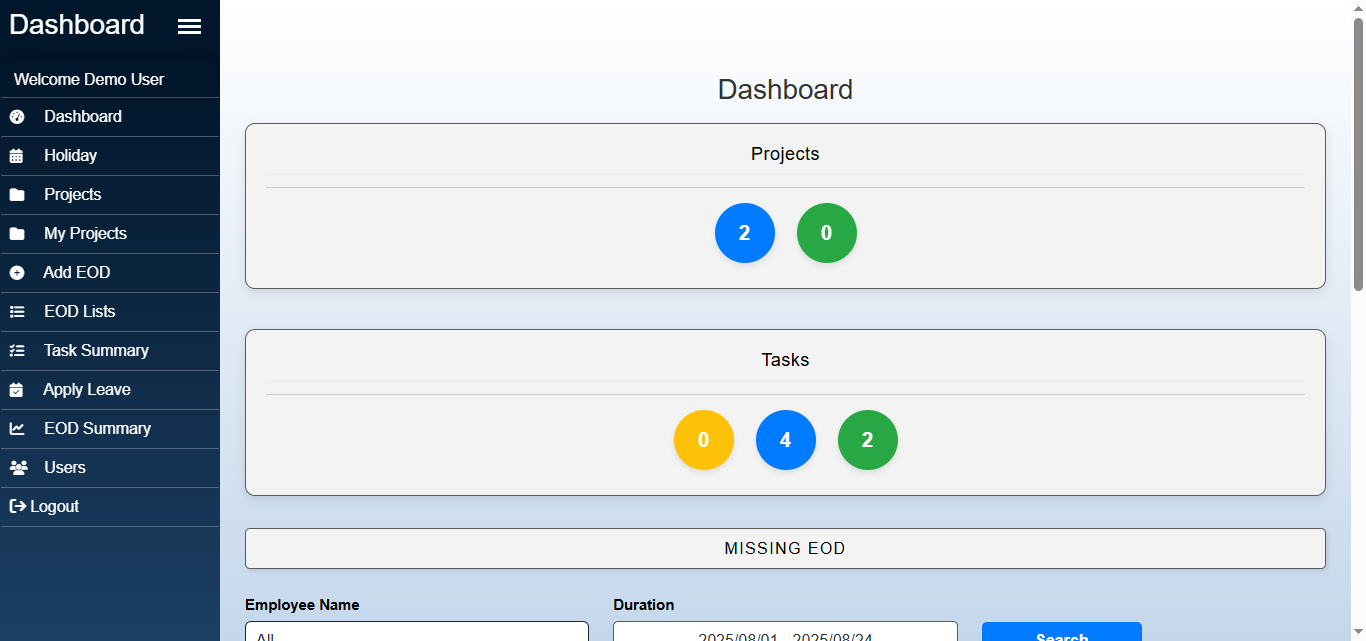
Dashboard Overview
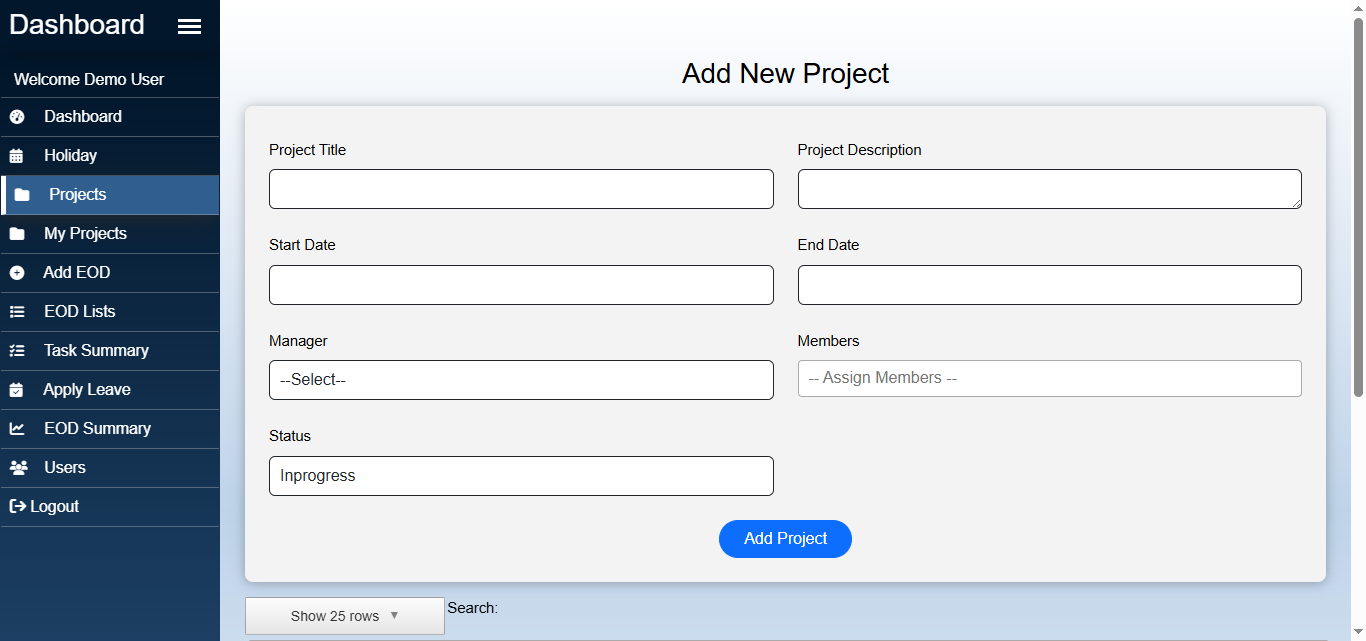
Manager project assignment panel
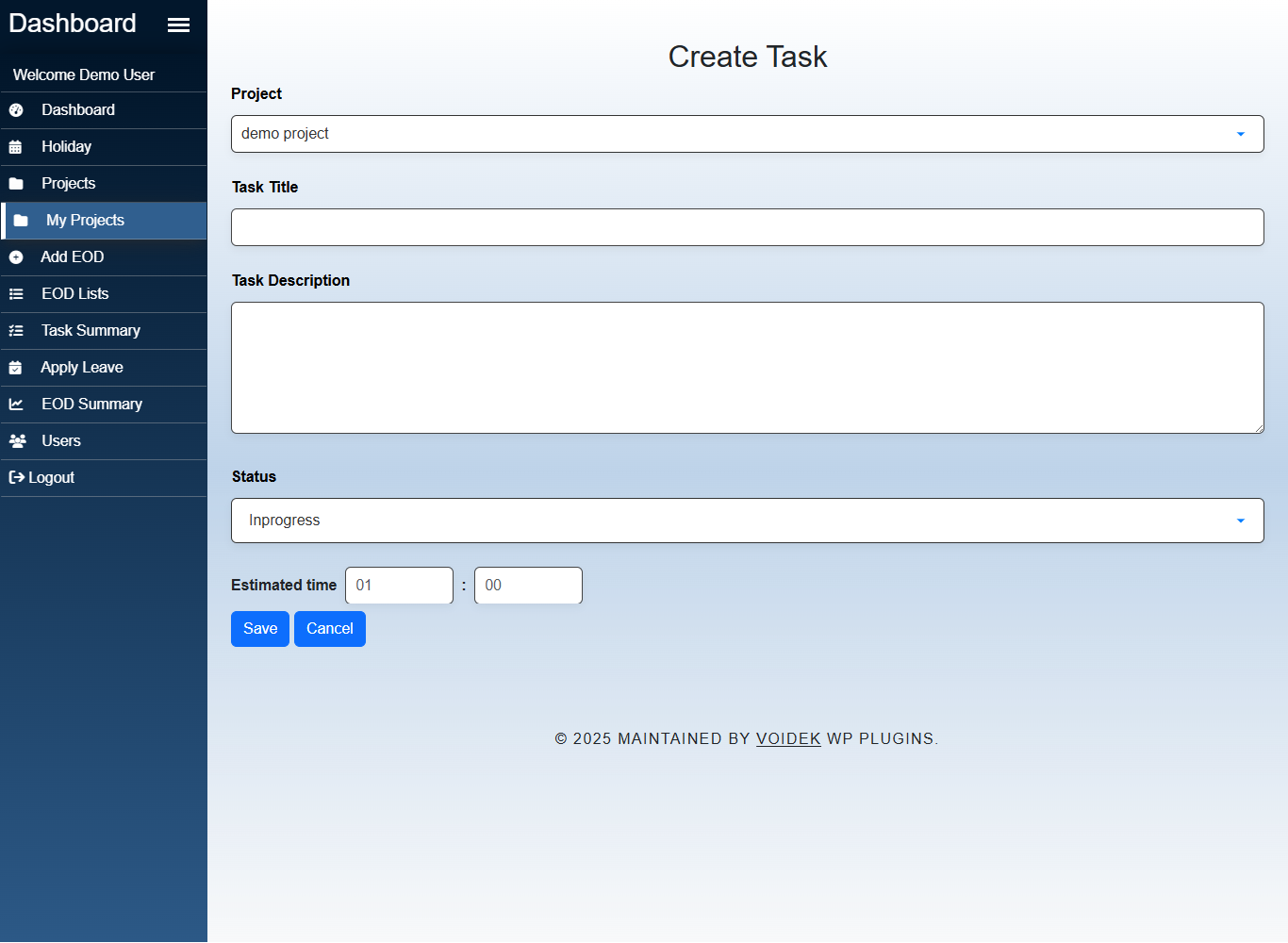
Task creation
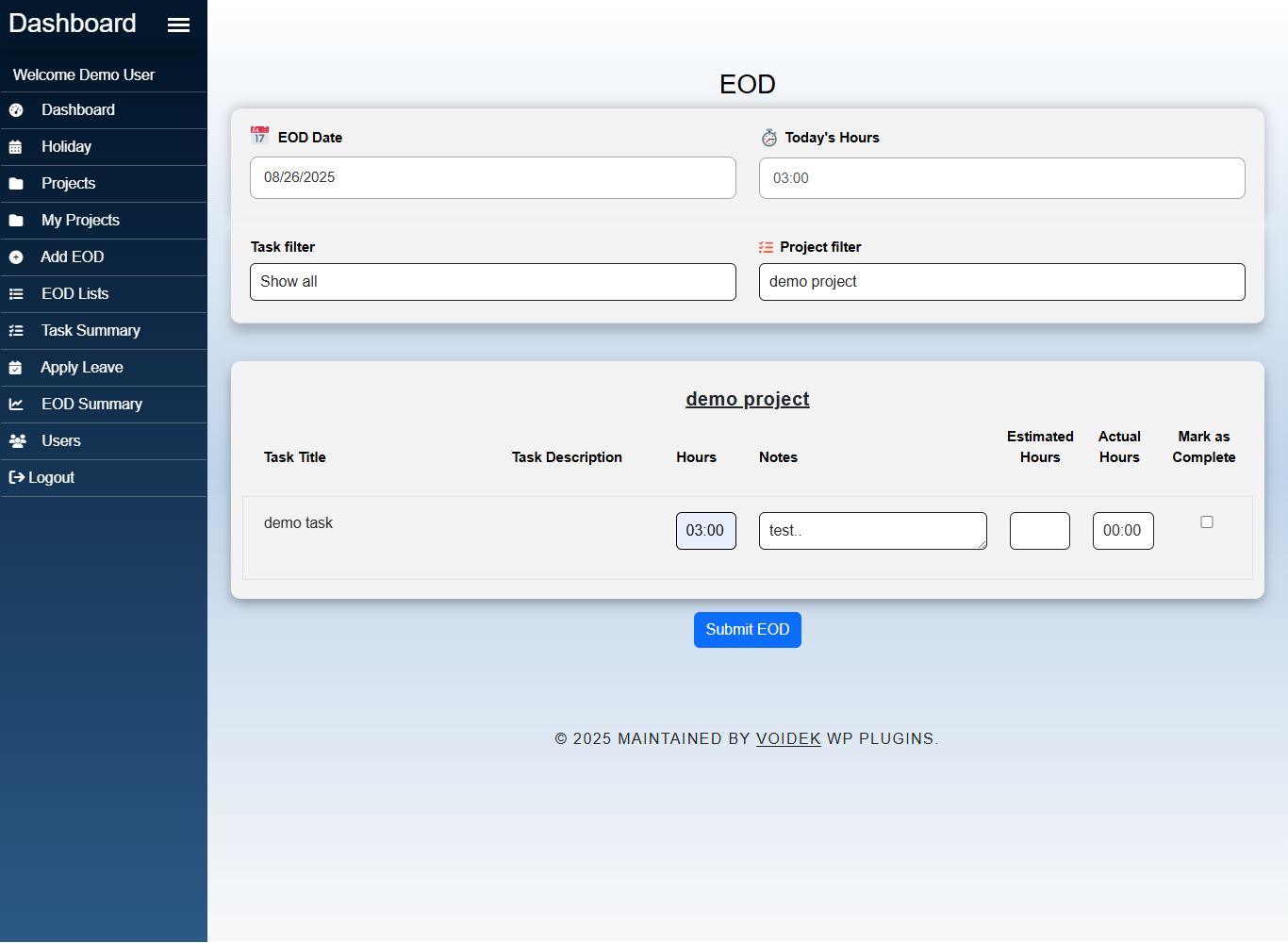
EOD submission form
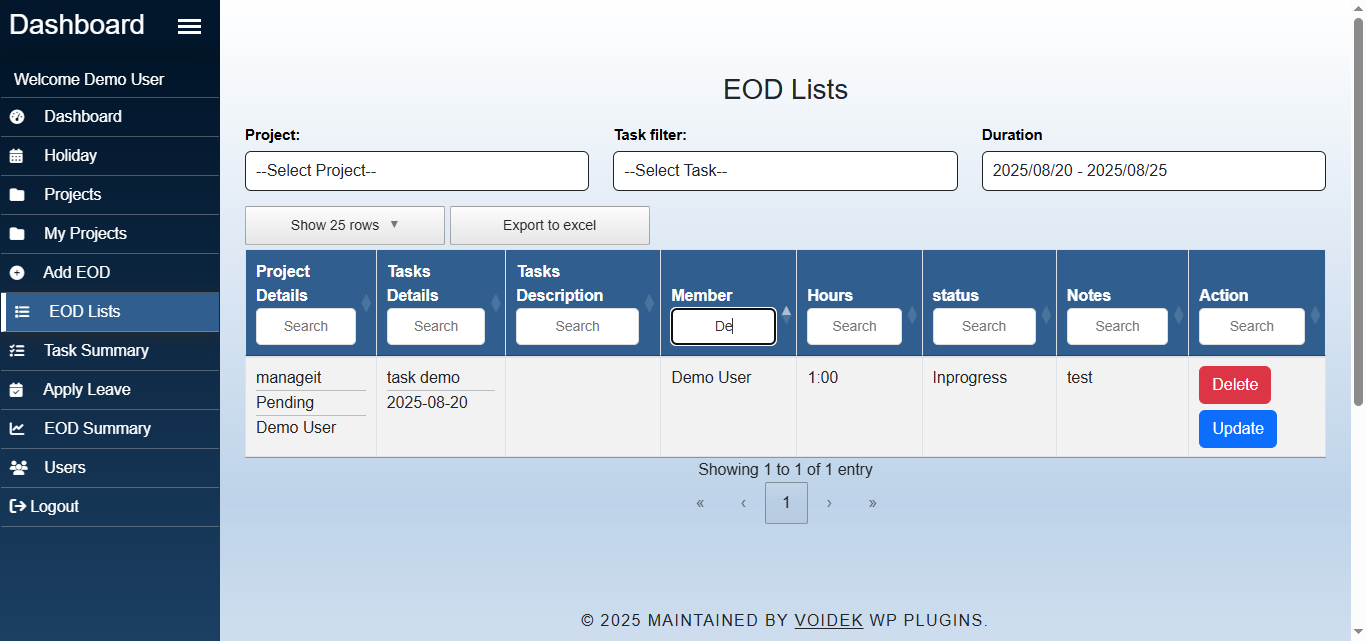
EOD Report Filters
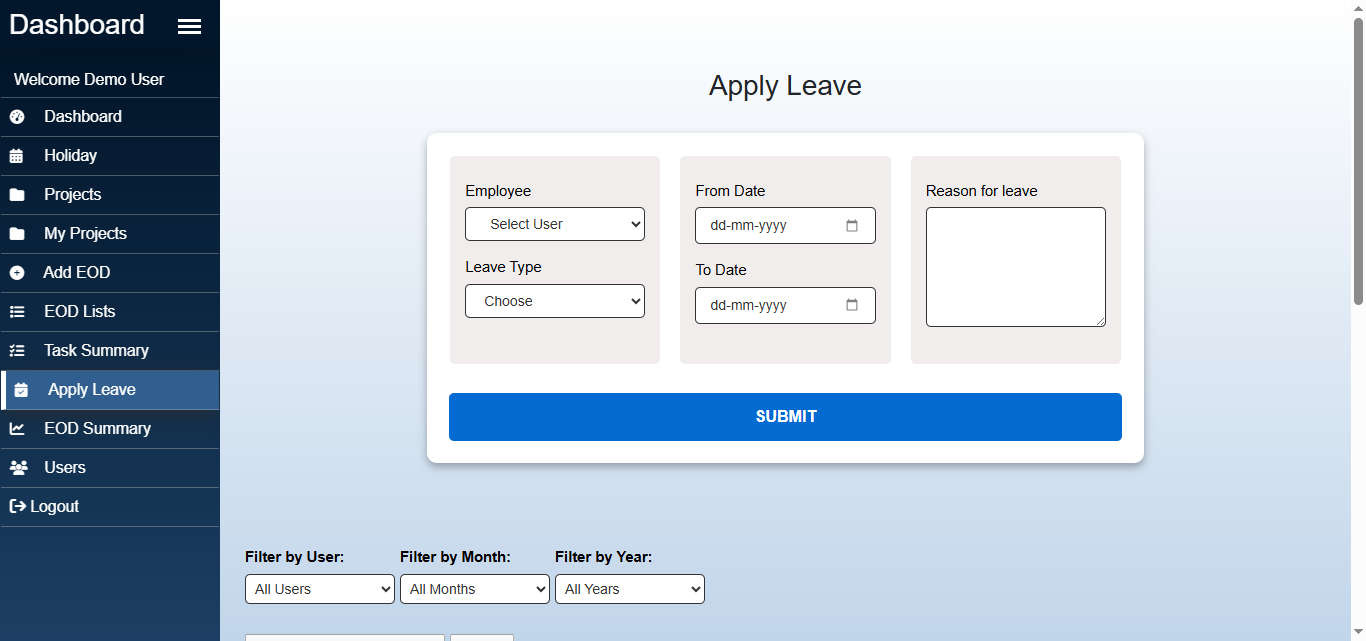
Leave Request Form


