
Voxtrics Feedback Wordpress Plugin - Rating, Reviews, Demo & Download
Plugin Description
This plugin places the surveys you build in Voxtrics Feedback on your WordPress site, without editing theme files or pasting script tags.
- A survey on every page. Enter the ID of a popup or chat survey in Settings Voxtrics Feedback and it appears across the whole site.
- A survey in a chosen place. Add the Voxtrics survey block where the survey should appear: in a post, a page, a template part such as the footer, or a widget area. In the classic editor or a page builder, use the
[voxtrics_survey id="…"]shortcode. - The survey’s type decides how it looks. An inline form shows in its place; a popup, with or without a button, and a chat survey appear over the page. Questions, triggers and styling are set in Voxtrics Feedback; the plugin only places the survey.
You need a Voxtrics Feedback account and a published survey. A survey loads only on the domain it belongs to in Voxtrics Feedback, so add your site’s domain there first.
External services
This plugin connects to Voxtrics Feedback, a survey service at feedback.voxtrics.io operated by Oiva Software Oy, Helsinki, Finland. The service shows the surveys and stores the responses; the plugin does nothing without it.
The plugin makes no requests until you enter a survey ID in its settings or place a survey on a page. From then on, on every page that has a survey, the visitor’s browser:
- loads the survey script from feedback.voxtrics.io;
- requests the survey from feedback.voxtrics.io, sending the page address that the browser puts in the Referer header, the visitor’s IP address and a random visitor ID;
- creates that visitor ID on its first page view with a survey and keeps it in the browser’s local storage. It recognises a returning visitor and keeps a survey that allows one response per visitor from being shown again.
When a visitor submits a response, the browser sends to feedback.voxtrics.io:
- the answers;
- the path of the page and a copy of the page’s HTML with scripts removed, which shows your team the page as the visitor saw it. The copy contains whatever that page showed the visitor, such as a signed-in visitor’s name in the admin bar;
- the HTML of a page element the visitor pointed at, if the survey lets visitors select one;
- browser details: user agent, language, platform, window size, number of processor cores, device memory, touch points, and whether cookies, a PDF viewer and browser automation are enabled;
- the visitor ID. The service stores the visitor’s IP address with the response to keep one visitor from answering twice.
A survey set to appear only when a certain cookie exists checks for that cookie in the browser. No cookies are sent to feedback.voxtrics.io.
- Terms of Service: https://feedback.voxtrics.io/en/legal/terms
- Privacy Policy: https://feedback.voxtrics.io/en/legal/privacy
- Data Processing Agreement: https://feedback.voxtrics.io/en/legal/dpa
Screenshots

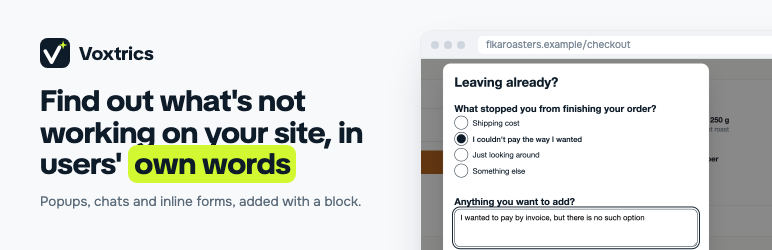
A popup survey on a checkout page asks why the visitor is leaving.

A rating survey right after a purchase.

Visitors click the part of the page that confuses them, and the response comes with a screenshot of that spot. Available on the Scale plan and above.

A chat survey asks one question at a time.

An inline form under a help article, in the site’s font and colors.


