
VulnLine Wordpress Plugin - Rating, Reviews, Demo & Download
Plugin Description
When a security researcher finds a vulnerability in your site, how do they reach you?
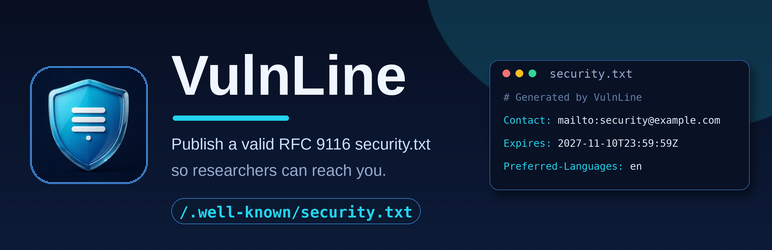
Most WordPress sites have no answer — so reports go to Twitter, get ignored, or never happen. VulnLine is a security.txt generator for WordPress: it creates and serves a valid security.txt file (RFC 9116, the internet standard for publishing security contact information) at /.well-known/security.txt, exactly where security researchers and bug bounty hunters look first.
In short: install VulnLine, and your WordPress site publishes a standard security contact file at https://yoursite.com/.well-known/security.txt — with your contact details, an expiry date, and your vulnerability disclosure policy — valid the moment you activate it, with zero configuration.
What is a security.txt file?
A security.txt file is a small plain-text file that tells anyone who finds a security problem on your website how to report it to you responsibly. It is defined by the IETF in RFC 9116 (published 2022) and lives at one fixed address: /.well-known/security.txt, served over HTTPS as text/plain. Think of it as robots.txt for security researchers: a machine-readable signpost that says “found a vulnerability? Here is how to tell us.”
What you get
- A valid
security.txtserved automatically at/.well-known/security.txtwith the correcttext/plaincontent type — no file editing, no FTP, no server config - Zero-config start — on activation VulnLine fills in ready-to-use defaults (your site admin email as the Contact, an Expires date one year ahead, your site language), so your file is valid and live immediately
- Contact (required) — one or more contact URIs:
mailto:,https://,tel: - Expires (required) — always a future date, with a dashboard warning before your file lapses
- Every optional RFC 9116 field: Encryption (PGP key link), Acknowledgments, Preferred-Languages, Policy (your vulnerability disclosure policy page), Hiring, Canonical
- Live preview — a syntax-highlighted preview with one-click copy; see exactly what researchers will see before you save
- Built-in RFC 9116 validation — catches bad contact URIs, past Expires dates and malformed fields, with clear error messages
- Admin reminder — a dashboard notice if your security.txt is missing or invalid, so it never silently rots
What a valid security.txt looks like
Contact: mailto:security@example.com
Expires: 2027-11-10T23:59:59Z
Preferred-Languages: en
Policy: https://example.com/security-policy
Canonical: https://example.com/.well-known/security.txt
Only Contact and Expires are required by RFC 9116. VulnLine generates this file for you, keeps the format correct, and updates it the moment you save your settings.
Why your WordPress site needs a security.txt
- Google, Facebook, the US CISA and thousands of bug-bounty programs publish a security.txt — it is the expected standard for responsible disclosure
- Security researchers, ethical hackers and vulnerability scanners (including internet.nl-style compliance checks) look for
/.well-known/security.txtfirst; without one, many simply move on — or disclose publicly - The EU Cyber Resilience Act pushes vendors toward coordinated vulnerability disclosure; a security.txt is the simplest way to publish yours
- A reachable security contact turns a potential public incident into a quiet, responsible report
Why a plugin instead of uploading the file by hand?
You can create a .well-known folder and upload a text file by FTP — if you have filesystem access and get every detail right. In practice, hand-made files break silently: the folder is lost in a site migration, the file is served as text/html instead of text/plain, the Expires date passes unnoticed, or the file is edited into an invalid format. VulnLine serves security.txt dynamically through WordPress, validates it against RFC 9116 every time you save, and warns you in the dashboard if anything is wrong — including an Expires date that is about to lapse.
Privacy
This plugin collects nothing, phones home nowhere, and adds zero front-end weight — it only serves one tiny text file when requested.
Built by WordPress security specialist Md Jahid Bin Sabit — jbsabit.com
Screenshots

The VulnLine settings screen — live status, expiry countdown, and a live preview of your security.txt exactly as researchers will see it.

Your security.txt served at /.well-known/security.txt with the correct plain-text format.

The live preview card with syntax highlighting and one-click copy — what you save is exactly what researchers get.

Built-in validation warns you the moment something is wrong — here, an Expires date in the past.

A dashboard reminder appears across wp-admin if your security.txt is missing or invalid, so it never silently rots.


