Waito Animated Preloader And Loading Screen Wordpress Plugin - Rating, Reviews, Demo & Download

Plugin Description
A preloader is an animated loading screen that covers a web page while it
finishes loading, then disappears on its own once the page is ready. It hides
the half-drawn layout, shifting images and jumping text that visitors would
otherwise watch assemble itself, and replaces all of that with one clean
animation.
Waito Animated Preloader adds a preloader to any WordPress site from a settings
screen. There is no shortcode to place, no template file to edit, no page
builder needed, and no code to write at any point.
The free version ships 41 working loader templates: 30 animated spinners,
5 text loaders, 5 text-with-progress-bar loaders, and a logo loader that uses
your own image. Every single one of them is real CSS running on your site.
Nothing in that list is a locked preview or a teaser for the paid version.
What a loading screen actually does for your site
A page load is the first thing a visitor experiences, and an unstyled one looks
broken even when nothing is wrong. A preloader covers that moment. In practice
site owners use it for three things:
- A cleaner first impression. Image-heavy pages, portfolios, restaurant
sites and photography galleries look unfinished while they load. A loading
screen hides that. - Perceived speed. A progress bar counting to 100% feels faster than a
blank white screen of the same length, because the visitor can see something
happening. - Branding. A logo loader puts your mark on screen for the second or two
before your homepage arrives.
Everything in the free version
- 41 preloader templates — ring spinners, dot loaders, equaliser bars,
pulse shapes, animated text loaders and progress bars. - Four loader types — animation only, text only, text with a progress bar,
or your own logo image. - Full colour control — set the animation colour, the loading text colour
and the percentage colour independently, from a picker or from suggested
swatches. - Size and weight — loader diameter from 24 to 140 px, stroke thickness
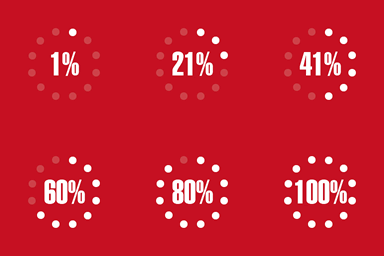
from 1 to 12 px, positioned at the top, centre or bottom of the screen. - A progress bar with a live percentage counter, free, not held back for
the paid version. Height, size and colour are all adjustable. - Real asset progress — the percentage can follow how many of the page’s
images have genuinely finished loading, instead of a simulated curve. - Custom loading text, or a list of rotating messages that cycle while the
page loads, at an interval you choose. - Your own logo as the loader, with an optional retina (2×) version so it
stays sharp on high-density screens. - Entrance animations — fade in, zoom in or drop in, with a duration you
control. - Minimum display time, so the loading screen does not flash and vanish on
a fast connection. - Scroll lock while the loading screen is visible.
- Show once per session, so returning visitors are not made to wait again.
- Hide for logged-in administrators, on by default, so the preloader stays
out of your way while you work. - Automatic reduced-motion support for visitors who ask their operating
system for less animation. - Three ready triggers — DOM ready, window load, or once your web fonts
have settled. - A failsafe timeout, so the loading screen can never get stuck on screen.
- Import and export your whole configuration as a JSON file.
What is inside the 41 free templates
- 8 ring loaders — classic spinners, arcs and rotating circles.
- 8 dot loaders — bouncing, fading and travelling dots.
- 8 bar loaders — equaliser bars and sliding bars.
- 6 pulse loaders — expanding and breathing shapes.
- 5 text loaders — animated wording with no graphic at all.
- 5 progress loaders — text with a loading bar and a percentage counter.
- 1 logo loader — your own image, shown on the loading screen.
Each template card in the admin animates as a live preview, so what you see
while choosing is exactly what your visitors get.
A lightweight loading screen, not a framework
- No jQuery on the front end. The loader script is plain JavaScript, about
8 KB, with no dependencies. - Pure CSS animations. No GIFs, no sprite sheets, no icon fonts, no
external requests of any kind. - Nothing is loaded from a third-party server. Every asset is served from
your own site. - Caching-plugin friendly, with a compatibility mode for hosts and plugins
that serve very aggressive page caches. - No database tables and no scheduled tasks. All settings live in a single
WordPress option. - Translation ready, with a bundled translation template.
Works with your theme and page builder
The loading screen is drawn over the whole page, so it does not care how the
page underneath was built. It works with classic themes and block themes, and
with Elementor, Divi, Beaver Builder, Bricks, WPBakery and WooCommerce alike.
It also works alongside the popular starter themes — Astra, GeneratePress,
Kadence, Blocksy, OceanWP and the default Twenty Twenty themes.
Accessibility
The loading screen is marked so that screen readers skip past it rather than
announcing it, and visitors who have turned on the reduced-motion setting in
Windows, macOS, iOS or Android are shown a still loader instead of an animated
one. That behaviour is on by default rather than something you have to find.
Waito Preloader Pro
The free plugin is complete on its own and always will be. Pro is for people
who want the loading screen to be part of the design rather than a neutral
cover.
- 134 templates in total — Pro adds 93 more, including 54 further
animations (shapes, grids, orbits and pairs), 18 more text effects such as
typewriter, marquee, shimmer and letter-by-letter waves, 11 more progress bar
styles, and 10 animated effects for your own logo. - Any background colour, plus two-colour gradients, instead of the free
version’s white loading screen. - Overlay opacity, so your page shows faintly through the loading screen.
- Exit animations — fade, slide up, curtain and zoom, with an adjustable
duration, instead of the screen simply disappearing. - Page transitions — bring the loading screen back when a visitor clicks a
link inside your site, with a delay so fast clicks never see it at all. - Animated logo loaders — pulse, spin, bounce, swing, flip, shake, blur,
tilt, zoom and fade applied to a still image. - Two and three colour text templates, each with its own colour pickers.
- Display targeting — run the preloader on the homepage only, or on chosen
post types, instead of the whole site. - URL exclusions with wildcards, for example
/checkout/*, so the
preloader stays away from carts and account pages. - Mobile control — disable the preloader below 768 px, or show a different,
simpler template there. - Date scheduling — run a themed loading screen between two dates for a
launch, a sale or a seasonal campaign, and let it switch itself off.
Free and Pro at a glance
Free, and not limited in any way:
- 41 loader templates
- Progress bar and live percentage counter
- Custom logo loader, with retina support
- Loading text and rotating messages
- Entrance animations, minimum display time and failsafe timeout
- Reduced-motion support and scroll lock
- Caching compatibility, import and export
Added by Pro:
- 134 templates in total, 93 more than the free version
- Any background colour, plus two-colour gradients
- Overlay opacity
- Exit animations, with an adjustable duration
- Page transitions between pages
- 10 animated effects for your own logo
- Homepage-only and per-post-type display rules
- URL exclusions with wildcards
- Mobile rules, and a separate template below 768 px
- Date scheduling
External Services
This plugin uses Freemius to handle the optional opt-in and to handle licences
for the paid version.
Freemius is contacted in these situations:
-
When you activate the plugin you are asked whether to opt in. If you accept,
your site URL, WordPress and PHP versions, active theme and plugin list, and
your administrator name and email address are sent to Freemius, so the
plugin can be supported and you can be told about updates. You may skip
this, and the plugin then sends nothing. The plugin is fully functional
either way. -
When you open the pricing screen, a request is made to Freemius to fetch the
current plans and prices. Your site URL is included. -
If you buy a licence, the checkout is served by Freemius inside your
dashboard. Payment details are handled entirely by Freemius and never reach
this plugin or your site. -
While a licence is active, Freemius is contacted periodically to check it.
Nothing is ever sent about the visitors of your site.
This service is provided by Freemius, Inc.
Terms of Service: https://freemius.com/terms/
Privacy Policy: https://freemius.com/privacy/
Screenshots

The template picker, showing the free loader templates with live previews.

Style and colour settings, with a live preview of the loading screen.

Text and progress bar settings, including the percentage counter.

Animation and timing settings.