
Wasp Download Guard For WooCommerce Wordpress Plugin - Rating, Reviews, Demo & Download
Plugin Description
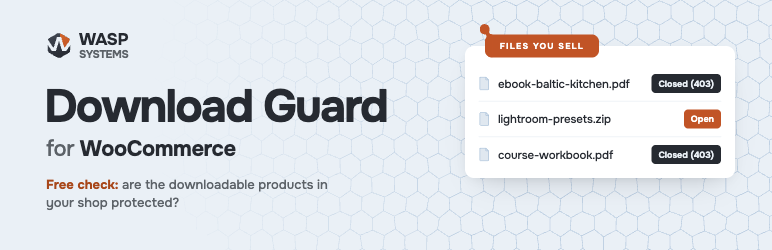
Wasp Download Guard checks, for free, whether the files your WooCommerce shop sells are protected as you intended. It requests each file the way a visitor who has not bought it would, shows what your server answered, and tells you what to do where a file is open.
All of it is free: no account, no limits, nothing locked.
Why check
WooCommerce gives each buyer a download link that checks the order. The file itself still has an address on your site, and whether a visitor who finds that address gets the file depends on where the file is kept and on the server:
- A file picked from the Media Library stays in an ordinary uploads folder, which the server hands out to anyone.
- A file uploaded in the product goes into the
woocommerce_uploadsfolder. WooCommerce closes that folder with a.htaccessfile. Apache reads it; nginx does not, so on nginx the folder is open until the server has a rule for it. - A move to another host, a change of server settings or a restore from a backup can drop that protection without anyone noticing.
What it does
- Checks every file your products sell, in simple products, variations and drafts, and gives each file a status: open, closed, or the reason the answer did not tell.
- Does not take a refusal on trust. A file counts as closed only if the server hands out an open test file of the same type. When a firewall or a password keeps out the site’s own requests, the file is not shown as protected.
- Checks the
woocommerce_uploadsfolder itself, and shows how to close it on nginx, Apache and LiteSpeed, with the rule for your site’s paths and a ready request to send to your host. - Moves open files into
woocommerce_uploads. Every product that sells a file gets its new address and keeps the download’s ID, so buyers’ download links keep working. Each move is recorded and can be undone. - Rechecks a product’s files in the background after they change.
- Adds a line to Site Health when files can be downloaded without buying them.
Everything is in WooCommerce Status Downloadable files, built from WooCommerce’s own status screens. Under the file lists, a folded section explains each status and note and what to do about it.
Safe for the shop
- Nothing runs on page loads. A full check runs only when you start it, in steps of a few seconds, with a pause between requests, and stops on its own if the server keeps refusing. If you close the page, the check or a move goes on in the background through the Action Scheduler that ships with WooCommerce.
- Tested with 10,000 products on a test site: every step stayed under five seconds.
- Tested next to Wordfence, Solid Security, All-In-One Security and Sucuri with their strict settings: the results were the same as without them.
- Compatible with WooCommerce’s order storage in its own tables (HPOS). Tested with WooCommerce 9.0 to 11.2, WordPress 6.5 to 7.1 and PHP 7.4 to 8.5.
Your data
The plugin only requests files from your own site. It sends nothing to other servers, sets no cookies and records nothing about visitors.
WP-CLI
wp download-guard checkchecks the files and prints the result.wp download-guard movemoves files from ordinary folders into the protected folder.wp download-guard moveslists the moves, andwp download-guard undo <id>undoes a move.
Screenshots

The summary and the woocommerce_uploads folder section, with how to close the folder on the server.

Product files, grouped by where they are kept.

Confirming a move into the protected folder.

Tasks: full checks and moves, with undo.

The line in Site Health.


