
Webangon Dashboard Wordpress Plugin - Rating, Reviews, Demo & Download
Plugin Description
The default WooCommerce My Account page is a plain list of links. It is the page your best customers visit most, and it looks the same in every store.
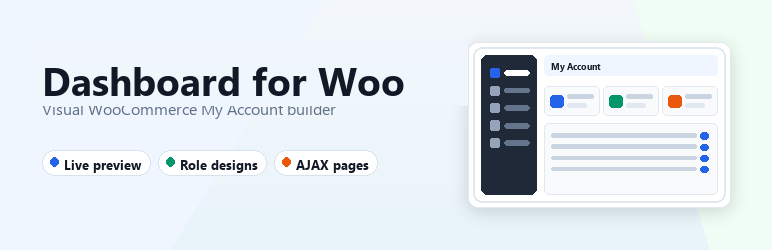
Webangon Dashboard turns it into a real customer dashboard. Pick a layout, set your colours, arrange the menu and see every change on the real account page while you work. No code, no page builder, no template files to edit.
Build it visually
Go to WooCommerce Account Dashboards Add Design. Controls sit on the left and your actual My Account page sits on the right.
- Colours, sizes and layout update the preview instantly.
- Preview on desktop, tablet and mobile.
- Jump to any account page (orders, addresses, downloads, third-party tabs) from the preview toolbar.
- Nothing goes live until you publish.
Eight layouts
Sidebar left, sidebar right, top tabs, icon rail, app shell, hero banner, tiles and centered. Switch between them in one click. Your menu and content stay as they are.
Eight one-click templates
Classic, Midnight, Boutique, Minimal, Studio, Launchpad, Fresh and Corporate. Each sets layout, colours and style, so you have a finished look in seconds and a solid base to customise.
Full style control
- Nine colour tokens: accent, background, cards, navigation, text, borders and more.
- Corner radius, base font size, card shadow and active menu style.
- Comfortable or compact spacing, sidebar width, maximum width.
- Show or hide the customer profile card and page title. Keep the navigation in view while scrolling.
Menu editor
- Drag to reorder.
- Rename any item.
- Hide items you do not need.
- Choose an icon for every item.
- Add custom links to any URL, optionally in a new tab.
- Tabs added by other plugins (subscriptions, wishlists, memberships) appear automatically.
A dashboard customers actually use
Replace the default “Hello, not you? Log out” text with:
- A greeting with the customer’s name.
- Summary cards: total orders, total spent, downloads, member since.
- A recent orders table with status badges.
- Quick links to every account page.
Prefer the WooCommerce default text? Switch the designed dashboard off and keep the new layout.
Different designs for different customers
Create as many designs as you like and assign each one to:
- Specific customers,
- User roles (wholesale, subscriber, customer…),
- Or everyone else.
The most specific match wins, then the higher priority. Give wholesale buyers their own dashboard without touching what retail customers see.
Fast AJAX navigation
Menu links, pagination and order links swap the content area without a full page reload, and the browser address and back button keep working. The server renders each page exactly as WooCommerce would, including pages from other plugins, and loads any scripts the page needs. Address forms, payment pages and third-party tabs keep working. Any page can be set to always reload fully.
Built to play well with others
- Works with any theme. Everything is scoped to the account area.
- Compatible with WooCommerce High-Performance Order Storage (HPOS).
- Accessible: keyboard navigation, focus management, screen reader announcements and reduced-motion support.
- Theme overrides for both templates.
- Developer friendly: more than 20 filters and actions, plus JavaScript events and a builder API.
- No external requests, no tracking, no account needed.
Webangon Dashboard Pro
The free plugin gives you a great-looking account area. Webangon Dashboard Pro turns it into a sales and retention tool. It is a separate add-on that plugs into the same builder, so there is nothing new to learn.
Your own account pages
Add any tab you want to My Account: a support desk, a loyalty page, a size guide, a B2B price list. Build it with the block editor or Elementor, reuse an existing page, drop in a shortcode or pick an Elementor template. Decide who can open it.
Drag-and-drop dashboard widgets
Build the dashboard from widgets and place them side by side in four widths:
- Latest order with live tracking
- Buy again (one-click reorder)
- Saved addresses
- Available coupons with copy-to-clipboard
- Downloads
- Announcements
- Profile completion meter
- Custom HTML and shortcodes
- More summary cards: average order value, last order date, coupons
- Subscriptions, Memberships, Points and Rewards, Bookings, Wishlist and Vendor dashboard widgets when those plugins are active
Show the right thing to the right customer
One condition builder works on menu items, widgets, account pages, announcements and whole designs:
- User role
- Bought a product or bought from a category
- Total spent and number of orders
- Active subscription or membership
- Any user meta value
- Email domain (ideal for B2B)
- Site language
- Days since registration
- Date ranges
Show a VIP lounge to customers who spent over 500. Hide Downloads from people who never bought a digital product. Give returning buyers a reorder widget and new buyers a welcome offer.
A better order experience
- Visual status timeline: placed, paid, shipped, delivered.
- Shipment tracking box on the order screen, shown to the customer with a Track parcel button and an optional email.
- “Order again” directly in the orders list.
- Print-ready invoices with your logo, address and footer.
- Search and filter orders by number, product, status and date.
Fewer “where is my order?” emails, more repeat orders.
Branded login and registration
Style the logged-out screen with your design’s colours in a centred card or a split layout with your own image and message. Add a social login slot. Send each role to a different page after login, and choose where customers land after logout.
Richer customer profiles
- Avatar upload that replaces Gravatar across the site.
- Custom profile fields (text, dropdown, date, checkbox and more) on Account details, on registration and in wp-admin.
- A profile completion meter that nudges customers to fill in what you need.
- Use any field in conditions.
Announcements
Publish a banner above the account content or a notification bell with an unread count. Schedule it, target it with conditions, limit it to certain designs, and let customers dismiss it. Perfect for sales, shipping delays and policy changes.
Scheduling and A/B testing
- Run a design only between two dates: a Black Friday dashboard that switches itself on and off.
- Split traffic between two designs. Each customer always sees the same version.
- Compare views, clicks, reorders and quick-link use side by side.
Privacy-friendly analytics
See which account pages, quick links, widgets and buttons customers use, per design, for the last 7, 30 or 90 days. Only daily totals are stored: no user IDs, no IP addresses, no cookies.
More design power
- 18 fonts, including Google Fonts
- Customer dark mode with its own palette and a sun/moon switch
- Hero banner image with overlay control
- Custom CSS per design
- 40 extra line icons
- 8 more templates: Aurora, Graphite, Seaside, Ledger, Blossom, Harbor, Sand and Mono
Even faster navigation
- Skeleton loaders instead of a spinner
- Prefetch on hover, so pages open instantly
- Slide, zoom and blur transitions
- Account details and address forms that save without a reload
Tools for agencies and teams
- Duplicate a design in one click
- Export and import designs as JSON between sites
- Copy designs across a multisite network
- White label: rename the plugin, author and menu, and hide the add-on from the Plugins list
Everything in the free plugin stays free. Pro adds to it and never locks what you already have.
Notes
- The My Account page must contain the
[woocommerce_my_account]shortcode (or the equivalent block); designs replace themyaccount/my-account.phpandmyaccount/dashboard.phptemplates. - Theme overrides: copy
templates/my-account.phportemplates/dashboard.phptoyourtheme/webangon-dashboard/. - Forms (edit account, addresses) still submit normally; WooCommerce processes and redirects as usual.
- Hiding a menu item removes the link only – the endpoint URL still works.
- Managing designs requires
manage_woocommerce(filterwebangonwd_manage_capability).
Hooks
Filters: webangonwd_design_for_user, webangonwd_design_score, webangonwd_current_design, webangonwd_sanitize_settings, webangonwd_choices, webangonwd_presets, webangonwd_icons, webangonwd_css_vars, webangonwd_classes, webangonwd_locate_template, webangonwd_frontend_config, webangonwd_builder_tabs, webangonwd_builder_config, webangonwd_navigation, webangonwd_endpoint_title, webangonwd_ajax_allowed, webangonwd_recent_orders_query, webangonwd_manage_capability, webangonwd_has_pro, webangonwd_pro_url.
Actions: webangonwd_before_ajax_render, webangonwd_after_ajax_render, webangonwd_enqueue_assets, webangonwd_toolbar, webangonwd_after_profile, webangonwd_before_content, webangonwd_builder_assets, webangonwd_builder_panel_{layout|style|menu|dashboard|assign|ajax|advanced|your-tab}.
JavaScript events (on document.body via jQuery and as DOM CustomEvents on document): webangonwd:before-load, webangonwd:loaded. The account page exposes window.webangonwdNav (go, parse, render, prefetch, enabled).
Builder: window.webangonwdBuilderAPI (getState, getPath, setPath, sync, changed, el, renderMenu, reloadPreview…) and the jQuery events webangonwd:builder-ready and webangonwd:menu-item on document.
Pro
Webangon Dashboard Pro is a separate add-on that needs this plugin. It adds custom account pages, a dashboard widget builder, display conditions, advanced assignment with scheduling and A/B tests, order tools, a branded login screen, profile fields, announcements, more style options, analytics, import/export and white label.


