
Webian Custom Post Accordion For Elementor Wordpress Plugin - Rating, Reviews, Demo & Download
Plugin Description
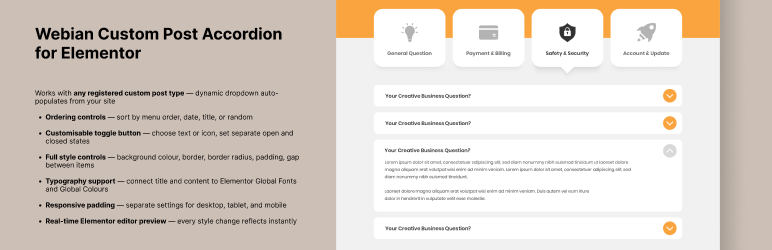
Custom Post Accordion for Elementor lets you display any custom post type (CPT) as a smooth, animated accordion widget — directly inside the Elementor editor with full live preview.
Whether you’re building a job listing page, an FAQ section, a team member showcase, a product catalogue, or any other content type, this widget gives you a flexible, style-ready accordion that works with your existing WordPress setup.
No shortcodes. No custom templates. Just drag and drop to configure.
Features
- Works with any registered custom post type — dynamic dropdown auto-populates from your site
- Ordering controls — sort by menu order, date, title, or random
- Customisable toggle button — choose text or icon, set separate open and closed states
- Full style controls — background colour, border, border radius, padding, gap between items
- Typography support — connect title and content to Elementor Global Fonts and Global Colours
- Responsive padding — separate settings for desktop, tablet, and mobile
- Real-time Elementor editor preview — every style change reflects instantly
Perfect for
- Job listings and career pages
- FAQ and knowledge base sections
- Team member directories
- Product or service catalogues
- News and announcement archives
- Any content stored in a custom post type
Requirements
- WordPress 5.8 or higher
- Elementor (free) 3.0 or higher
- PHP 7.4 or higher
Elementor Pro is not required. The widget works with the free Elementor plugin.
Screenshots

Widget in the Elementor editor — Post Type and style controls

Accordion displayed on the frontend — closed state

Accordion displayed on the frontend — open state

Toggle Button settings — text and icon options

Summary Bar style controls — colour, border, and padding
Similar Plugins:
 Rating Widget: Post Rating, 5 Star Rating, Reviews, Thumbs Up & Down, Reaction
 WordPress To PDF, Download As PDF Document Of Any WordPress Post Types, Download Post As PDF, PDF Viewer, PDF Block, View PDF On WordPress – Document Engine
 Accordion – AI FAQ, Accordion, Tabs, Image Accordion, Product FAQ, FAQ Builder, FAQ Grid