
Webkoding AgeWall Wordpress Plugin - Rating, Reviews, Demo & Download
Plugin Description
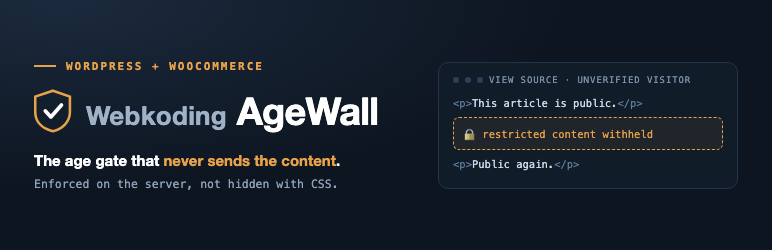
Webkoding AgeWall adds real, server-side age verification to WordPress. Unlike simple “click to confirm” overlays that only hide content with CSS or JavaScript, AgeWall withholds protected content on the server: an unverified visitor never receives the restricted markup in the HTTP response, so it cannot be revealed by disabling scripts or reading the page source.
Gate your whole site, or just the pages, posts and blocks that need it. Set the minimum age, choose how visitors prove it, and decide what happens when they have not — all from one settings screen.
Key features
- True server-side enforcement. Protected content, shortcodes and blocks are withheld before the response is sent. The gate requirement (minimum age and method) is signed and re-derived on the server, so it cannot be weakened by tampering with the request.
- Whole-site gate or per-content gates. Gate the entire site with an overlay or a dedicated page, or gate individual pieces of content with the
[agewall]shortcode and the AgeWall block. - Per-post and per-category restrictions. Mark any post, page, custom post type or term as age-restricted, with its own minimum age and method.
- Two verification methods.
- Confirmation (“I am over N”) — a lightweight self-declared check.
- Date of birth (DOB) — a self-declared date, validated on the server.
- Choose your enforcement. Withhold the content entirely (the default and the strictest), redirect to a gate page, or cover the page with an overlay when you need search engines to keep seeing it.
- Search-engine friendly. Optionally allow known search-engine bots to bypass the gate for SEO.
- Customizable gate appearance. Set the gate title, message and logo, and choose an overlay, modal or inline template.
- No accounts, no tracking, no third-party calls. AgeWall stores no personal data and contacts no external service.
- Translation ready. All strings use the
webkoding-agewalltext domain and alanguages/webkoding-agewall.pottemplate is included.
Developers
AgeWall is built to be extended. Documented hooks let you add your own verification provider (agewall/register_providers), supply your own rule set (agewall/rules), resolve the visitor’s country (agewall/visitor_country), observe every verification attempt (agewall/verification_attempt), and add your own settings tabs and admin screens (agewall/settings_tabs, agewall/admin_menu).
Screenshots

Server-side enforcement: an unverified visitor’s page source contains no restricted markup at all. The protected text is absent from the HTTP response, not hidden with CSS.

A page gated with the whole-page age gate, asking the visitor for a date of birth.
![A public article with one age-restricted section locked by the <code>[agewall]</code> shortcode. The surrounding paragraphs stay public.](https://ps.w.org/webkoding-agewall/assets/screenshot-3.png?rev=3667441)
A public article with one age-restricted section locked by the
[agewall]shortcode. The surrounding paragraphs stay public.
The AgeWall Gate block. The blocks nested inside it are rendered on the server only after the visitor verifies.

Settings: minimum age, verification method, and what happens when a visitor is unverified — withhold, redirect or overlay.

The “Age restriction (AgeWall)” box on the edit screen, setting a minimum age and method for a single page.


