Webwall Proposal Builder Wordpress Plugin - Rating, Reviews, Demo & Download
Plugin Description
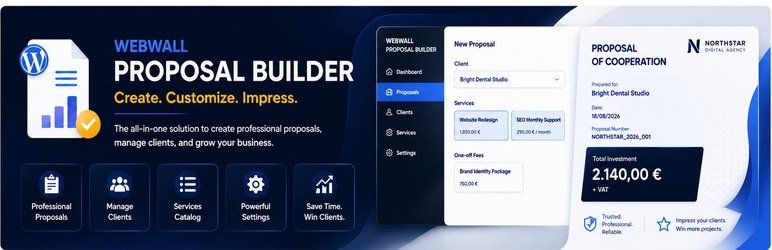
Webwall Proposal Builder is a WordPress plugin for creating professional client proposals. Agencies, studios, and independent professionals can manage clients and a service catalog, build a priced proposal, preview the document, and print it — without WooCommerce and without a Pro license.
The free version is a complete proposal workshop, not a teaser. You keep working in the WordPress admin you already use.
Who it is for
- Agencies and freelancers who send structured offers, not just a price in an email
- Teams that sell one-off work and recurring retainers in the same proposal
- Sites that need English or Greek administration
What you can do for free
- Set company identity (name, contact details, logo, bank details, default currency)
- Manage clients and a reusable service catalog
- Create proposals with line items, quantities, prices, discounts, and descriptions
- Mix one-off and recurring services, including prepayment terms
- Set payment terms and offer terms
- See calculated totals on screen
- Preview the proposal document and print it
- Keep a simple proposal list
How a proposal is built
- Complete the short company setup wizard.
- Add clients and services (or start a proposal and add items as you go).
- Edit the proposal: commercial lines, notes, and terms.
- Preview the document, then print it for the client.
Pro
Pro is optional. It unlocks delivery and pipeline tools when you outgrow print-only:
- PDF download
- Email sending
- Email open tracking (first-party pixel on your WordPress site)
- List filters, follow-up / won / lost workflow, and trash
- Version history and compare
- Additional cover themes
- Proposal templates
Upgrading does not copy or migrate proposal data. Existing clients, services, and proposals stay in place.
Languages
English is the source language. A Greek translation is included. Admin language follows the WordPress locale.
Privacy
Proposal data stays in your WordPress database. Freemius is used only if you opt in, connect an account, or upgrade. See Privacy / External Services below.
Install the free version, create one proposal, and print it. That is the product.
Privacy / External Services
Webwall Proposal Builder stores proposal, client, service, and settings data in your WordPress database. The free version does not send proposal emails and does not enable customer open tracking.
Freemius
If you choose to opt in, connect an account, view pricing, or activate a license, the bundled Freemius SDK communicates with Freemius servers (including api.freemius.com and Freemius checkout). That communication can include site URL, plugin version, license/account status, and optional diagnostic data you approve. Opt-in is not required to use the free proposal workflow. You can skip Freemius connect and continue using the free features. Skipping connect does not disable clients, proposals, preview, or print. No Freemius secret key is stored in this plugin. Privacy policy: https://freemius.com/privacy/
Email open tracking (Pro only)
Tracked proposal email is a Pro feature. When a Pro site sends a tracked email, the message may include a first-party 1×1 image loaded from this WordPress site (wwpb_email_open). Loading that image records an open timestamp and a count against a hashed token already stored for that send. No third-party tracking service is used. The free build cannot send tracked proposal email and does not silently turn tracking on. Historical Pro tracking tables remain in the schema so existing data is not removed.
WordPress.org updates
The free directory package receives plugin updates from WordPress.org.
Screenshots

New Proposal — select a client and choose one-off or recurring services for a new proposal.

Proposals — view your proposal list with client, value, date, edit, and preview actions.

Proposal Preview — review the professional proposal document before printing or using Pro delivery features.

Clients — manage client companies and their primary contact details.

Services — manage your reusable service catalog, including one-off and recurring billing.

Company Settings — configure company identity, logo, contact details, currency, and proposal defaults.