WellTend Site And Admin Toolkit Wordpress Plugin - Rating, Reviews, Demo & Download
Plugin Description
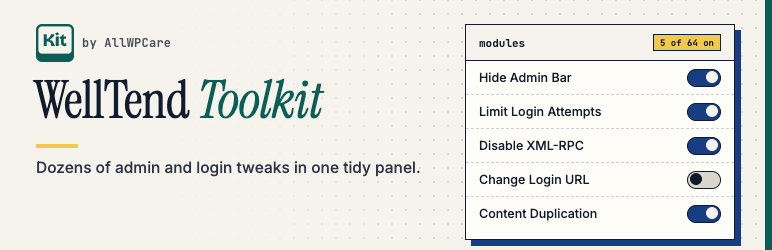
WellTend Site and Admin Toolkit is a collection of small, focused switches for your WordPress admin and site. Each one does a single job, starts off, can be undone, and explains itself in plain language. It is part of AllWPCare, a family of free plugins for taking care of WordPress sites.
Everything lives on one screen under WellTend > Toolkit:
- Search first. Press
/and type. It finds modules by name, description, keywords and even option labels, forgives typos, and highlights what matched. - Categories with counts, plus “Enabled” and “Recently changed” views.
- Saves as you go. Toggles save instantly and show an Undo button. Fields where a half-typed value must never go live (text, web addresses, passwords) have their own Save button and warn you about unsaved changes.
- Risky switches ask first. They show what can go wrong and how to get back in, and a snapshot is taken before the change.
- Link to any module. Every module has a link (
#module-id) you can share or put in your notes.
Modules in this version
- Disable XML-RPC: close the XML-RPC endpoint that attackers probe.
- Hide WordPress Version: remove the generator tag and version numbers from your pages.
- Disable Plugin & Theme Editor: nobody can edit code from the dashboard.
- Block REST User Enumeration: stop strangers listing your usernames.
- Security Headers: send a few safe response headers.
- Disable Emojis: stop loading the emoji script and styles.
- Disable Embeds (oEmbed): stop other sites embedding yours.
- Heartbeat Control: slow down or stop the WordPress heartbeat.
- Limit Post Revisions: keep the database small.
- Disable Comments: for everything, or only some content types.
- Admin Cleanup: hide dashboard widgets, admin-bar items and the Help tab you never use.
More modules arrive in updates. They all follow the same rules.
Safe by design
- Only WordPress filters and actions are used. The plugin never edits
wp-config.phpor.htaccessand never defines core constants. - Switching a module off, or deactivating the plugin, removes its effect. Your saved settings are kept unless you choose “Delete all Toolkit data” in Settings before deleting the plugin.
- If a module ever locks you out:
wp welltend toolkit disable <module-id>with WP-CLI, or adddefine( 'WELLTEND_KIT_DISABLE_MODULES', true );towp-config.phpto switch modules off until you remove the line. - Only administrators can change anything. Passwords and keys you enter are never sent back to the browser.
- No tracking. The plugin contacts no outside service on its own; the one module that talks to WordPress.org is listed under External services.
Works with WellTend Snapshots
When the free WellTend Snapshots plugin is active, every Toolkit module becomes part of its snapshots, exports and comparisons. Risky changes take a snapshot first, so you can restore the previous state with one click. Passwords and keys are never exported.
WP-CLI
wp welltend toolkit list|enable|disable|get|set|reset|undo
External services
The Plugins and Themes Rollback module (off until you switch it on) connects to WordPress.org, and only when you use its screen:
- To list the versions you can go back to, it asks the WordPress.org Plugins or Themes API (api.wordpress.org) about that one plugin or theme. It sends the plugin’s or theme’s slug. Like every request WordPress makes, it also sends your WordPress version and site address in the user agent.
- When you choose a version, it downloads that version’s zip file from downloads.wordpress.org. Nothing else is installed, and no other address is ever used.
No other module makes outside requests.
This service is provided by the WordPress Foundation through WordPress.org. Terms and guidelines: https://wordpress.org/about/license/ Privacy policy: https://wordpress.org/about/privacy/
Screenshots

The Modules screen with search, categories and counts.

Searching across names, descriptions and option labels.

Options of a module, with an Undo message after a change.