Wholeway B2B Wordpress Plugin - Rating, Reviews, Demo & Download

Plugin Description
Wholeway B2B turns a WooCommerce store into a store that can also sell to businesses.
Business registration
- Company name, VAT number, SDI code and certified email (PEC) fields on the registration form.
- Formal VAT number check, with an optional check against the European Commission VIES service.
- Optional manual approval: new business accounts wait for you to approve or reject them from Users.
B2B prices
- A B2B price and a B2B sale price on every product and variation.
- Global discount rules in percent, for all products or for selected categories, with priorities.
- Approved business customers see the B2B price next to the regular price.
- Choose what happens with products already on sale: the lowest price, or always the B2B price.
- Optionally show prices without tax to business customers.
Hidden prices
- Hide prices from visitors who are not logged in, or from everyone except approved business customers.
- While prices are hidden, ordering is blocked, including the Store API used by the cart and checkout blocks.
- Hidden prices are also removed from product data printed in the page and from structured data.
- Shop managers always see prices.
Works with High-Performance Order Storage and with the cart and checkout blocks.
External services
This plugin can validate EU VAT numbers using the European Commission VIES service
(https://ec.europa.eu/taxation_customs/vies/). The feature is disabled by default; when an administrator enables it,
the VAT number entered by a customer at registration is sent to VIES. Terms: https://ec.europa.eu/taxation_customs/vies/#/help
Screenshots
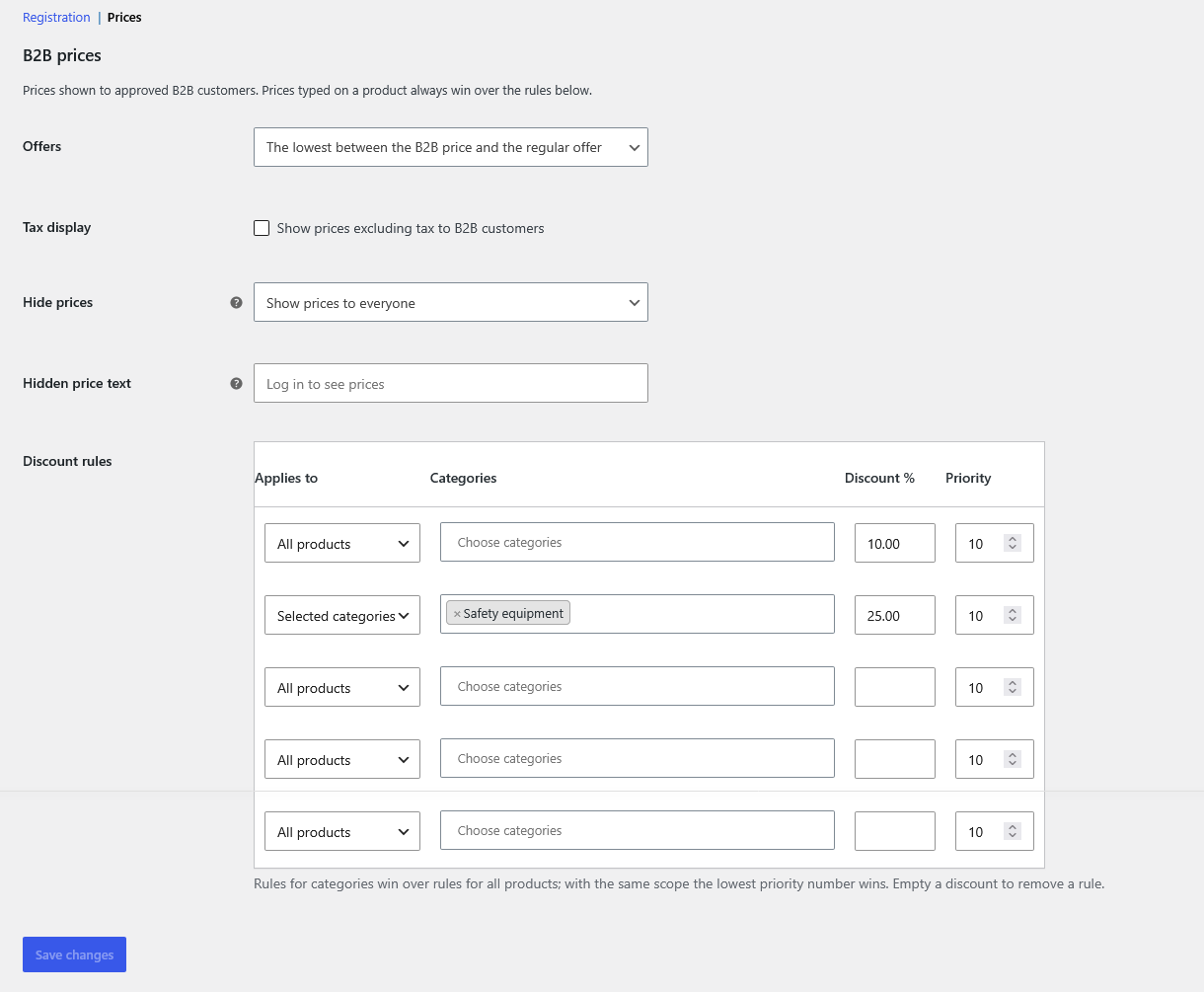
Discount rules and price options in WooCommerce > Settings > B2B > Prices.
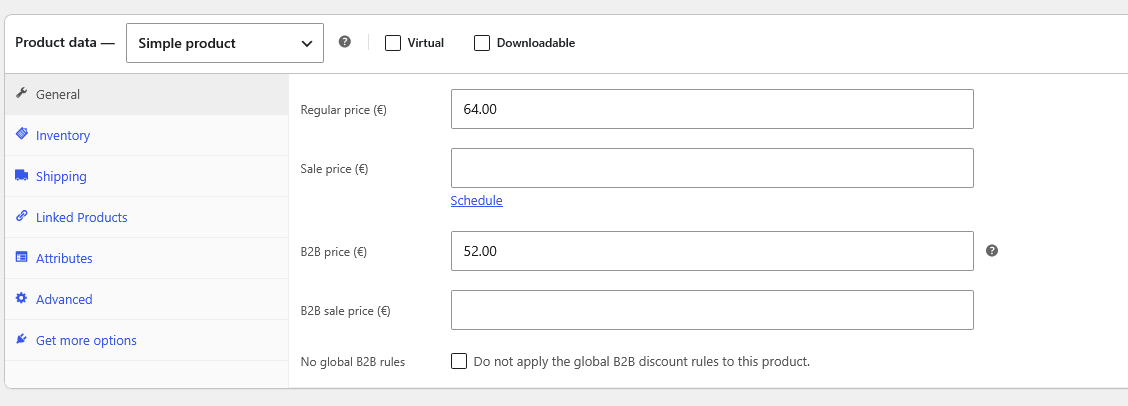
B2B price fields in the product editor.
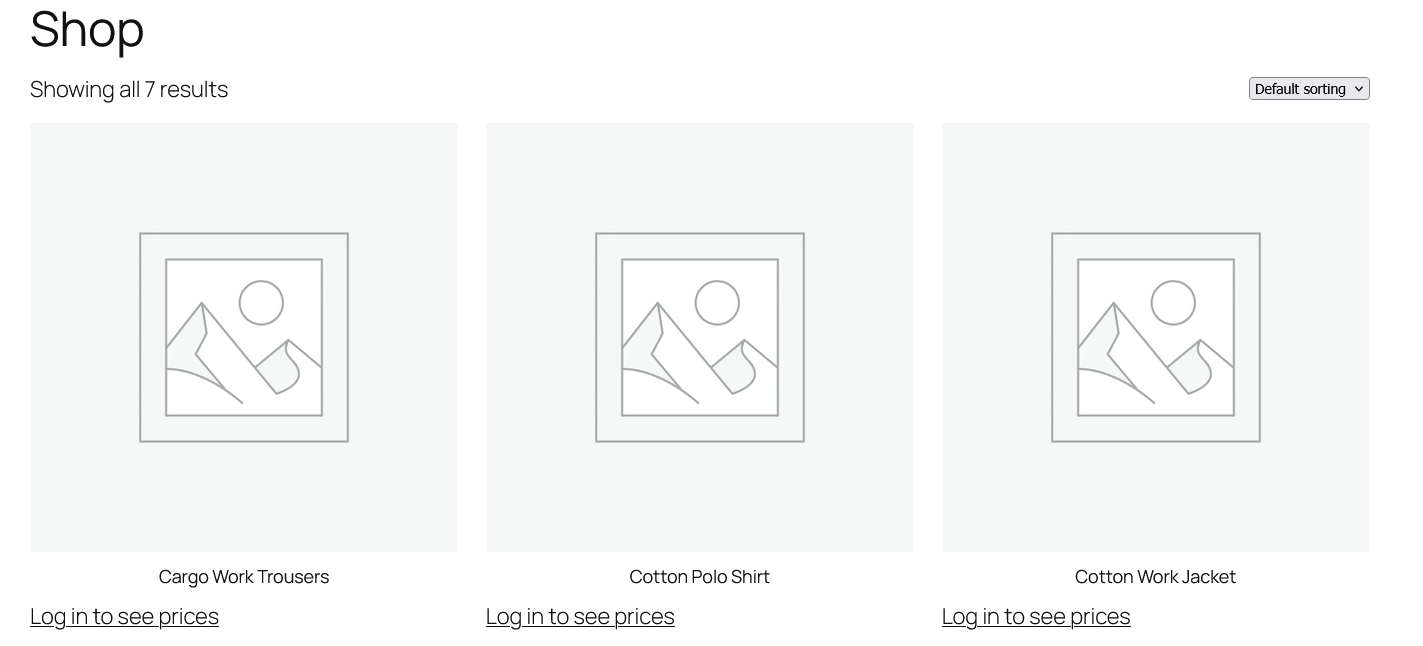
Hidden prices: visitors see a login link and cannot order.

A business customer sees the B2B price next to the regular price.
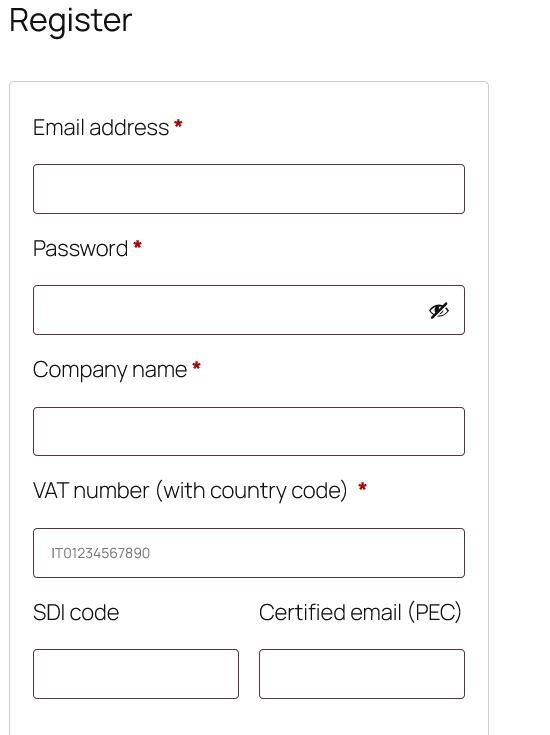
Business registration form with company, VAT, SDI and PEC fields.
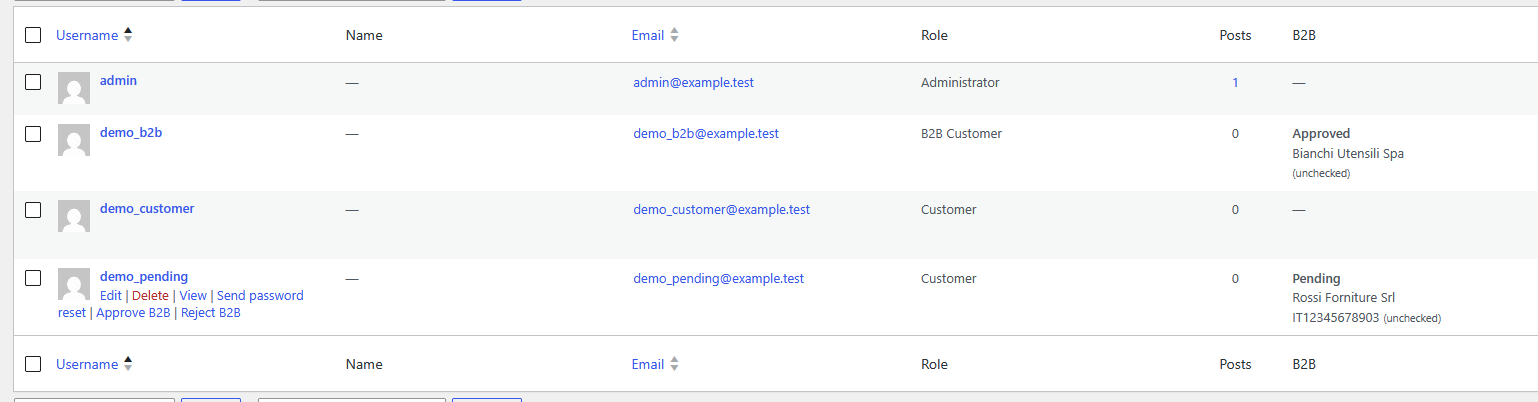
Pending business accounts in Users, with Approve and Reject actions.