WindCodex ScraperBlock Wordpress Plugin - Rating, Reviews, Demo & Download
Plugin Description
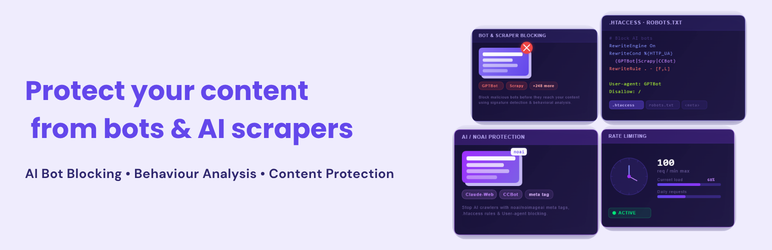
ScraperBlock is a lightweight AI bot blocker plugin for WordPress. It helps prevent content scraping by known crawler user-agents while keeping setup simple for site owners.
Use layered controls in one settings screen:
- Bot and scraper user-agent blocking
- robots.txt blocking directives
- Optional Apache
.htaccessblocking - noai / meta tag output
- Per-page protection control
- Basic block log and dashboard count
Why Use ScraperBlock
- Protect blog posts, product pages, and site content from scraping bots.
- Reduce unwanted automated traffic with practical bot filtering.
- Control protections with clear toggles and simple defaults.
- Monitor recent blocked activity without extra services.
Free Features
- Enable Protection (master switch)
- robots.txt blocking
.htaccessblocking (Apache)- noai / meta tags for AI bot opt-out
- Per-page control on posts/pages
- Basic rate limiting
- Custom user-agents (one signature per line)
- Default bot list (50+ known bots)
- Basic block log (last 50 events)
- Live Dashboard (basic last 24-hour count)
How It Works
- Install and activate ScraperBlock.
- Go to Settings > ScraperBlock.
- Enable the protection modules you want.
- Save settings.
- Review blocked requests in Logs and dashboard summary.
Requirements
- WordPress 5.8+
- PHP 7.4+
- Apache required only for
.htaccessmode
Privacy
ScraperBlock stores technical security data (for example IP, user-agent, URL path, reason, action, and timestamp) in your WordPress database for local monitoring. The free plugin does not require a third-party API.
Screenshots

ScraperBlock settings and protection toggles.

Default bot list and custom user-agent editor.

Basic logs panel.

Per-page protection control in editor.