
Wiro AI Wordpress Plugin - Rating, Reviews, Demo & Download
Plugin Description
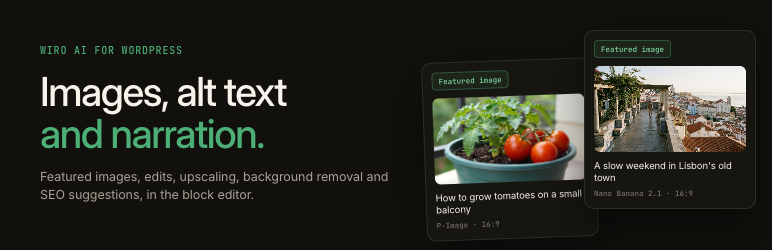
Wiro AI brings image, text and speech models into WordPress. Make a featured image from the post title, edit an image with a sentence, write alt text, read a post aloud or get title and SEO suggestions, without leaving the editor. Every result lands in your Media Library or your post, and each request shows its price before you run it.
Featured images
- From the post. The Wiro AI panel turns the post title, or its first words, into a prompt you can edit. One click makes the image, saves it to the Media Library and sets it as the featured image.
- Bulk featured images. Wiro AI > Bulk images lists posts that have no featured image. Pick them, check the total price, confirm, and a queue makes and sets an image for each one.
- Wiro AI Image block. Describe an image anywhere in a post. When it is ready, the block becomes a regular Image block, so your posts keep their images even if you turn the plugin off.
Image tools
Open the W menu in the toolbar of any Image block, or the Wiro AI box on an image in the Media Library:
- Edit with a prompt: “make it a rainy evening”, “put the bottle on a marble table”.
- Upscale to a larger, sharper copy.
- Remove the background for a transparent PNG.
- Write alt text with a model that reads images, in your site’s language.
Edits are saved as new images. The original stays in the Media Library, and the block change can be undone like any edit.
Text and speech
- Titles, excerpt and SEO description. An LLM reads the post and suggests three titles, an excerpt and a meta description of up to 155 characters. Apply a title or the excerpt with one click, or copy the description into your SEO plugin.
- Narration. Read the post aloud with a text-to-speech model and voice of your choice. The audio file goes to the Media Library and an audio player is added to the top or end of the post.
Models
Each task has its own model menu, filled from the Wiro AI catalog by category, with the price of each model next to its name. The recommended models come first, for example Nano Banana 2.1, GPT Image 2, Seedream 5 Pro and FLUX.2 Pro for images, ElevenLabs Eleven v4 and Gemini TTS for narration, and Gemini or GPT for alt text and suggestions. Pick a default per task in the settings and change it for any request.
Control and privacy
- Price before you run. Every tool shows one line with the price of the request, worked out from the model’s price list and your settings, such as the number of characters to read.
- Usage history. Wiro AI > Usage lists every request with its user, model, cost and result, plus the spend this month, last month and all time.
- Monthly limit. Set a spending limit for the site; new requests stop when it is reached.
- Who can use it. Authors and up, editors and up, or administrators only. Bulk jobs, usage and settings stay with administrators.
- The key stays on your server. The editor only talks to your own site, and WordPress calls Wiro AI. You can keep the key in wp-config.php instead of the database.
About Wiro AI
Wiro AI runs 1,000+ AI models for images, video, audio, 3D and text behind one API, with an LLM gateway, workflows and hosted agents on top. Browse the models at wiro.ai/models and read the API docs at wiro.ai/docs.
Development happens on GitHub: wiroai/Wiro-WordPress.
Pricing
The plugin is free. You need a Wiro AI account, and each request is billed to your Wiro AI project at the price of the model you pick. The plugin shows the price before each request and what it cost afterwards.
External services
This plugin connects to two Wiro AI services. It sends nothing until you add a Wiro AI API key.
Wiro AI API (api.wiro.ai) runs the image, image editing, upscaling, background removal and text-to-speech models.
- When: when a user starts one of those tasks, every few seconds while the task runs (to check its progress), when the plugin loads the model lists and model settings (cached for 12 hours), and when an administrator clicks “Check connection”.
- What is sent: the API key (plus a signature made with the API secret, for signature-based projects), the chosen model and its settings, and the input of the task: the prompt for new images and edits, the image file for edits, upscaling and background removal (uploaded to your Wiro AI account’s file storage), and the post title and text for narration.
- What comes back: the task’s progress and the address of the result, which WordPress downloads from Wiro AI’s file servers (such as cdn1.wiro.ai) into the Media Library.
Wiro AI LLM gateway (llm.wiro.ai) answers the alt text and the title, excerpt and SEO suggestions.
- When: when a user asks for alt text or suggestions, and when the plugin loads the list of LLMs (cached for 12 hours).
- What is sent: the API key, the chosen model and the input: a smaller copy of the image for alt text, or the post title and up to 6,000 characters of its text for suggestions.
- What comes back: the answer text and its cost.
The plugin sends no other content, user data or site address.
Wiro AI terms of service: https://wiro.ai/agreement/terms-of-service
Wiro AI privacy policy: https://wiro.ai/agreement/privacy-policy
Screenshots

The Wiro AI sidebar: a featured image from the post title, with the model and the price.

Title, excerpt and SEO description suggestions.

Narration: an audio player at the top of the post, with the voice and the price.

The Wiro AI menu on an Image block: edit, upscale, remove the background, write alt text.

Wiro AI tools on an image in the Media Library.

Bulk featured images for posts that have none.

Usage history with the cost of every request.

Settings: a default model for each task, a monthly limit and who can use Wiro AI.


