WishOwl Wishlist For WooCommerce Wordpress Plugin - Rating, Reviews, Demo & Download
Plugin Description
WishOwl Wishlist for WooCommerce is a free, no-upsell wishlist plugin for WooCommerce stores. Most “free” wishlist plugins gate the features people actually need (guest wishlists, multiple lists, price tracking, shareable links) behind a paid tier. We don’t. Every feature listed below works in the free version, forever.
Built for store owners who want a clean, fast, theme-friendly wishlist that just works — without the upsell prompts, dashboard ads, or “premium” modal that pops up the moment a customer tries to share their list.
Why another wishlist plugin?
WishOwl makes a universal wishlist app — a mobile + web product where customers save items from any store (Amazon, Etsy, your store, anywhere) into one place, share with friends and family, and coordinate gifts. We built this WooCommerce plugin because store owners kept asking for a real wishlist that didn’t paywall the basics. Using the WordPress plugin doesn’t require any WishOwl account or external service — it’s fully self-contained.
Features
- Add to Wishlist button on product pages and shop loops, with configurable position (before / after Add to Cart, floating heart, or shop-loop only).
- Guest wishlists — works without an account. Stored in a cookie, persisted server-side, expires after a configurable interval.
- Multiple wishlists per user — let logged-in customers create lists like “Birthday”, “Christmas”, “Wedding”.
- Shareable wishlist links with three privacy modes: Private, Shared (link-only), or Public (discoverable).
- Share-token rotation — owners can rotate the share link to instantly invalidate the old one.
- Variable product support — wishlist a specific size or color, not just the parent product.
- Price tracking — store the price when an item is added; surface a price-drop badge when the item later goes on sale.
- Sidebar widget in three flavors: classic widget, Gutenberg block, and
[wishowl_wishlist_widget]shortcode. - Wishlist page shortcode
[wishowl_wishlist]with table or grid layout. - Theme-friendly — minimal CSS that inherits theme colors and typography. Tested on Storefront, Astra, Hello Elementor, GeneratePress, Twenty Twenty-Four.
- HPOS-compatible — declares compatibility with WooCommerce’s High-Performance Order Storage.
- Translations-ready — text domain
wishowl-wishlist-for-woocommerce, includes.pot. - GDPR-compliant — integrates with WordPress’s Personal Data Export and Erasure tools.
- No premium tier, no upsells, no dashboard ads.
Settings
Everything is configurable under WooCommerce Wishlist:
- General: button label, button position, wishlist page, guest wishlists on/off, guest expiry (30/90/180 days).
- Display: toggle every column on the wishlist table independently — variations, price, “price at add” comparison, stock status, date added. Switch between table and grid layouts.
- Privacy: default privacy mode for new wishlists, allow public mode (yes/no), allow indexing of public wishlists by search engines (default off).
- Price tracking: enable/disable, cron frequency (hourly / 6-hourly / daily), snapshot retention (30/60/90 days).
Shortcodes
[wishowl_wishlist]— the full wishlist page (auto-created on activation).[wishowl_wishlist_widget]— compact widget for sidebars or any block area.[wishowl_button]— manual placement of the Add to Wishlist button (auto-detects current product, or passproduct_id="123").
Theme overrides
Place a copy of any template from public/views/ in your-theme/wishowl-wishlist/ to override.
About WishOwl
WishOwl is built by the team at wishowl.app, makers of a universal wishlist app for iOS, Android, and the web. Customers can save items from any site into one wishlist, share with friends and family, and coordinate gifts. The mobile app complements your store’s wishlist — it doesn’t replace it. Learn more at wishowl.app/woocommerce.
Screenshots

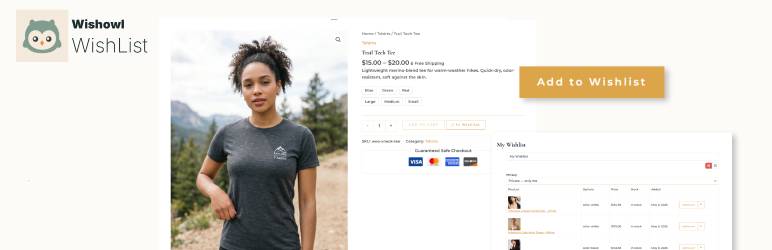
The Add to Wishlist button on a product page.

The full wishlist with multiple items, price-drop badges, and remove buttons.

The shareable wishlist view that recipients see.

Settings page — General tab.

Settings page — Privacy tab.

Sidebar widget with thumbnails and item count.