WooCommerce Batch & Expiration Tracking Wordpress Plugin - Rating, Reviews, Demo & Download
Plugin Description
WooCommerce Batch & Expiration Tracking
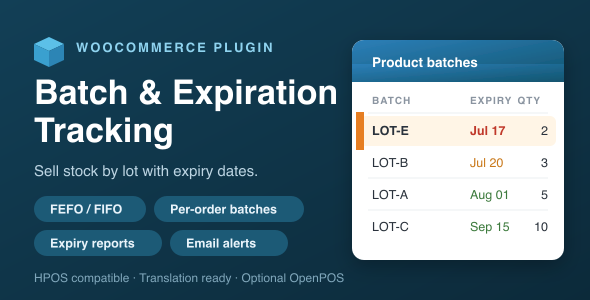
Sell your stock by lot, and let expiry dates decide what goes out first. This plugin turns WooCommerce stock into dated batches/lots — each with its own supplier, manufacturing date, expiry date and quantity — then automatically consumes the batch closest to expiry on every order. Perfect for food, cosmetics, pharmacy, supplements and any perishable inventory.
Everything works with WooCommerce alone. No external services, no accounts, no monthly fees.
Key Features
- Batches per product & per variation — add lots right from the product Inventory tab: batch number, supplier, manufacturing date, expiry date and quantity.
- FEFO / FIFO stock deduction — First Expired First Out (default) or First In First Out when an order reduces stock, with an optional per-product override. A “customer chooses the expiry” mode is also included.
- Exact per-order batch recording — every order line stores which batch(es) and quantities it used. Batch numbers are searchable from the Orders list.
- Edit an order’s batch allocation — re-assign or split a line across batches directly from the order screen; batch stock is corrected automatically (even on paid orders).
- Automatic restore — quantities go back to their batches on order cancellation, and are counted as returns on refund.
- Batches drive stock — WooCommerce stock is kept equal to the sum of remaining batch quantities (optional).
- Block expired stock — keep expired lots out of sales and out of the sellable total.
- Reports — an Expiry report (“expiring within N days” / “already expired”) and a Sales Performance report by batch or by supplier (received, sold, returned, sell-through).
- Email alerts — a daily admin alert for batches nearing expiry, plus an optional customer expiry reminder email.
- CSV import / export — bulk manage batches in a spreadsheet.
- Batch number & supplier autocomplete — reuse existing values and keep your data clean.
How It Works
Add batches to a product, then sell as usual. When an order reduces stock, the plugin allocates the quantity across your batches using the effective strategy:
- FEFO — soonest-expiry lot is consumed first (default, ideal for perishables).
- FIFO — oldest intake first.
- Customer choice — the shopper picks the batch/expiry on the product page.
The exact batches used are printed under each line item on the order, and remain fully editable afterwards.
Optional OpenPOS Integration
If you also run the OpenPOS point-of-sale plugin, three extra panels appear inside the POS:
- Stocktake — count batch quantities on the shop floor, apply variances, and add a new batch on the spot for a fresh delivery.
- Expiry — see batches nearing expiry from the register.
- Sales — batch sell-through at a glance.
The POS panels are the only feature that needs OpenPOS. Every batch/expiration feature above works with WooCommerce on its own.
Compatibility
- WooCommerce HPOS (High-Performance Order Storage / custom order tables) compatible.
- Works with simple and variable products.
- Translation ready — includes a .pot file.
- WordPress 5.0+, PHP 7.2+, WooCommerce 3.0+.
What’s Included
- The plugin (installable ZIP).
- Full HTML documentation.
- Translation template (.pot).
Changelog
1.0.1
- Edit order-line batch allocation (re-assign / split, with automatic stock correction).
- Batch & supplier autocomplete; CSV import/export; per-product deduction strategy; batch/supplier sales report.
- Optional OpenPOS Stocktake / Expiry / Sales panels.
- Packaging & translation readiness.
1.0.0
- Initial release: batch management, FEFO deduction, order recording/restore, expiry report and email alerts.
Support
Questions or issues? Reach us via the item support tab or wpos.app. Please include your WordPress and WooCommerce versions and steps to reproduce.
If this plugin helps your store, a rating is hugely appreciated. Thank you!