WooCommerce Subscriptions And Recurring Payments Wordpress Plugin - Rating, Reviews, Demo & Download
Plugin Description
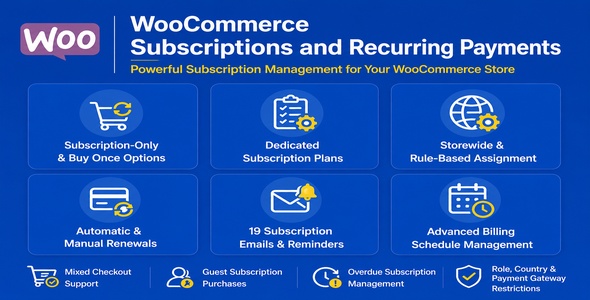
Easily create subscription plans using rules and sell subscription products with flexible billing, renewals and advanced controls.
Why this extension?
This plugin is a flexible subscription management plugin that allows store owners to sell subscription-only products as well as products with both one-time purchase and subscription purchase options. The plugin enables merchants to create and manage subscription plans separately, apply them storewide or through product/category-based rules, and support both automatic and manual renewal payments.
We built this plugin to give store owners greater flexibility and control over subscription management, customer renewals, checkout experience, and subscription communication workflows. The plugin is designed to provide advanced subscription features, scalable admin controls, customizable reminder systems, and improved frontend subscription plan experiences for both store owners and customers.
Workflow & Support

Features
- Support for subscription-only products
- Support for one-time purchase or subscription-based purchase options
- Dedicated subscription plan creation and management
- Apply subscription plans globally across all store products
- Assign subscription plans to specific products or categories using advanced rules
- Configure fixed or percentage-based discounts for subscription plans
- Support both automatic and manual renewal payments
- Option to disable automatic renewals for subscriptions
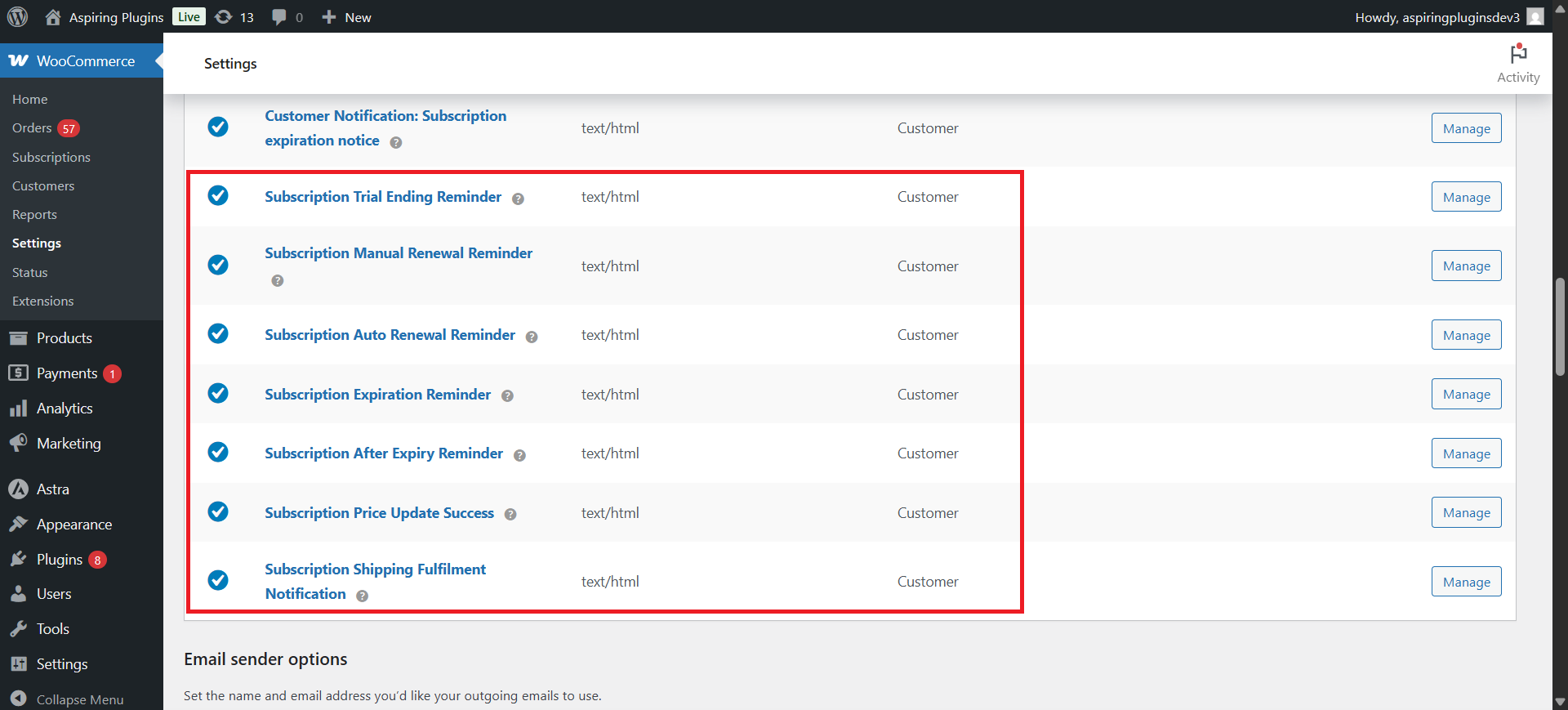
- Send trial ending, renewal, and overdue payment reminder emails
- Create fully customizable email templates for subscription reminders
- Automatically assign user roles for active and inactive subscriptions
- Allow coupon usage with subscription purchases
- Support mixed checkout with subscription and regular products together
- Option to require account creation for subscription purchases
- Allow guest users to purchase subscriptions without registration
- Disable WooCommerce order emails for subscription-related orders
- Restrict subscriptions by user roles, countries, and payment gateways
- Edit billing schedules after subscription purchase, including trial end, next payment, and end dates
- Support overdue subscriptions and pending renewal payments
- Includes 19 dedicated subscription email notifications
- Export subscription data using advanced filtering options
- Multiple subscription plan display layouts with improved frontend accessibility and user experience
Benefits
- Flexible and easy to configure in case of high volume stores.
- Potentially increases site admin revenue.
- Lure new customers.
- Lowers admin workload.
- Highly customizable.
Supported Extensions
- WooCommerce Stripe Payment Gateway (Automatic Renewal Payments)
- WooCommerce PayPal Payments (Automatic Renewal Payments)
Demo URL

How to Use
- Go to WordPress Admin > Plugins > Add New > Upload Plugin.
- Choose the downloaded plugin file and click Install Now.
- Once installed, click Activate.
-
Enable Subscriptions
- Enable the “Enable Subscriptions” option to allow customers to purchase subscription products in your store.
-
Configure Subscription Type
- Configure subscriptions using Rules.
- Configure subscriptions using Storewide Settings.
-
Rules-Based Configuration
- Click Create or Edit Subscription Rule to create custom subscription rules.
- Before creating a rule, create a Subscription Plan.
- Click Create your first subscription plan and assign it to the desired rule.
-
Storewide Configuration
- By default, all products will follow the configured storewide subscription settings.
- Select and assign subscription plans to apply them across your entire store.
Installation
Requirements: WooCommerce 5.0.0+
Setup & Configuration
After activation, navigate to WooCommerce > Settings > Subscriptions.
Emails Provided
Support
Feel free to reach out to us via support through our email aspiringpluginshelp@gmail.com and hence our team will take care as soon as possible. For more information, Check out our website at https://aspiringplugins.com/.
Updates
Version 1.0.0
* Initial Release