
WPCoreTools Email Verify Wordpress Plugin - Rating, Reviews, Demo & Download

Plugin Description
WPCoreTools Email Verify asks new customers to confirm their email address before they can order. They get an email with a link, they click it, and they are confirmed. There are no codes to type, no popups and no outside service.
You decide what an unconfirmed customer has to wait for. The recommended “Shop” setup lets them log in and browse straight away and holds back only ordering. The setup wizard also offers stricter and looser setups, each explained in plain words.
People who registered before you activated the plugin are never asked. Only new sign-ups confirm, and guest checkout is not affected.
The plugin is completely free. There is no Pro version, no paid add-on, no license key, no advertising and no tracking.
Features
- Confirmation link by email. Links are valid for 7 days by default (1 to 90). Tokens are stored hashed.
- Choose what waits for confirmation: placing orders, logging in, comments and reviews, creating an account at checkout, wp-admin, changing the email address in the profile, and selected capabilities.
- Setup wizard with ready-made setups: Shop (recommended), Strict, Community or Custom. You can run it again at any time.
- Clear notices for customers on My Account, the cart and checkout, with a resend link that counts down until a new email can be sent.
- Wrong address? Change it. A customer who mistyped their address can correct it from the notice and get a new link.
- Resend form for logged-out visitors on the login page. It is rate-limited and never reveals whether an address is registered.
- Safe against link scanners. Mail programs that open links in advance cannot confirm an account. Anyone not logged in as that customer sees a “Confirm my email” button first.
- WooCommerce support: classic checkout, the Cart and Checkout blocks, Pay for order links and HPOS. With WooCommerce 11, its own email confirmation and this plugin stay in step, so customers see one prompt.
- Admin tools: a Verified column, filter and bulk actions on the Users list, a Verified column on the Orders list, a dashboard widget, Site Health checks, CSV exports and a log of emails that could not be sent.
- Warns about a second verification plugin, which would leave customers confirmed in one and still blocked by the other.
- Plain-text email by default, or WooCommerce’s email template, editable under WooCommerce > Settings > Emails.
- Works without WooCommerce, and on Multisite.
Privacy
The plugin contacts no outside service and collects no usage data. It supports WordPress’s personal data export and erase tools. The resend form’s rate limit stores only a hash of the visitor’s IP address, for one hour.
Requirements
WordPress 6.4 or later and PHP 7.4 or later. WooCommerce is optional. If you use it, WooCommerce 9.2 or later is required, which itself needs WordPress 6.5.
External services
This plugin does not use any external services.
Screenshots
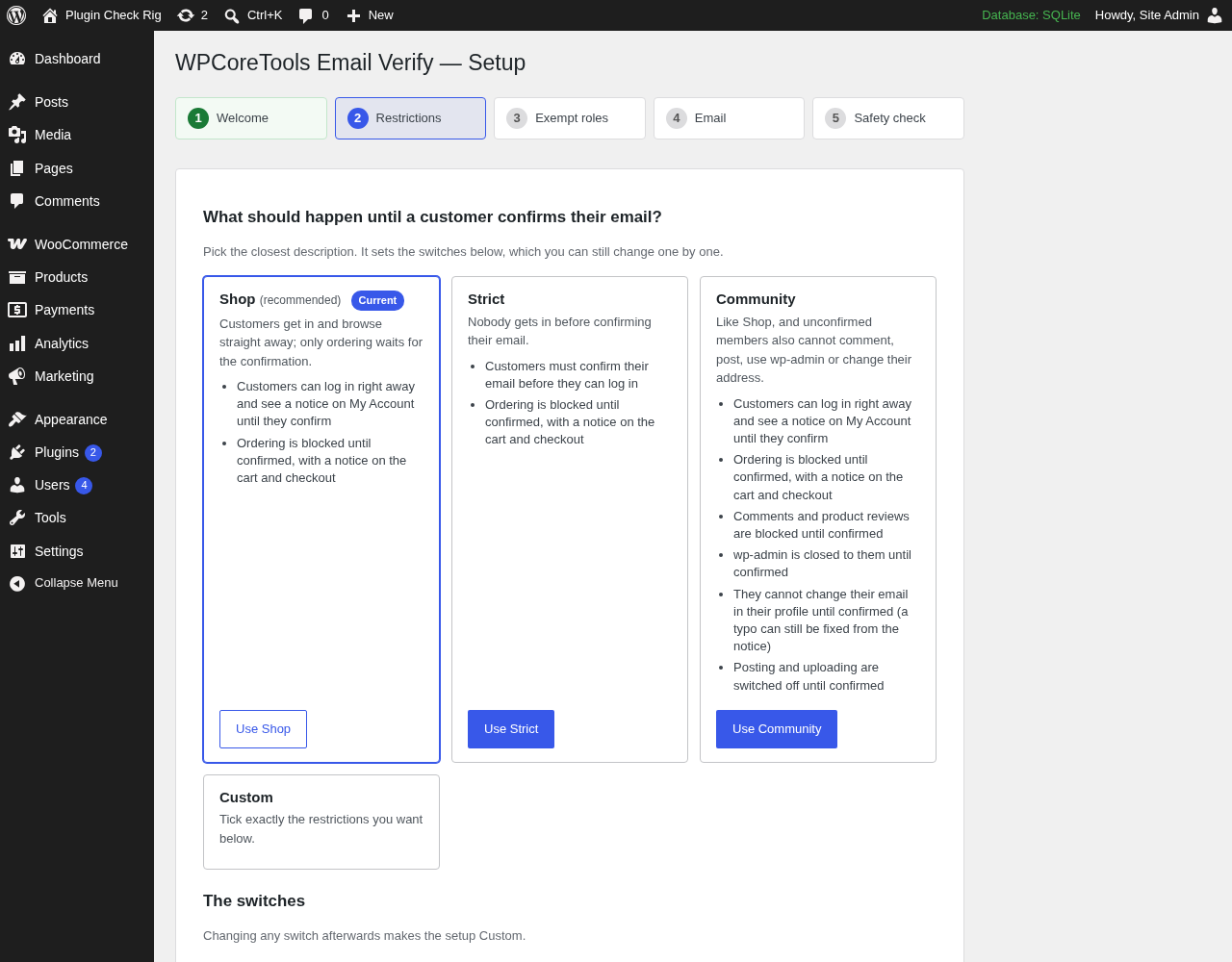
The setup wizard: ready-made setups (Shop, Strict, Community, Custom), each listing what it does for customers.
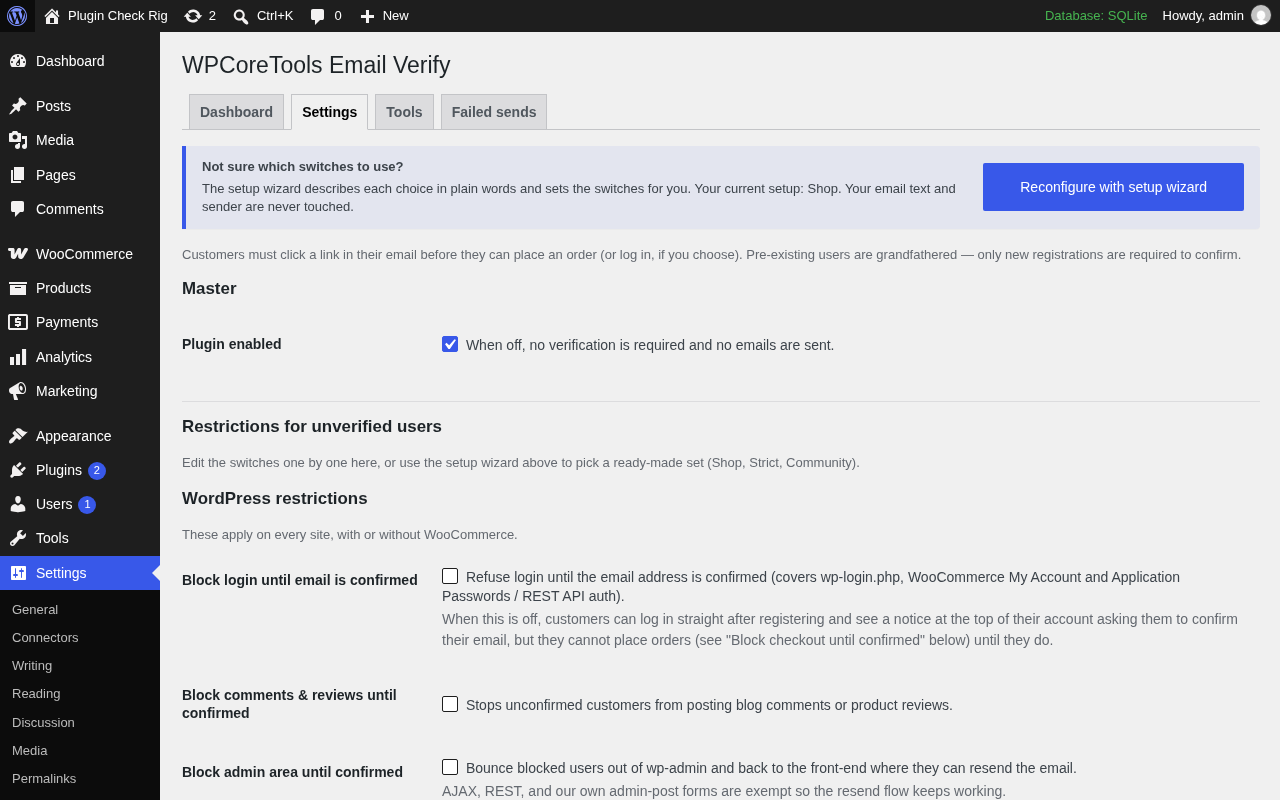
The settings page.
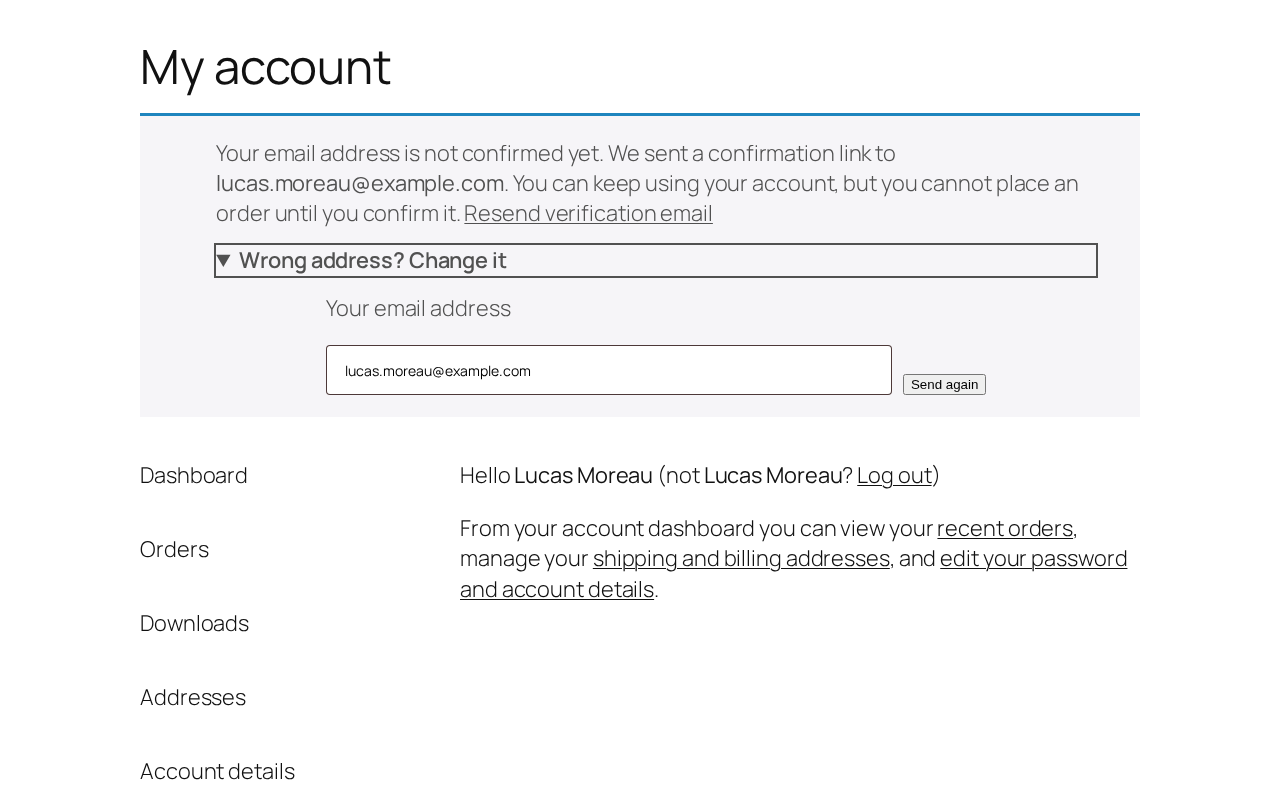
The notice an unconfirmed customer sees on My Account, with the resend link and the “Wrong address?” form.
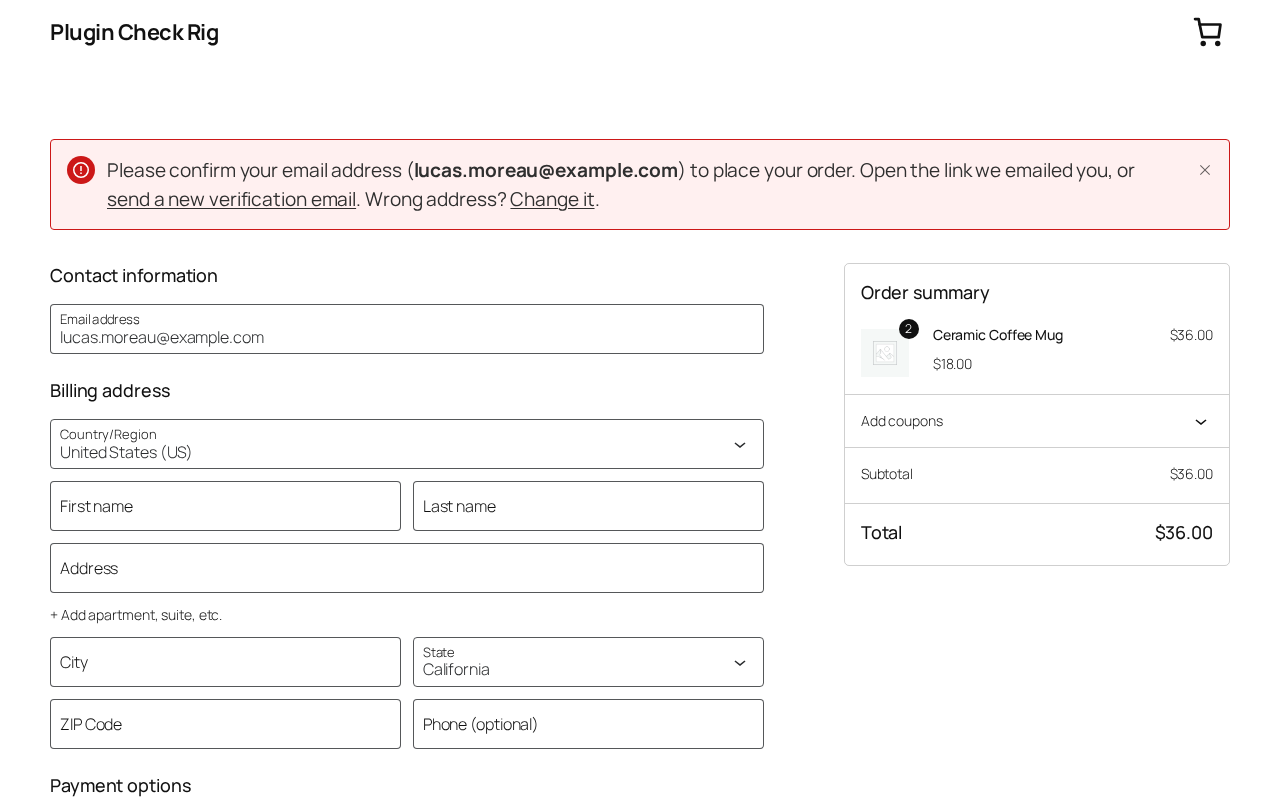
Checkout for an unconfirmed customer: why ordering waits, with a resend link.
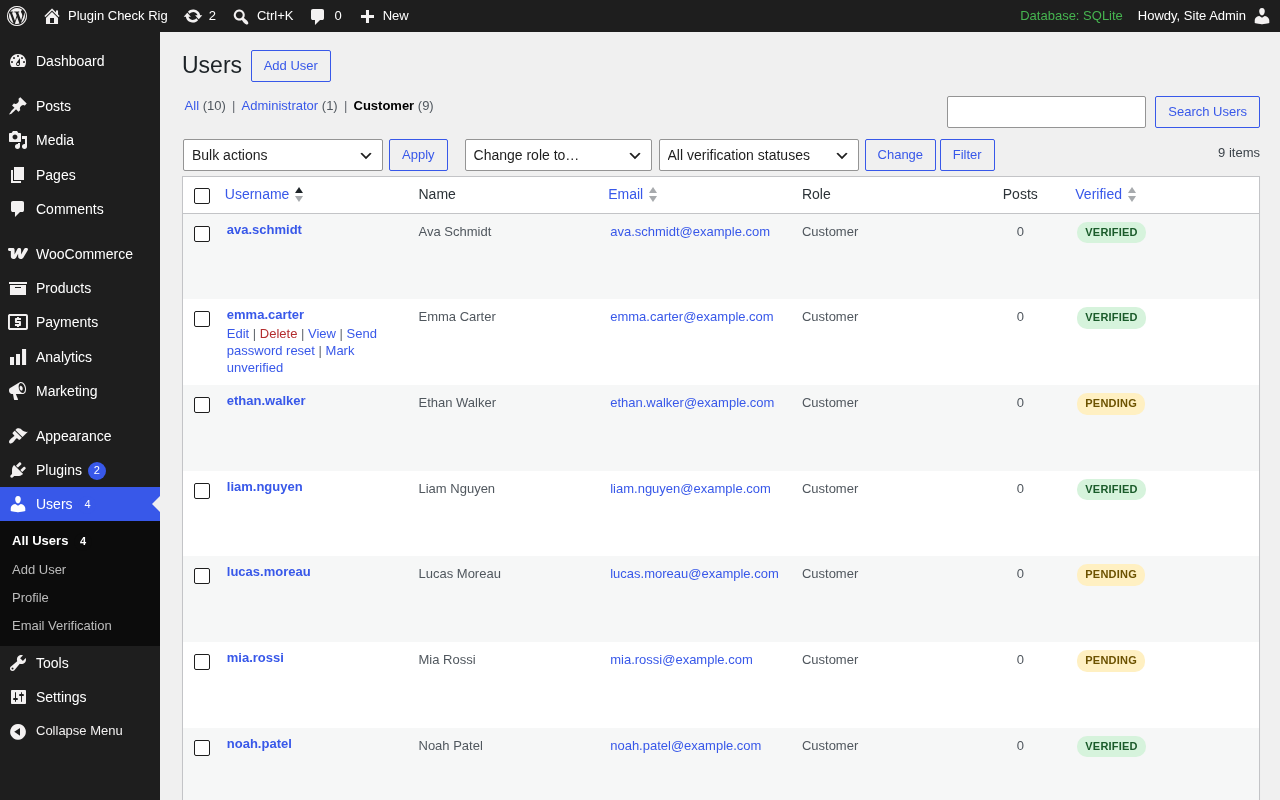
The Users list with the Verified column, the status filter and bulk actions.
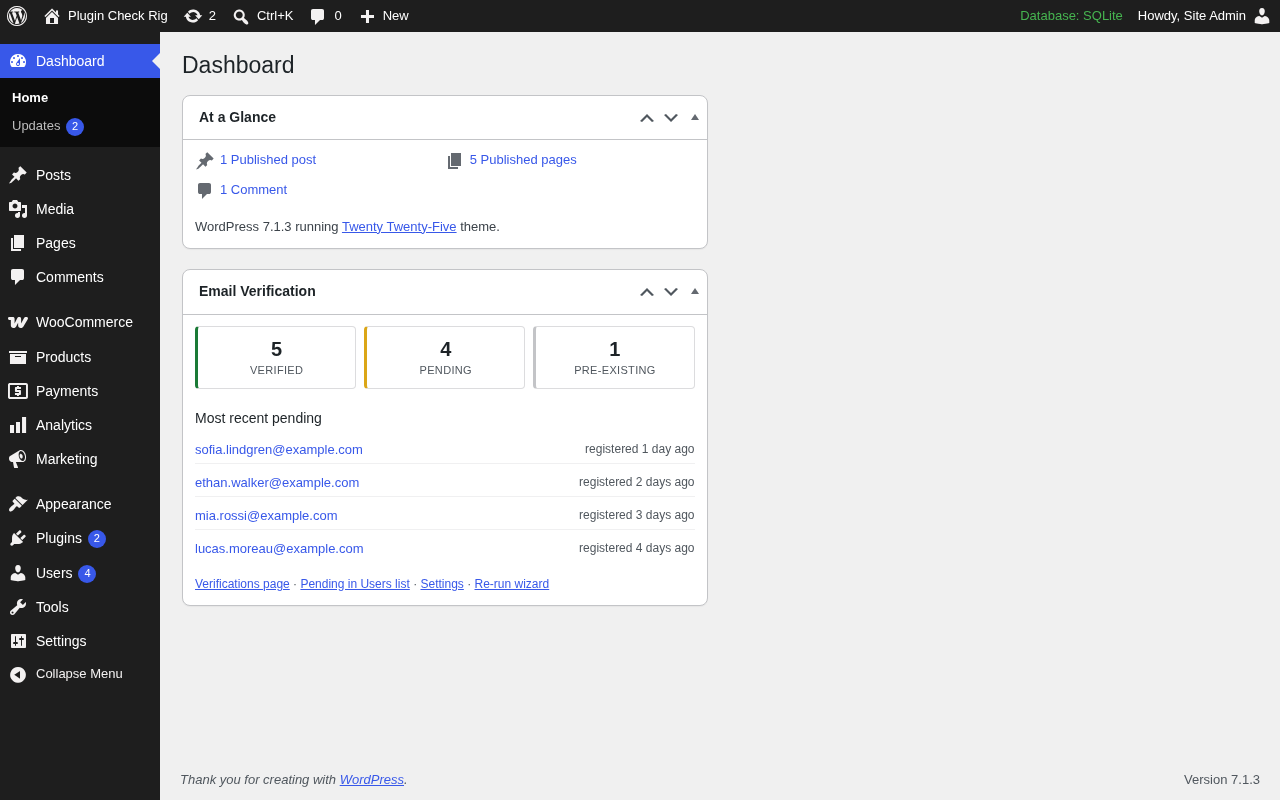
The dashboard widget with verified and pending counts.


