
WPCraftEngineer Product Finder For WooCommerce Wordpress Plugin - Rating, Reviews, Demo & Download
Plugin Description
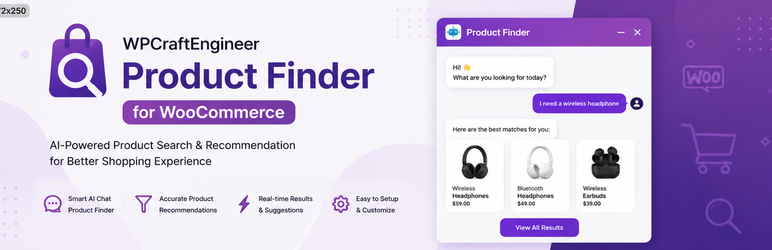
WPCraftEngineer Product Finder for WooCommerce adds a floating chat widget that helps shoppers discover products through natural language.
It can work in two modes:
- Keyword mode: no external AI account required. The plugin uses on-site keyword matching and WooCommerce product data.
- AI provider mode: connect OpenAI, Google Gemini, or Anthropic to improve intent detection and reply quality.
With WooCommerce product recommendations enabled, shoppers can ask things like:
- “Show me products under $50”
- “I need a gift for a runner”
- “What are your newest arrivals?”
- “Do you have anything on sale?”
If WooCommerce recommendations are disabled, the widget can still act as a general store assistant using your configured welcome message, fallback message, and custom instructions.
Features
- Floating chat widget for the front end
- Optional WooCommerce product recommendations
- Keyword mode with no API key required
- Optional OpenAI, Google Gemini, and Anthropic provider support
- Product cards with image, price, rating, stock status, and product links
- Admin settings for color, bot name, greeting message, and chat history retention
- Option to hide out-of-stock products
- Preview and test screen in wp-admin
Installation
- Upload the plugin ZIP in Plugins Add New Upload Plugin, or upload the folder to
/wp-content/plugins/. - Activate WPCraftEngineer Product Finder for WooCommerce.
- Go to Product Finder in wp-admin.
- Configure the widget settings.
- If you want AI provider mode, add an API key for OpenAI, Google Gemini, or Anthropic.
Usage
- Enable the chatbot.
- Decide whether to enable WooCommerce product recommendations.
- Choose either keyword mode or an AI provider.
- Visit the front end and test the widget.
Notes
- WooCommerce is optional, but product recommendations require WooCommerce to be installed and active.
- API keys are stored in your WordPress options table.
- The plugin stores short chat history in transients so follow-up questions can work for the configured number of days.
External services
This plugin can connect to third-party AI services only when the site administrator selects a provider and enters an API key.
OpenAI
Used for optional intent parsing and response generation.
Data sent: the visitor’s chat message, limited recent chat context, store-assistant instructions, and when WooCommerce recommendations are enabled, a short text summary of matched products.
When sent: only when OpenAI is selected as the AI provider and the widget processes a chat request or the admin runs the connection test.
Terms: https://openai.com/policies/services-agreement/
Privacy: https://openai.com/business-data/
Google Gemini
Used for optional intent parsing and response generation.
Data sent: the visitor’s chat message, limited recent chat context, store-assistant instructions, and when WooCommerce recommendations are enabled, a short text summary of matched products.
When sent: only when Google Gemini is selected as the AI provider and the widget processes a chat request or the admin runs the connection test.
Terms: https://ai.google.dev/gemini-api/terms
Privacy: https://policies.google.com/privacy
Anthropic
Used for optional intent parsing and response generation.
Data sent: the visitor’s chat message, limited recent chat context, store-assistant instructions, and when WooCommerce recommendations are enabled, a short text summary of matched products.
When sent: only when Anthropic is selected as the AI provider and the widget processes a chat request or the admin runs the connection test.
Terms: https://privacy.anthropic.com/
Privacy: https://docs.anthropic.com/en/docs/legal-center/privacy
Screenshots
No screenshots provided


