
WPEssential Shipping Margin Monitor For WooCommerce Wordpress Plugin - Rating, Reviews, Demo & Download
Plugin Description
WPEssential Shipping Margin Monitor for WooCommerce, by WPEssential, is an add-on that keeps a shipping-cost record on each order and reports the difference between the shipping your customers paid and the shipping you paid.
It is built around one rule: a quote is an estimate, a booked label is provisional, and only an invoice-final or merchant-confirmed amount counts as a confirmed cost.
What it does
- Adds a shipping-cost record to the WooCommerce order editor: amount, currency, evidence type, tax basis and a source note. Every change is written to a private order note.
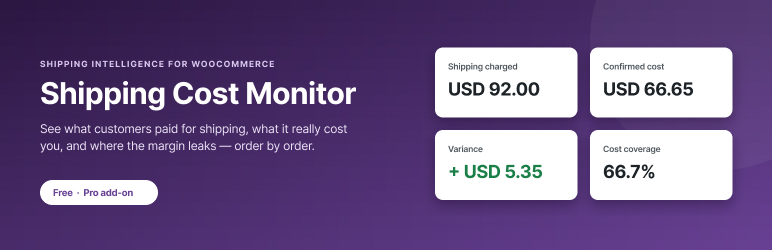
- Shows a dashboard under WooCommerce > Shipping Margin Monitor with net shipping charged, confirmed cost, variance and cost coverage for a date range of up to 366 days.
- Breaks comparable cost down by shipping method.
- Exports the report as CSV without customer names, addresses, emails or free-text notes.
What it does not do
- It does not convert currencies. Costs in a different currency from the order are excluded from totals and shown as a notice.
- It does not buy labels, change shipping rates or edit order totals.
- It does not contact any external service.
Pro add-on
WPEssential Shipping Margin Monitor Pro for WooCommerce is a separate, paid add-on from WPEssential. It adds courier invoice CSV import with exact order matching and reviewed saving, and read-only carrier label costs for review. It is documented separately. This plugin works fully on its own without it.
Requirements
WooCommerce 11.2 or later. The plugin uses WooCommerce order APIs and works with High-Performance Order Storage and legacy order storage.
Documentation
A step-by-step guide with screenshots is built into the plugin: click Documentation under the plugin’s name on the Plugins screen, or on the Shipping Margin Monitor dashboard. The same guide is on the project wiki: https://github.com/Vertex-Systems-Network/wpessential-shipping-cost-monitor-for-woocommerce/wiki
WooCommerce is a trademark of Automattic Inc. This plugin is developed by WPEssential and is not affiliated with, endorsed by or sponsored by Automattic or WooCommerce.
External services
This plugin does not connect to any external service. It makes no remote requests: it sends no data off your site, loads no remote scripts, fonts or images, and contains no tracking, analytics, advertising or license checks. All of its data stays in your WordPress database as WooCommerce order metadata.
The optional Pro add-on is a separate plugin, not included here. Any service it connects to is documented with that add-on.
Screenshots

Dashboard with shipping charged, confirmed cost, variance and coverage.

Shipping-cost record in the WooCommerce order editor.

Cost by shipping method and CSV export.


