WPSP Discount Wheel Wordpress Plugin - Rating, Reviews, Demo & Download
Plugin Description
WPSP Discount Wheel shows visitors a spinning prize wheel in exchange for their email address, then reveals a coupon code — turning a plain email opt-in form into something visitors actually want to fill in.
Features
- Spin-the-wheel popup with a configurable delay before it appears
- Up to 8 prize segments, each with its own label and coupon code and the same chance of being picked
- Every spin is resolved on the server, not in the browser, so the result is not decided by code the visitor can edit
- Opt-ins list in the admin area — see every email and prize won
- Spam protection: a hidden honeypot field and a limit of 10 spins per visitor per hour
- Fully customizable text, colors, and button labels
- Optional marketing consent checkbox (off, optional or required), never ticked by default, with each agreement recorded
- A visitor who spins (or dismisses) the wheel isn’t shown it again for a while — 90 days after a spin and 30 after “No thanks” by default, both adjustable
- Full WordPress Privacy API support: policy content, data export, and data erasure for stored opt-ins
- No dependency on WooCommerce — works standalone with your own coupon codes
Upgrade to Pro
WPSP Discount Wheel Pro adds weighted odds per prize, multiple wheels, exit-intent and URL/device targeting, automatic WooCommerce coupon generation per spin, Mailchimp sync, and an analytics dashboard.
Screenshots
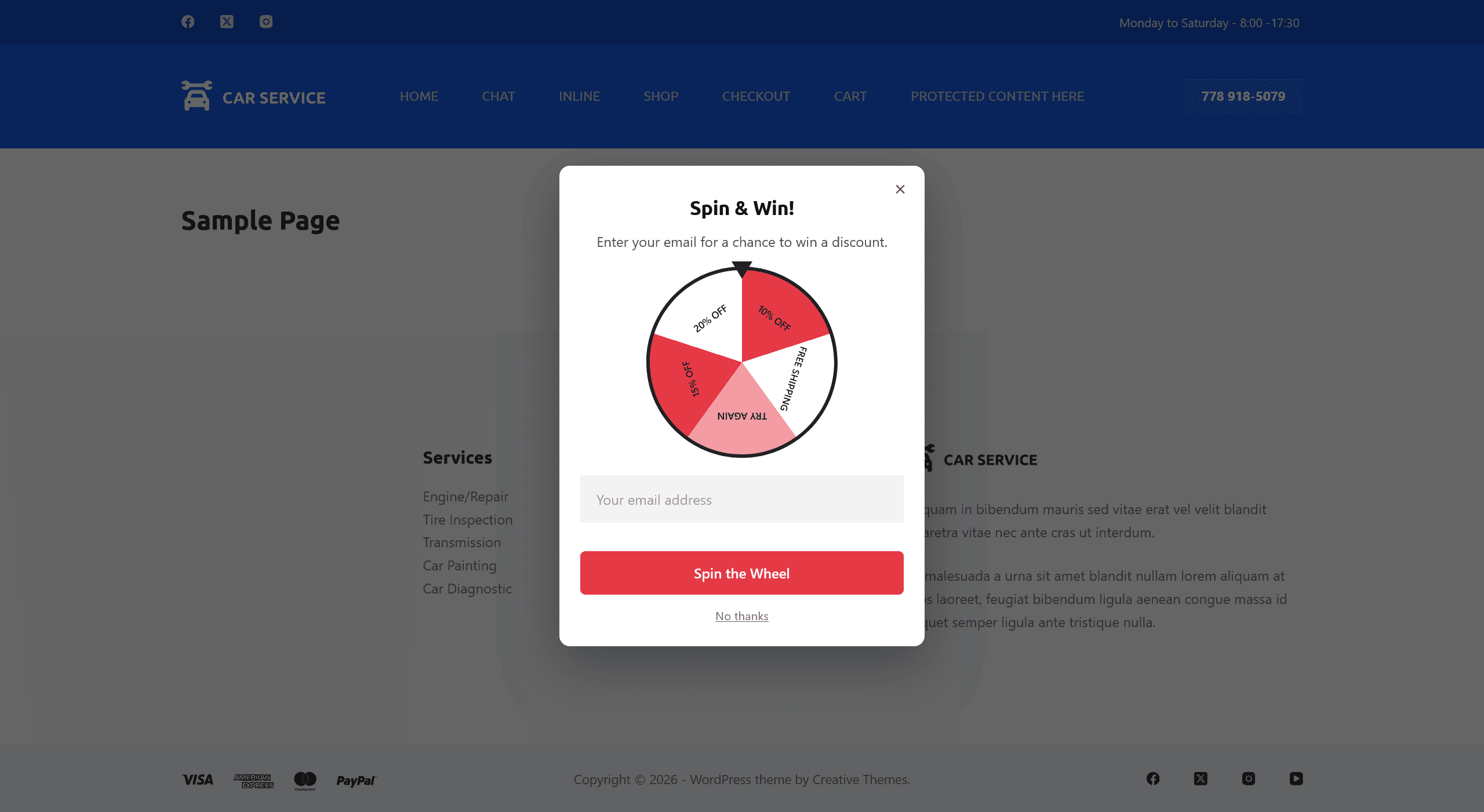
The spin-the-wheel popup as a visitor sees it, with no consent checkbox
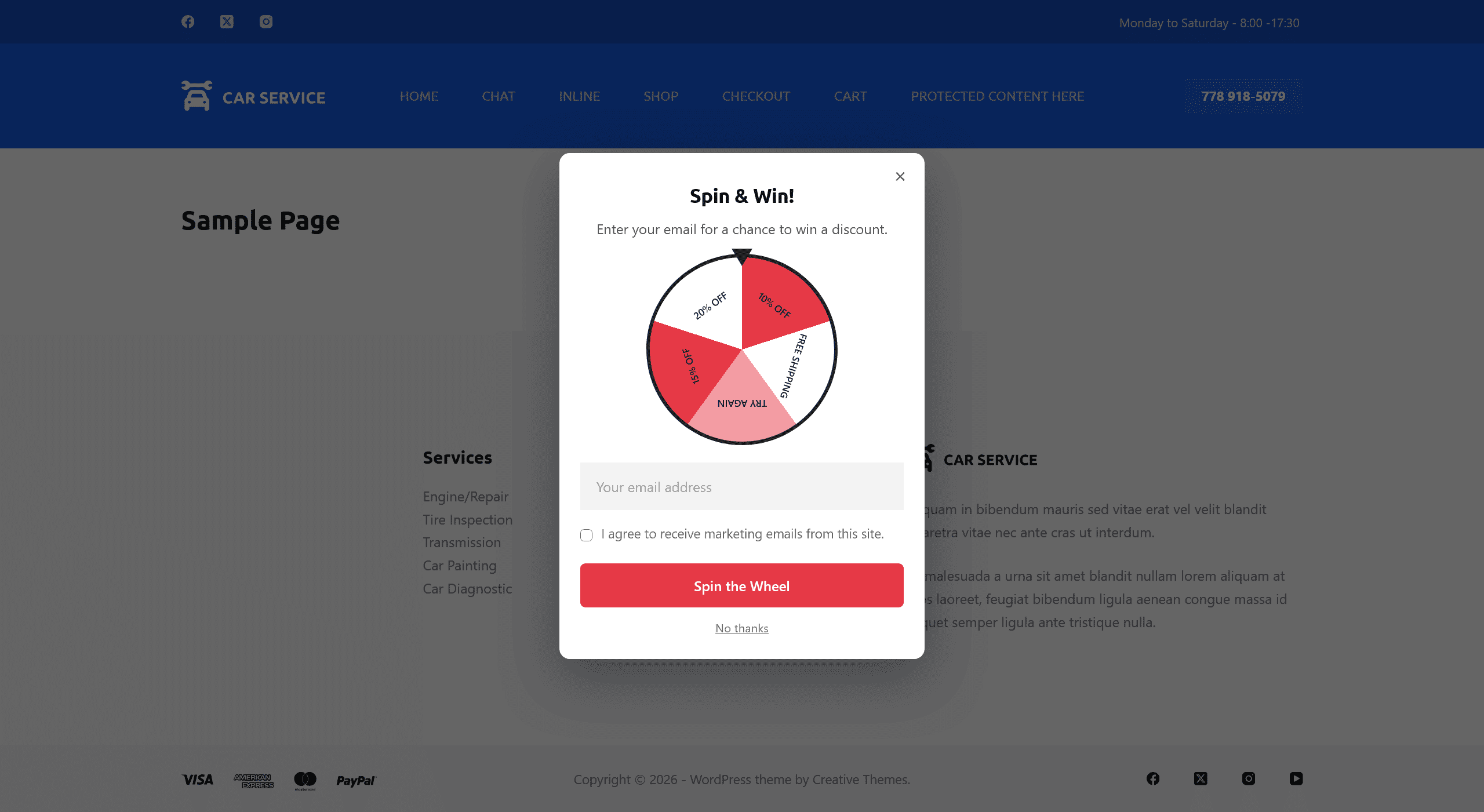
The same popup with the optional marketing consent checkbox under the email field
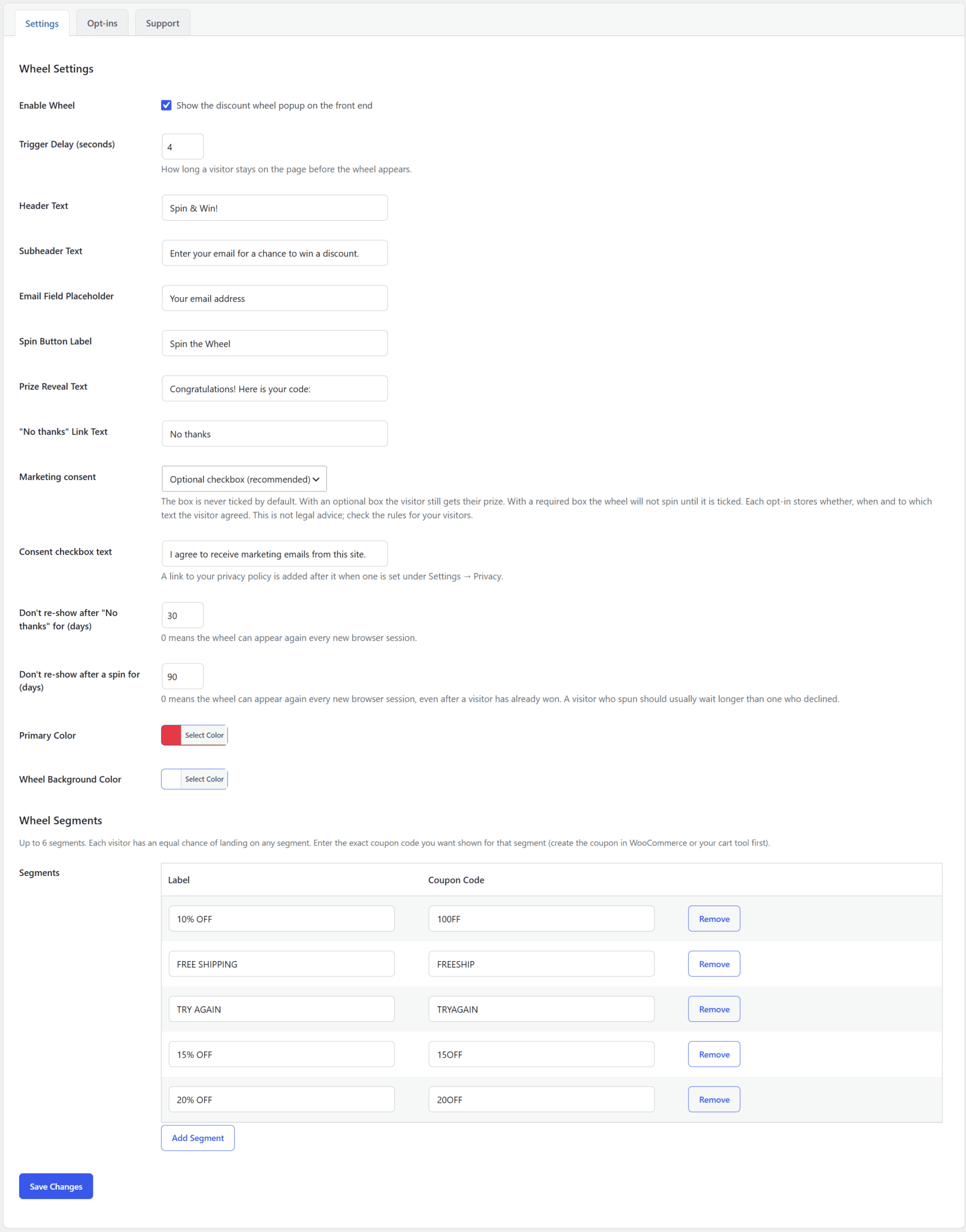
Settings page — enable the wheel, set the trigger delay, marketing consent, text, colors, and prize segments
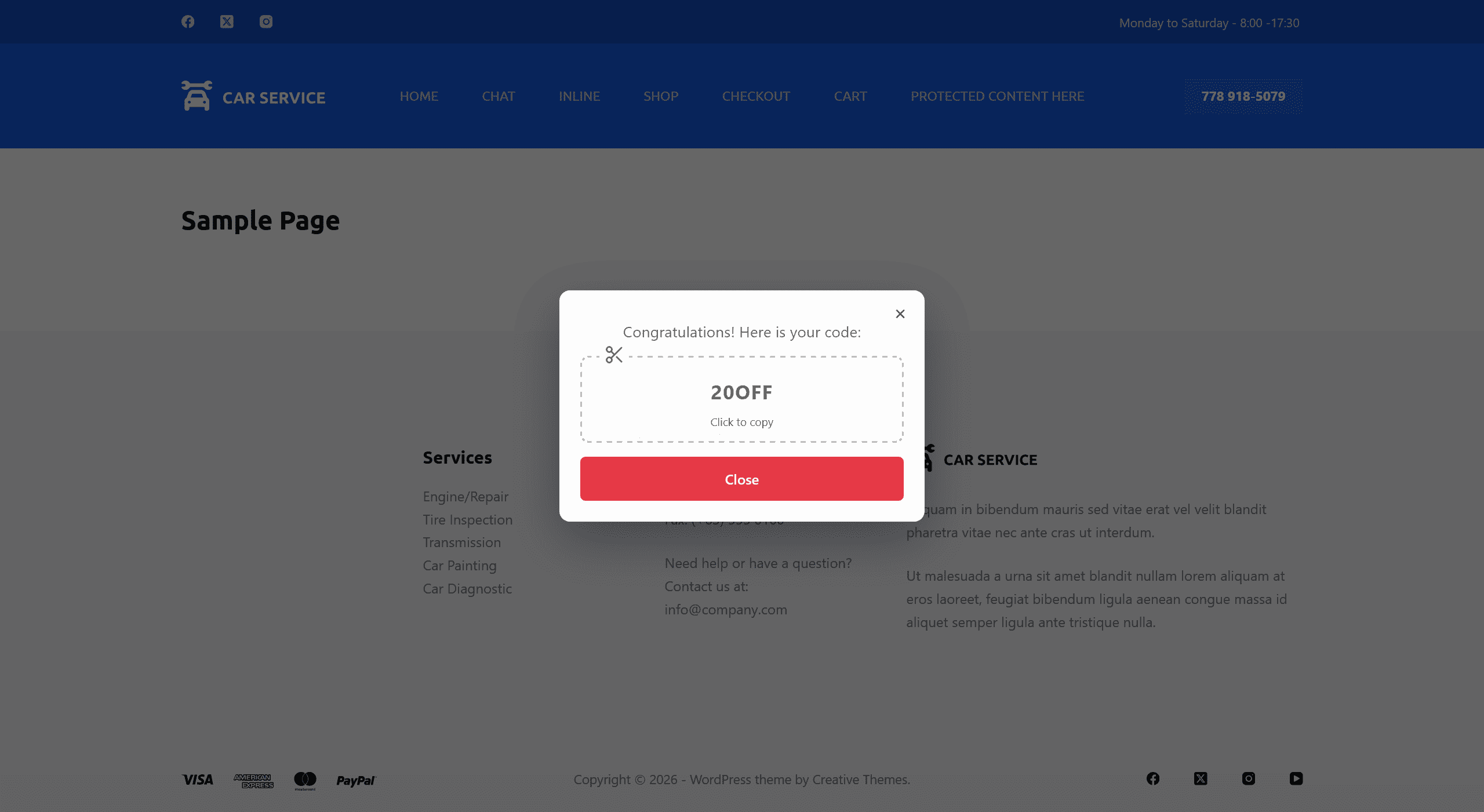
The coupon code a visitor sees after the wheel has spun, with a click-to-copy box

Opt-ins page — every email and prize won, at a glance