XACUBE Live Chat Wordpress Plugin - Rating, Reviews, Demo & Download

Plugin Description
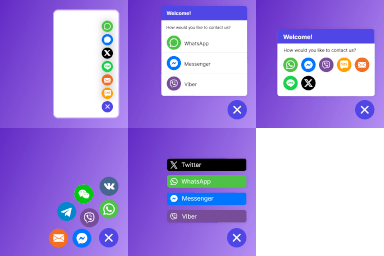
XACUBE Live Chat puts a chat button on every page of your WordPress site. Messages from visitors arrive in your XACUBE inbox, where you and your team answer them.
- Connect in one click. Press “Connect to XACUBE”, sign in and choose your workspace. Your domain is allowed automatically, with no keys to copy.
- See whether the chat is live. The settings page checks your site the same way a visitor’s browser does, and tells you what to fix if the chat does not load.
- Recognise signed-in users. If you turn this on, your inbox shows the name and email of visitors who are signed in to WordPress. Each identity is signed with your site’s secret key, so no one can pretend to be one of your users.
- See waiting chats. A count of chats waiting for a reply shows in the admin menu, the admin bar and the Dashboard, with a link to your inbox.
- Hide it from administrators while you browse your own site.
- Works in English and Persian, including right-to-left admin screens.
You need a XACUBE account to use this plugin. You can create one for free while connecting.
External services
This plugin connects to XACUBE, a live chat service run by the plugin’s author, to show the chat and to link your site to your XACUBE workspace. Nothing is sent until an administrator presses “Connect to XACUBE”.
- Connecting (app.xacube.ir). When an administrator presses a Connect button, their browser goes to XACUBE with your site’s address and a one-time code. After they approve, your server sends that code to XACUBE and receives your site’s public key, the address of the chat service, and a token used to count waiting chats. If you turn on “Recognise signed-in users”, it also receives your site’s secret key, which stays on your server.
- Waiting chats (app.xacube.ir). While connected, your server asks XACUBE how many chats are waiting for a reply, at most once a minute and only on admin pages viewed by an administrator. The token is sent with this request.
- Status check (chat.xacube.ir). On the plugin’s settings page, your server asks the chat service whether the chat loads for your domain. It sends your site’s public key and address. The answer is kept for five minutes.
- The chat window (chat.xacube.ir). On your public pages, visitors’ browsers load the chat script from the chat service with your site’s public key. For a visitor signed in to WordPress, their name and email are passed to the chat. If “Recognise signed-in users” is on, so are their WordPress user ID and a signature of it. Messages that visitors type are sent to XACUBE so you can answer them.
- Disconnecting (app.xacube.ir). When you disconnect, your server tells XACUBE to revoke the token.
XACUBE privacy policy: https://xacube.ir/privacy
Screenshots
No screenshots provided