
YAppointment Wordpress Plugin - Rating, Reviews, Demo & Download
Plugin Description
Your clients book while you work. yAppointment puts your booking page on your own WordPress site. A client picks a treatment, a team member and a free time, and the appointment lands in your calendar, day or night, without a phone call.
Made for salons, barbers, beauty and nail studios, clinics, therapists, coaches and every business that works by appointment.
No time to set it up? We build it for you
Click Build it for me on the plugin’s Get Started page and send us the link of your website (or your Facebook, Instagram, Planity or Treatwell page). We set up your yAppointment account from it: your services, prices and opening hours. You only check it and connect the site.
What your clients see
- Your services with photos, descriptions, prices and durations
- Your team: clients can choose who they book with
- Only the times that are really free, so there is no double booking
- Reviews written by clients after their visit
- The booking page in their own language (27 languages, it follows your site’s language)
- Works on phones, tablets and computers
What you get
- Every online booking in your yAppointment calendar, next to your walk-ins and phone bookings
- Your services, team and opening hours managed in one place
- No commission on bookings
- A 14-day free trial, no credit card needed
Put it on your site in three ways
- A booking page: add the yAppointment Booking block (or the
[yappointment]shortcode) to any page - A floating “Book Now” button on every page of your site, which opens the booking in a popup
- A button for one treatment: the booking opens with that service already selected, great for a price list or a promotion page
The button takes your colours: pick them yourself, or click Use my yAppointment colours.
Connect in one click
Click Connect with yAppointment, sign in to yAppointment in the new tab and confirm your site. You come back to WordPress connected. There is nothing to copy and you never type your yAppointment password into WordPress. New to yAppointment? Create my free account opens the sign-up with your e-mail address already filled in.
Good to know
The plugin is free. It shows your yAppointment booking page on your site, so you need a yAppointment account (the plugin opens the sign-up for you). yAppointment is a subscription service after the free trial; the prices are at https://yappointment.com/pricing. Your site must be served over HTTPS.
External services
This plugin is a client for yAppointment (https://yappointment.com), a SaaS online booking platform operated by yAppointment. It does not work without a yAppointment account: your booking portal, services and bookings live on yAppointment, and the plugin shows them on your site. Nothing is sent to yAppointment until an administrator clicks one of the buttons on Get Started. It connects to three yAppointment hosts:
-
yAppointment admin app (
https://portal.yappointment.com, or the yAppointment Admin URL set under General Settings > Advanced). Where the business signs in to connect the site, creates an account, or asks for a setup.- When: only when an administrator clicks Connect with yAppointment / Reconnect, Create my free account or Build it for me on the Get Started page. The administrator’s browser opens it in a new tab; WordPress itself sends nothing.
- What is sent (in the address of the new tab): this site’s address, the address yAppointment returns to after the confirmation, and a one-time random value that protects the return. Create my free account and Build it for me also send the clicking administrator’s e-mail address (to prefill the form; the button says so) and
utm_source=wordpress-plugin.
-
yAppointment booking portal (
https://app.yappointment.com, or the Portal Base URL set under General Settings > Advanced). Used to show your booking portal on your site.- When: only while the site is connected, every time a visitor views a page that contains the
[yappointment]shortcode, the yAppointment block, or (when enabled) the floating button, and when a visitor opens the booking popup. The visitor’s browser loads the portal in an iframe. Showing a page never makes WordPress itself call yAppointment. - What is sent: the portal address contains your company ID, the portal page, the language and, if set, a service ID. As with any embedded page, the visitor’s browser also sends its IP address, user agent and the referring page address. Everything the visitor enters inside the embedded portal (for example name, e-mail address, phone number and the booking details) is sent directly to yAppointment to create and manage the booking.
- When: only while the site is connected, every time a visitor views a page that contains the
- yAppointment API (
https://api.yappointment.com, or the API URL set under General Settings > Advanced). Used to finish the connection, to check it, and to read public information about your business. Always from your WordPress server, never from a visitor’s browser, and never while a visitor views a page.- When the Connect tab returns to WordPress:
POST /api/v1/wordpress/exchangesends the one-time code from the return address and this site’s address, and receives the site key and your business’s ID, short name and name. - When you connect manually (Advanced) and whenever an administrator opens one of the plugin’s admin pages, at most once an hour:
GET /api/v1/public/companies/{company ID}with the site key checks that the connection is still valid (and reads your business name). When you click “Use my yAppointment colours” the same request reads your booking portal’s colours. - When the block editor loads the Service picker:
GET /api/v1/public/companies/{company ID}/serviceswith the site key and the editor’s language (for the service names). - When you click Disconnect:
POST /api/v1/wordpress/disconnectwith the site key, so yAppointment revokes it. - What is sent: the items listed above and the site key (in the
Authorizationheader). No data about your visitors is sent, and no data about your WordPress users except the e-mail address described above, which goes only in the address of the tab an administrator opens.
- When the Connect tab returns to WordPress:
yAppointment Terms of Service: https://yappointment.com/terms
yAppointment Privacy Policy: https://yappointment.com/privacy
Screenshots

Get Started: connect with yAppointment in one click, create a free account, or let us build it for you.

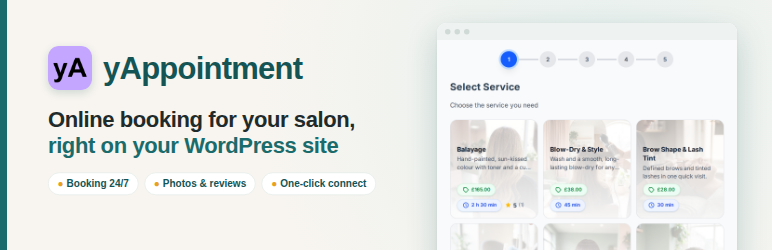
Your booking page on your own site: services with photos, prices, durations and reviews.

The floating “Book Now” button opens the booking in a popup on any page.

The yAppointment Booking block in the editor: pick a service and the booking opens with it selected.

Button Styles: the button in your own colours, shape and size.


